הקדמה
Thank you for choosing the FLEXISPOT Lite Electric Standing Desk. This manual provides essential information for the safe and efficient assembly, operation, and maintenance of your new desk. Please read this manual thoroughly before use and retain it for future reference.
The FLEXISPOT Lite Electric Standing Desk is designed to promote a healthier working environment by allowing seamless transitions between sitting and standing positions. Its robust construction and intuitive controls ensure a comfortable and productive workspace.
זיכערקייַט אינסטרוקציעס
- זיכער מאַכן אַז אַלע קאָמפּאָנענטן זענען פאַראַן און נישט געשעדיגט איידער איר אַסעמבלט עס. ניצט עס נישט אויב עס פעלט אָדער זענען צעבראָכן טיילן.
- האַלט קינדער און חיות אַוועק פון די טיש בעת די אָפּעראַציע צו פאַרמייַדן שאָדן.
- Do not place hands or other objects near the moving parts of the desk frame during height adjustment.
- Ensure the power cord is properly connected and not damaged. Do not operate the desk with a damaged cord or plug.
- איבערלאָדן נישט דעם טיש. זעט די ספּעציפֿיקאַציעס אָפּטייל פֿאַר מאַקסימום וואָג קאַפּאַציטעט.
- Only use the desk on a level surface to ensure stability.
- אָפּשטעקן די מאַכט איידער איר רייניקן אָדער דורכפירן קיין וישאַלט.
פּעקל אינהאַלט
ביטע באַשטעטיקן אַז אַלע די פאלגענדע קאָמפּאָנענטן זענען אַרייַנגערעכנט אין דיין פּעקל:
- Desktop (160 x 75 cm, White+Maple)
- Desk Legs/Frame (Alloy Steel)
- עלעקטרישער מאָטאָר און קאָנטראָל קעסטל
- קאָנטראָל פּאַנעל
- מאַכט אַדאַפּטער און קאַבלע
- גלעזל האָלדער
- סטאָרידזש קרוק
- Cable Management Accessories (Cable ties, Bundle Clamp)
- פֿאַרזאַמלונג האַרדווער (שרויף, אַלען שליסלען, אאז"ו ו)
- באַניצער מאַנואַל
בילד 1: איבערview of desk components, including the desktop, frame, and control panel, ready for assembly.
סעטאַפּ און אַסעמבלי
Follow these steps to assemble your FLEXISPOT Lite Electric Standing Desk. It is recommended to have two people for assembly, especially when handling the desktop.
- אָפּלייגן קאַמפּאָונאַנץ: Carefully remove all parts from the packaging and lay them out on a clean, soft surface to prevent scratches. Refer to the "Package Contents" section to ensure all parts are present.
- Attach Lifting Columns to Feet: Secure the lifting columns to the desk feet using the provided screws and tools. Ensure they are firmly attached.
- פֿאַרבינדן קראָסבאַר: Attach the crossbar between the two lifting columns. This forms the main frame of the desk.
- אינסטאַלירן קאָנטראָל קעסטל און מאָטאָר: Mount the control box and motor onto the designated areas of the desk frame. Connect the motor cables to the control box.
- צוטשעפּען דעסקטאָפּ: Carefully place the desktop upside down on a soft surface. Position the assembled frame onto the desktop, aligning the pre-drilled holes. Secure the frame to the desktop using the provided screws.
- אינסטאַלירן קאָנטראָל פּאַנעל: Mount the control panel to the underside of the desktop in an easily accessible location. Connect its cable to the control box.
- צוטשעפּען אַקסעסעריז: Install the cup holder and storage hook to the desired locations on the desktop edge.
- קאַבלע פאַרוואַלטונג: Use the provided cable management accessories to organize and secure all cables, including the power cord.
- שטעלע טיש: With assistance, carefully flip the desk upright and place it in its desired location. Ensure it is on a stable, level surface.
- פאַרבינדן מאַכט: Plug the power adapter into the control box, then plug the power cord into a wall outlet.
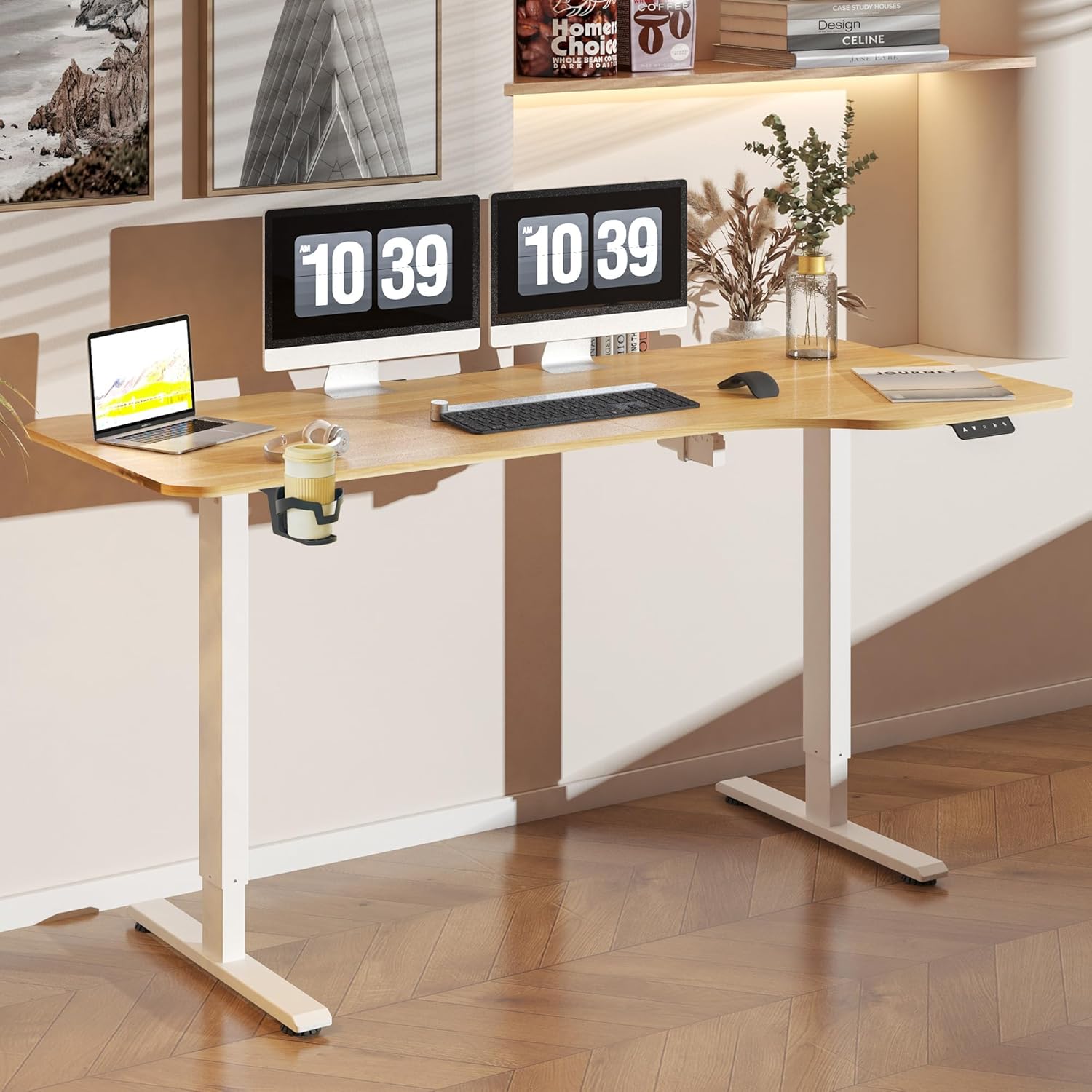
בילד 2: The FLEXISPOT Lite Electric Standing Desk fully assembled and set up in a modern home office environment.
אַפּערייטינג ינסטראַקשאַנז
קאָנטראָל פּאַנעל איבערview

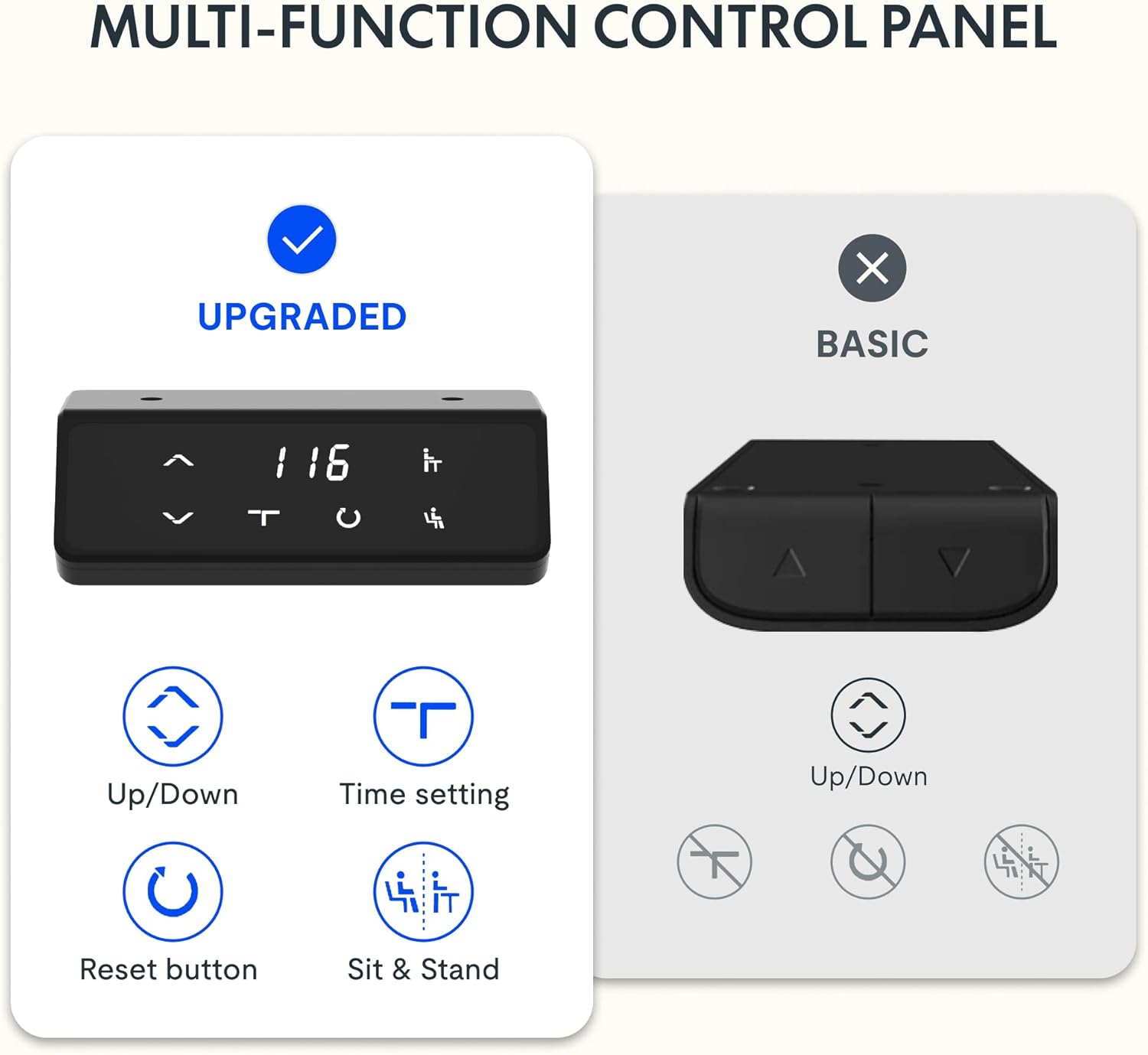
בילד 3: דעטאַילעד view of the desk's control panel, showing buttons for Up/Down adjustment, Time Setting, Reset, and Sit & Stand memory presets.
Your FLEXISPOT Lite Electric Standing Desk features an intuitive control panel for easy height adjustment and memory functions.
- אַרויף/אַראָפּ קנעפּלעך (⌃ / ⌄): Press and hold these buttons to manually adjust the desk height upwards or downwards. Release the button to stop at the desired height.
- זכּרון פּרעסעץ: The control panel allows you to save and recall preferred height settings.
- Adjust the desk to your desired height (e.g., a comfortable sitting or standing position) using the Up/Down buttons.
- Press and hold the 'Sit & Stand' button (person icon) for approximately 3-5 seconds until the display flashes or beeps, indicating the height is saved.
- To recall a saved height, simply press the 'Sit & Stand' button. The desk will automatically move to the last saved height. (If your model supports multiple presets, consult the full product manual for specific instructions on saving and recalling each position.)
- צוריקשטעלן קנעפּל (R): If the desk encounters an error or does not respond correctly, a reset may be required.
- Press and hold the 'R' button (often indicated by a circle icon or 'Reset' text).
- The desk will move to its lowest position, then slightly rise. Release the button once this sequence is complete. The desk is now reset.
- Time Setting (T): This button, often labeled with a clock icon, may be used to set a timer for sit/stand reminders, if available on your model. Consult the full product manual for detailed instructions on using this feature.

בילד 4: The FLEXISPOT Lite Electric Standing Desk in use, highlighting the accessible placement of the control panel for easy height adjustments.
פֿעיִקייטן
הייך אַדדזשוסטמענט ראַנגע
The desk offers a wide range of height adjustment to accommodate various user preferences and activities, from a minimum of 71 cm to a maximum of 117 cm.

בילד 5: Visual representation of the desk's height adjustment capabilities, illustrating the minimum and maximum heights.
ינטעגראַטעד אַקסעססאָריעס
- גלעזל האָלדער: A convenient cup holder is included to keep your beverages secure and prevent spills on your workspace.
- Storage Hook: A practical hook is provided for hanging headphones, bags, or other items, helping to keep your desktop clear and organized.

בילד 6: דעטאַילעד view of the integrated cup holder and storage hook, designed for convenience and organization.
קאַבלע מאַנאַגעמענט
The desk includes features to help manage and organize your cables, ensuring a tidy and safe workspace.
- Cable Management Tray/Clips: Utilize the provided cable management solutions to route and secure power cords and peripheral cables.
- Bundle Clamp/Grommet: The desktop features a grommet hole and clamp for neatly passing cables through the desk surface.

בילד 7: Examples of the desk's cable management features, including a cable routing system and a desktop grommet for organized wiring.
וישאַלט
- רייניקונג: ווישט אָפּ די טיש־איבערפֿלאַך און ראַם מיט אַ ווייכן, דamp שטאָף. פֿאַרמײַדט שרײַבנדיקע רייניקונגס־מיטלען אָדער שאַרפֿע כעמיקאַלן וואָס קענען שאַטן דעם ענדיקונג.
- דורכקוק: קאָנטראָלירט פּעריִאָדיש אַלע שרויפֿן און פֿאַרבינדונגען צו זיכער מאַכן אַז זיי זענען פֿעסט. פֿעסטשטײַערט ווידער אויב נייטיק.
- קאַבלע פאַרוואַלטונג: זיכער מאַכן אַז די קאַבלען זענען נישט צוגעקניפּט אָדער פֿאַרפּלאָנטערט, ספּעציעל בעת הייך אַדזשאַסטמאַנץ.
- מאָטאָר קער: The electric motor is designed for maintenance-free operation. Do not attempt to open or service the motor or control box.
טראָובלעשאָאָטינג
| פּראָבלעם | מעגלעך סיבה | לייזונג |
|---|---|---|
| דער טיש רירט זיך נישט. | Power cord disconnected; motor cable loose; overload. | Check power connections. Ensure motor cables are securely plugged in. Reduce weight on the desk. Perform a reset. |
| דער טיש באוועגט זיך נישט גלייך אדער מאכט אומגעווענליכע גערוישן. | לויזע פֿאַרבינדונגען; פֿאַרשטאָפּונג; אומגלייכע לאַסט. | Check all assembly screws. Ensure no objects are obstructing the lifting columns. Distribute weight evenly on the desktop. Perform a reset. |
| טעות קאָד געוויזן אויף קאָנטראָל פּאַנעל. | ספּעציפישע סיסטעם טעות. | Refer to the specific error code in the full product manual (if available) or contact customer support. Often, a reset can resolve minor errors. |
| זכּרון פּרעסעטס אַרבעטן נישט. | Presets not saved correctly; system glitch. | Re-save your desired height presets. Perform a reset if the issue persists. |
ספּעסאַפאַקיישאַנז
| שטריך | דעטאַל |
|---|---|
| מאָדעל נומער | QS1M-1675-IE |
| דעסקטאָפּ גרייס | 160 X 75 סענטימעטער |
| דעסקטאָפּ מאַטעריאַל | האלץ |
| ראַם מאַטעריאַל | אַללוי סטיל |
| קאָליר | White+Maple |
| מינימום הייך | 71 סענטימעטער |
| מאַקסימום הייך | 117 סענטימעטער |
| מאַקסימום וואָג קאַפּאַציטעט | 150 פונט (אומגעפער 68 ק"ג) |
| מאָטאָר ראַש לעוועל | ווייניקער ווי 50 דב |
| אַסעמבלי פארלאנגט | יא |
וואָראַנטי און שטיצן
FLEXISPOT stands behind the quality of its products. Your FLEXISPOT Lite Electric Standing Desk comes with the following warranty:
- 5 יאָר וואָראַנטי: גילט פארן טיש־ראַם.
- 3 יאָר וואָראַנטי: Applies to controllers and motors.
For warranty claims, technical support, or any questions regarding your product, please contact FLEXISPOT customer service. Please have your model number (QS1M-1675-IE) and proof of purchase ready.

בילד 8: Official FLEXISPOT warranty details, outlining coverage for the desk frame, controllers, and motors.


