הקדמה
Welcome to the user manual for your new Auusda Windows Laptop Computer. This manual provides essential information to help you set up, operate, maintain, and troubleshoot your device. Please read it thoroughly to ensure optimal performance and longevity of your laptop.

בילד: פראָנט view of the Auusda Windows Laptop Computer, showcasinזײַן גלאַטן דיזײַן און לעבעדיקן אַרויסווײַז.
וואָס איז אין די קעסטל
Upon unboxing your Auusda laptop, please verify that all the following items are included:
- Auusda Windows Laptop Computer
- Laptop Charger (Power Adapter)
- Laptop Manual (this document)
- (Optional) Transparent Keyboard Cover
- (Optional) Spanish Keyboard Cover
פּראָדוקט איבערview
שליסל פֿעיִקייטן
The Auusda T152A laptop is designed for efficiency and performance, featuring:
Fast & Secure Fingerprint Reader
Enjoy instant and secure access to your laptop with the integrated fingerprint recognition technology, allowing login within 1 second.

Image: Detail of the laptop's fingerprint reader, highlighting its quick and secure login capability.
Ultimate Performance: RAM, SSD, and CPU
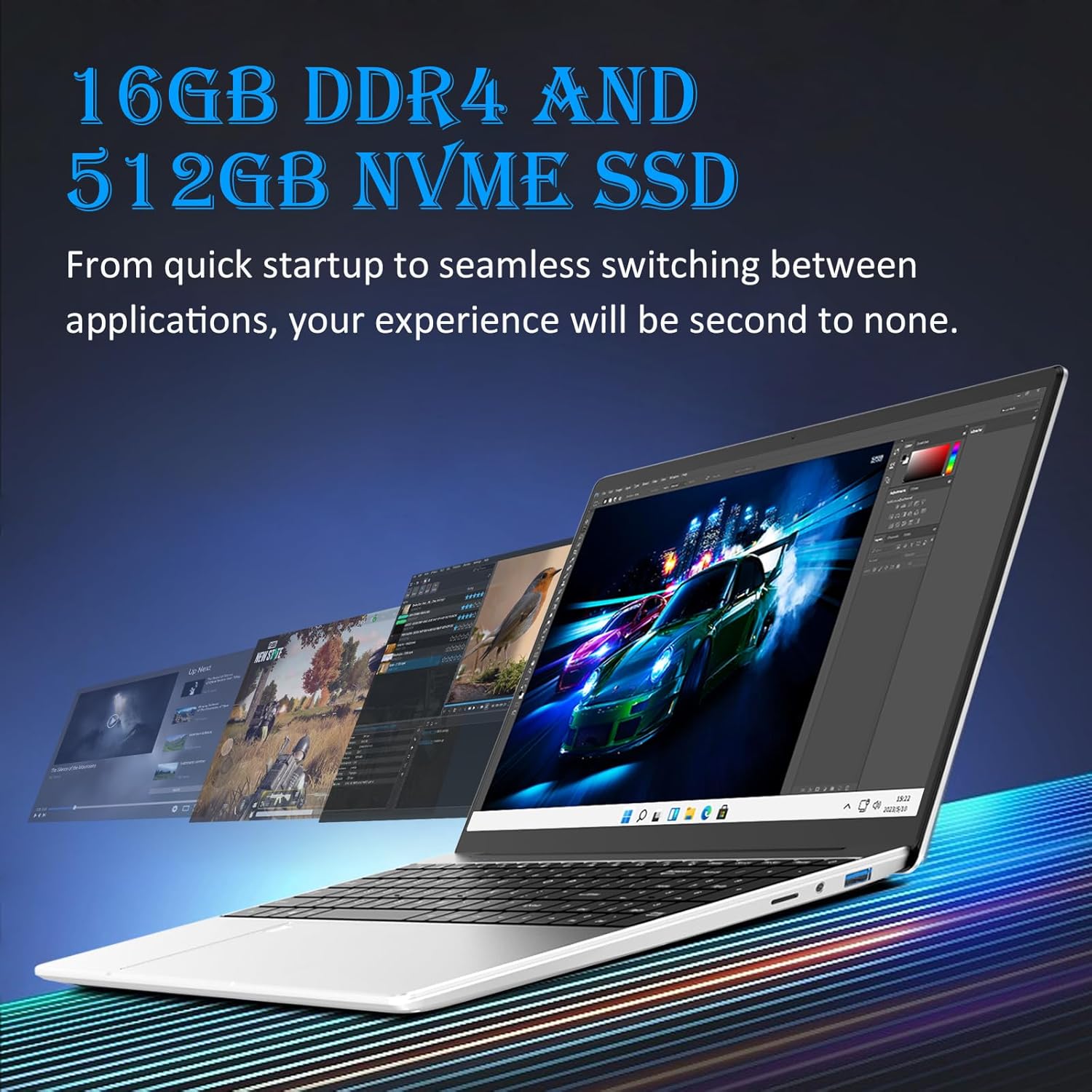
יקוויפּט מיט 16GB DDR4 באַראַן for seamless multitasking and a 512GB M.2 PCIe NVMe SSD for rapid data transfer and application loading. The 1.7-3.4GHz Intel N95 processor provides enhanced processing power, suitable for various computing tasks including video editing.

Image: Visual representation of the laptop's performance, showcasing multiple applications running smoothly, enabled by its 16GB DDR4 RAM and 512GB NVMe SSD.

Image: A chart comparing the Intel N95 processor's performance, emphasizing its 3.40GHz burst frequency and 4 cores.
Visual Masterpiece: Display
The laptop features a stunning 15.6" Full HD (1920x1080) IPS LCD display, offering vibrant colors and wide viewינג אַנגלעס. די 180-degree hinge provides flexibility for various viewing and sharing scenarios.

בילד: די לאַפּטאָפּ'ס אַרויסווייַזונגasing its 15.6-inch Full HD IPS screen with vivid visuals.

Image: The laptop's 180-degree hinge in action, illustrating its flexibility for diverse viewינג אַנגלעס.
Efficient Typing & Long-Lasting Power: Keyboard and Battery
די באַקלייט קלאַוויאַטור allows comfortable typing in low-light conditions, complemented by a numeric keypad for efficient data entry. Quick-access shortcut keys are available, and brightness can be adjusted with Fn+F5. A robust 44892mWh battery ensures extended use.

Image: A user typing on the laptop's backlit keyboard, demonstrating its visibility in low-light settings.
Comprehensive Connectivity & Expansion
The laptop offers a versatile array of ports including dual וסב-א 3.0, מיני הדמי for video output, and a מיקראָסד שפּעלטל. It also features a 3.5mm charging port and a 3.5mm audio jack. Storage can be expanded with up to 1.5TB MicroSD cards און אַן 8TB M.2 SSD.
בילד: א דעטאלירטע זייט view of the laptop, illustrating its comprehensive connectivity options including USB-A, Mini HDMI, and MicroSD ports.

Image: A visual demonstrating the laptop's connectivity, including its ability to connect to external displays via Mini HDMI.
סעטאַפּ גייד
- אויספּאַקן דעם לאַפּטאָפּ: פֿאָרזיכטיק אַרויסנעמען דעם לאַפּטאָפּ און אַלע אַקסעסאָריעס פֿון דער פּאַקאַדזשינג.
- פאַרבינדן מאַכט: Plug the laptop charger into the charging port (3.5mm x 1.35mm round 12V 3A) on the laptop and then into a power outlet.
- ערשט מאַכט אויף: Open the laptop lid and press the power button. The laptop will typically power on automatically or prompt you to press the power button.
- Windows סעטאַפּ: Follow the on-screen instructions to complete the Windows 11 setup process. This includes selecting your region, language, connecting to a Wi-Fi network, accepting terms, and creating a user account.
- סעטאַפּ פון פינגערפּרינט (אָפּטיאָנאַל): During or after Windows setup, you can configure the fingerprint reader for quick and secure login. Navigate to סעטטינגס > אַקאַונטס > לאָגין אָפּציעס to set up Windows Hello Fingerprint.
- ינסטאַלירן דערהייַנטיקונגען: After initial setup, it is recommended to check for and install any pending Windows updates to ensure your system is secure and up-to-date. Go to סעטטינגס > ווינדאָוס אַפּדייט.
אַפּערייטינג ינסטראַקשאַנז
יקערדיק אָפּעראַציע
- מאַכט אויף / אַוועק: דריק דעם מאַכט קנעפּל צו אנצינדן. צו אויסלעשן, גיט דעם אָנהייב קנעפּל, דערנאָך מאַכט, און סעלעקטיר "אויסלעשן".
- שלאָפן מאָדע: Close the lid or click the Start button, then Power, and select "Sleep."
- קלאַוויאַטור באַקלייט: Adjust brightness using the Fn + F5 key combination.
- קאַנעקטינג פּעריפעראַלס: Use the USB-A 3.0 ports for external devices like mice, keyboards, or external drives.
- פונדרויסנדיק ווייַז: Connect an external monitor using the Mini HDMI port.
- אַודיאָ: Use the 3.5mm audio jack for headphones or external speakers.
סטאָרידזש יקספּאַנשאַן
Your laptop supports storage expansion:
- מיקראָסד קאָרט: Insert a MicroSD card into the dedicated slot for additional storage, supporting up to 1.5TB.
- M.2 SSD: The laptop allows for an additional M.2 SSD upgrade, supporting up to 8TB for significant storage capacity. Consult a qualified technician for M.2 SSD installation if you are unsure.
וישאַלט
Proper maintenance ensures the longevity and optimal performance of your Auusda laptop:
- רייניקונג: ניצט אַ ווייכע, לינט-פֿרייע שטאָף צו רייניקן דעם עקראַן און די אויסערלעכע זייט. פֿאַר שווערע פֿלעקן, ווישט אַ ביסלampווישט דעם שטאָף מיט וואַסער אָדער אַ פאַרשטעלן-זיכער רייניגער. פֿאַרמייַדט שטרענגע כעמיקאַלן.
- ווענטילאַטיאָן: זיכערט זיך אז די לעפטאפ'ס ווענטילאציע עפענונגען זענען נישט פארשטאפט כדי צו פארמיידן איבערהיצונג. ניצט דעם לעפטאפ אויף א הארטער, גלייכער אויבערפלאך.
- באַטערי זאָרגן: Avoid fully discharging the battery frequently. For long-term storage, charge the battery to about 50-60%.
- ווייכווארג דערהייַנטיקונגען: Regularly install Windows updates and driver updates to maintain system stability and security.
- דאַטאַ באַקקופּ: מאַכט פּעריִאָדיש באַקאַפּן פון וויכטיקע דאַטן צו אַן עקסטערנאַלן דרייוו אָדער וואָלקן סטאָרידזש צו פאַרמייַדן דאַטן אָנווער.

Image: Illustration of the laptop's cooling system, emphasizing the importance of clear ventilation for optimal performance.
טראָובלעשאָאָטינג
דאָ זענען לייזונגען צו געוויינטלעכע פּראָבלעמען וואָס איר קענט באַגעגענען:
| פּראָבלעם | מעגלעך סיבה | לייזונג |
|---|---|---|
| דער לאַפּטאָפּ גייט נישט אָן. | נידעריגע באַטעריע, פּראָבלעם מיט מאַכט אַדאַפּטער. | Ensure charger is properly connected and power outlet is working. Allow laptop to charge for at least 30 minutes before attempting to power on again. |
| לאַנגזאַמע פאָרשטעלונג. | Too many applications running, low disk space, outdated drivers. | שליסט אומנייטיקע אַפּליקאַציעס. מאַכט פריי דיסק פּלאַץ. דערהייַנטיקט ווינדאָוז און מיטל דרייווערס. |
| Wi-Fi קאָנעקטיוויטי פּראָבלעמען. | Router issues, incorrect Wi-Fi settings, driver problems. | ריסטאַרט דיין ראַוטער און לאַפּטאָפּ. קאָנטראָליר די Wi-Fi סעטטינגס אין Windows. אַפּדייט די Wi-Fi דרייווערס. |
| Fingerprint reader not working. | Finger dirty, sensor dirty, software glitch. | Ensure your finger and the sensor are clean and dry. Restart the laptop. Re-register your fingerprint in Windows Hello settings. |
| קלאַוויאַטור באַקלייט אַרבעט נישט | Disabled or brightness set to minimum. | Press Fn + F5 to adjust backlight brightness. Ensure the feature is enabled in system settings if applicable. |
ספּעסאַפאַקיישאַנז
| שטריך | דעטאַל |
|---|---|
| סאָרט | Auusda |
| מאָדעל נאָמען | T152A |
| אָפּערייטינג סיסטעם | Windows 11 |
| פאַרשטעלן גרייס | 15.6 אינטשעס |
| פאַרשטעלן האַכלאָטע | 1920 x 1080 פּיקסעלס (פול HD IPS) |
| פּראַסעסער | Intel N95 (1.7-3.4GHz) |
| באַראַן | 16 גיגאבייט דדר4 |
| שווער דרייוו | 512 GB M.2 PCIe NVMe SSD |
| גראַפיקס קאָופּראַסעסער | אינטעל UHD גראַפיקס (אינטעגרירט) |
| ווירעלעסס טיפּ | 5 גיגאהערץ ראדיא פרעקווענץ (Wi-Fi) |
| וסב פּאָרץ | 2 רענטגענ וסב 3.0 |
| ווידעא רעזולטאַט | מיני הדמי |
| אַודיאָ דזשאַק | 3.5 מם |
| מיקראָסד שפּעלטל | Yes (supports up to 1.5TB) |
| באַטערי | 44892mWh Lithium Ion |
| פּונקט וואָג | 5.09 פונט (אומגעפער 2.31 ק"ג) |
| פּראָדוקט דימענשאַנז | 14.17 X 9.06 X 0.71 אינטשעס |
| קאָליר | Silver Denarius |
| ספּעציעלע פֿעיִקייטן | באַקלייט קלאַוויאַטור, פינגערפּרינט לייענער |
וואָראַנטי און שטיצן
Your Auusda laptop comes with a 2-year assured performance and safety warranty. This product has been thoroughly tested and is UL certified, ensuring reliable operation and superior safety measures.
For technical support, warranty claims, or any inquiries, please refer to the contact information provided on the Auusda official website or your purchase documentation. Please have your model number (T152A) and purchase date ready when contacting support.


