פּראָדוקט איבערview
The SUNOL H08 Mecha Bluetooth Wireless Headset offers a unique transparent design combined with advanced audio technology. Engineered for comfort and convenience, these headphones provide clear sound quality, low latency, and extended battery life, making them suitable for various activities from daily listening to gaming and calls.
Key features include Bluetooth 5.3 for stable connectivity, environmental noise reduction for clear calls, and a robust charging case with an LED display.
וואָס איז אין די קעסטל
- H08 Mecha Bluetooth Wireless Headset (Left and Right Earbuds)
- טשאַרדזשינג קאַסע
- טשאַרדזשינג קאַבלע
- Multiple Sizes of Ear Tips (for comfortable fit)
סעטאַפּ גייד
1. ערשטע אויפלאָדונג
Before first use, fully charge the headset and charging case. Place the earbuds into the charging case. Connect the charging cable to the case and a USB power source. The LED display on the charging case will indicate the charging status and battery level.
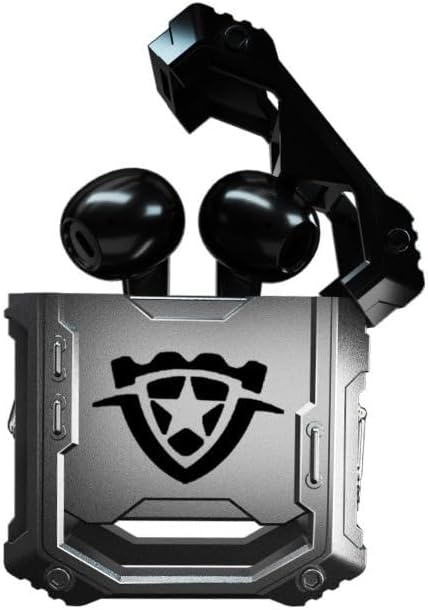
Image: The H08 Mecha Bluetooth Wireless Headset, showing both earbuds securely placed within their open charging case. The case features a distinctive, rugged design with a central emblem.
2. פּערינג מיט אַ מיטל
- זיכער מאַכן אַז די אויערקנעפּלעך זענען אויפגעלאָדן און געלייגט אין די טשאַרדזשינג קעסטל.
- עפֿנט דעם טשאַרדזשינג קעסטל. די אויערקנעפּלעך וועלן אויטאָמאַטיש אַרײַן אין פּערינג מאָדע.
- On your device (smartphone, tablet, computer), go to Bluetooth settings and turn on Bluetooth.
- זוכן פֿאַר available devices and select "H08" from the list.
- Once connected, a voice prompt will confirm successful pairing. The effective connection distance is up to 10 meters.

Image: The H08 Mecha Bluetooth Wireless Headset charging case in a closed position, showcasing its metallic, rugged exterior. The image highlights the zinc alloy material and suggests a long battery life.
3. טראָגן די אויערקנעפּלעך
Select the ear tips that provide the most comfortable and secure fit for your ears. Gently insert each earbud into your ear canal and twist slightly to ensure a snug fit. A proper fit enhances sound quality and noise isolation.
אַפּערייטינג ינסטראַקשאַנז
מאַכט אויף / אַוועק
- מאַכט אויף: עפֿענען די טשאַרדזשינג פאַל, און די עאַרבודז וועט אויטאָמאַטיש מאַכט אויף.
- מאַכט אַוועק: לייגט די אויערקנעפּלעך צוריק אין די טשאַרדזשינג קעסטל און מאַכט צו דעם דעקל. זיי וועלן זיך אויטאָמאַטיש אויסלעשן און אָנהייבן טשאַרדזשינג.
מוזיק פּלייבאַק קאָנטראָל
- שפּיל / פּויזע: Single tap the touch control area on either earbud.
- ווייַטער שפּור: טאָפּל צאַפּן אויף די רעכט עאַרבוד.
- פֿריִערדיקע שפּור: טאָפּל צאַפּן אויף די לינקס עאַרבוד.
רופן פאַרוואַלטונג
- ענטפֿערן / סוף רופן: Single tap the touch control area on either earbud during an incoming call.
- אָפּוואַרפן רופן: Press and hold the touch control area on either earbud for 2 seconds during an incoming call.
The built-in environmental noise reduction (ENC) chip ensures clear sound quality during calls by filtering out ambient noise.

Image: A close-up of the H08 Mecha Bluetooth Wireless Headset earbuds, highlighting their sleek design. The background features a graphic representation of sound waves, illustrating the intelligent noise reduction technology for clear audio.
נידעריק לייטאַנס מאָדע (גיימינג)
The headset features a low latency mode, significantly improving Bluetooth transmission speed for a more synchronized audio experience, especially beneficial for gaming. This ensures that sound effects and dialogue are heard with minimal delay.
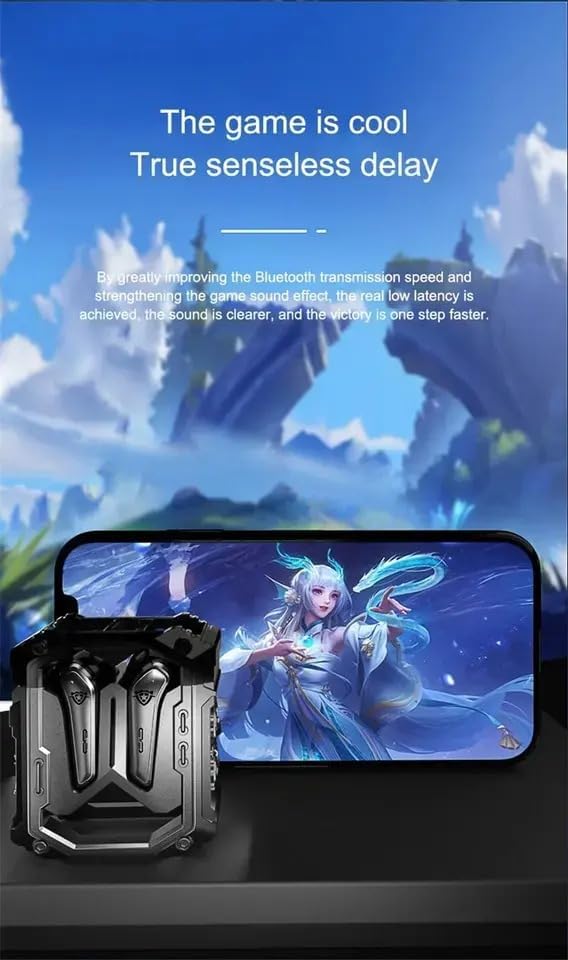
Image: The H08 Mecha Bluetooth Wireless Headset charging case positioned next to a smartphone displaying a vibrant game scene. This image emphasizes the headset's low latency feature, ideal for an immersive gaming experience.
וישאַלט
Charging the Headset and Case
- The charging case has a built-in 600mAh battery, capable of charging the earbuds approximately four times, providing up to 48 hours of total playtime.
- The LED display on the charging case shows the battery level of both the case and the earbuds.
- Use the provided charging cable to charge the case.

Image: The H08 Mecha Bluetooth Wireless Headset with its charging case open, revealing the earbuds inside. The image highlights the "mechanical metal technology" and the robust design of the charging compartment, emphasizing its durability and environmental noise filtering capabilities.
רייניקונג
Regularly clean the earbuds and charging case with a soft, dry, lint-free cloth. Avoid using abrasive materials or harsh chemicals. Ensure charging contacts on both the earbuds and case are clean and dry.
סטאָרידזש
ווען נישט אין באַנוץ, לייגט אַוועק די כעדסעט אין איר טשאַרדזשינג קעסטל צו באַשיצן עס פון שטויב און שאָדן. לייגט אַוועק אין אַ קיל, טרוקן אָרט, אַוועק פון עקסטרעמע טעמפּעראַטורן.
טראָובלעשאָאָטינג
- קען נישט פארבינדן:
- מאַכן זיכער אַז בלועטאָאָטה איז ענייבאַלד אויף דיין מיטל.
- Make sure the earbuds are charged and in pairing mode (open the case).
- ריקט די אויערן-קנעפּלעך נענטער צו אייער דעווייס.
- Forget "H08" from your device's Bluetooth list and try pairing again.
- קיין געזונט פֿון איין עאַרבוד:
- לייגט צוריק ביידע אויערקנעפּלעך אין דעם טשאַרדזשינג קעסטל, מאַכט צו דעם דעקל, וואַרט אַ פּאָר סעקונדעס, און עפֿנט עס ווידער.
- מאַכן זיכער אַז ביידע עאַרבודז זענען באפוילן.
- טשאַרדזשינג ישוז:
- קאָנטראָלירט צי דער טשאַרדזשינג קאַבל איז זיכער פארבונדן סיי צום קעסטל און סיי צום מאַכט מקור.
- Ensure the charging contacts on the earbuds and inside the case are clean.
- פרובירט אן אנדערן טשאַרדזשינג קאַבל אדער מאַכט אַדאַפּטער.
- נעבעך רופן קוואַליטי:
- זיכער מאַכן אַז דער מיקראָפאָן איז נישט פֿאַרשטאָפּט.
- Move to a quieter environment if environmental noise is excessive.
- קאָנטראָלירט די רוף־וואָלומען סעטטינגס פֿון אייער דעווייס.
ספּעסאַפאַקיישאַנז
| שטריך | דעטאַל |
|---|---|
| מאָדעל נאָמען | H08 |
| קאַנעקטיוויטי טעכנאָלאָגיע | ווירעלעסס (בלועטאָאָטה) |
| ווירעלעסס קאָמוניקאַציע טעכנאָלאָגיע | בלועטאָאָטה 5.3 |
| בלועטאָאָטה קייט | אַרויף צו 10 מעטער (33 פֿיס) |
| אַודיאָ לייטאַנס | 60 מיליסעקאַנדז |
| באַטעריע לעבן (אויערקנעפּלעך) | ביז 18 שעה (איין אָפּצאָל) |
| גאַנץ שפּילצייט (מיט טשאַרדזשינג קעסטל) | בעערעך. 48 שעה |
| טשאַרדזשינג קאַסע באַטאַרייע קאַפּאַציטעט | 600 מאַה |
| אַודיאָ דרייווער טיפּ | 14mm Dynamic Bass Unit |
| ראַש קאָנטראָל | Environmental Noise Reduction (ENC) for calls |
| קאָנטראָל טיפּ | Media Control, Call Control (Touch/Remote) |
| מאַטעריאַל | Plastic (Earbuds), Zinc Alloy (Charging Case) |
| וואָג | 6.4 אונסעס (גאַנץ פּאַקעט) |
| קאָליר | שוואַרץ |
| אויער פּלייסמאַנט | אין אויער |
| פאַבריקאַנט | SWISSES |
וואָראַנטי און שטיצן
For warranty information and detailed support, please refer to the documentation included with your purchase or visit the official SUNOL website. You may also contact the seller, SWISSES, through the platform where the product was purchased for assistance.
ביטע באַהאַלטן אייער קויפן-באַווייַז פֿאַר יעדע וואָראַנטי-פאָדערונג.


