1. הקדמה
This manual provides detailed instructions for the installation, operation, and maintenance of your Alpine INE-W970HD Audio/Video/Navigation System and Alpine PXE-C80-88 OPTIM8 8-Channel Hi-Res DSP Amplifier. Please read this manual thoroughly before using the product to ensure proper and safe operation.
The Alpine INE-W970HD is an advanced in-dash unit compatible with Apple CarPlay and Android Auto, offering comprehensive audio, video, and navigation functionalities. The Alpine PXE-C80-88 OPTIM8 is a high-resolution digital sound processor amplifier designed to enhance your vehicle's audio system with precise sound tuning capabilities.
2. זיכערקייַט אינפֿאָרמאַציע
שטענדיק אָבסערווירן די פאלגענדע זיכערהייט מיטלען צו פאַרמייַדן שאָדן אָדער שעדיקן צו די אַפּאַראַט:
- Do not operate the system in a way that distracts you from driving.
- Ensure proper wiring and connections to avoid electrical shorts or fire hazards.
- באַראַטן זיך מיט אַ פאַכמאַן פֿאַר ינסטאַלירונג אויב איר זענט נישט זיכער וועגן קיין שריט.
- האַלטן די אַפּאַראַט אַוועק פון נעץ און עקסטרעם טעמפּעראַטורעס.
3. פּעקל אינהאַלט
באַשטעטיקן אַז אַלע זאכן זענען פאַראַן אין דיין פּעקל:
- Alpine INE-W970HD Audio/Video/Nav System
- Alpine PXE-C80-88 OPTIM8 8-Channel Hi-Res DSP Ampליפער
- וויירינג האַרנעססעס
- מאַונטינג ייַזנוואַרג
- GPS Antenna (for INE-W970HD)
- וסב עקסטענסיאָן קאַבלע
- באַניצער מאַנואַלן (דאָס דאָקומענט)

Image: The Alpine INE-W970HD head unit and the Alpine PXE-C80-88 DSP amplifier, showing both main components of the bundle.
4. סעטאַפּ און ייַנמאָנטירונג
Professional installation is highly recommended for these components. Incorrect wiring can cause damage to the units or your vehicle's electrical system.
4.1. INE-W970HD Installation
The INE-W970HD is designed for in-dash mounting. Ensure adequate space and proper ventilation.
- צוגרייטונג: טרענט אפ דעם נעגאטיווען באטעריע-טערמינאל פונעם אויטא איידער איר הייבט אן קיין עלעקטרישע ארבעט.
- מאָונטינג: Securely mount the INE-W970HD into the vehicle's double-DIN opening using the provided mounting brackets.
- וויירינג: Connect the main power harness, speaker wires, and other input/output cables (RCA, USB, HDMI, GPS antenna) as per the wiring diagram provided in the separate installation guide.
- אַנטענע קשר: Connect the GPS antenna and radio antenna. Position the GPS antenna in a location with a clear view פון הימל.

Image: The Alpine INE-W970HD head unit displaying the Apple CarPlay interface, showing various app icons.
4.2. PXE-C80-88 OPTIM8 Installation
The PXE-C80-88 OPTIM8 should be mounted in a dry, well-ventilated area, such as under a seat or in the trunk.
- מאַונטינג אָרט: Choose a location that is protected from moisture and excessive heat, and allows for proper cable routing.
- מאַכט קשר: Connect the power and ground wires directly to the vehicle's battery, ensuring proper fusing.
- אַרייַנשרייַב קאַנעקשאַנז: Connect the audio input signals from the INE-W970HD (or other source) to the PXE-C80-88. This can be done via RCA or speaker-level inputs.
- רעזולטאַט קאַנעקשאַנז: Connect the speaker outputs from the PXE-C80-88 to your vehicle's speakers.

בילד: א דעטאַלירטע view of the Alpine PXE-C80-88 OPTIM8 DSP amplifier, highlighting its compact design and connection ports.
5. אַפּערייטינג ינסטרוקטיאָנס
5.1. INE-W970HD Basic Operation
- מאַכט אויף / אַוועק: Press and hold the power button (usually located on the front panel) to turn the unit on or off.
- באַנד קאָנטראָל: Use the rotary encoder or on-screen controls to adjust the volume.
- מקור סעלעקציע: Tap the "Source" icon on the touchscreen or use the physical buttons to select between Radio, USB, Bluetooth Audio, HDMI, Apple CarPlay, Android Auto, and other inputs.
- נאַוויגאַציע: Access the built-in navigation system by tapping the "NAV" button. Enter destinations, view maps, and follow turn-by-turn directions.
- עפּל קאַרפּליי / אַנדרויד אויטאָ: Connect your compatible smartphone via USB. The system will automatically launch the respective interface, allowing access to phone functions, messaging, music, and navigation apps.

Image: The Alpine INE-W970HD head unit displaying the Android Auto interface, showing various app icons like Maps, Spotify, and YouTube Music.
5.2. PXE-C80-88 OPTIM8 Sound Tuning
The OPTIM8 offers advanced sound tuning capabilities. It can be configured via a PC application or an iOS app.
- אַפּ קשר: Connect your PC or iOS device to the PXE-C80-88 via USB or Bluetooth (if applicable).
- אָטאַמאַטיק טונינג: Utilize the "5 Minute Self-Tuning" feature for quick and optimized sound calibration. This process uses a microphone (sold separately) to analyze your vehicle's acoustics.
- מאַנואַל טונינג: For advanced users, the PC App provides comprehensive control over equalization, crossovers, time correction, and level adjustments for each of the 8 channels.
- פּריסעט פאַרוואַלטונג: Save and recall custom sound presets for different music genres or listening preferences.

בילד: א פון אויבן אראפ view of the Alpine PXE-C80-88 OPTIM8 DSP ampלײַכטער, ווײַזןasing its sleek design and central branding.
6. וישאַלט
Regular maintenance ensures the longevity and optimal performance of your Alpine system.
- רייניקונג די ווייַז: ניצט אַ ווייכע, טרוקענע שטאָף צו ווישן דעם טאטשסקרין. פֿאַר שווערע פֿלעקן, ווייכט עס אַ ביסל אויס.ampווישט דעם שטאָף מיט וואַסער אָדער אַ פאַרשטעלן רייניגער דיזיינד פֿאַר עלעקטראָניק. ניצט נישט קיין אַברייסיוו רייניגער.
- ווייכווארג דערהייַנטיקונגען: Periodically check the Alpine website for firmware updates for both the INE-W970HD and PXE-C80-88. Updates can improve performance, add features, and fix bugs.
- קאַבלע קאַנעקשאַנז: Occasionally check all cable connections to ensure they are secure and free from corrosion.
- ווענטילאַטיאָן: Ensure that the PXE-C80-88's ventilation fins are not obstructed to prevent overheating.
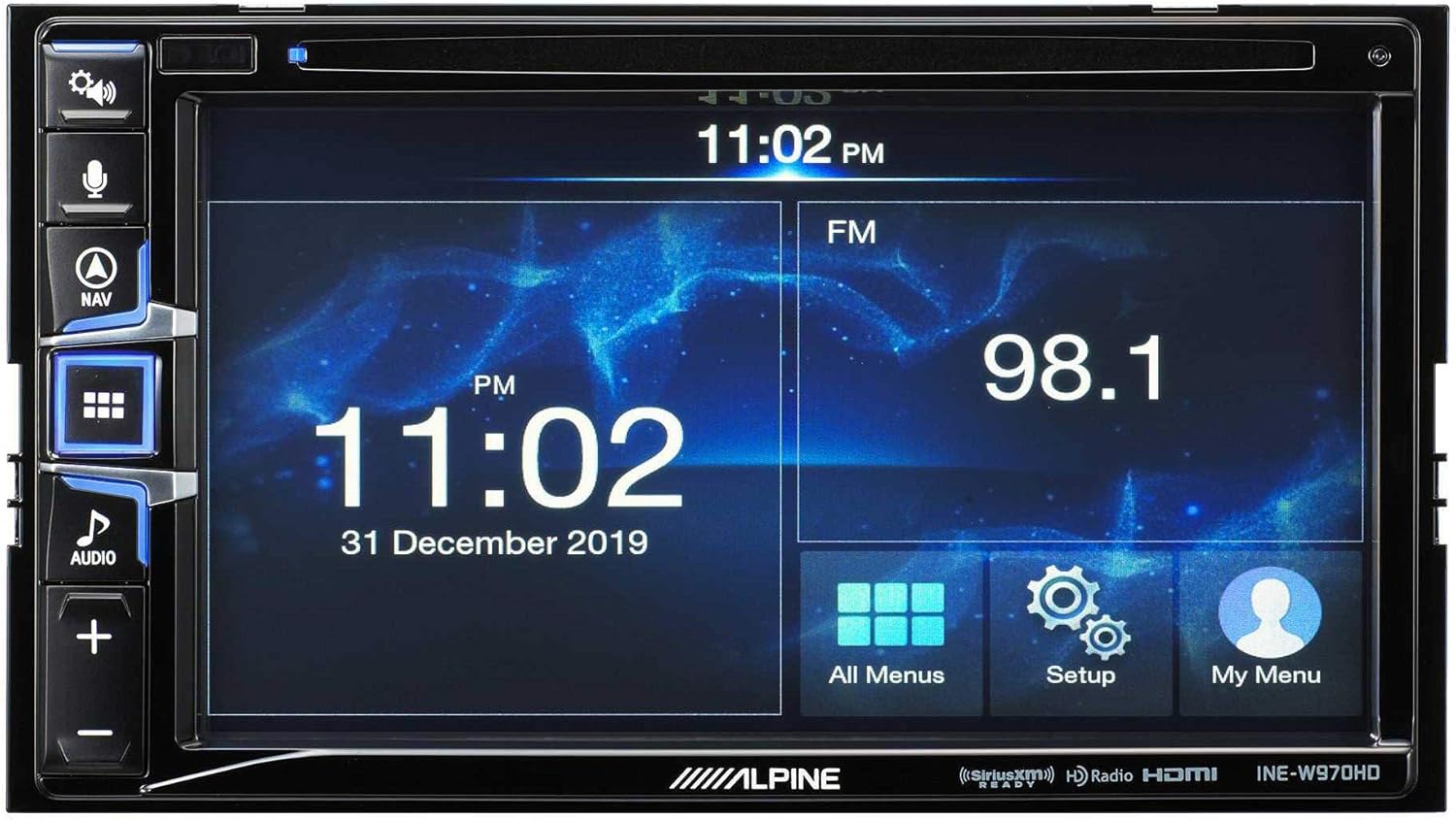
Image: The Alpine INE-W970HD head unit displaying the radio interface, showing frequency and time information.
7. טראָובלעשאָאָטינג
אויב איר טרעפט פּראָבלעמען, זעט די פאלגענדע געוויינטלעכע פּראָבלעמען און לייזונגען:
| פּראָבלעם | מעגלעך סיבה | לייזונג |
|---|---|---|
| קיין מאַכט | Blown fuse, loose power connection. | Check vehicle fuses and unit's inline fuse. Verify power and ground connections. |
| קיין געזונט | Muted, incorrect source, loose speaker wires, DSP not configured. | Check mute function. Select correct audio source. Verify speaker connections. Ensure PXE-C80-88 is properly configured via its app. |
| Navigation Not Working | דזשי-פי-עס אַנטענע נישט פארבונדן אדער פארשטאפט. | זיכער מאַכן אַז די GPS אַנטענע איז זיכער פֿאַרבונדן און האָט אַ קלאָרע view פון הימל. |
| קאַרפּליי/אַנדרויד אויטאָ פֿאַרבינדט זיך נישט | דעפעקטיווער USB קאַבל, טעלעפאָן נישט קאָמפּאַטיבל, ווייכווארג פּראָבלעם. | Try a different USB cable. Ensure your phone's OS is up to date. Restart both phone and head unit. |

Image: The Alpine INE-W970HD head unit displaying a navigation map with route information.
8. ספּעסאַפאַקיישאַנז
8.1. Alpine INE-W970HD
- ווייַז: טאָוטשסקרעען
- קאַנעקטיוויטי: USB, HDMI, Ethernet, optical audio, component video, RCA
- קאַמפּאַטאַבילאַטי: עפּל קאַרפּלייַ, אַנדרויד אַוטאָ
- אַודיאָ רעזולטאַט מאָדע: סטערעאָ, סוראַונד
- סאָונד סאָונד קאַנאַל קאַנפיגיעריישאַן: 7.1
- ווידעא קאָדירונג: H.264, H.265/HEVC
8.2. Alpine PXE-C80-88 OPTIM8
- Ampליפיער טשאַנאַלז: 8-קאַנאַל
- מאַכט רעזולטאַט: 50W x 6 @ 2Ω + 300W x 2 @ 2Ω
- פּראַסעסינג: Hi-Res Digital Sound Processor (96kHz/24Bit)
- טונינג: Automatic (5-minute self-tuning) & Manual via PC/iOS App

בילד: א זייט view of the Alpine PXE-C80-88 OPTIM8 DSP amplifier, showing its compact profile און קשר פונקטן.
9. וואָראַנטי אינפֿאָרמאַציע
Alpine products are covered by a limited warranty. Please refer to the warranty card included with your product or visit the official Alpine website for detailed terms and conditions. Typically, the warranty covers defects in materials and workmanship for a specified period from the date of purchase.
האַלט אייער קויף-באַווייַז (קװיטונג) ווײַל עס וועט זײַן נויטיק פֿאַר יעדע וואָראַנטי-פֿאָדערונג.
10. קונה שטיצן
For technical assistance, troubleshooting beyond this manual, or warranty inquiries, please contact Alpine customer support:
- Webפּלאַץ: באַזוכן www.alpine-usa.com/support for FAQs, software downloads, and contact information.
- טעלעפֿאָן: Refer to the Alpine webזייטל פֿאַר די מערסט אַקטועלע קונה סערוויס טעלעפאָן נומערן.
- אָטערייזד דילערז: Your authorized Alpine dealer can also provide support and service.
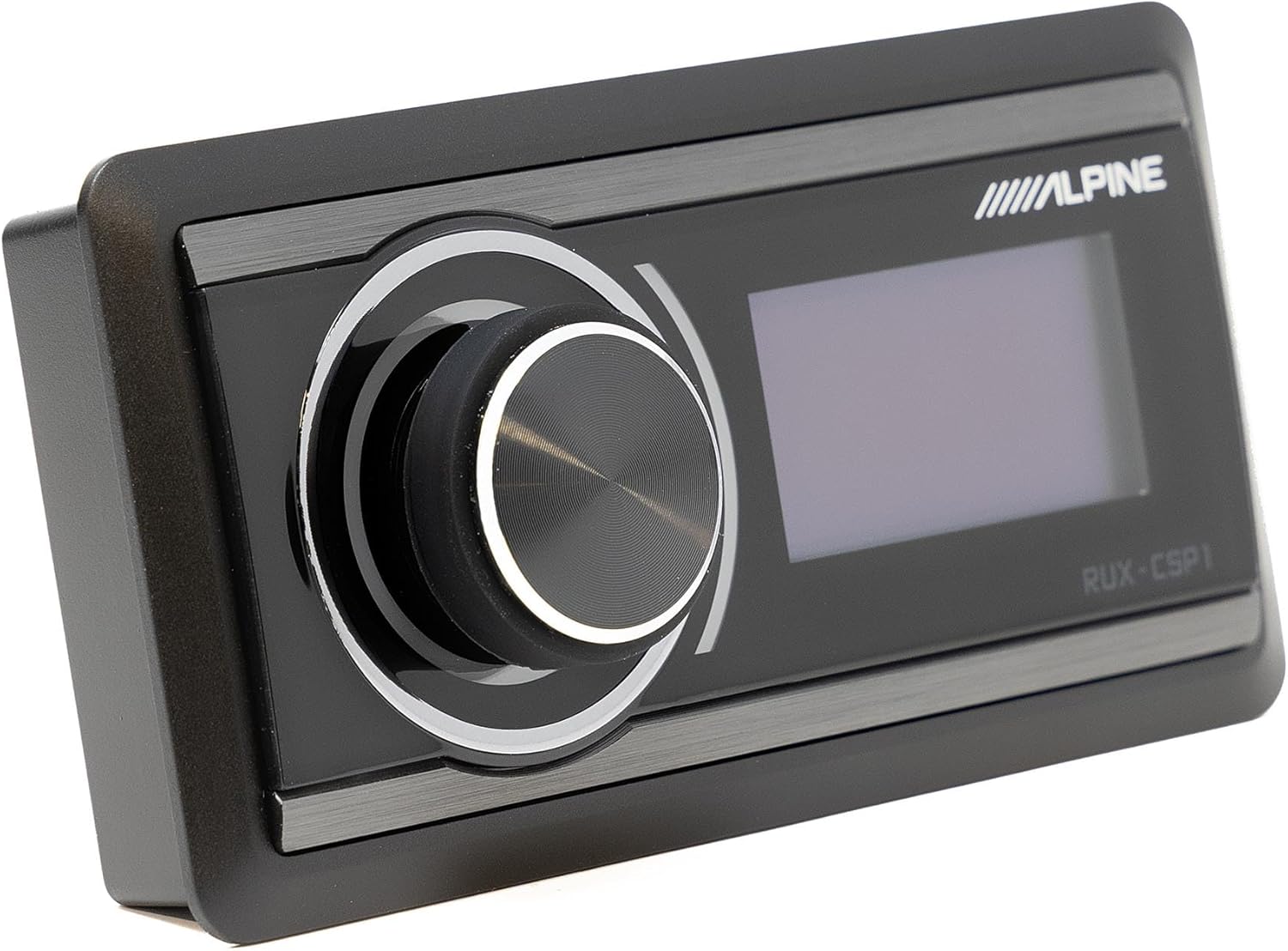
Image: The Alpine RUX-CSP1 remote control, an optional accessory for the DSP, featuring a rotary knob and display.


