1. הקדמה
Thank you for choosing the Kärcher AF 50 Signature Line Air Purifier. This device is designed to significantly improve the air quality in your indoor spaces by filtering out particles, allergens, and odors. Please read this manual carefully before operating the device to ensure safe and efficient use. Keep this manual for future reference.
2. זיכערקייַט אינסטרוקציעס
- שטענדיק אָפּשטעקן די מאַכט צושטעל איידער רייניקונג אָדער וישאַלט.
- דו זאלסט נישט אַרבעטן די מיטל מיט אַ דאַמידזשד מאַכט שנור אָדער צאַפּן.
- Keep the air purifier away from water and moisture. Do not use it in bathrooms or other humid environments.
- זיכערט זיך אז עס זאל זיין געהעריגע ווענטילאציע ארום דעם איינהייט; בלאקירט נישט קיין לופט אריינלאנגען אדער ארויסלאנגען.
- דער אַפּפּליאַנסע איז נישט בדעה פֿאַר נוצן דורך מענטשן (אַרייַנגערעכנט קינדער) מיט רידוסט גשמיות, סענסערי אָדער גייַסטיק קייפּאַבילאַטיז, אָדער פעלן פון דערפאַרונג און וויסן, סייַדן זיי האָבן באקומען השגחה אָדער לימעד וועגן די נוצן פון דעם אַפּפּליאַנסע דורך אַ מענטש פאַראַנטוואָרטלעך פֿאַר זייער זיכערקייַט.
- Only use original Kärcher replacement filters.
3. פּעקל אינהאַלט
באַשטעטיקן אַז אַלע זאכן זענען פאַראַן אין פּעקל:
- Kärcher AF 50 Signature Line Air Purifier
- Integrated HEPA and Activated Carbon Filters (2 sets)
- מאַכט קאַבלע
- באַניצער מאַנואַל
4. פּראָדוקט איבערview
The Kärcher AF 50 Signature Line Air Purifier is designed for effective air purification in rooms up to 100 m². It features a dual filtration system with HEPA and activated carbon filters, an intuitive display, and various operating modes.
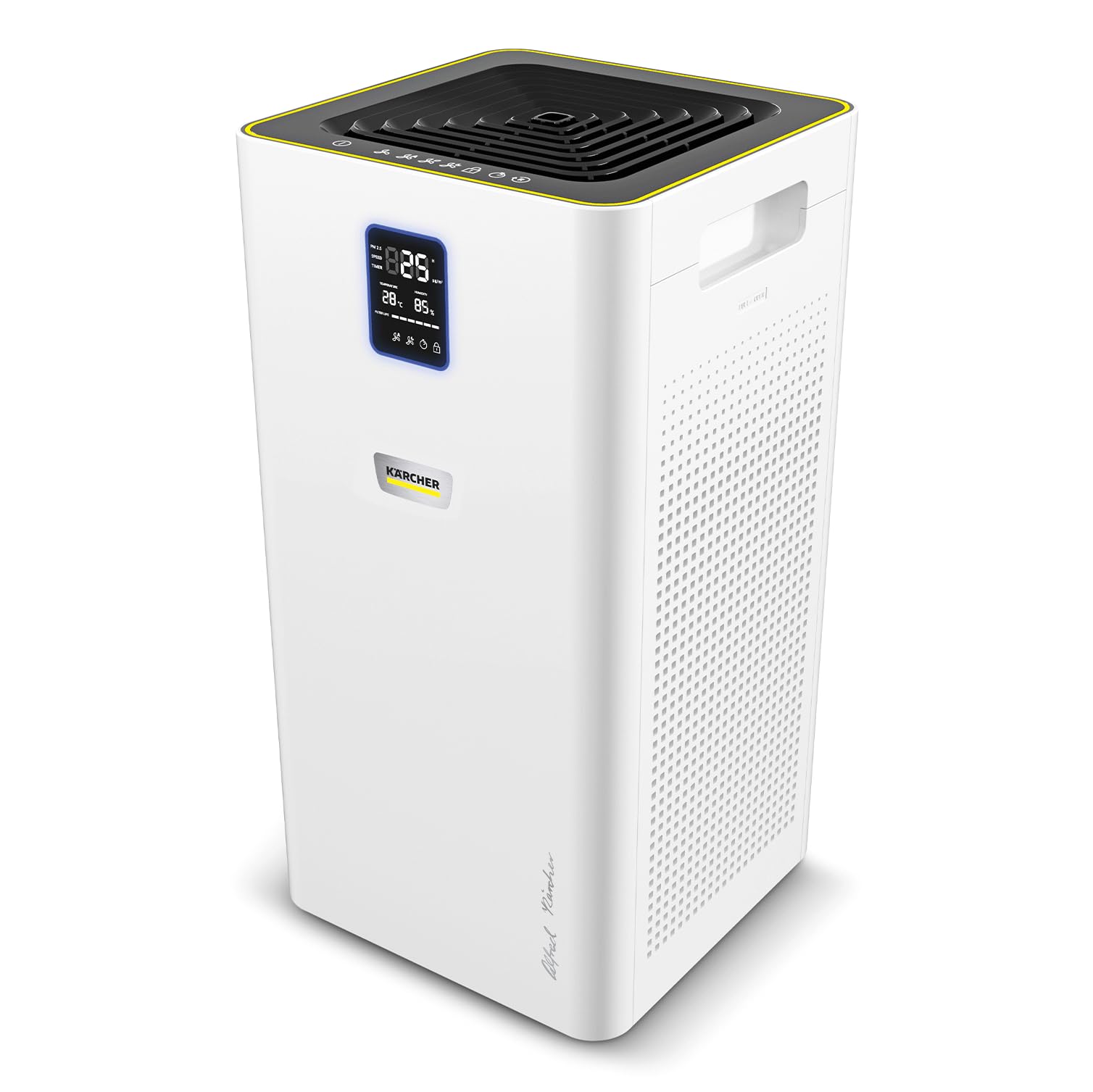
The Kärcher AF 50 Air Purifier in an office environment, demonstrating its compact design.

The AF 50 Signature Line air purifier effectively improves air quality in rooms up to 100 m².

The dual HEPA filters are designed to eliminate particles, allergens, pollen, and pathogenic agents from the air.

The integrated activated carbon layer within the filters effectively helps to reduce unpleasant odors.

The clear display provides real-time information on temperature, humidity, and current air quality levels.
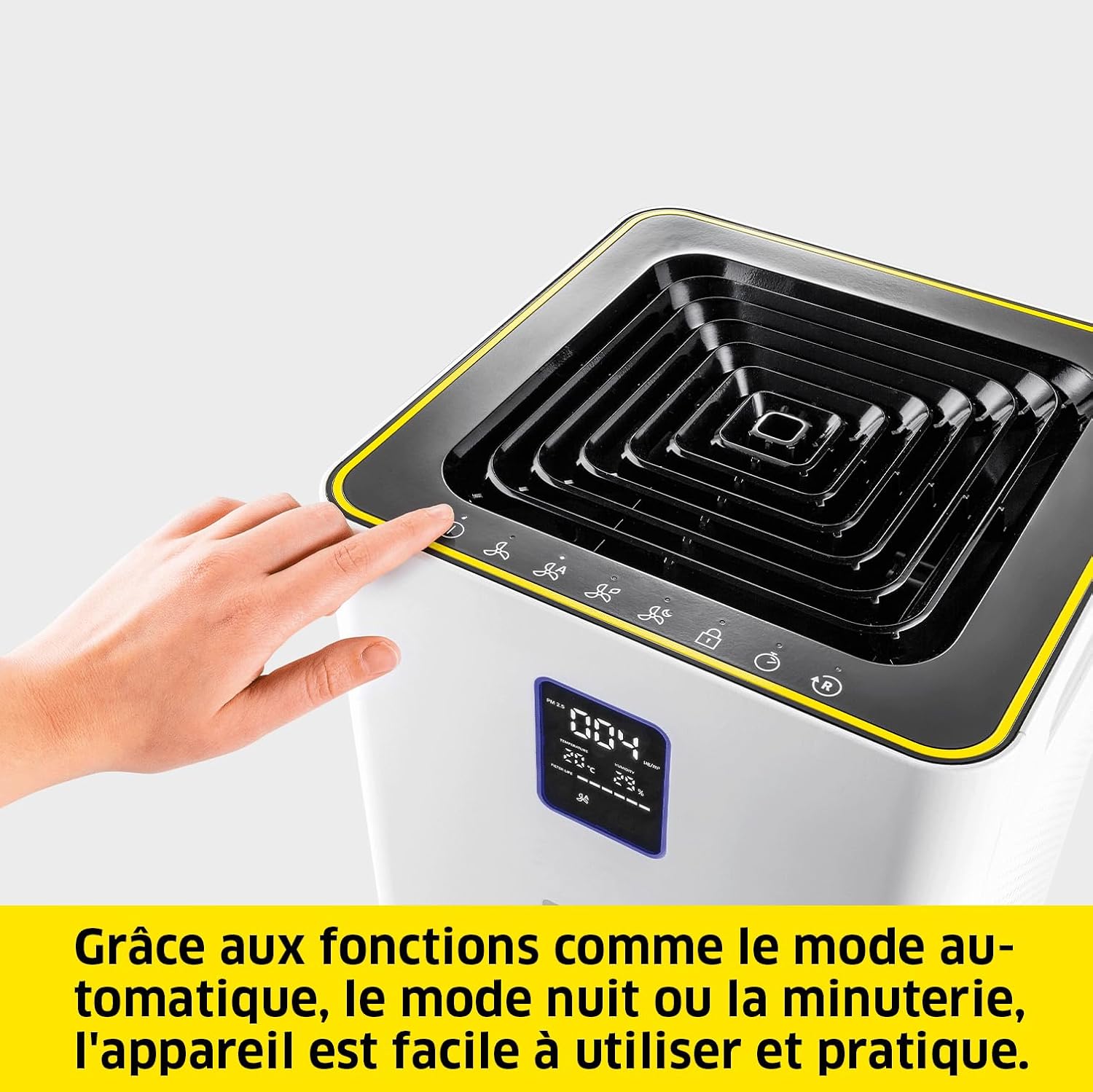
The device offers practical functions such as automatic mode, night mode, and a timer for convenient operation.
5. סעטאַפּ
- אויספּאַקן: Carefully remove the air purifier and all accessories from the packaging. Retain packaging for future transport or storage.
- פילטער ינסטאַלירונג: The filters are pre-installed. Ensure they are correctly seated and any protective packaging is removed before first use. Refer to Section 7 for detailed filter replacement instructions.
- אָרט: Place the air purifier on a flat, stable surface. Ensure there is at least 20 cm (8 inches) of clear space around all sides for optimal airflow. Avoid placing it directly against walls or furniture.
- מאַכט קשר: Plug the power cable into the power inlet on the back of the unit, then plug the other end into a suitable electrical outlet.
6. אַפּערייטינג ינסטרוקטיאָנס
6.1 קאָנטראָל פּאַנעל און ווייַז
The control panel is located on the top of the unit, and the display is on the front. The display shows real-time information such as temperature, humidity, and air quality. An LED ring around the display indicates air quality:
- גרין: ויסגעצייכנט לופט קוואַליטעט
- בלוי: גוט לופט קוואַליטעט
- געל: מעסיק לופט קוואַליטעט
- רויט: נעבעך לופט קוואַליטעט
6.2 מאַכט אויף / אַוועק
דרוק דעם מאַכט קנעפּל (אָ / איך) אויף דעם קאָנטראָל פּאַנעל צו דרייען דעם אַפּאַראַט אָן אָדער אויס.
6.3 אַפּערייטינג מאָדעס
- אָטאַמאַטיק מאָדע: Press the 'Auto' button. The integrated laser sensor continuously analyzes ambient air quality and adjusts the cleaning power accordingly.
- מאַנועלע ווענטילאַטאָר גיכקייט: Press the 'Fan Speed' button to cycle through different fan speeds (e.g., Low, Medium, High).
- נאַכט מאָדע: Press the 'Night' button. The unit operates at the lowest fan speed with reduced display brightness for quiet operation during sleep.
- טיימער פֿונקציע: Press the 'Timer' button to set the operating duration (e.g., 1h, 2h, 4h, 8h). The unit will automatically turn off after the set time.
6.4 קינד לאַק
To activate or deactivate the child lock, press and hold the 'Child Lock' button for a few seconds. This prevents accidental changes to settings.
7. וישאַלט
7.1 פילטער פאַרבייַט
The HEPA and activated carbon filters should be replaced approximately every 8 to 12 months, depending on usage and air quality. The display will indicate when filter replacement is due.
- מאַכט אַוועק: Turn off and unplug the air purifier from the power outlet.
- Open Filter Compartment: Locate the filter access panel, usually on the side or back of the unit. Open it according to the markings.
- אַראָפּנעמען אַלטע פֿילטערס: Carefully pull out the used filters. Dispose of them responsibly.
- אינסטאַלירן נייע פילטערס: Insert the new Kärcher replacement filters, ensuring they are correctly oriented.
- פֿאַרמאַכן אָפּטייל: Securely close the filter access panel.
- באַשטעטיק פילטער ינדיקאַטאָר: Plug in the unit and power it on. Press and hold the 'Filter Reset' button (if available, or refer to specific icon on control panel) for a few seconds until the filter indicator resets.

The filter can be replaced in a few simple steps, ensuring continuous optimal performance.
7.2 רייניקונג די אַפּאַראַט
- ווישן די יקסטיריער פון די לופט פּיוראַפייער מיט אַ ווייך, דamp שטאָף. דו זאלסט נישט נוצן אַברייסיוו קלינערז אָדער סאָלוואַנץ.
- Gently vacuum the air inlet and outlet grilles to remove dust accumulation.
8. טראָובלעשאָאָטינג
| פּראָבלעם | מעגלעך סיבה | לייזונג |
|---|---|---|
| אַפּאַראַט טוט נישט קער אויף | קיין מאַכט צושטעלן | Check if the power cable is securely plugged into the unit and the outlet. Test the outlet with another device. |
| שלעכטע לופט רייניקונג פאָרשטעלונג | Clogged or old filters | Replace the filters as per Section 7.1. |
| ומגעוויינטלעך ראַש בעשאַס אָפּעראַציע | Obstruction in fan or loose component | Turn off and unplug the unit. Check for any foreign objects in the air inlets/outlets. If the noise persists, contact customer support. |
| Air quality indicator always red/yellow | High pollution levels or sensor issue | Ensure the room is adequately ventilated. Clean the air quality sensor (refer to manufacturer's guidelines if specific cleaning is needed). If the issue persists, contact support. |
9. ספּעסאַפאַקיישאַנז
| שטריך | באַשרייַבונג |
|---|---|
| סאָרט | קאַרטשער |
| מאָדעל נומער | 1.024-826.0 |
| קאָליר | ווייַס |
| פּראָדוקט דימענשאַנז (L x W x H) | 29 X 29 X 58 סענטימעטער |
| פּונקט וואָג | 10.27 קילאָגראַמס |
| מאַכט מקור | קאָרדעד עלעקטריק |
| קאָנטראָל מעטאָד | Touch, Digital Buttons |
| פילטער טיפּ | HEPA, אַקטיווייטיד קאַרבאָן |
| שטאָק שטח קאַווערידזש | אַרויף צו 100 מ² |
| Air Delivery Rate (CADR) | 520 מ³/ה |
| לאַנד פון אָריגין | כינע |
10. וואָראַנטי און שטיצן
Kärcher products are manufactured to high-quality standards and come with a manufacturer's warranty. For detailed warranty information, including terms and conditions, please refer to the warranty card included with your product or visit the official Kärcher website. For technical support, spare parts, or service inquiries, please contact Kärcher customer service through their official channels.
You can find more information and support on the official Kärcher webפּלאַץ: www.kaercher.com