1. הקדמה
Thank you for choosing the VIMTAG Light Bulb Security Camera Model 847. This device is designed to provide reliable surveillance for your home, offering 2.5K/4MP high-definition video, pan/tilt functionality, night vision, two-way audio, and smart detection features. This manual will guide you through the setup, operation, and maintenance of your camera to ensure optimal performance.
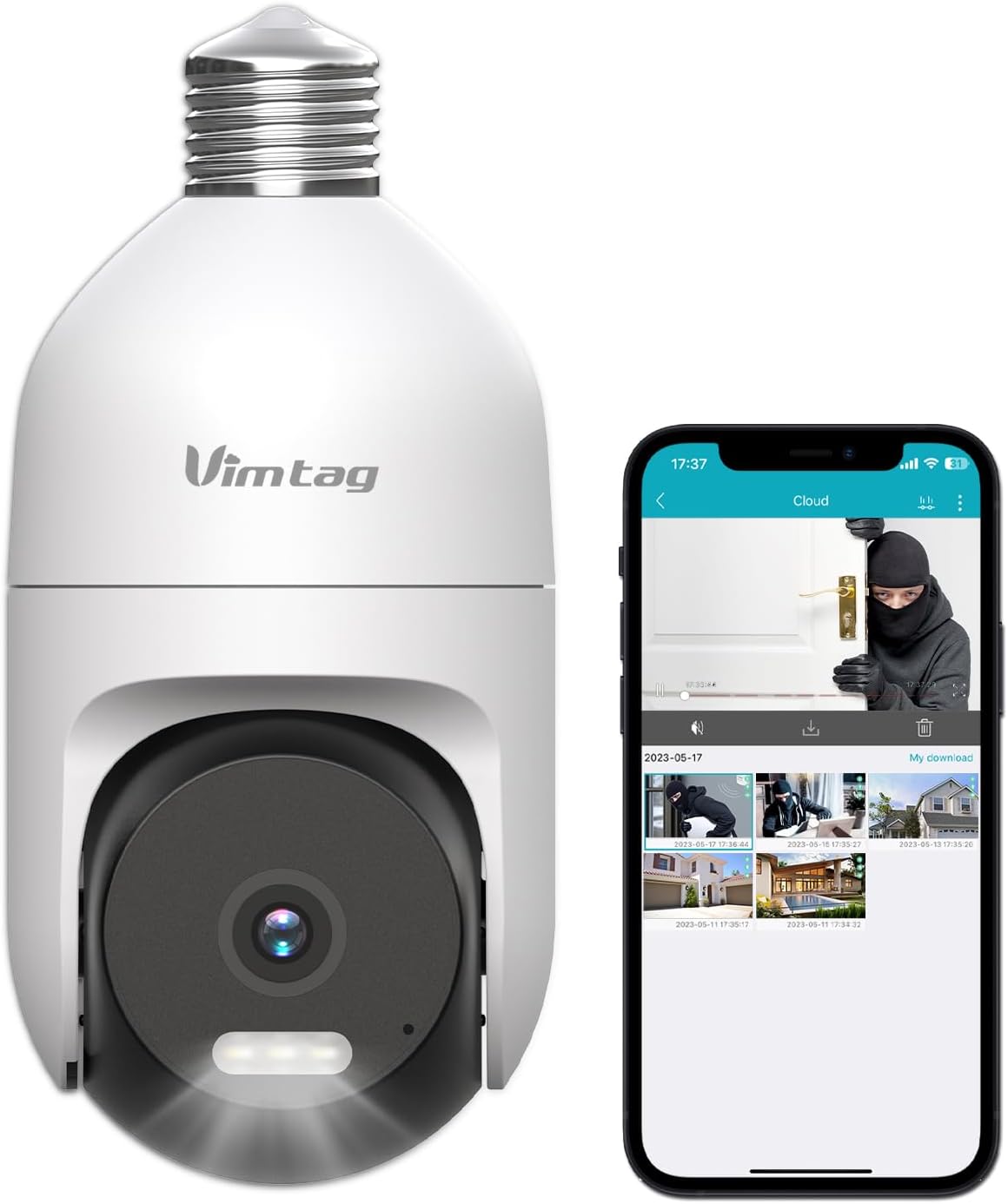
Image: The VIMTAG Light Bulb Security Camera Model 847, shown alongside a smartphone displaying its live feed.
2. זיכערקייַט אינפֿאָרמאַציע
- Ensure the power is off before installing or removing the camera from a light socket.
- Install the camera in a standard E27/E26 light bulb socket.
- שטעלט נישט אויס די קאַמעראַ צו עקסטרעמע טעמפּעראַטורן אָדער הומידיטי העכער איר אַפּערייטינג קייט.
- האַלט די קאַמעראַ אַוועק פון שטאַרקע מאַגנעטישע פעלדער.
- פרובירט נישט צו צענעמען אדער פאררעכטן די קאמערא אליין. קאנטאקטירט קאסטומער סופארט פאר הילף.
- This camera is rated IP66 for weather resistance, suitable for outdoor use, but avoid submerging it in water.
3. פּעקל אינהאַלט
The VIMTAG Light Bulb Security Camera package includes:
- VIMTAG Light Bulb Security Camera (Model 847)
- ינסטרוקטיאָן מאַנואַל (דעם דאָקומענט)
באַמערקונג: אַן SD קאַרטל פֿאַר לאָקאַלע סטאָרידזש איז נישט אַרייַנגערעכנט און מוז זיין געקויפט באַזונדער אויב געוואונטשט.
4. פּראָדוקט איבערview
The VIMTAG Light Bulb Security Camera features a compact design that fits into a standard light bulb socket. Key components include:
- אַפּאַראַט לענס: Captures 2.5K/4MP video.
- אינפֿראַרויט (IR) לעדס: פֿאַר שוואַרץ און ווײַס נאַכט זעאונג.
- פּרויעקטאָר: גיט קאליר נאכט זעאונג און אקטן ווי א שטער.
- מיקראָפאָן: For audio input during two-way talk and sound detection.
- רעדנער: For audio output during two-way talk and siren alarms.
- מיקראָ סד קאָרט שפּעלטל: פֿאַר לאָקאַלע ווידעאָ סטאָרידזש (שטיצט ביז 512 גיגאבייט).
- באַשטעטיק קנעפּל: Used for factory reset (usually a small pinhole).
- E27/E26 Base: Standard light bulb screw-in base for power and mounting.
5. סעטאַפּ
5.1 גשמיות ינסטאַלירונג
- מאַכט אַוועק: Ensure the power to the light socket is turned off at the circuit breaker before installation.
- סקרין אין: Carefully screw the VIMTAG Light Bulb Camera into a standard E27/E26 light bulb socket. Ensure it is securely fastened.
- מאַכט אויף: Restore power to the light socket. The camera will power on and initiate its startup sequence.

Image: Illustration of screwing the camera into a light bulb socket.
5.2 אַפּ דאַונלאָודינג און אַקאַונט שאַפונג
- אראפקאפיע אַפּ: זוכן פֿאַר "Vimtag" in your smartphone's app store (iOS App Store or Google Play Store) and download the official VIMTAG אַפּ.
- רעגיסטרירן אַקאַונט: Open the app and follow the on-screen instructions to register a new account using your email address or phone number.

Image: A smartphone screen showing the VIMTAG app icon, indicating the app download step.
5.3 Camera Pairing and Wi-Fi Connection
- לייג דיווייס: In the VIMTAG app, tap the "+" icon (usually in the top right or center) to add a new device.
- אויסקלייבן קאַמעראַ טיפּ: Choose "Light Bulb Camera" from the list of device types.
- Follow In-App Prompts: The app will guide you through connecting the camera to your 2.4GHz Wi-Fi network. This typically involves scanning a QR code generated by the app with the camera lens or listening for an audio prompt.
- פֿאַרבינדונג באַשטעטיקונג: Once connected, the camera will indicate successful pairing (e.g., a voice prompt or LED indicator change), and its live feed will appear in the app.

Image: A smartphone screen showing the process of adding a new device, specifically selecting the light bulb camera.

Image: A smartphone displaying the live video feed from the VIMTAG camera after successful setup.
6. אַפּערייטינג די קאַמעראַ
6.1 לעבן View און פּאַן/טילט קאָנטראָל
Once connected, open the VIMTAG app and select your camera to view the live feed. Use the on-screen controls to pan (horizontal 355°) and tilt (vertical 100°) the camera lens to adjust the viewing angle. The camera offers 8x digital zoom for closer inspection.

Image: Multiple devices (phone, tablet, laptop, desktop) displaying the live feed from the VIMTAG camera, illustrating multi-terminal viewing.
6.2 צוויי-וועג אַודיאָ
The camera features a built-in microphone and speaker. Tap the microphone icon in the app to speak through the camera, and listen to audio from the camera's location. This allows for real-time communication with visitors or to deter intruders.

Image: A person speaking into a phone to communicate with a delivery person at the door via the VIMTAG camera's two-way audio.
6.3 נאַכט זעאונג מאָדעס
די קאַמעראַ שטיצט צוויי נאַכט זעאונג מאָדעס:
- IR נאַכט וויזשאַן: Defaults to black and white infrared vision in low light conditions.
- Color Night Vision with Spotlight: When the spotlight mode is activated (manually or via motion detection settings), the camera will switch to full-color night vision.
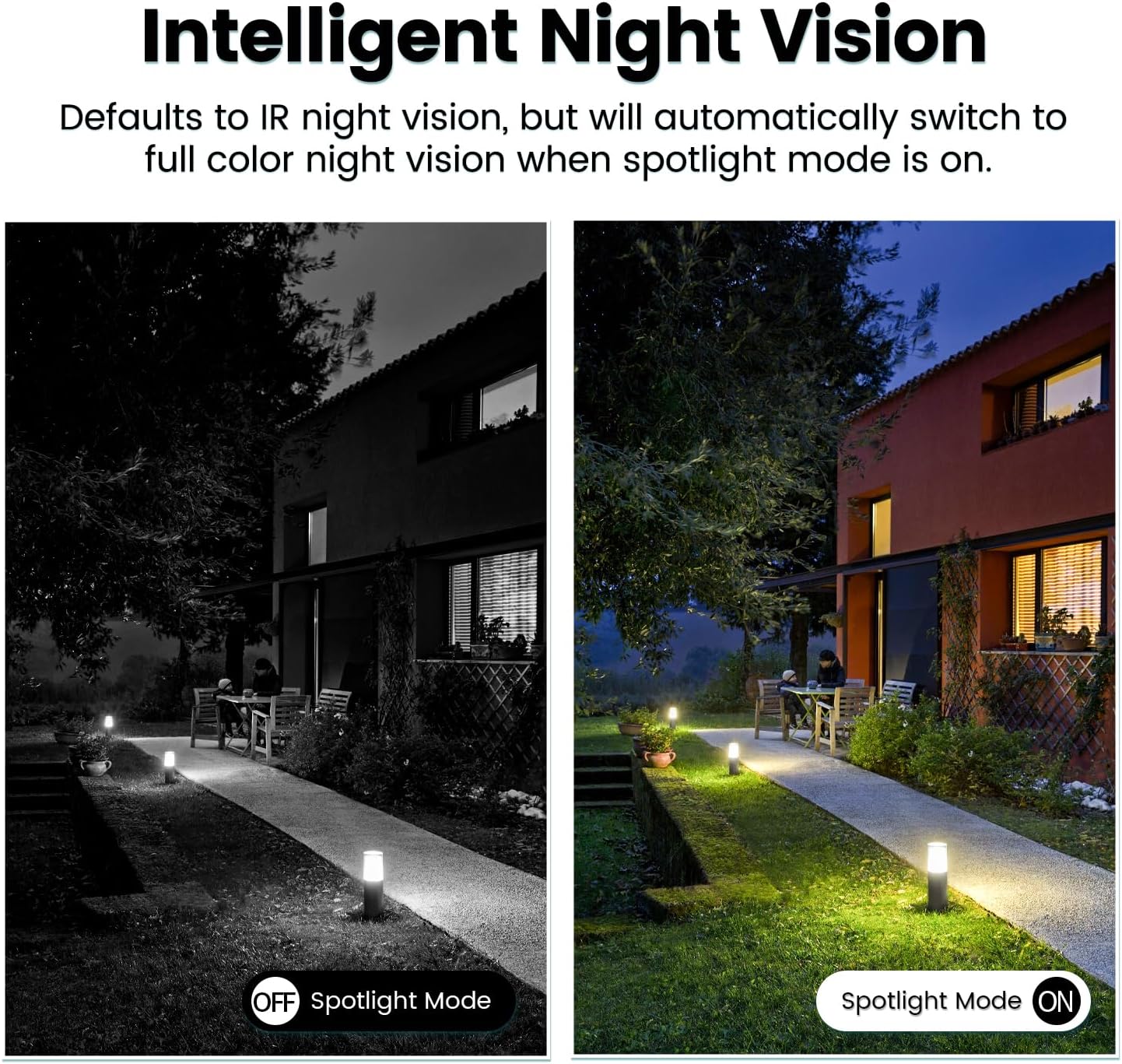
Image: Comparison of IR night vision (black and white, spotlight off) and color night vision (full color, spotlight on) from the VIMTAG אַפּאַראַט.
6.4 AI Human/Motion/Sound Detection and Alarms
Configure detection settings in the VIMTAG app. The camera can detect human shapes, general motion, and sounds. Upon detection, you will receive notifications on your phone, and the camera can trigger a siren alarm or activate its spotlight to deter unwanted activity.

Image: An illustration of the VIMTAG camera detecting an intruder, triggering a spotlight and sending an alert to a smartphone.

Image: A smartphone displaying a "Motion Detection Alert" notification from the VIMTAG אַפּ.
6.5 ווידעא רעקאָרדינג און סטאָרידזש
The camera supports two storage options:
- לאקאלע סטאָרידזש: Insert a Micro SD card (up to 512GB, not included) into the camera's SD card slot for continuous 24/7 recording. Recorded footage can be accessed and managed through the VIMTAG אַפּ.
- וואָלקן סטאָרידזש: An optional cloud storage service is available through the VIMTAG app for secure, encrypted video storage. Subscription details can be found within the app.
6.6 אַלעקסאַ אינטעגראַציע
The VIMTAG camera is compatible with Amazon Alexa. To integrate:
- Enable the VIMTAG סקילז אין די אַלעקסאַ אַפּ.
- Link your VIMTAG חשבון.
- אַנטדעקן דעוויסעס.
You can then use voice commands such as, "Alexa, show me the [camera name]" to view the live feed on compatible Alexa-enabled devices with screens (e.g., Echo Show).

Image: A person interacting with an Amazon Echo Show to view the VIMTAG camera feed using voice commands.
7. וישאַלט
- רייניקונג: ווישט אָפּ די קאַמעראַ לינז און קערפּער מיט אַ ווייכן, טרוקענעם שטאָף. ניצט נישט קיין שטרענגע כעמיקאַלן אָדער שרײַבנדיקע רייניקונגסמיטלען.
- Firmware דערהייַנטיקונגען: Regularly check the VIMTAG app for available firmware updates. Keeping your camera's firmware updated ensures optimal performance, security, and access to new features.
- סד קאַרד מאַנאַגעמענט: If using an SD card, periodically review און באַקאַפּן וויכטיקע פודtage. Format the SD card through the app if you experience recording issues or to clear old data.
8. טראָובלעשאָאָטינג
| פּראָבלעם | מעגלעך סיבה | לייזונג |
|---|---|---|
| Camera fails to power on. | No power to the light socket; camera not screwed in properly. | Check the light socket's power supply; ensure the camera is securely screwed in. |
| קענען ניט פאַרבינדן צו ווי-פי. | Incorrect Wi-Fi password; camera too far from router; 5GHz Wi-Fi network used. | Verify Wi-Fi password; move camera closer to router; ensure you are connecting to a 2.4GHz Wi-Fi network. |
| נעבעך ווידעא קוואַליטעט. | שוואַכער Wi-Fi סיגנאַל; שמוציקע לינז. | Improve Wi-Fi signal strength; clean the camera lens. |
| באַוועגונג דיטעקשאַן איז נישט ארבעטן. | Detection settings disabled or sensitivity too low; camera positioned incorrectly. | Check and adjust motion detection settings in the app; ensure camera has a clear view פון דער געגנט. |
| SD קאַרטל רעקאָרדירט נישט. | SD card full or corrupted; incorrect recording settings. | Format the SD card via the app; check recording schedule and settings. Replace SD card if necessary. |
9. ספּעסאַפאַקיישאַנז
| שטריך | דעטאַל |
|---|---|
| מאָדעל נאָמען | 847 |
| ווידעא האַכלאָטע | 2.5K / 4MP (1440p) |
| פּאַן / טילט קייט | 355 ° האָריזאָנטאַל, 100 ° ווערטיקאַל |
| דיגיטאַל פארגרעסער | 8x |
| נאַכט זעאונג | IR Night Vision & Color Night Vision with LED Spotlight |
| צוויי-וועג אַודיאָ | יא (איינגעבויטער מיקראָפאָן און רעדנער) |
| דעטעקשאַן | AI Human, Motion, Sound Detection |
| קאַנעקטיוויטי | 2.4GHz Wi-Fi (IEEE 802.11b/g/n) |
| סטאָרידזש אָפּציעס | Micro SD Card (up to 512GB), Cloud Storage (optional subscription) |
| מאַכט מקור | Corded Electric (E27/E26 Light Bulb Socket) |
| דרינענדיק / דרויסנדיק נוצן | Yes (IP66 Weatherproof) |
| קאַמפּאַטאַבאַל דעוויסעס | iOS, Android, Mac, iPad, Windows, Amazon Alexa |
| דימענסיעס (L X W X H) | 3.07 X 3.07 X 5.31 אינטשעס |
| פּונקט וואָג | 9.1 אונסעס |
| ראַם קורס | 25 ראָמען פּער סעקונדע |
| ווידעא קאָדירונג | ה.264/ה.265 |
10. וואָראַנטי און שטיצן
VIMTAG products come with a standard manufacturer's warranty. For specific warranty terms and conditions, please refer to the warranty card included with your product or visit the official VIMTAG website. For technical support, troubleshooting assistance, or any product-related inquiries, please contact VIMTAG customer service through the VIMTAG app or their official webפּלאַץ.
אָנליין רעסורסן:
- VIMTAG באַאַמטער Webפּלאַץ: Visit the VIMTAG קראָם אויף אַמאַזאָן
- In-App Support: Access support features directly within the VIMTAG רירעוודיק אַפּלאַקיישאַן.


