1. הקדמה
The Baseus Eli Sport 1 Open Ear Headphones are designed to provide a comfortable and high-quality audio experience while maintaining awareness of your surroundings. Featuring a non-in-ear design, these headphones mitigate discomfort and protect hearing, making them ideal for exercise, driving, and work. Advanced directional acoustics ensure privacy by minimizing sound leakage, while 16.2mm large drivers and Baseus Bass Enhancement Algorithm deliver rich, powerful audio. The ultra-lightweight design and optional detachable neckband provide a stable and comfortable fit for prolonged use.

Image: Baseus Eli Sport 1 Open Ear Headphones with their charging case and detachable neckband.
2. וואָס איז אין דער קעסטל
ביטע באַשטעטיקן אַז אַלע זאכן זענען פאַראַן ביים אויספּאַקן:
- Baseus Eli Sport 1 אָפֿן אויער כעדפאָונז
- טשאַרדזשינג קאַסע
- אָפּנעמבאַר האַלדזבאַנד
- וסב-C טשאַרדזשינג קאַבלע
- באַניצער מאַנואַל

Image: The Baseus Eli Sport 1 headphones neatly placed within their transparent-lid charging case.
3. סעטאַפּ גייד
3.1 Initial Use & Charging
Before first use, ensure you remove all insulation stickers from the earbuds. Failure to do so may prevent proper pairing with your devices. Place the earbuds into the charging case to begin charging. The charging case itself can be recharged using the provided USB-C cable.
3.2 פּאָרן מיט דיין מיטל
- עפֿנט דעם טשאַרדזשינג קעסטל און נעמט אַרויס ביידע אויערקנעפּלעך. זיי וועלן זיך אויטאָמאַטיש אָנצינדן און אַרײַן אין פּערינג מאָדע.
- אויף אייער דעווייס (סמאַרטפאָן, טאַבלעט, לאַפּטאָפּ), גייט צו די בלועטוט סעטטינגס.
- Select "Baseus Eli Sport 1" from the list of available devices to connect.
- אַמאָל פארבונדן, וועט אַ קול פּראָמפּט באַשטעטיקן די געראָטן פּאָרינג.
3.3 Wearing Guide
For optimal sound and comfort, follow these steps to properly wear your Baseus Eli Sport 1 headphones:
- Step 1: Prepare your earbuds. Hold the earbud with the speaker facing towards your ear.
- Step 2: Align the end of the earhook with the top of your ear. Gently place the earhook over the top of your ear.
- Step 3: Rotate the earbuds clockwise until the earhook is firmly sited behind your ear. Adjust until it feels secure and comfortable.
- Step 4: Adjust its angle and ensure the earbud is tilted upward to achieve the optimal wearing experience. The 20° angled outlet is designed to fit snugly outside your ear canal for perfect audio transmission.

Image: Step-by-step visual guide for correctly positioning the open-ear headphones on the ear.

Image: A man cycling outdoors, illustrating the non-in-ear design that allows for awareness of surroundings.
4. אַפּערייטינג ינסטרוקטיאָנס
4.1 מאַכט אויף / אַוועק
To power on the headphones, simply remove them from the charging case. To power them off, place them back into the charging case.
4.2 ריר קאָנטראָלס
The Baseus Eli Sport 1 headphones feature intuitive touch controls on the outer surface of each earbud. The touch-sensitive area is located on the main body of the earbud, as indicated in the diagram below.

Image: Visual representation of the touch control area on the earbud.
| קאַמף | האַווייַע | פֿונקציע |
|---|---|---|
| שפּיל / פּויזע | טאָפּל-טאַפּן לינקס אָדער רעכטס | טוישט אויף ווידערשפּיל. |
| פֿריִערדיקע שפּירט | דריי-טאַפּ L | Skips to the beginning of the current track or the previous track. |
| ווייַטער שפּור | דריי-טאַפּ R | שפּרינגען צו דער ווייַטער שפּור. |
| באנד + | Long-press R (gradually increase) | ינקריסאַז אַודיאָ באַנד. |
| באַנד - | Long-press L (gradually decrease) | דיקריסאַז אַודיאָ באַנד. |
| ענטפֿערן / אויפֿהענגען דעם רוף | טאָפּל-טאַפּן לינקס אָדער רעכטס | ענטפֿערט אַן אַרײַנקומענדיקן רוף אָדער ענדיקט אַן אַקטיוון רוף. |
| אַראָפּגיין רופן | לאַנג-דריקן L אדער R פֿאַר 1.5 סעקונדעס | אָפּוואַרפן אַן אָנקומענדיקן רוף. |
4.3 אַפּ קאַסטאַמייזיישאַן
Unlock the full potential of your Baseus Eli Sport 1 headphones by downloading the official Baseus app. The app allows for:
- Custom Button Controls: Personalize touch gestures to your preference.
- Custom EQ: Adjust audio equalization settings for a tailored listening experience.
- Locate Your Earbuds: Use the app to help find misplaced earbuds within Bluetooth range.

Image: Screenshots demonstrating the Baseus app's interface for custom button controls, custom EQ, and earbud location features.
5. וישאַלט
5.1 רייניקונג
Regularly clean your headphones with a soft, dry cloth. Avoid using harsh chemicals or abrasive materials. Ensure no moisture enters the speaker grilles or charging ports.
5.2 וואַסער קעגנשטעל
The Baseus Eli Sport 1 headphones are IPX4 waterproof, meaning they are resistant to splashing water from any direction. This makes them suitable for workouts and light rain. However, they are not designed for submersion in water. Avoid exposing them to strong jets of water or prolonged immersion.
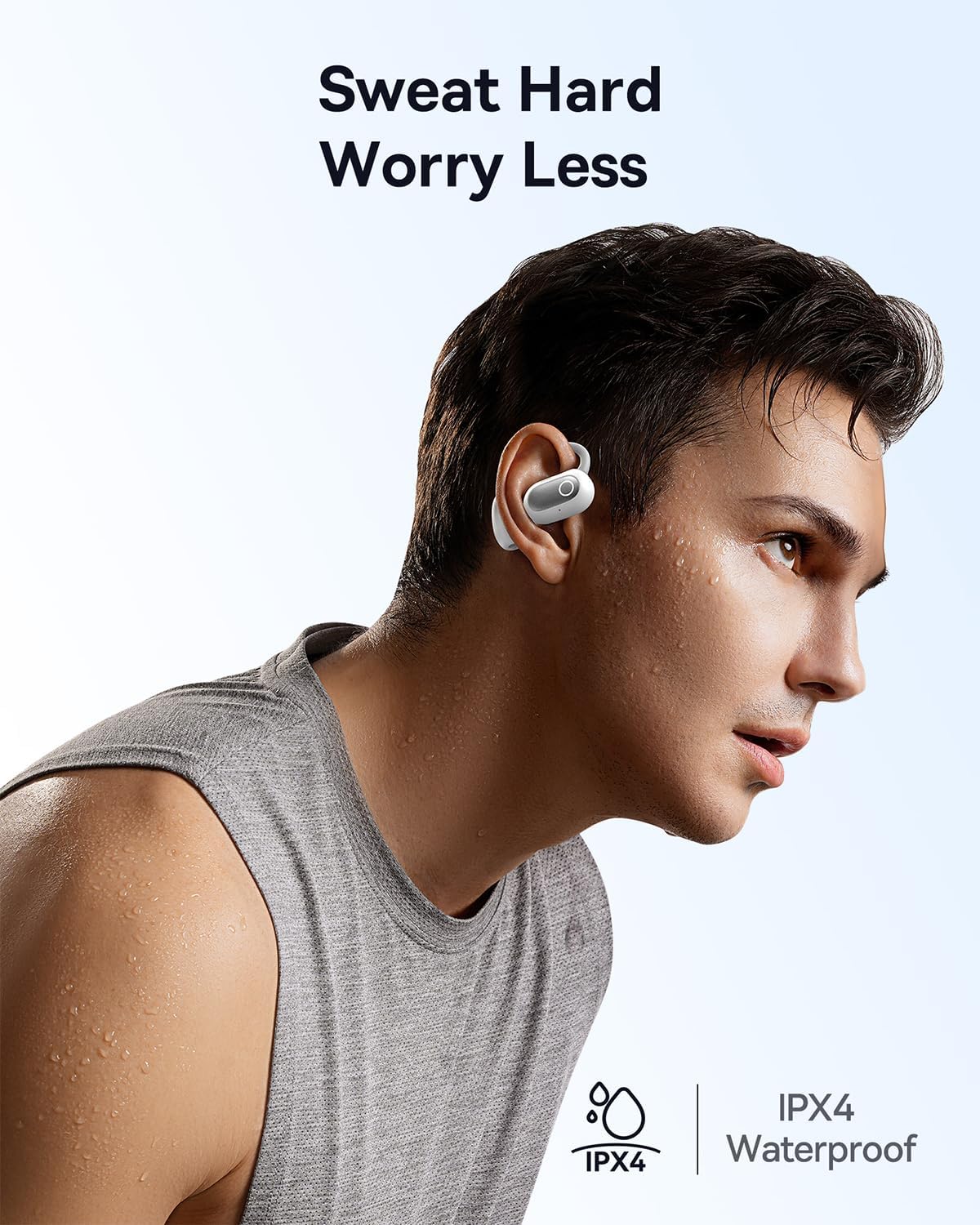
Image: A man engaged in physical activity, demonstrating the IPX4 waterproof feature of the headphones.
6. טראָובלעשאָאָטינג
If you encounter issues with your Baseus Eli Sport 1 headphones, please refer to the following common solutions:
- כעדפאָונז נישט פּערינג/פאַרבינדן זיך:
- Ensure all insulation stickers have been removed from the earbuds before first use.
- מאַכן זיכער אַז די עאַרבודז זענען באפוילן.
- Verify Bluetooth is enabled on your device and the headphones are within range.
- Try resetting the headphones by placing them back in the case, closing it, and then reopening it.
- קיין קלאַנג אָדער נידעריקע באַנד:
- Check the volume levels on both your headphones and your connected device.
- Ensure the headphones are properly seated on your ears, with the speakers aligned with your ear canal.
- פֿאַרבינדט די כעדפאָונז ווידער צו אייער דעווייס.
- נעבעך רופן קוואַליטעט:
- זיכער מאַכן אַז די מיקראָפאָנען זענען נישט פאַרשטאָפּט.
- ריקט זיך נענטער צו אייער פארבונדענעם אפאראט צו פארבעסערן דעם סיגנאל שטארקייט.
- Check for excessive background noise; the ENC mics work best in moderate noise environments.
7. ספּעסאַפאַקיישאַנז
| שטריך | דעטאַל |
|---|---|
| מאָדעל נאָמען | Baseus Eli Sport 1 |
| קאַנעקטיוויטי טעכנאָלאָגיע | ווירעלעס (בלוטוט 5.3) |
| אויער פּלייסמאַנט | עפענען אויער |
| וואַסער קעגנשטעל מדרגה | IPX4 וואָטערפּרוף |
| אַודיאָ דרייווער גרייס | 16.2 מילאַמיטערז |
| ימפּידאַנס | 16 Ohm |
| קאָנטראָל טיפּ | Volume Control, App, Touch |
| מיקראָפאָנעס | 4 ENC Mics with AI Noise Cancellation |
| באַטעריע לעבן (איין אָפּצאָל) | אַרויף צו 7.5 שעה |
| גאַנץ באַטאַרייע לעבן (מיט טשאַרדזשינג קעסטל) | אַרויף צו 30 שעה |
| טשאַרדזשינג קאַסטן מאַטעריאַל | שווער |
| פּונקט וואָג | 9.6 אונסעס |
| פּראָדוקט דימענשאַנז | 1.34 X 1.1 X 3.82 אינטשעס |
| UPC | 850060076251 |
8. וואָראַנטי און שטיצן
Baseus products come with a standard manufacturer's warranty. For detailed warranty information, product support, or to inquire about repairs, please visit the official Baseus webזייטל אדער קאנטאקט זייער קאסטומער סערוויס. האלט אייער קויף קוויטל אלס באווייז פון קויפן פאר גאראנטיע פארלאנגען.
For further assistance, please refer to the contact information provided on the Baseus official webזייטל אדער אין דער פּראָדוקט פּאַקאַדזשינג.


