הקדמה
This manual provides essential information for setting up, operating, and maintaining your TCL 605 smartphone. Please read this guide thoroughly to ensure optimal performance and longevity of your device.
וואָס איז אין די קעסטל
באַשטעטיקט אַז אַלע זאכן זענען פאַראַן אין אייער פּראָדוקט פּאַקעט:
- TCL 605 סמאַרטפאָנע
- וסב קאַבלע
- Cell Phone Cover
- 10 וו טשאַרדזשער
- סים טאַץ אַרויסוואַרפער געצייַג
- סקרין פּראָטעקטאָר
מיטל איבערview
Familiarize yourself with the physical components of your TCL 605 smartphone.

בילד: פראָנט view of the TCL 605 smartphone, highlighting its 6.7-inch HD+ display and front camera.

בילד: זייט view of the TCL 605 smartphone, illustrating the placement of the power button and volume controls.
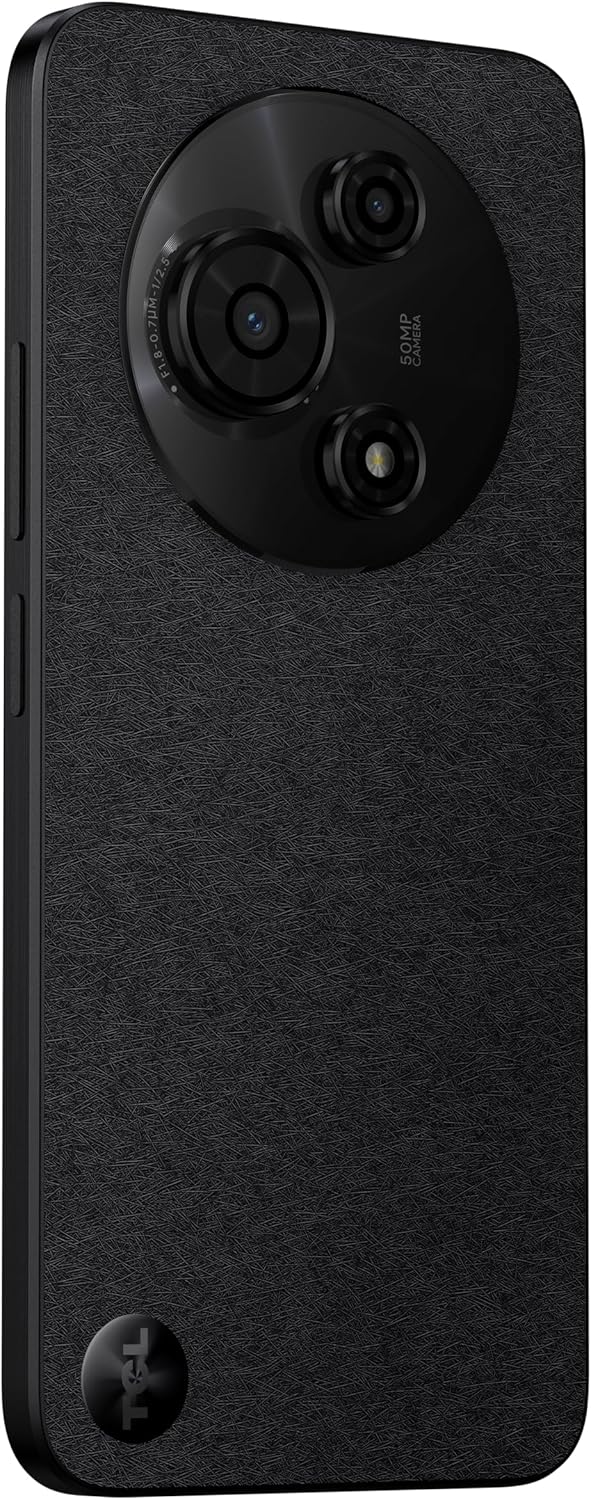
בילד: צוריק view of the TCL 605 smartphone, showcasing the distinctive circular camera module housing the 50MP main camera.
סעטאַפּ
1. ינסערטינג די סים קאַרד
- געפינט די סים קארטל טאַץ אויף דער זייט פון אייער דעווייס.
- שטעקט אריין דעם סים טרעי אויסווארף געצייג אין דעם קליינעם לאך לעבן דעם טרעי און דריקט לײַכט ביז דער טרעי קומט ארויס.
- לייגט אריין אייערע נאַנאָ-סים קאַרטל(ן) און/אָדער מיקראָSD קאַרטל אין דעם טאַץ מיט די גאָלדענע קאָנטאַקטן אַראָפּגעקערט. מאַכט זיכער אַז זיי זענען ריכטיק אַרײַנגעזעצט.
- קערפאַלי ריינסערט די טאַץ אין די מיטל.
2. ערשטע איינשאַלטונג
- דריק און האלט דעם פּאַוער קנעפּל (געפינט זיך אויף דער זייט) ביז דער TCL לאָגאָ דערשיינט.
- פֿאָלגט די אינסטרוקציעס אויף דעם עקראַן צו פֿאַרענדיקן די ערשטע סעטאַפּ, אַרייַנגערעכנט שפּראַך אויסוואַל, Wi-Fi פֿאַרבינדונג, און Google חשבון סעטאַפּ.
3. טשאַרדזשינג די באַטערי
Before first use, it is recommended to fully charge your device. Connect the USB cable to the phone's charging port and the other end to the 10W charger. Plug the charger into a power outlet.
אַפּערייטינג דיין מיטל
ווייַז און נאַוויגאַציע
The TCL 605 features a 6.7-inch HD+ display with a 90Hz refresh rate for smooth scrolling and improved visual fluidity.
- ריר דזשעסטשערז: Use standard Android gestures such as tap, swipe, pinch-to-zoom, and long-press for navigation and interaction.
- היים פאַרשטעלן: Customize your home screen with widgets, app shortcuts, and wallpapers.
- נאָטיפיקאַטיאָנס: Swipe down from the top of the screen to access the notification panel and quick settings.
פאָרשטעלונג און סטאָרידזש
Your TCL 605 is equipped with an Octa-Core processor and 4GB RAM, expandable up to 14GB with RAM Boost technology, ensuring seamless performance for multitasking. It offers 256GB of internal storage, capable of storing over 100,000 photos.

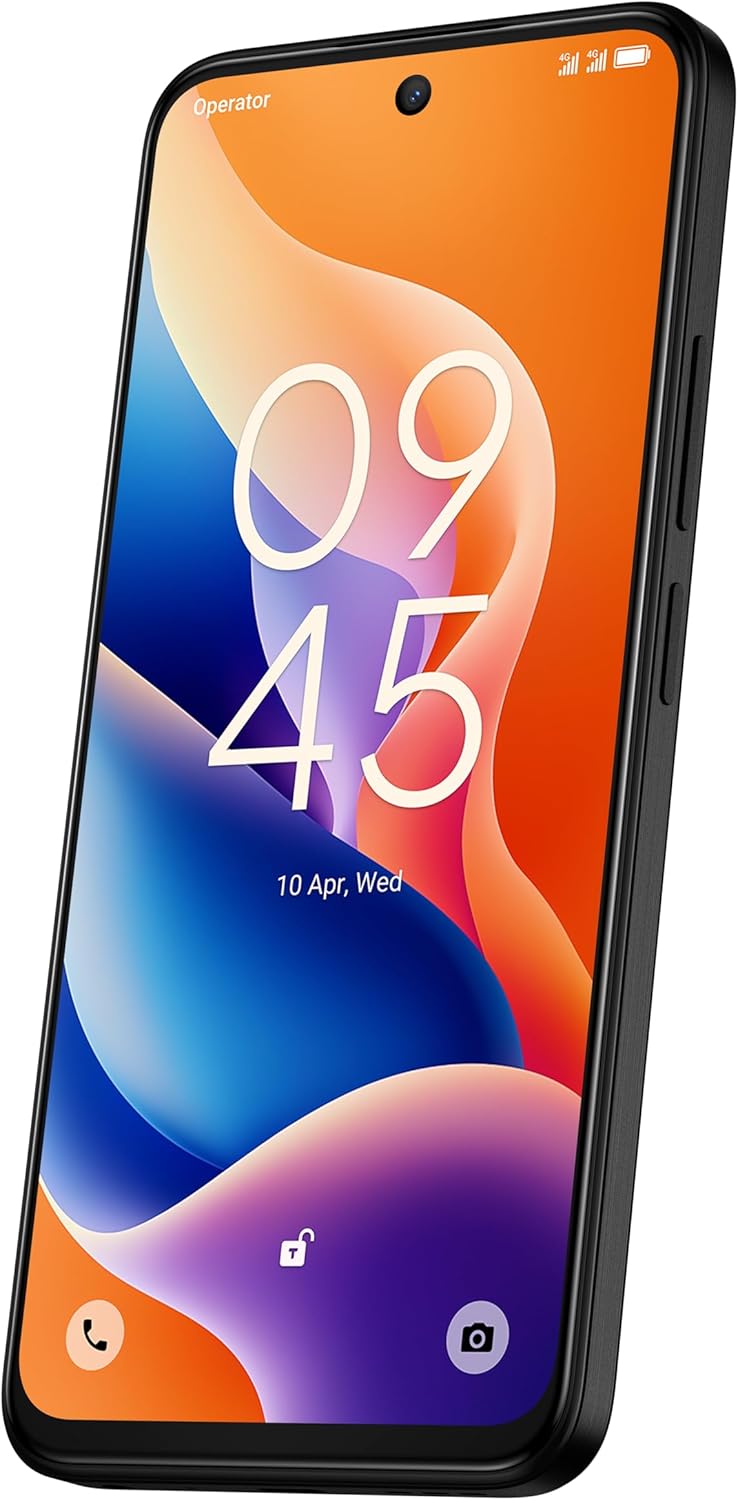
Image: The TCL 605 smartphone showcasing its 6.7-inch display with a dynamic lock screen, indicating the time and date.
אַפּאַראַט פֿעיִקייטן
The TCL 605 features a 50MP hybrid rear camera (main + macro) and a 5MP front camera. It supports HDR mode for vibrant colors.
נעמען פאָטאָס און ווידיאס
- עפֿענען די אַפּאַראַט אַפּלאַקיישאַן.
- Select your desired mode (Photo, Video, Portrait, Macro, etc.).
- צאַפּן דעם שאַטער קנעפּל צו כאַפּן אַ פאָטאָ אָדער אָנהייבן/אָפּשטעלן ווידעאָ רעקאָרדינג.
- ניצט די זום קאָנטראָלס אויפן עקראַן צו סטרויערן די פֿאַרגרעסערונג.
אַפּאַראַט מאָדעס
- 50MP הויפּט קאַמעראַ: Captures high-resolution images with clarity.
- מאַקראָו מאָדע: Allows for detailed close-up shots of small objects.
- HDR מאָדע: Enhances dynamic range for more vibrant and balanced photos in challenging lighting conditions.
- 5MP פראָנט קאַמעראַ: אידעאַל פֿאַר סעלפֿיז און ווידעאָ קאָלס.
בילד: א דעטאַלירטע view of the TCL 605's circular camera module, emphasizing the 50MP main lens and its surrounding sensors.
באַטערי מאַנאַגעמענט
The TCL 605 is equipped with a 5200mAh battery, designed for up to 2 days of usage. It supports 18W fast charging.
עצות פֿאַר פאַרברייטערן די באַטאַרייע לעבן
- רעדוצירן פאַרשטעלן ברייטנאַס.
- דיאַקטיווירן Wi-Fi, בלועטוט, און GPS ווען נישט אין באַנוץ.
- שליסן הינטערגרונט אַפּליקאַציעס.
- אַקטיווירן באַטאַרייע שפּאָרער מאָדע.
קאַנעקטיוויטי
אייער דעווייס שטיצט פארשידענע קאנעקטיוויטי אפציעס:
- ווי-פי: פֿאַרבינדט זיך צו וויירלעסע נעטוואָרקס פֿאַר אינטערנעט אַקסעס.
- בלועטאָאָטה: Pair with wireless headphones, speakers, and other compatible devices.
- NFC (נעאַר פיעלד קאָמוניקאַציע): Use for contactless payments and quick data transfer with compatible devices.
- וסב: Connect to a computer for data transfer or use with a USB-C accessory.
- גפּס: אינטעגרירטע דזשי-פי-עס פאר לאקאציע סערוויסעס און נאַוויגאַציע.
געווער
The TCL 605 features enhanced IP54 durability, proven by a 3-minute water-wash test. This provides protection against dust and splashing water. Note: The phone is not professionally water-resistant but is splash-proof, water-repellent, and dust-proof for everyday use. It has passed a 3-minute water-wash test under specific lab conditions. These features may degrade with daily use. Do not charge the phone in humid conditions. The warranty excludes water damage, including damage from immersion in liquids such as seawater, chlorinated water, or drinks. IP54 rating conditions differ from lab tests.
פּראָדוקט פֿעיִקייטן איבערview
ווידעא: אן איבערview of the TCL 605 smartphone's key features, including its display, storage capacity, seamless performance, camera capabilities, battery life, fast charging, and IP54 durability.
ספּעסאַפאַקיישאַנז
| שטריך | דעטאַל |
|---|---|
| מאָדעל | TCL 605 (T517J) |
| אָפּערייטינג סיסטעם | אַנדרויד 15 |
| ווייַז | 6.7-inch HD+ 90Hz (720x1600 resolution) |
| פּראַסעסער | Octa-Core (MediaTek Helio, 2 GHz) |
| באַראַן | 4GB (expandable to 14GB with RAM Boost) |
| אינערלעכער סטאָרידזש | 256 גיגאבייט |
| דערציען אַפּאַראַט | 50MP (Main & Macro) + 0.08MP |
| פראָנט אַפּאַראַט | 5MP |
| באַטאַרייע קאַפּאַציטעט | 5200mAh (5010 מיליamp שעה) |
| טשאַרדזשינג | 10W Charger included, supports 18W fast charging |
| קאַנעקטיוויטי | Bluetooth, NFC, USB, Wi-Fi, GPS |
| SIM טיפּ | צווייענדיק סים |
| דימענשאַנז | 0.83 X 7.62 X 16.56 סענטימעטער |
| וואָג | 380 ג |
| Certification | אנאטעל: 01679250760 |
טראָובלעשאָאָטינג
פּראָסט ישוז און סאַלושאַנז
- מיטל נישט קער אויף: זיכער מאַכן אַז די באַטאַרייע איז אויפגעלאָדן. פֿאַרבינדט דעם טשאַרדזשער און וואַרט אַ פּאָר מינוט איידער איר פּרוּווט ווידער אָנצוצינדן.
- עקראַן רעאַגירט נישט: Try restarting the device by holding the Power button for approximately 10-15 seconds.
- אַפּפּס קראַשן: Clear the cache of the problematic app (Settings > Apps > [App Name] > Storage > Clear Cache). If the issue persists, reinstall the app.
- נעבעך באַטאַרייע לעבן: Refer to the "Battery Management" section for tips to optimize battery usage.
- קאָנעקטיוויטי פּראָבלעמען (Wi-Fi/Bluetooth): Toggle Wi-Fi or Bluetooth off and on. Restart your device and/or the router/paired device.
For more complex issues, please refer to the official TCL support webפּלאַץ אָדער קאָנטאַקט קונה דינסט.
וואָראַנטי און שטיצן
Your TCL 605 smartphone comes with a standard manufacturer's warranty. Please refer to the warranty card included in your package for specific terms and conditions.
For technical support, service, or additional information, please visit the official TCL webזייטל אדער קאנטאקט זייערע קאסטומער שטיצע קאנאלן.
To consult product homologation, visit: sistemas.anatel.gov.br/sch


