1. הקדמה
Thank you for choosing the Telefunken 40DTAF724 Android TV. This manual provides essential information for the safe and efficient use of your new television. Please read these instructions thoroughly before operating the device and retain them for future reference.
2. פּראָדוקט איבערview
The Telefunken 40DTAF724 is a 40-inch Full HD (1920 x 1080) Android Smart TV designed to deliver an immersive viewing experience. It features a bezel-less design, HDR10 support for enhanced color and contrast, and integrated Chromecast. With built-in Bluetooth and Wi-Fi connectivity, it is compatible with Google Assistant and Alexa for smart home integration.
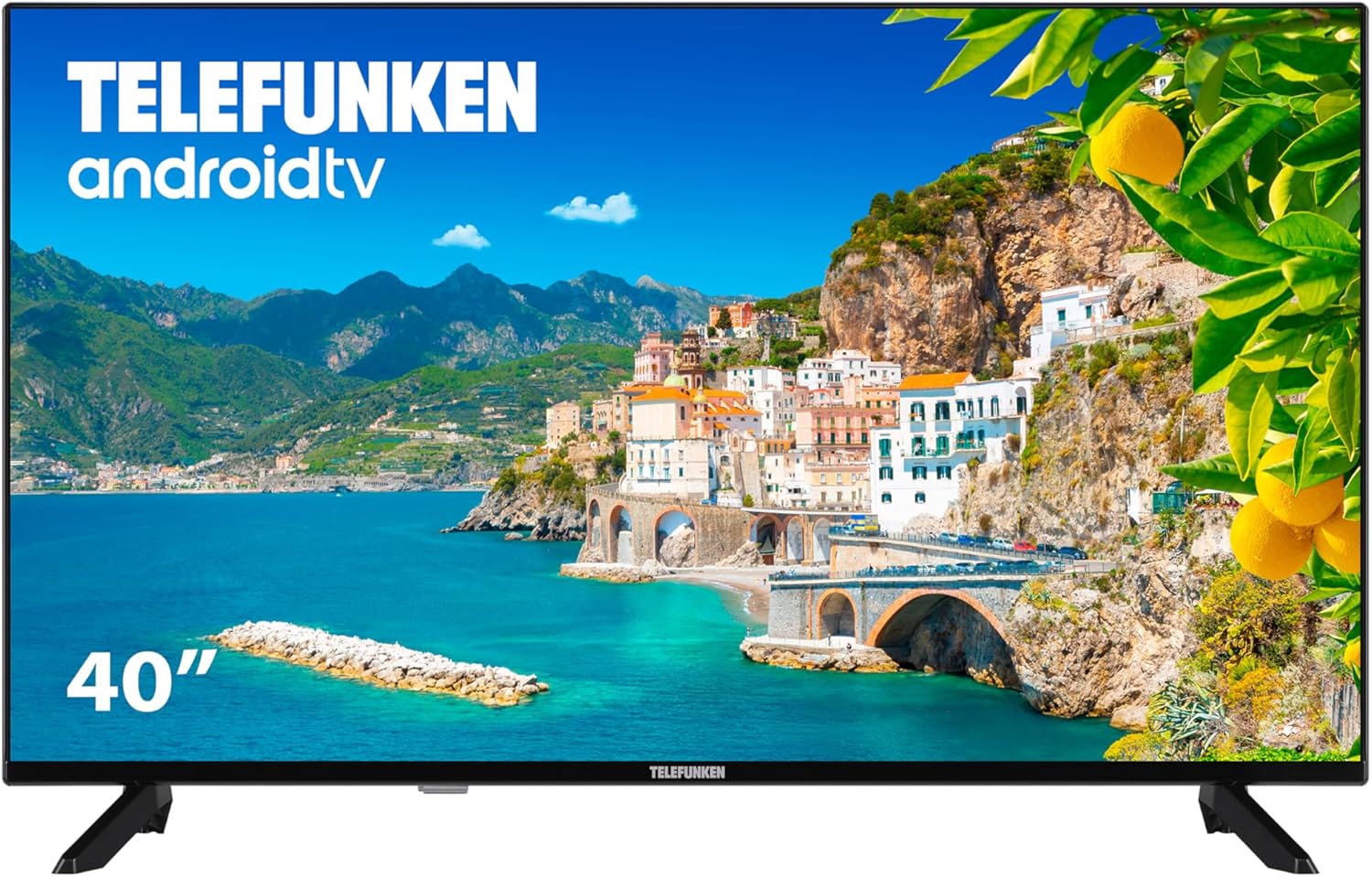
פיגורע 2.1: פראָנט view of the Telefunken 40DTAF724 Android TV, showcasing its bezel-less design and display.
3. וואָס איז אין דער קעסטל
Upon unpacking your Telefunken 40DTAF724 TV, please ensure all the following components are present:
- Telefunken 40DTAF724 Android TV Unit
- ווייַט קאָנטראָל
- באַטעריז פֿאַר רימאָוט קאָנטראָל
- באַניצער מאַנואַל (דעם דאָקומענט)
- מאַכט קאַבלע
- TV Stands (2 units) and Screws for assembly
4. סעטאַפּ
4.1. שטיין ייַנמאָנטירונג
To install the TV stands:
- לייגט פֿאָרזיכטיק דעם טעלעוויזאָר מיטן פּנים אַראָפּ אויף אַ ווייכער, גלאַטער ייבערפֿלאַך כּדי צו פֿאַרמייַדן שאָדן צום עקראַן.
- גלייכט יעדן שטאַנד מיט די קאָרעספּאָנדירנדיקע שרויף לעכער אויף דער אונטערשטער טייל פון דער טעלעוויזיע.
- באַפעסטיקט יעדן שטאַנד מיט די צוגעשטעלטע שרויפן. מאַכט זיכער אַז זיי זענען פעסט אָנגעצויגן.
4.2. וואַנט מאָונטינג (אַפּשאַנאַל)
The Telefunken 40DTAF724 is compatible with VESA 100 x 100 M4 wall mounts. Please refer to your wall mount's instructions for proper installation. Ensure the wall can support the TV's weight (8.46 kg) and the mount.

פיגורע 4.1: זייַט view of the TV with dimensions (90.2 cm width, 56.7 cm height, 16.7 cm depth) and VESA mount details.
4.3. קאַנעקטינג דעוויסעס
Connect your external devices (e.g., cable box, gaming console, Blu-ray player) to the TV's ports. The TV supports HDMI, USB, Ethernet, and Bluetooth connectivity.

פיגורע 4.2: דערציען view of the TV, illustrating the location of HDMI, USB, Ethernet, and other input/output ports.
For optimal performance, use high-quality HDMI cables for video and audio connections.
5. אַפּערייטינג ינסטרוקטיאָנס
5.1. ערשטער מאָל סעטאַפּ
After connecting the power cable and turning on the TV for the first time, you will be guided through the initial setup process. This includes:
- שפּראַך סעלעקציע
- נעץ פֿאַרבינדונג (Wi-Fi אָדער עטהערנעט)
- Google Account sign-in (recommended for full Android TV features)
- קאַנאַל סקאַנינג
- אַקצעפּטירן תּנאים און באַדינגונגען
5.2. Android TV Features
Your Telefunken TV runs on Android TV, providing access to a wide range of apps and services:
- Google פּלייַ סטאָר: Download your favorite streaming apps, games, and more.
- Chromecast Built-in: וואַרפט אינהאַלט פֿון אייער סמאַרטפֿאָן, טאַבלעט אָדער קאָמפּיוטער גלייך צום טעלעוויזיע עקראַן.
- גוגל אַססיסטאַנט: ניצט שטימע קאמאנדעס דורך די ווײַט קאנטראל צו זוכן אינהאלט, קאנטראלירן קלוגע היים דעווייסעס, און באקומען אינפארמאציע.
- Alexa קאַמפּאַטאַבילאַטי: Integrate your TV with Alexa-enabled devices for voice control.
- HDR10: Experience enhanced contrast and a wider range of colors with HDR10 content.
5.3. רימאָוט קאָנטראָל
The included remote control allows you to navigate the TV's interface, adjust settings, and access smart features. Insert the provided batteries into the remote control, ensuring correct polarity.
6. וישאַלט
כדי צו זיכער מאַכן די לאַנגלעבעניש און אָפּטימאַלע פאָרשטעלונג פון דיין טעלעוויזיע:
- רייניקונג: Unplug the TV before cleaning. Use a soft, dry cloth to wipe the screen and exterior. Do not use liquid cleaners or sprays directly on the screen.
- ווענטילאַטיאָן: זיכערט זיך אז עס איז דא גענוג ווענטילאציע ארום דעם טעלעוויזאר. בלאקירט נישט די ווענטילאציע עפענונגען.
- מאַכט: נעמט ארויס דעם טעלעוויזאר בעת בליץ-שטורעמס אדער ווען עס וועט נישט ווערן גענוצט פאר לענגערע צייטן.
7. טראָובלעשאָאָטינג
אויב איר טרעפט פּראָבלעמען מיט אייער טעלעוויזיע, באַזירט זיך אויף די פאלגענדע געוויינטלעכע לייזונגען:
- קיין מאַכט: Check if the power cable is securely connected to both the TV and the power outlet. Ensure the outlet is functional.
- קיין בילד/קלאַנג: באַשטעטיקט אַז די ריכטיקע אַרייַנגאַנג מקור איז אויסגעקליבן. קאָנטראָלירט אַלע קאַבל קאַנעקשאַנז (HDMI, אַנטענע, אאז"וו).
- רימאָוט קאָנטראָל נישט ארבעטן: טוישט די באַטעריעס. מאַכט זיכער אַז עס זענען נישטאָ קיין שטערונגען צווישן דעם ווײַטקאָנטראָל און דעם טעלעוויזיע'ס IR סענסאָר.
- נעץ פֿאַרבינדונג פּראָבלעמען: Restart your router and modem. Reconnect the TV to the Wi-Fi network or check the Ethernet cable.
- פּאַמעלעך פאָרשטעלונג: Close unused applications. Clear the cache of frequently used apps. Consider a factory reset if issues persist (note: this will erase all personal data and settings).
For further assistance, please contact Telefunken customer support.
8. ספּעסאַפאַקיישאַנז
| שטריך | באַשרייַבונג |
|---|---|
| סאָרט | טעלעפונקן |
| מאָדעל נומער | 40DTAF724 |
| פאַרשטעלן גרייס | 40 אינטשעס |
| ווייַז טעכנאָלאָגיע | געפירט |
| האַכלאָטע | 1080p (Full HD 1920 x 1080) |
| דערפרישן קורס | 60 הז |
| ספּעציעלע פֿעיִקייטן | Chromecast, Bezel-less Design, VESA Wall Mount, HDR10 |
| קאַנעקטיוויטי | בלועטוט, עטערנעט, הדמי, יו-עס-בי, וויי-פיי |
| אַספּעקט פאַרהעלטעניש | 1.77:1 |
| פּראָדוקט דימענשאַנז (ברייט רענטגענ טיפקייַט רענטגענ הייך) | 90.2 X 16.7 X 56.7 סענטימעטער |
| וואָג | 8.46 קג |
| ענערגיע עפעקטיווקייַט שאַץ | E |
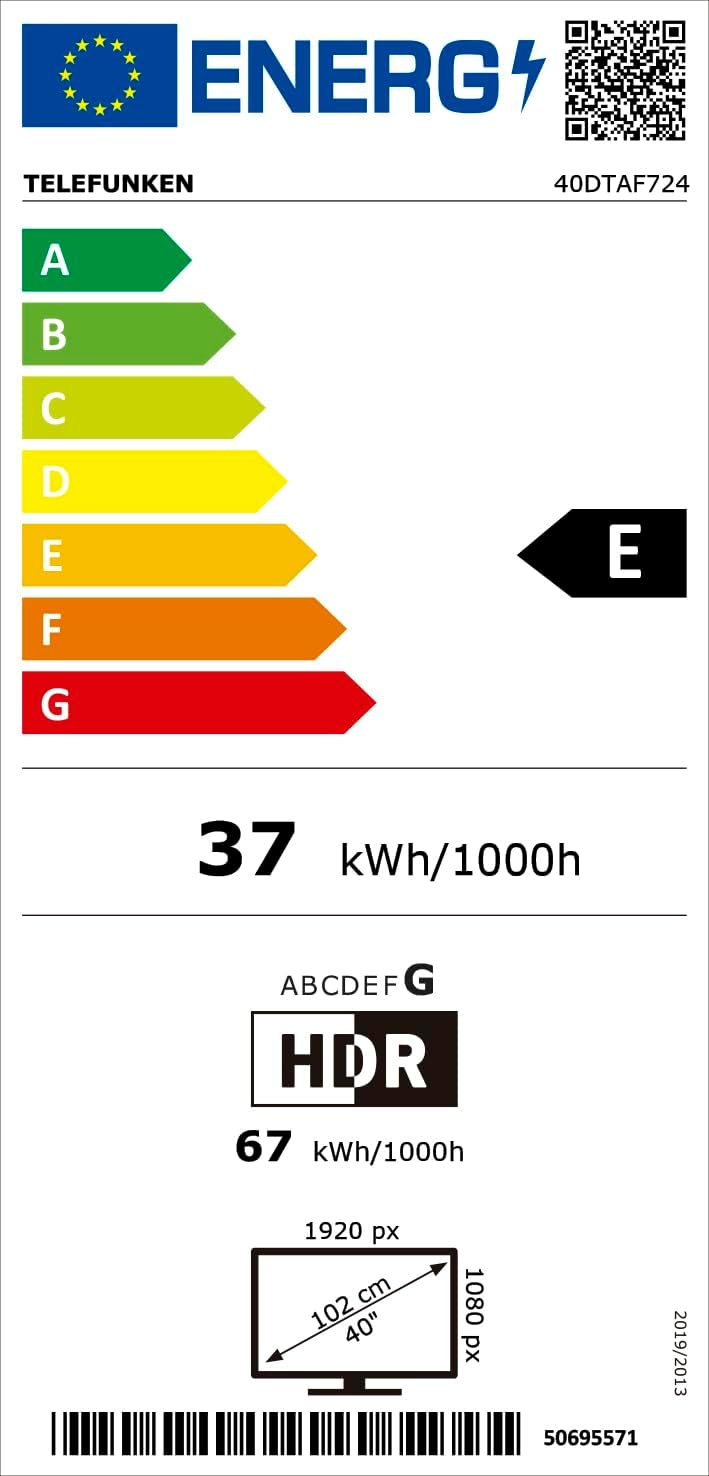
פיגורע 8.1: Energy efficiency label for the Telefunken 40DTAF724 TV, showing its 'E' rating and power consumption.
For more details, scan the QR code or visit eprel.ec.europa.eu/qr/1860952.
9. וואָראַנטי און שטיצן
Your Telefunken 40DTAF724 TV comes with a standard manufacturer's warranty. Please refer to the warranty card included in the packaging for specific terms and conditions. For technical support, service, or warranty claims, please contact your local Telefunken customer service center. Contact information can typically be found on the Telefunken official webזייטל אדער אין די גאַראַנטיע דאָקומענטאַציע.


