1. הקדמה
The BEBANG Pocket Microscope is a compact and versatile scientific instrument designed to introduce users, especially children and students, to the fascinating world of microscopy. With its adjustable magnification from 60x to 120x, integrated LED illumination, and portable design, it allows for on-the-go exploration of various specimens. This manual provides essential information on setting up, operating, and maintaining your pocket microscope to ensure optimal performance and a rewarding learning experience.

Image 1.1: The BEBANG Pocket Microscope, a compact and portable device for microscopic observation.
2. פּראָדוקט פֿעיִקייטן
- אַדזשאַסטאַבאַל מאַגנאַפאַקיישאַן: Offers a magnification range of 60x to 120x, allowing for detailed observation of various subjects.
- Dual Illumination: Equipped with a bright LED light for clear viewing and a UV light source for specialized observations, such as currency verification.
- פּאָרטאַטיוו פּלאַן: Its compact and lightweight construction makes it easy to carry and use anywhere, fostering exploration in diverse environments.
- Easy Focusing: Features an adjustable focus wheel for precise and sharp image acquisition.
- אַרייַנגערעכנט אַקסעסעריז: Comes with five prepared microscope slides for immediate scientific exploration.

Image 2.1: Visual representation of 60x and 120x magnification capabilities, alongside the LED and UV light functions.
3. וואָס איז אין דער קעסטל
Upon opening your BEBANG Pocket Microscope package, you should find the following items:
- 1 x BEBANG Pocket Microscope (Model: WX-C03-651)
- 5 x Prepared Microscope Slides Specimens
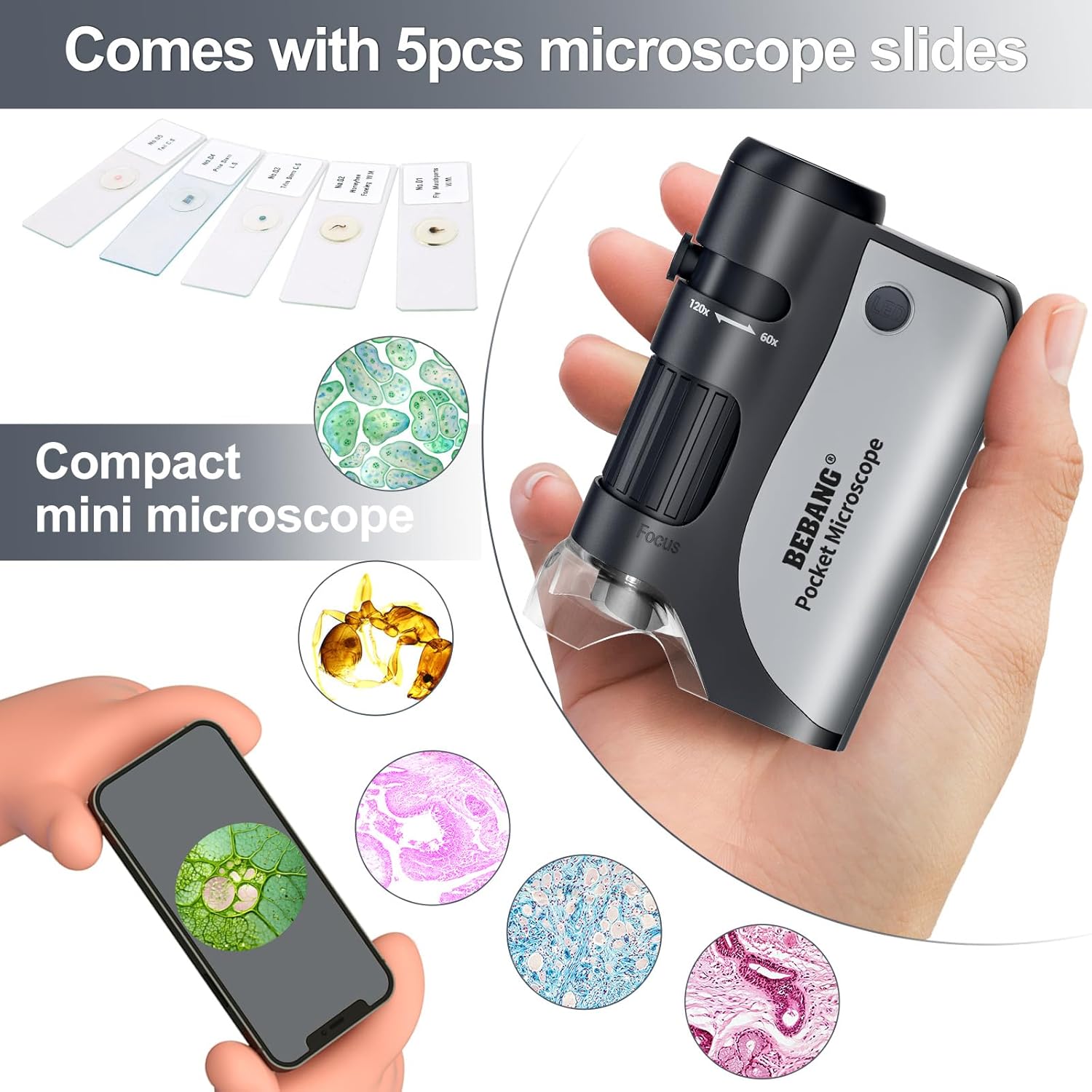
Image 3.1: Contents of the BEBANG Pocket Microscope package, including the microscope and prepared slides.
4. סעטאַפּ
4.1 באַטאַרייע ייַנמאָנטירונג
The BEBANG Pocket Microscope requires one (1) AA battery for operation (battery not included). Follow these steps to install the battery:
- Locate the battery compartment cover on the side or back of the microscope.
- פארזיכטיק שלעפּט אָדער עפֿנט דעם דעקל צו עפֿענען דעם אָפּטייל.
- אַרײַנשטעלן איין AA באַטעריע, און זיכער מאַכן אַז די פּאָזיטיוו (+) און נעגאַטיוו (-) טערמינאַלן זענען ריכטיק אויסגעשטעלט מיט די מאַרקירונגען אינעווייניק אין דעם אָפּטייל.
- פאַרמאַכן די באַטאַרייע אָפּטייל דעקן סיקיורלי.
4.2 פּאַוערינג אויף / אַוועק
To power on the microscope's LED light, press the 'LED' button located near the top of the microscope. Press it again to turn the light off. For the UV light, press and hold the dedicated UV button.
5. אַפּערייטינג ינסטרוקטיאָנס
5.1 Observing a Specimen
- Place the microscope directly over the object you wish to observe. For prepared slides, place the slide on a flat, well-lit surface.
- Press the 'LED' button to turn on the illumination.
- קוק דורך די אויגפּיעסע.
- Adjust the focus wheel (typically located on the side) until the image appears clear and sharp.
- To change magnification, slide the zoom adjustment (marked 60x-120x) to your desired level and re-focus if necessary.

Image 5.1: Users engaging with the BEBANG Pocket Microscope to explore various subjects.
5.2 Using the UV Light
The UV light feature is useful for detecting fluorescent properties in certain materials, such as security features on currency. To activate the UV light, press and hold the dedicated UV button. Release the button to turn it off.

בילד 5.2: עקס.amples of various specimens that can be observed using the microscope, including biological samples and everyday objects.
6. וישאַלט
6.1 רייניקן די לענסעס
To maintain clear viewing, keep the lenses clean. Use a soft, lint-free cloth specifically designed for optical lenses. Avoid using abrasive materials or harsh chemicals, which can scratch or damage the lens coatings.
6.2 באַטערי פאַרבייַט
When the LED light dims or fails to turn on, it's time to replace the battery. Follow the battery installation steps in Section 4.1.
6.3 סטאָרידזש
Store the microscope in a dry, dust-free environment when not in use. Keep it away from extreme temperatures and direct sunlight. The included pouch can help protect it during transport and storage.
7. טראָובלעשאָאָטינג
- Problem: Cannot see anything or image is blurry.
- לייזונג:
- ענשור אַז די געפירט ליכט איז אויסגעדרייט אויף.
- Adjust the focus wheel slowly until the image becomes clear.
- Make sure the microscope is placed directly over the specimen.
- Check if the lenses are clean. Refer to Section 6.1 for cleaning instructions.
- Verify that the battery is correctly installed and has sufficient power.
- Problem: LED light does not turn on.
- לייזונג:
- Check if the battery is installed correctly with the correct polarity.
- פאַרבייַטן די באַטאַרייע מיט אַ פריש אַאַ באַטאַרייע.
8. ספּעסאַפאַקיישאַנז
| שטריך | דעטאַל |
|---|---|
| פּראָדוקט טיפּ | Clip-type Microscope |
| מאַגנאַפאַקיישאַן קייט | 60x-120x |
| ליכט מקור טיפּ | געפירט, ווו |
| מאַטעריאַל | אַבסיל אַקריליק |
| קאָליר | שוואַרץ |
| מאַכט מקור | 1 x AA Battery (3 Volts) |
| פּראָדוקט דימענשאַנז | 2.37"ל x 1.34"ברייט x 3.55"ה (6 ס״מ x 3.4 ס״מ x 9 ס״מ) |
| פּונקט וואָג | 5.6 אונסעס |
| מאָדעל נומער | WX-C03-651 |
| פאַבריקאַנט | BEBANG |

Image 8.1: Detailed dimensions and technical specifications of the BEBANG Pocket Microscope.
9. וואָראַנטי און שטיצן
For any questions, technical assistance, or support regarding your BEBANG Pocket Microscope, please contact BEBANG customer service. Please refer to the product packaging or the BEBANG official webזייטל פֿאַר די מערסט אַקטועלע קאָנטאַקט אינפֿאָרמאַציע.


