הקדמה
This manual provides detailed instructions for the setup, operation, and maintenance of your Rapoo M300G Silent Wireless Mouse. Please read this manual thoroughly to ensure proper use and to maximize the performance of your device.
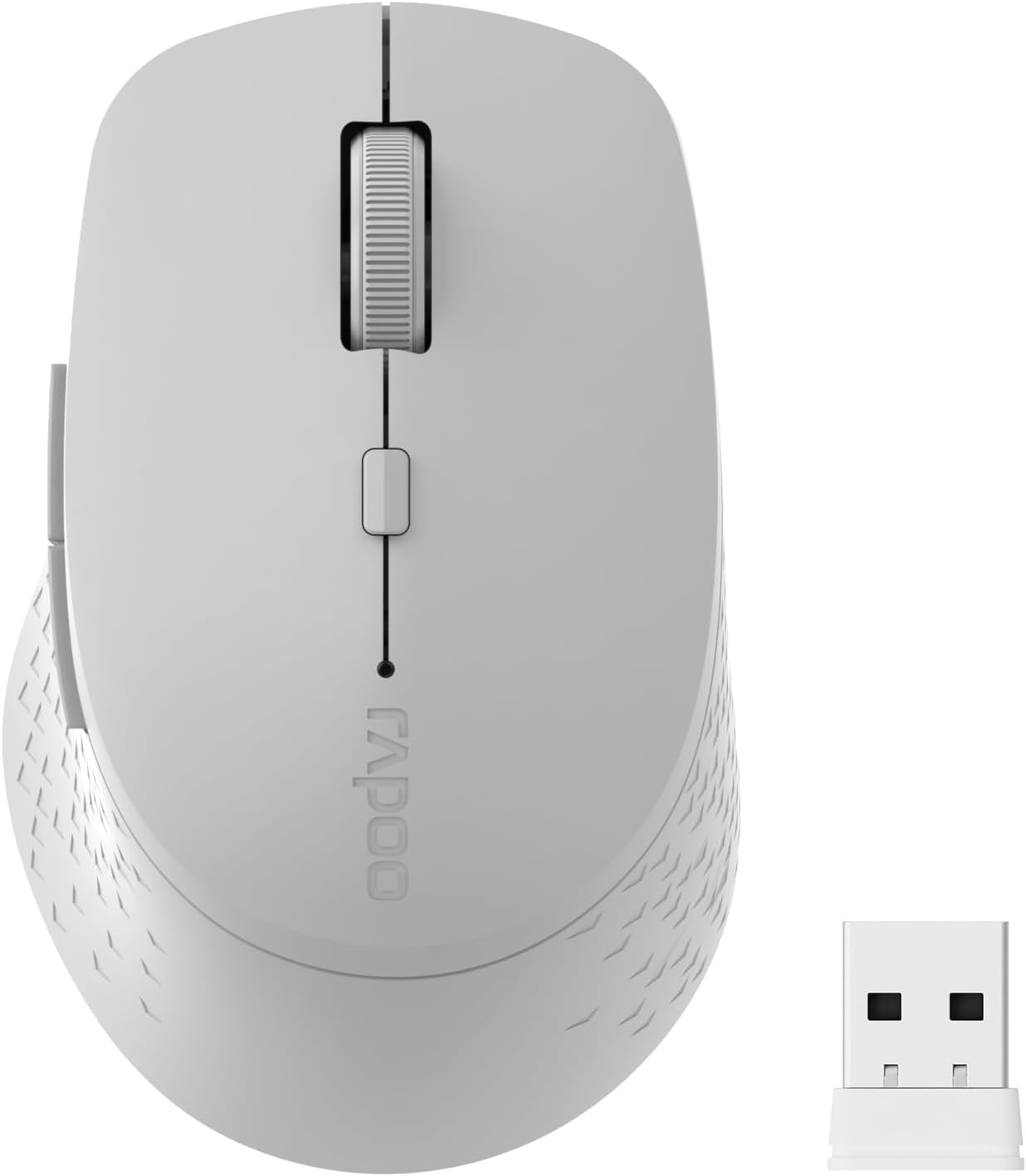
Image: The Rapoo M300G Silent Wireless Mouse in light grey, shown with its accompanying USB receiver.
פּעקל אינהאַלט
באַשטעטיקן אַז אַלע זאכן זענען פאַראַן אין פּעקל:
- Rapoo M300G Wireless Mouse (x1)
- USB Receiver (x1)
- אַאַ באַטערי (קסנומקס)
- Product Manual (x1)
פּראָדוקט איבערview
Familiarize yourself with the components of your Rapoo M300G mouse.
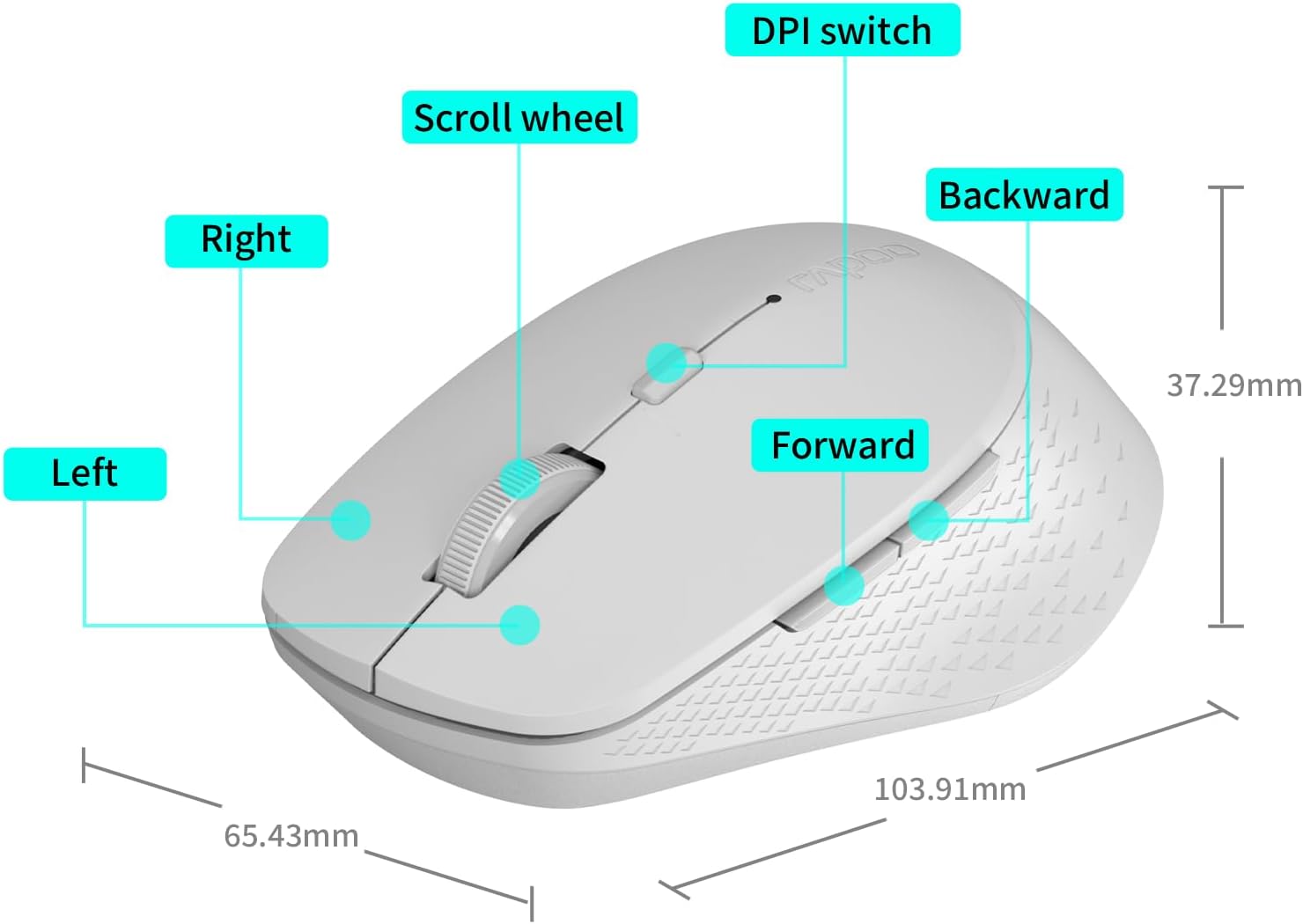
Image: A diagram illustrating the various parts of the Rapoo M300G mouse, including the left and right click buttons, scroll wheel, DPI switch, and forward/backward side buttons.
- לינקס קנעפּל: נאָרמאַלע קליק פונקציע.
- רעכט קנעפּל: Context menu function.
- סקראָל ראָד: פֿאַר ווערטיקאַל סקראָלן און מיטל-קליק.
- דפּי סוויטש: אַדזשאַסטירט קורסאָר סענסיטיוויטי.
- פֿאָרווערטס קנעפּל: נאַוויגירט פאָרויס אין web בראַוזערז אָדער file עקספּלאָרערס.
- צוריק קנעפּל: נאַוויגירט צוריק אין web בראַוזערז אָדער file עקספּלאָרערס.
סעטאַפּ אינסטרוקציעס
The Rapoo M300G mouse supports both 2.4GHz wireless and Bluetooth connectivity. Choose the method that best suits your device.
1. באַטאַרייע ייַנמאָנטירונג
Open the battery compartment on the underside of the mouse. Insert the provided AA battery, ensuring correct polarity. Close the compartment.

Image: Illustration of the mouse's underside, highlighting the battery compartment and the integrated USB receiver storage slot.
2. Connecting via 2.4GHz Wireless Mode
- Locate the USB receiver inside the mouse's battery compartment.
- Remove the USB receiver and plug it into an available USB port on your computer.
- צינדט אָן די מויז מיטן מאַכט קנעפּל אויף דער אונטערשטער זייט.
- The mouse should automatically connect to your computer. No additional drivers are typically required.
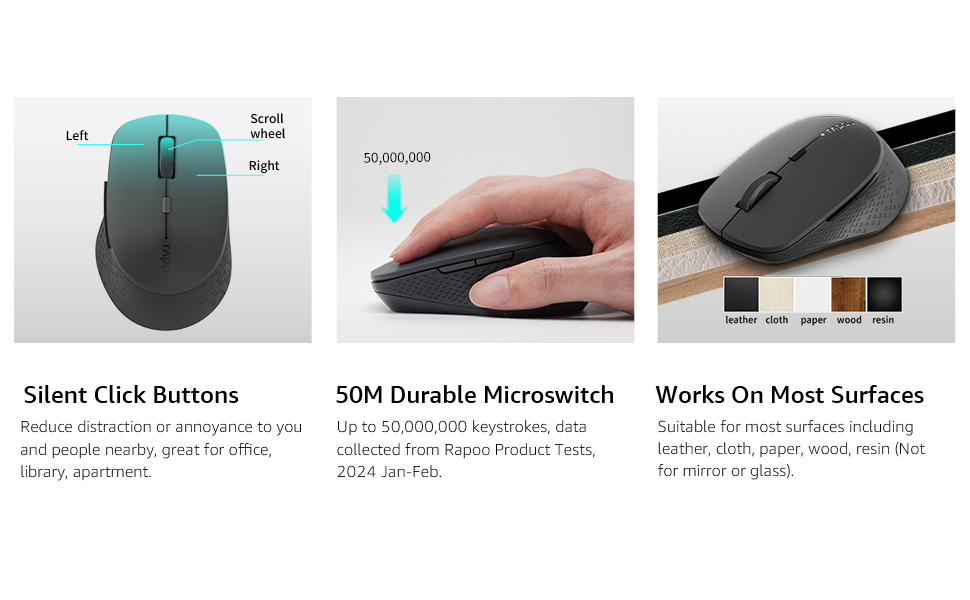
Image: Visual guide for connecting the mouse. The 2.4GHz mode shows the USB receiver being inserted into a computer.
3. פֿאַרבינדן זיך דורך בלועטוט מאָדע
The mouse supports Bluetooth 5.0 and 4.0.
- צינדט אָן די מויז מיטן מאַכט קנעפּל אויף דער אונטערשטער זייט.
- Press and hold the multifunction button on the underside of the mouse for 3-5 seconds until the indicator light flashes slowly. This indicates pairing mode.
- אויף אייער קאָמפּיוטער אָדער מיטל, עפֿנט די בלועטוט סעטטינגס.
- זוכן פֿאַר new devices and select "Rapoo M300G" (or similar) from the list.
- פֿאָלגט אַלע אינסטרוקציעס אויף דעם עקראַן צו פֿאַרענדיקן דעם פּאָרינג פּראָצעס. די אינדיקאַטאָר ליכט וועט אויפֿהערן צו בלינקען אַמאָל פֿאַרבונדן.

Image: Diagram detailing the multifunction button on the mouse's underside, explaining its use for DPI adjustment (short press) and Bluetooth pairing (long press).
Image: Visual guide for connecting the mouse. The Bluetooth mode shows the mouse pairing with a laptop.
אַפּערייטינג ינסטראַקשאַנז
1. Switching Between Devices (Multi-Mode)
The Rapoo M300G can connect to two devices simultaneously (one via 2.4GHz, one via Bluetooth). To switch between connected devices, briefly press the multifunction button on the underside of the mouse. The indicator light will change to confirm the active connection mode.

Image: The Rapoo M300G mouse demonstrating its ability to connect to two devices simultaneously, one via 2.4GHz and another via Bluetooth.
2. צופּאַסן DPI (סענסיטיוויטי)
The mouse offers 5 adjustable DPI levels: 800, 1000, 1200, 1600, and 2400. To change the DPI, press the DPI switch button located on the top of the mouse, below the scroll wheel. Each press cycles through the available DPI settings.

Image: A visual representation of the mouse's adjustable DPI settings, ranging from 800 to 2400, with an arrow pointing to the DPI switch button.
3. שטילע קליק פֿונקציע
The Rapoo M300G features silent click buttons, reducing operational noise by 90%. This design is intended for quiet environments, minimizing disturbance to others.

Image: The Rapoo M300G mouse, emphasizing its silent click functionality, suitable for quiet environments.

בילד: דעטאַלירט view of the mouse's silent click buttons, durable microswitches, and its ability to function on various surfaces.
4. Surface Compatibility
The advanced optical tracking engine allows the mouse to operate effectively on various surfaces, including leather, cloth, paper, wood, and resin, without requiring a mouse pad. Performance may vary on glass or mirrored surfaces.

Image: The Rapoo M300G mouse positioned on different materials, highlighting its capability to track on diverse surfaces.
וישאַלט
1. באַטערי פאַרבייַט
When the mouse performance degrades or the indicator light signals low battery, replace the AA battery. The mouse is designed for low power consumption, offering up to 12 months of battery life under normal conditions.

Image: An illustration emphasizing the Rapoo M300G mouse's extended battery life of up to 12 months.
2. רייניקונג
צו רייניקן די מויז, ניצט א ווייכע, טרוקענע שטאָף. פֿאַר שווערע שמוץ, ניצט אַ ביסל טרוקענעם שטאָף.amp מען קען ניצן אַ שטאָף, און זיכער מאַכן אַז קיין נעץ גייט נישט אַרײַן אין די אינעווייניקסטע קאָמפּאָנענטן. פֿאַרמײַדט די נוצן פֿון שאַרפֿע כעמיקאַלן אָדער אַברייסיוו מאַטעריאַלן.
טראָובלעשאָאָטינג
מויז רעאַגירט נישט
- קאָנטראָלירן די באַטאַרייע: זיכער מאַכן אַז די AA באַטעריע איז ריכטיק אינסטאַלירט און האט גענוג אָפּצאָל. פאַרבייטן אויב נייטיק.
- מאַכט סוויטש: באַשטעטיקן אַז די מויז איז אָנגעצונדן.
- USB Receiver (2.4GHz Mode): זיכער מאַכן אַז דער USB ריסיווער איז זיכער אַרײַנגעשטעקט אין אַ פֿונקציאָנירנדיקן USB פּאָרט. פּרוּווט אַן אַנדער USB פּאָרט.
- Bluetooth Connection (Bluetooth Mode):
- מאַכן זיכער אַז בלועטאָאָטה איז ענייבאַלד אויף דיין מיטל.
- Re-enter pairing mode on the mouse (long press multifunction button) and re-pair with your device.
- Remove the mouse from your device's Bluetooth list and attempt to pair again.
- ינטערפיראַנס: ריקט די מויז נענטער צום ריסיווער/אפאראט. פארמיידט צו ניצן די מויז לעבן אנדערע דראטלאזע אפאראטן וואס קענען שאפן שטערונגען.
לויפֿער באַוועגונג איז יראַטיק
- ריין סענסער: Ensure the optical sensor on the underside of the mouse is clean and free from dust or debris.
- ייבערפלאַך: Try using the mouse on a different surface. While the mouse works on many surfaces, some highly reflective or uneven surfaces may affect tracking.
- DPI באַשטעטיקן: Adjust the DPI setting using the DPI switch button to see if a different sensitivity improves performance.
ספּעסאַפאַקיישאַנז
| מאָדעל | M300G |
| קאַנעקטיוויטי טעכנאָלאָגיע | בלועטוט 5.0, בלועטוט 4.0, 2.4GHz ווירעלעס |
| באַוועגונג דעטעקשאַן טעכנאָלאָגיע | אָפּטיש |
| אַדזשאַסטאַבאַל דפּי | 800 / 1000 / 1200 / 1600 / 2400 |
| ספּעציעלע פֿעיִקייטן | Silent Clicks, Multi-Device Switching, Portable, Ergonomic Design |
| באַטערי טיפּ | 1 קס אַאַ באַטערי (אַרייַנגערעכנט) |
| באַטערי לעבן | אַרויף צו 12 חדשים |
| פּראָדוקט דימענשאַנז | 4.09 X 2.57 X 0.04 אינטשעס (103.91 X 65.43 X 37.29 מם) |
| פּונקט וואָג | 3.52 אונסעס (100 ג) |
| קאַמפּאַטאַבילאַטי | Windows, Mac OS, Linux, iOS, Android, Chrome OS |
וואָראַנטי און שטיצן
Your Rapoo M300G Silent Wireless Mouse comes with a איין יאָר וואָראַנטי פֿון דעם דאַטע פֿון קויפֿן. דערצו, אַ 30-day return and refund or replacement policy is offered. For warranty claims, technical support, or product inquiries, please contact your retailer or visit the official Rapoo webפּלאַץ פֿאַר הילף.
פֿאַר ווײַטערדיקע אינפֿאָרמאַציע, קענט איר באַזוכן די Rapoo Brand Store on Amazon.


