1. הקדמה
This manual provides detailed instructions for the installation, operation, and maintenance of your WESECUU Light Bulb Security Camera Model 8050. Please read this manual thoroughly before using the product to ensure proper function and safety.

Image 1.1: WESECUU Light Bulb Security Camera Model 8050 (Two Pack) and smartphone interface.
2. זיכערקייַט אינפֿאָרמאַציע
- פאַרזיכערן די מאַכט צושטעלן איז דיסקאַנעקטיד איידער ינסטאַלירונג אָדער וישאַלט.
- The camera is designed for E27 light sockets (100V~240V). Use only with compatible sockets.
- Avoid exposing the camera to extreme temperatures, humidity, or direct water spray. While rated IP65 for outdoor use, proper placement is crucial to prevent water ingress into the socket.
- פרובירט נישט צו צענעמען אדער פאררעכטן די קאמערא אליין. קאנטאקטירט קאסטומער סופארט פאר הילף.
- האַלטן אויס פון דערגרייכן פון קינדער.
3. פּעקל אינהאַלט
באַשטעטיקן אַז אַלע זאכן זענען פאַראַן אין דיין פּעקל:
- WESECUU Light Bulb Security Camera(s)
- E27 Light Socket Adapter
- ינסטרוקטיאָן מאַנואַל (דעם דאָקומענט)
4. פּראָדוקט איבערview
The WESECUU Light Bulb Security Camera Model 8050 offers comprehensive surveillance features in a discreet light bulb form factor. Key features include:
- 2K FHD Resolution: גיט קלאָר און דיטיילד ווידעא פאָאָtage.
- צוויי-באַנד וויפי: Supports both 2.4GHz and 5GHz wireless networks for flexible connectivity.
- 360° קאַווערידזש: Pan 355° and Tilt 90° for a wide viewינג געגנט.
- קאָליר נאַכט זעאונג: Equipped with floodlights and IR lights for clear, colored images in low-light conditions.
- צוויי-וועג רעדן: איינגעבויטער מיקראָפאָן און רעדנער פֿאַר רעאַל-צייט קאָמוניקאַציע.
- Smart Human Detection: Reduces false alarms by focusing on human shapes.
- באַוועגונג טראַקינג: Automatically follows detected objects.
- 24/7 רעקאָרדינג: Supports cloud storage and local TF card storage (up to 128GB, not included).
- Alexa קאַמפּאַטאַבילאַטי: Integrate with Amazon Alexa for voice control and viewing.


בילד 4.1: פארשידענע views of the WESECUU Light Bulb Security Camera.
5. סעטאַפּ אינסטרוקציעס
5.1 גשמיות ינסטאַלירונג
- מאַכט אַוועק: Ensure the power to the light socket is turned off at the circuit breaker before beginning installation.
- סקרין אין: Carefully screw the WESECUU Light Bulb Security Camera into a standard E27 light socket. If your existing socket is not E27, use the provided E27 light socket adapter.
- מאַכט אויף: Restore power to the light socket. The camera will power on and initiate its self-test.

Image 5.1: Easy installation into an E27 light socket.
5.2 אַפּ דאַונלאָוד און פֿאַרבינדונג
- אראפקאפיע אַפּ: זוכן פֿאַר the 'Eseecloud' app in your smartphone's app store (iOS or Android) and download it.
- רעגיסטרירן אַקאַונט: Open the Eseecloud app and follow the on-screen instructions to register a new account or log in if you already have one.
- לייג דיווייס: אין דער אַפּ, צאַפּן די '+' בילדל צו לייגן צו אַ נייעם מיטל.
- Bluetooth Quick Connection: Enable Bluetooth on your smartphone. The app will guide you through the Bluetooth quick connection process to detect and pair with the camera.
- WiFi קאַנפיגיעריישאַן: Select your 2.4GHz or 5GHz WiFi network and enter the password. Ensure your phone is connected to the same WiFi network during this step.
- פארענדיקונג: אַמאָל פארבונדן, קענט איר געבן אייער קאַמעראַ אַ נאָמען און אָנהייבן לעבן viewing.

Image 5.2: The camera supports both 2.4GHz and 5GHz WiFi networks.
6. אַפּערייטינג ינסטרוקטיאָנס
6.1 לעבן View און פּלייַבאַקק
- Open the Eseecloud app and select your camera from the device list to access the live view.
- ניצט די פּלייבאַק פונקציע צו ווידערview רעקאָרדעד פוtage from your cloud storage or TF card.
6.2 פּאַן, טילט, און זום (PTZ) קאָנטראָל
The camera offers a 355° horizontal pan and 90° vertical tilt. Use the controls within the Eseecloud app to adjust the camera's viewינג ווינקל.

Image 6.1: Camera demonstrating auto-tracking and PTZ capabilities.
6.3 צוויי-וועגיקע שמועס
To use the two-way talk feature, tap the microphone icon in the live view interface of the Eseecloud app. You can speak through your phone, and your voice will be projected through the camera's speaker. Similarly, you can hear audio from the camera's location through your phone.

Image 6.2: Illustration of the two-way voice communication feature.
6.4 באַוועגונג דעטעקציע און וואָרענונגען
- אַקטיווירן דעטעקציע: In the app settings, enable motion detection and smart human detection. This will filter alerts to primarily notify you of human presence.
- אַלערץ: When motion or a human is detected, the camera will send real-time notifications to your smartphone.
- באַוועגונג טראַקינג: If enabled, the camera will automatically track the detected object within its field of view.
- סירען: An audible siren can be activated via the app to deter intruders.

Image 6.3: Human detection and real-time alert functionality.
6.5 נאַכט זעאונג
The camera automatically switches between day and night vision modes. It utilizes six floodlights and six IR lights to provide clear, colored images even in complete darkness.
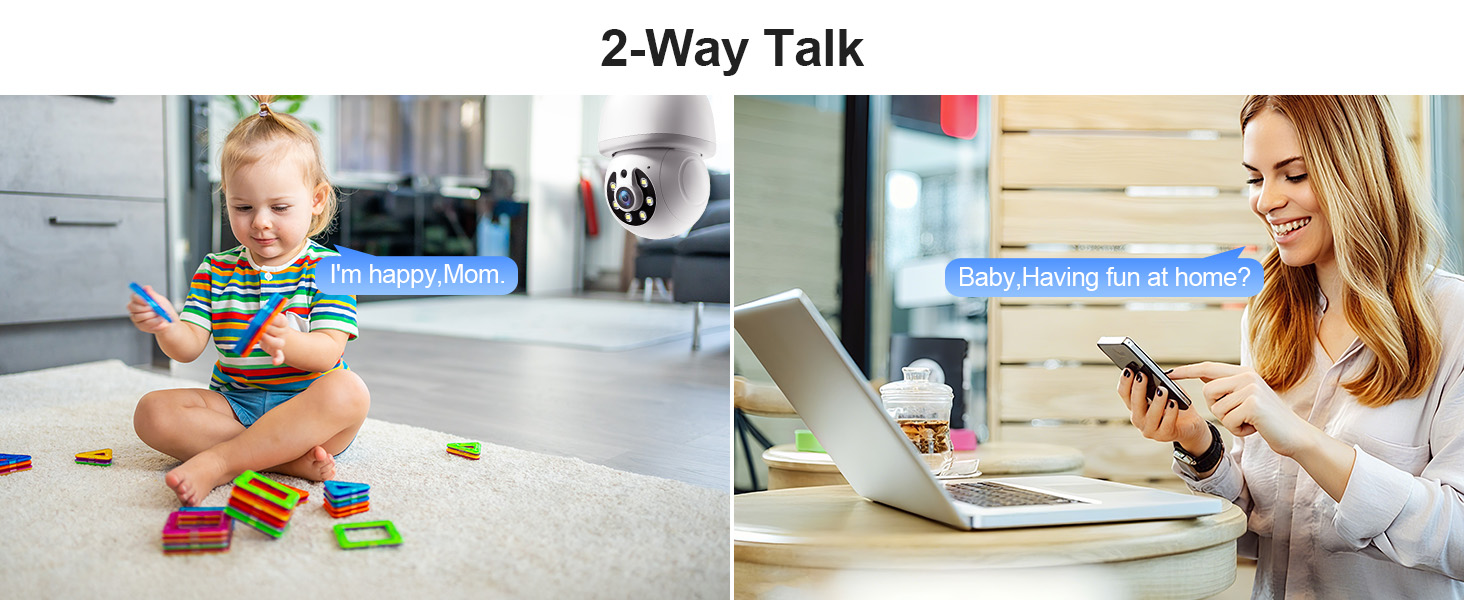
Image 6.4: Comparison of infrared and 2K full-color night vision.
6.6 רעקאָרדינג און סטאָרידזש
The camera supports continuous 24/7 recording. You have two storage options:
- וואָלקן סטאָרידזש: Subscribe to the Eseecloud app's cloud storage service for remote access to your recordings.
- TF קאָרט סטאָרידזש: Insert a TF (microSD) card (up to 128GB, not included) into the camera's slot for local recording.

Image 6.5: 24/7 recording options with cloud and SD card storage.
6.7 אַלעקסאַ אינטעגראַציע
The WESECUU camera is compatible with Amazon Alexa. To connect:
- עפֿנט די Alexa אַפּ אויף דיין סמאַרטפאָון.
- Go to 'Skills & Games' and search for 'Eseecloud'.
- Enable the Eseecloud skill and link your Eseecloud account.
- Discover devices. You can then use voice commands like "Alexa, show me the [camera name]" on compatible Alexa devices with screens.

Image 6.6: Camera integration with Amazon Alexa.
6.8 Patrol Guard Mode
The Patrol Guard mode allows you to set multiple distinct viewpoints (presets). The camera will automatically cycle through these preset positions at custom intervals, providing continuous monitoring of different areas.

Image 6.7: Visualization of the Patrol Guard mode with multiple presets.
7. וישאַלט
- רייניקונג: ווישט אָפּ די קאַמעראַ לינז און קערפּער מיט אַ ווייכן, טרוקענעם שטאָף. ניצט נישט קיין שטרענגע כעמיקאַלן אָדער שרײַבנדיקע רייניקונגסמיטלען.
- Firmware דערהייַנטיקונגען: Regularly check the Eseecloud app for available firmware updates to ensure optimal performance and security.
- סטאָרידזש: אויב איר לייגט די קאַמעראַ אַוועק פֿאַר אַ לענגערע צייט, זאָלט איר עס אָפּשטעקן פֿון עלעקטרישן נעץ און עס אַוועקלייגן אין אַ קילן, טרוקענעם אָרט.
8. טראָובלעשאָאָטינג
| פּראָבלעם | מעגלעך סיבה | לייזונג |
|---|---|---|
| קאַמעראַ פֿאַרבינדט זיך נישט צו WiFi | Incorrect WiFi password; camera too far from router; incorrect WiFi band selected. | Verify WiFi password. Move camera closer to router. Ensure you are connecting to a 2.4GHz or 5GHz network as supported. Restart camera and router. |
| נעבעך בילד קוואַליטעט | שמוציקע לינז; נישט גענוג באלויכטונג; פראבלעמען מיט נעץ באנדווידט. | Clean the camera lens. Ensure adequate lighting for optimal color night vision. Check your internet speed. |
| קיין באַוועגונג דיטעקשאַן אַלערץ | באַוועגונג דעטעקציע דיסייבאַלד; סענסיטיוויטי צו נידעריק; אַפּ נאָוטאַפאַקיישאַנז בלאָקירט. | Enable motion detection and human detection in the app. Adjust sensitivity settings. Check your phone's notification settings for the Eseecloud app. |
| צוויי-וועג רעדן נישט ארבעטן | Microphone/speaker permissions not granted; volume too low. | Check app permissions on your phone. Adjust volume settings in the app and on your phone. |
| TF קאַרטל רעקאָרדירט נישט | TF card full or corrupted; not inserted correctly. | Format the TF card in the app. Reinsert the TF card. Replace with a new TF card if corrupted. |
9. ספּעסאַפאַקיישאַנז
| שטריך | באַשרייַבונג |
|---|---|
| מאָדעל נאָמען | 8050 |
| דרינענדיק / דרויסנדיק באַניץ | אינעווייניק, אינדרויסן (IP65 ראַטעד) |
| ווידעא קאַפּטורע רעסאָלוטיאָן | 2K (3 MP Maximum Webקאַם בילד רעזאָלוציע) |
| קאַנעקטיוויטי טעכנאָלאָגיע | Wireless (Wi-Fi 2.4G/5G) |
| מאַכט מקור | Corded Electric (E27 light socket, 100V~240V) |
| קאָנטראָללער טיפּ | אַמאַזאָן אַלעקסאַ |
| מאַונטינג טיפּ | סטעליע בארג |
| ספּעציעלע פֿעיִקייטן | 2-Way Audio, Image Sensor, Color Night Vision, Human Detection, Motion Tracking |
| סטאָרידזש אָפּציעס | Cloud Storage, TF Card (up to 128GB, not included) |
| פּראָדוקט דימענשאַנז | 1 X 1 X 1 אינטשעס |
| פּונקט וואָג | 1.1 פונט |
10. קונה שטיצן
For technical assistance, troubleshooting not covered in this manual, or warranty inquiries, please contact WESECUU customer support through the contact information provided with your purchase or on the official WESECUU webפּלאַץ.


