1. הקדמה
This manual provides detailed instructions for setting up, operating, and maintaining your TRIGKEY Speed S8 Mini PC. Please read this manual thoroughly before using the device to ensure proper functionality and to prevent damage. Keep this manual for future reference.

Image 1.1: TRIGKEY Speed S8 Mini PC. This image displays the compact design of the mini PC, highlighting its small form factor and front panel ports.
2. פּעקל אינהאַלט
באַשטעטיקט אַז אַלע זאכן וואָס זענען אויסגערעכנט אונטן זענען אַרייַנגערעכנט אין אייער פּעקל:
- 1 x TRIGKEY Mini PC (Speed S8)
- 1 x מאַכט אַדאַפּטער
- 1 x וועסאַ מאָונט
- 1 x באַניצער מאַנואַל (דאָס דאָקומענט)
- 2 x HDMI קאַבלעס
3. פּראָדוקט איבערview
Familiarize yourself with the ports and buttons on your TRIGKEY Speed S8 Mini PC.

Image 3.1: Front and Rear Ports. This diagram illustrates the location and type of ports available on the mini PC, including USB, HDMI, LAN, and power connections.
פראָנט פּאַנעל:
- מאַכט קנעפּל: Press to turn the PC on or off.
- CLR CMOS Button: Used to clear CMOS settings (refer to advanced troubleshooting).
- וסב 3.0 פּאָרץ (x2): פֿאַר פֿאַרבינדן USB דעוויסעס.
- Type-C Port (x1): פֿאַר דאַטן אַריבערפירן.
- MIC Headphone Jack (x1): פֿאַר אַודיאָ אַרייַנגאַנג/אַרויסגאַנג.
ריר פּאַנעל:
- LAN Port (RJ45 1000M) (x1): פֿאַר אַ דראָטיקער נעץ פֿאַרבינדונג.
- וסב 3.0 פּאָרץ (x2): פֿאַר פֿאַרבינדן USB דעוויסעס.
- HDMI פּאָרטן (x2): פֿאַר פֿאַרבינדן דיספּלייז.
- DC Jack Port (x1): פֿאַר מאַכט אַדאַפּטער קאַנעקשאַן.
4. סעטאַפּ אינסטרוקציעס
גייט נאך די שריט צו אויפשטעלן אייער מיני פּיסי:
- פאַרבינדן צו אַ דיספּליי: Use one of the provided HDMI cables to connect the Mini PC to a monitor or TV. The device supports dual display output.
- פאַרבינדן פּעריפעראַלס: פֿאַרבינדט אייער קלאַוויאַטור, מויז און אַנדערע USB דעוויסעס צו די פֿאַראַן USB 3.0 פּאָרץ.
- פאַרבינדן צו די נעץ:
- ווייערד קשר: Connect an Ethernet cable to the RJ45 LAN port.
- ווירעלעסס קשר: The Mini PC supports 802.11ac Dual Band 2.4 & 5.8GHz Wi-Fi. After booting, configure Wi-Fi settings in the operating system.
- פאַרבינדן מאַכט: Plug the power adapter into the DC Jack port on the Mini PC, then plug the adapter into a power outlet.
- מאַכט אויף: Press the power button on the front panel. The system will boot into Windows 11.
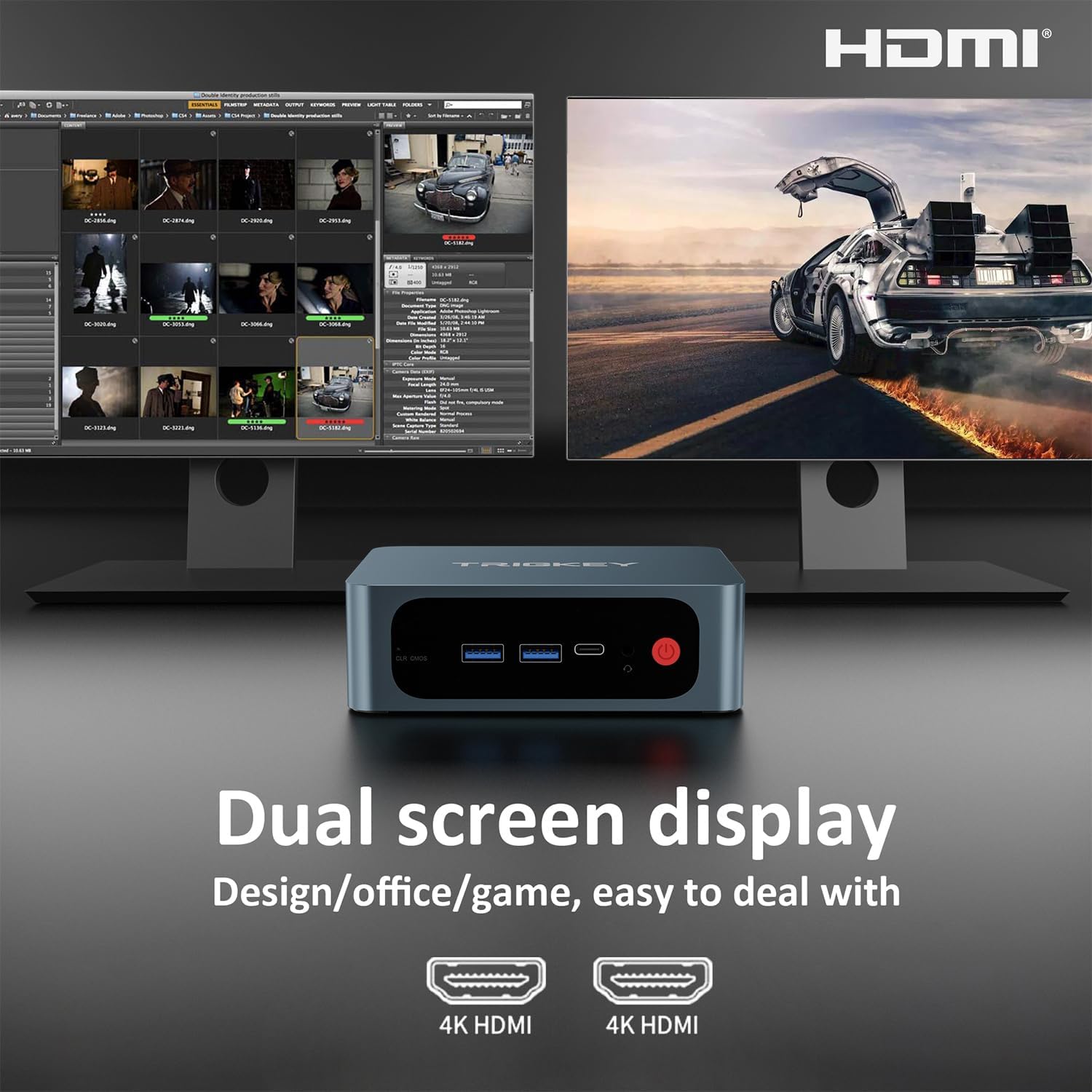
Image 4.1: Dual Screen Display. This image demonstrates connecting the mini PC to two monitors for an extended desktop experience.

Image 4.2: Wi-Fi 5. This image highlights the device's support for Wi-Fi 5 (802.11ac) for wireless internet connectivity.
5. אַפּערייטינג ינסטרוקטיאָנס
5.1. Initial Boot and Windows 11 Setup
Upon the first power-on, you will be guided through the Windows 11 initial setup process. Follow the on-screen prompts to configure language, region, network, and user accounts.
5.2. Dual Display Configuration
The Mini PC supports connecting two displays via its two HDMI ports. To configure dual displays in Windows 11:
- Ensure both monitors are connected and powered on.
- רעכט-קליק אויף די דעסקטאַפּ און סעלעקטירן "דיספּליי סעטטינגס".
- Under "Multiple displays", you can detect, identify, and arrange your displays.
- Choose your preferred display option (e.g., Extend these displays, Duplicate these displays).
5.3. בלועטאָאָטה קאַנעקטיוויטי
The Mini PC includes Bluetooth 5.0 for connecting wireless peripherals such as keyboards, mice, and headphones.
- Go to "Settings" > "Bluetooth & devices".
- זיכער מאַכן אַז בלועטוט איז אַקטיוויזירט "אויף".
- דריקט "צולייגן מיטל" און אויסקלייבן "בלועטוט".
- Select your device from the list and follow pairing instructions.
6. סטאָרידזש יקספּאַנשאַן
The TRIGKEY Speed S8 Mini PC offers flexible storage expansion options:
- M.2 NVMe SSD: The device comes with a 500GB Kingston NVMe SSD. You can upgrade or replace this with an M.2 SATA SSD 2280 / NVMe SSD up to 2TB (not included).
- 2.5-inch SATA HDD: An additional 2.5-inch SATA HDD/SSD can be installed for up to 2TB of extra storage (not included).
For detailed instructions on installing or upgrading storage, please refer to the official TRIGKEY support webפּלאַץ אָדער קאָנטאַקט קונה דינסט.

Image 6.1: Storage Expansion Options. This image illustrates the M.2 NVMe SSD slot and the possibility to add a 2.5-inch HDD for increased storage capacity.

Image 6.2: DDR4 High Performance Memory. This image shows the DDR4 RAM modules, indicating the device's memory configuration and potential for upgrade.
7. וישאַלט
To ensure the longevity and optimal performance of your Mini PC, follow these maintenance guidelines:
- רייניקונג: Regularly clean the exterior of the Mini PC with a soft, dry cloth. Avoid using liquid cleaners directly on the device. Use compressed air to clear dust from vents periodically.
- ווענטילאַטיאָן: Ensure the Mini PC is placed in a well-ventilated area. Do not block the ventilation openings.
- ווייכווארג דערהייַנטיקונגען: Keep your Windows 11 operating system and drivers updated to the latest versions for security and performance improvements.
- מאַכט פאַרוואַלטונג: Use the provided power adapter. Avoid frequent power interruptions.
8. טראָובלעשאָאָטינג
If you encounter issues with your Mini PC, refer to the following common troubleshooting steps:
| פּראָבלעם | מעגלעך לייזונג |
|---|---|
| ניט קיין אַרויסווייַזן רעזולטאַט |
|
| פּיסי גייט נישט אָן |
|
| קיין ווי-פי קשר |
|
| פּאַמעלעך פאָרשטעלונג |
|
If the problem persists, please contact TRIGKEY customer support for further assistance.
9. ספּעסאַפאַקיישאַנז
Detailed technical specifications for the TRIGKEY Speed S8 Mini PC:

Image 9.1: Product Specification Overview. This image provides a visual summary of the key technical specifications of the mini PC.
| שטריך | דעטאַל |
|---|---|
| מאָדעל נאָמען | גיכקייַט S8 |
| פּראַסעסער | Intel 8th Gen Core i3-8109U (2C/4T, 4 MB Smart Cache, up to 3.6GHz) |
| גראַפיקס | Intel Iris Plus Graphics 655 |
| באַראַן | 16 גיגאבייט DDR4 (אויסברייטבאר ביז 32 גיגאבייט) |
| סטאָרידזש | 500GB M.2 NVMe SSD (Expandable via M.2 SATA SSD 2280 / NVMe SSD or 2.5-inch SATA HDD/SSD up to 2TB) |
| אָפּערייטינג סיסטעם | Windows 11 פּראָ |
| ווידעא רעזולטאַט | 2 x HDMI (Supports 4K@30Hz dual display) |
| וסב פּאָרץ | 4 x USB 3.0, 1 x Type-C |
| נעץ | Gigabit Ethernet (RJ45 1000M), Wi-Fi 5 (802.11ac Dual Band 2.4 & 5.8GHz) |
| בלועטאָאָטה | בלועטאָאָטה 5.0 |
| אַודיאָ | 1 x Audio Jack (HP&MIC) |
| דימענשאַנז | בעערעך 126 X 112.7 X 40.7 מם |
| וואָג | בעערעך 948 ג |
| מאַכט אַדאַפּטער | Input: 100-240V AC, 50/60Hz; Output: 19V/3A |
| אַרייַנגערעכנט אַקסעסעריז | Power Adapter, VESA Mount, User Manual, 2x HDMI Cables |
10. וואָראַנטי און שטיצן
TRIGKEY is committed to providing reliable products and customer service.
- וואָראַנטי: Your TRIGKEY Mini PC comes with a 1-Year warranty from the date of purchase.
- טעכניש שטיצן: Lifetime technical support is available for all TRIGKEY mini computers.
- נאָך-סאַלעס סערוויס: 24/7 after-sales service is provided to address any concerns or issues you may encounter.
For warranty claims, technical assistance, or any product-related inquiries, please contact TRIGKEY customer support through their official webפּלאַץ אָדער די קאָנטאַקט אינפֿאָרמאַציע צוגעשטעלט מיט דיין קויפן.


