הקדמה
Welcome to the user manual for your Blackview Active 8 Pro Rugged Tablet. This device is engineered for durability and performance, designed to withstand challenging environments while providing a robust computing experience. Featuring a 10.36-inch display, a powerful MediaTek Helio G99 Octa-core processor, and a massive 22000mAh battery, the Active 8 Pro is built for extended use and demanding tasks. It is MIL-STD-810H certified and boasts IP68 & IP69K waterproof ratings, ensuring resilience against water, dust, and drops.
This manual provides essential information on setting up, operating, maintaining, and troubleshooting your tablet to ensure optimal performance and longevity.
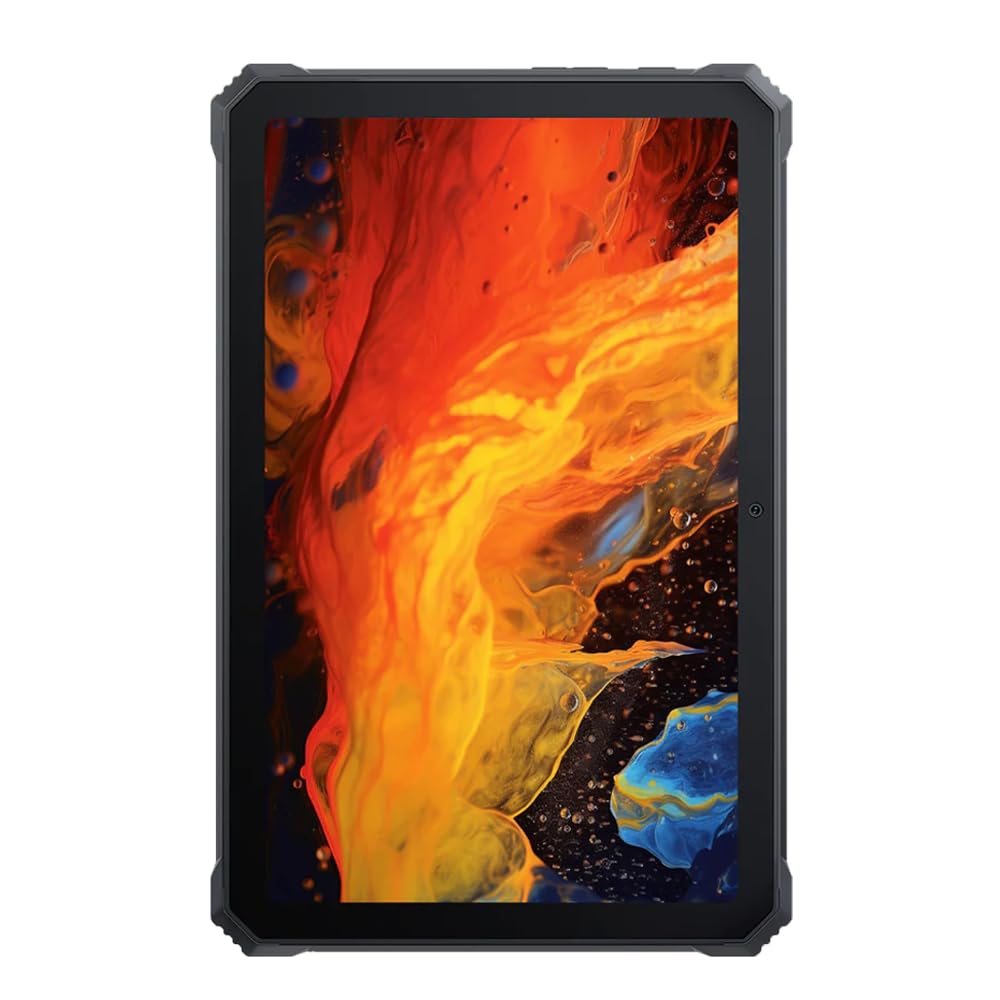
בילד: פראָנט view of the Blackview Active 8 Pro Rugged Tablet, showcasing its display and robust bezel.
פּעקל אינהאַלט
ביטע באַשטעטיקן אַז אַלע זאכן זענען פאַראַן אין דיין פּראָדוקט פּאַקעט:
- שוואַרץview Active 8 Pro Rugged Tablet
- Padded Leather Strap
- טשאַרדזשינג קאַבלע
- מאַכט אַדאַפּטער
- סים ארויסווארפער טול (אויב נויטיק)
- שנעל אָנהייב גייד
מיטל אויסלייג
Familiarize yourself with the physical components and ports of your Active 8 Pro tablet.

בילד: פראָנט view of the Blackview Active 8 Pro tablet, highlighting the display and front camera location.

בילד: הינטערשטע view of the Blackview Active 8 Pro tablet, showing the camera module, speaker grilles, and the attached padded leather strap for secure handling.

Image: Angled rear view of the Blackview Active 8 Pro tablet, providing a perspective of its ruggedized corners and the ergonomic padded leather strap.
סעטאַפּ
1. טשאַרדזשינג די מיטל
Before first use, fully charge your Active 8 Pro tablet. Connect the provided charging cable to the tablet's charging port and the power adapter to a wall outlet. The tablet supports 33W fast charging for quick power replenishment.
- Use only the original Blackview charger and cable to ensure optimal charging speed and safety.
- א טשאַרדזשינג אינדיקאַטאָר וועט דערשייַנען אויף דעם עקראַן.
2. פּאָווערינג אויף / אויסגעלאשן
- צו מאַכט אויף: Press and hold the Power button (typically located on the side) until the Blackview logo appears on the screen.
- צו מאַכט אַוועק: Press and hold the Power button until a power menu appears. Select "Power off" from the options.
- צו ריסטאַרט: From the power menu, select "Restart".
3. ערשט קאָנפיגוראַטיאָן
Upon first power-on, the tablet will guide you through the initial setup process. Follow the on-screen prompts to:
- אויסקלייַבן דיין שפּראַך.
- פאַרבינדן צו אַ Wi-Fi נעץ.
- לאָג אַרײַן מיט אײַער גוגל אַקאַונט אָדער שאַפֿט אַ נײַעם.
- שטעלט אויף דעם עקראַן שלאָס (PIN, מוסטער, פּאַראָל, אָדער פינגערפּרינט).
- Review און אָננעמען די תּנאים און באַדינגונגען.
אַפּערייטינג ינסטראַקשאַנז
1. יקערדיק נאַוויגאַציע
Your Active 8 Pro runs on Android 14, offering an intuitive user interface. Use standard touchscreen gestures:
- צאַפּן: אויסקלייבן אַן אייטעם אָדער עפֿענען אַן אַפּ.
- צאַפּן און האַלטן: צוטריט קאנטעקסטועלע מעניוס אדער באוועג איקאנעס.
- לאַקכענען: סקראָלן דורך בלעטער, ליסטעס, אדער וועקסלען צווישן היים סקרינז.
- קניפּ-צו-זומען: פארגרעסערן אדער פארקלענערן בילדער און web בלעטער.
2. קאַנעקטיוויטי
- ווי-פי: Go to Settings > Network & internet > Wi-Fi to connect to available networks. The tablet supports 802.11ac, 802.11ax, 802.11g, and 802.11n standards.
- בלועטאָאָטה: Go to Settings > Connected devices > Connection preferences > Bluetooth to pair with Bluetooth accessories like headphones or speakers.
- Mobile Data (if applicable): Insert a SIM card into the designated slot to access mobile data services.
3. קאַמעראַ יוז
The tablet features a 48 MP rear camera. Open the Camera app to capture photos and videos. Tap on the screen to focus, and use the on-screen shutter button to take a picture.
4. אַודיאָ פֿאַרבעסערונג
Experience enhanced audio quality with Sound By Harman AudioEFX. Adjust audio settings in the tablet's sound preferences to optimize your listening experience for music, movies, or calls.
5. Using the Padded Leather Strap
The included padded leather strap is designed to provide extra grip and comfort, reducing hand fatigue during extended use. Securely attach the strap to the designated points on the back of the tablet. Adjust for a snug fit that allows for comfortable one-handed or two-handed holding.
וישאַלט
1. רייניקן אייער טאַבלעט
- ניצט אַ ווייכן, לינט-פֿרייע שטאָף צו ווישן דעם עקראַן און קערפּער פֿון דער טאַבלעט.
- פֿאַר שווערן שמוץ, אַ ביסל דampווישט דעם שטאָף מיט וואַסער אָדער אַ פאַרשטעלן-זיכער רייניקונג לייזונג.
- Avoid using harsh chemicals, abrasive materials, or excessive moisture, especially near ports.
- Ensure all port covers are securely closed before cleaning if exposing to water.
2. סטאָרידזש
When not in use for extended periods, store your tablet in a cool, dry place away from direct sunlight and extreme temperatures. Ensure the battery is charged to approximately 50% before long-term storage to preserve battery health.
3. ווייכווארג דערהייַנטיקונגען
Regularly check for and install software updates to ensure your tablet has the latest features, security patches, and performance improvements. Go to Settings > System > System update to check for available updates.
טראָובלעשאָאָטינג
This section addresses common issues you might encounter with your Blackview Active 8 Pro tablet.
- מיטל נישט פּאַוערינג אויף:
Ensure the tablet is sufficiently charged. Connect it to the charger for at least 30 minutes before attempting to power it on again. If it still doesn't power on, try holding the power button for 10-15 seconds to force a restart.
- Screen Unresponsive or Display Issues:
If the screen becomes unresponsive, try restarting the device. If the display fails or shows abnormalities, ensure the tablet has not sustained severe physical damage. Contact customer support if the issue persists after a restart.
- טשאַרדזשינג פּראָבלעמס:
Verify that the charging cable and adapter are securely connected and undamaged. Try using a different compatible charger and cable if available. Ensure the charging port is free of debris.
- Wi-Fi/בלוטוט קאנעקטיוויטי פראבלעמען:
Toggle Wi-Fi or Bluetooth off and on. Restart your tablet and the router/Bluetooth device. Ensure you are within range and have the correct password for Wi-Fi networks.
- פּאַמעלעך פאָרשטעלונג:
Close unnecessary background applications. Clear cache data for apps that are frequently used. Consider performing a factory reset as a last resort (back up your data first).
ספּעסאַפאַקיישאַנז
| שטריך | באַשרייַבונג |
|---|---|
| מאָדעל נאָמען | אַקטיוו 8 פּראָ |
| ווייַז גרייס | 10.36 אינטשעס |
| פאַרשטעלן האַכלאָטע | 1920 X 1080 בילדצעלן |
| פּראַסעסער | מעדיאַטעק העליאָ G99 אָקטאַ-קאָר (2.2 GHz) |
| באַראַן | 8 גיגאבייט (DDR4 SDRAM) |
| אינערלעכער סטאָרידזש | 256 גיגאבייט |
| אָפּערייטינג סיסטעם | אַנדרויד 14 |
| באַטאַרייע קאַפּאַציטעט | 22000 מאַה |
| שנעל טשאַרדזשינג | 33W שטיצע |
| האַלטבארקייט רייטינגז | MIL-STD-810H Certified, IP68 & IP69K Waterproof |
| סקרין פּראַטעקשאַן | קאָרנינג גאָריללאַ גלאז 5 |
| דערציען אַפּאַראַט | 48 מפּ |
| ווירעלעסס קאַנעקטיוויטי | 802.11ac, 802.11ax, 802.11g, 802.11n |
| דימענשאַנז (LxWxH) | 10.09 X 6.53 X 0.66 אינטשעס |
| פּונקט וואָג | 3.34 פונט |
וואָראַנטי און שטיצן
Your Blackview Active 8 Pro tablet comes with a limited warranty. Please refer to the warranty card included in your package for specific terms and conditions, including coverage duration and limitations. Keep your proof of purchase for warranty claims.
For technical support, service, or warranty inquiries, please visit the official Blackview שטיצן website or contact their customer service department. Contact information can typically be found on the Blackview webוועבזייטל אדער אין די דאקומענטאציע וואס איז צוגעשטעלט געווארן מיט אייער פראדוקט.
פֿאַר מער אינפֿאָרמאַציע, איר קענט באַזוכן די שוואַרץview קראָם אויף אַמאַזאָן.