1. איבערview
The JOBY Fly X Mini Drone is a compact quadcopter designed for ease of use and aerial photography. It features a 6-axis gyroscope for stable flight, one-button takeoff and landing, and the ability to perform 360-degree flips. Equipped with an HD camera, it captures 720p video and JPEG images, transmitting footage via Wi-Fi to a compatible smartphone.

Image 1.1: The JOBY Fly X Mini Drone, showcasing its compact design and integrated camera.
2. וואָס איז אין דער קעסטל
פאַרזיכערן אַז אַלע קאַמפּאָונאַנץ זענען פאָרשטעלן איידער איר פאָרזעצן מיט סעטאַפּ:
- JOBY Fly X Mini Drone מיט הד קאַמעראַ
- ווייַט קאָנטראָל
- 2 x Lithium Ion Batteries (for drone)
- וסב טשאַרדזשינג קאַבלע
- ספּער פּראַפּעלערז
- ינסטרוקטיאָן מאַנואַל (דעם דאָקומענט)
3. סעטאַפּ
3.1 באַטעריע אינסטאַלאַציע און טשאַרדזשינג
- Drone Battery: Locate the battery compartment on the drone. Carefully insert one of the provided Lithium Ion batteries. Ensure it is securely connected.
- טשאַרדזשינג: Connect the drone battery to the USB charging cable. Plug the USB cable into a compatible USB power source (e.g., computer, wall adapter). The indicator light on the cable will show charging status. Charge until fully indicated.
- קאָנטראָללער באַטעריז: Open the battery compartment on the remote control. Insert the required batteries (not specified in product data, typically AA or AAA, refer to physical product for exact type).
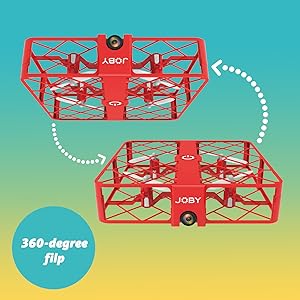
Image 3.1: Drone with its battery compartment open for installation.
3.2 אַפּ אינסטאַלאַציע און Wi-Fi פֿאַרבינדונג
To utilize the HD camera and view לעבן פאָאָtage, download the dedicated drone control application on your smartphone (compatible with iPhone/Android). Refer to the packaging or a QR code on the drone for the specific app name.
- מאַכט אויף דראָון: Press the power button on the drone. The indicator lights will flash.
- פאַרבינדן צו Wi-Fi: On your smartphone, go to Wi-Fi settings and connect to the drone's Wi-Fi network (usually named something like "JOBY_DRONE_XXXX").
- קאַטער אַפּ: Open the drone control app. You should see the live camera feed from the drone.
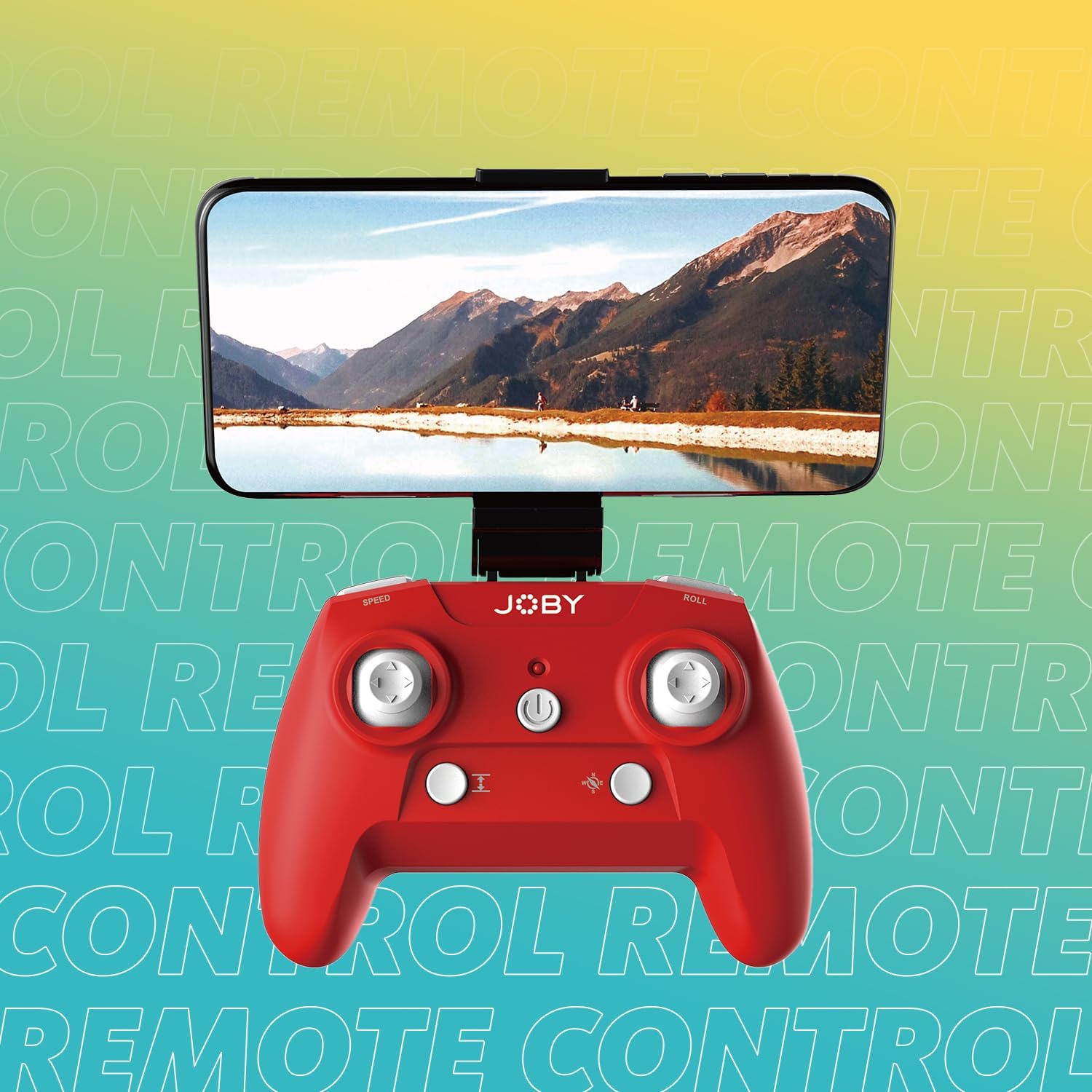
Image 3.2: Remote control with a smartphone attached, showing the live camera view.
4. אַפּערייטינג ינסטרוקטיאָנס
4.1 אײַנשטעלן און פֿאַרבינדן
- מאַכט אויף דראָון: Press the power button on the drone. The lights will flash, indicating it's ready for pairing.
- מאַכט אויף קאָנטראָללער: דרוק די מאַכט קנעפּל אויף די ווייַט קאָנטראָל.
- פּאָרינג: Push the left joystick (throttle) all the way up, then all the way down. The drone's lights will stop flashing and become solid, indicating successful pairing.
4.2 אויפשטייג און לאַנדונג
- איין-קנעפל אויפהייבן: After pairing, press the dedicated one-button takeoff/landing button on the controller. The drone will automatically ascend to a stable hovering height.
- איין-קנעפל לאַנדינג: Press the same one-button takeoff/landing button during flight, and the drone will automatically descend and land.
- Throw to Launch: For experienced users, the drone can be gently tossed into the air after pairing, and it will automatically stabilize.
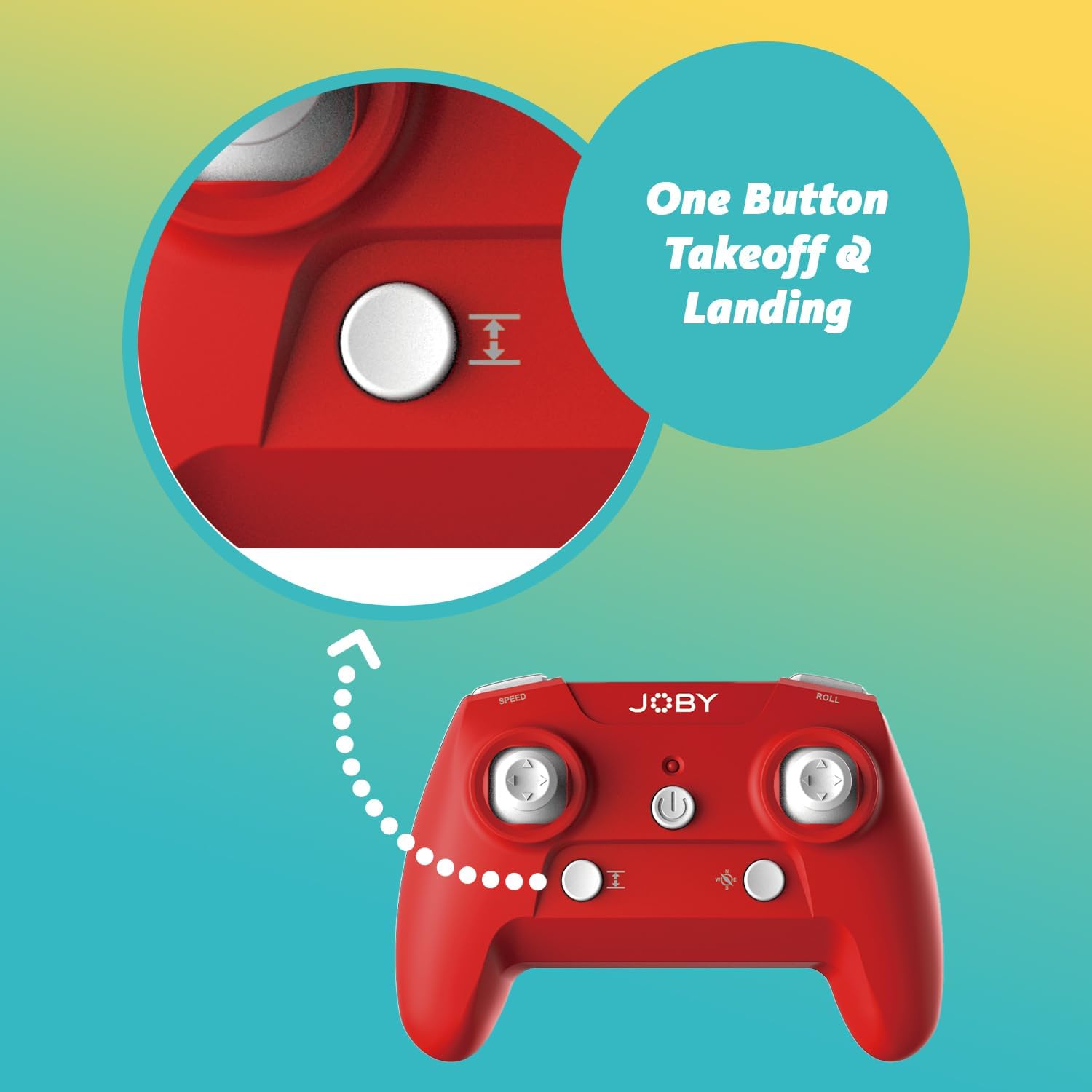
Image 4.1: Remote control highlighting the one-button takeoff/landing button.
4.3 פלי קאָנטראָלס
ניצט די דזשויסטיקס אויף דער ווײַטקאָנטראָל צו מאַנעוורירן דעם דראָון:
- לינקער דזשויסטיק (גאז-הענטל): Up/Down for ascend/descend; Left/Right for yaw (rotate).
- רעכטער דזשויסטיק (ריכטונג): Up/Down for forward/backward; Left/Right for left/right strafe.
4.4 ספּעציעלע פֿעיִקייטן
- 360-גראַד דריי: Press the dedicated "Flip" button on the controller, then push the right joystick in the desired direction to perform an aerial flip.
- נויטפאַל לאַנדינג: In case of an emergency, activate the emergency landing function (refer to controller button layout for specific button) to quickly bring the drone down safely.

Image 4.2: Visual representation of the 360-degree flip feature.
4.5 אַפּאַראַט אָפּעראַציע
The integrated HD camera captures 720p video and JPEG images. Control camera functions via the smartphone app:
- פאָטאָ כאַפּן: Tap the camera icon in the app to take a still photograph.
- ווידעא רעקאָרדינג: Tap the video icon to start recording. Tap again to stop.
- Viewאינג מעדיע: Access recorded photos and videos directly through the app's gallery.
Image 4.3: Detail of the drone's HD camera.
4.6 לערנ־ווידעא
Video 4.4: This video demonstrates the unboxing, battery installation, pairing process, and various flight maneuvers of the JOBY Fly X Mini Drone, including indoor and outdoor flight examples.
5. וישאַלט
Regular maintenance ensures optimal performance and longevity of your drone:
- פּראָפּעלער דורכקוק: Regularly check propellers for damage (cracks, bends). Replace any damaged propellers using the spare parts provided.
- רייניקונג: ניצט אַ ווייכע, טרוקענע שטאָף צו רייניקן דעם דראָון קערפּער און קאַמעראַ לינז. פֿאַרמייַדט ניצן שאַרפע כעמיקאַלן אָדער פליסיקייטן.
- באַטערי זאָרגן: Store batteries in a cool, dry place. Do not overcharge or completely drain batteries. Remove batteries from the drone and controller during extended periods of non-use.
- סטאָרידזש: Store the drone in a safe place, away from direct sunlight and extreme temperatures.
6. טראָובלעשאָאָטינג
- דראָון גייט נישט אָן: זיכער מאַכן אַז די באַטאַרייע איז גאָר אויפגעלאָדן און ריכטיק אַרײַנגעשטעלט.
- קאָנטראָללער ניט ריספּאַנדינג: Check controller batteries. Ensure the drone and controller are properly paired (refer to Section 4.1).
- נישט-סטאַבילער פלי: Perform a calibration (refer to the app or controller instructions for calibration steps). Check propellers for damage or obstructions.
- No Camera Feed/Poor Quality: Ensure your smartphone is connected to the drone's Wi-Fi network. Check for app updates. Ensure the camera lens is clean.
- קורצע פלי צייט: Batteries may not be fully charged or may be nearing the end of their lifespan.
7. ספּעסאַפאַקיישאַנז
| שטריך | דעטאַל |
|---|---|
| סאָרט | Joby |
| מאָדעל נאָמען | Fly X Mini |
| נומער מאָדעל נומער | JB01966-BWW |
| דימענשאַנז | 5.12"ל x 5.12"בר x 1.18"ה |
| פּונקט וואָג | 2.24 אונסעס |
| ווידעא קאַפּטורע רעסאָלוטיאָן | 720 פּ |
| ווידעא אָוטפּוט רעסאָלוטיאָן | 1280x720 פּיקסעלס |
| ווידעא קאַפּטורע פֿאָרמאַט | mp4 |
| שטיצט בילד פֿאָרמאַטירונג | JPEG |
| קאַנעקטיוויטי טעכנאָלאָגיע | ווי-פי |
| ווייַט קאָנטראָל טעכנאָלאָגיע | ווי-פי |
| מאַקסימום קייט | 100 פֿיס (אומגעפער 30 מעטער) |
| באַטעריז | 2 ליטהיום יאָן באַטעריז (אַרייַנגערעכנט) |
| מאַטעריאַל | פּלאַסטיק |
| בקיעס מדרגה | אָנהייבער |
8. וואָראַנטי און שטיצן
For warranty information and customer support, please refer to the official Joby webזייטל אדער קאנטאקט זייער קאסטומער סערוויס גלייך. האלט אייער באווייז פון קויפן פאר יעדע גאראנטיע טענות.
איר קענען באַזוכן די Joby Store on Amazon פֿאַר נאָך פּראָדוקט אינפֿאָרמאַציע און שטיצע רעסורסן.


