1. הקדמה
Thank you for choosing the ZEBRONICS K4000MW Wireless Keyboard. This manual provides essential information for setting up, operating, maintaining, and troubleshooting your new keyboard. The K4000MW offers versatile connectivity options, including 2.4 GHz wireless and dual Bluetooth, making it compatible with a wide range of devices such as laptops, desktops, tablets, and smartphones. Its compact design and integrated multimedia keys enhance productivity and user convenience.

בילד 1: פון אויבן אַראָפּ view of the ZEBRONICS K4000MW Wireless Keyboard, showcasing its compact layout and black finish.
2. סעטאַפּ
2.1 פּעקל אינהאַלט
- ZEBRONICS K4000MW Wireless Keyboard
- USB Nano Receiver (for 2.4 GHz connection)
- באַניצער מאַנואַל
2.2 באַטאַרייע ייַנמאָנטירונג
- געפינט די באַטעריע אָפּטייל אויף דער אונטערשטער זייט פון דער קלאַוויאַטור.
- עפענען די באַטאַרייע אָפּטייל דעקן.
- Insert the required batteries (not specified in JSON, typically AA or AAA) according to the polarity markings.
- פאַרמאַכן די באַטאַרייע אָפּטייל דעקן סיקיורלי.
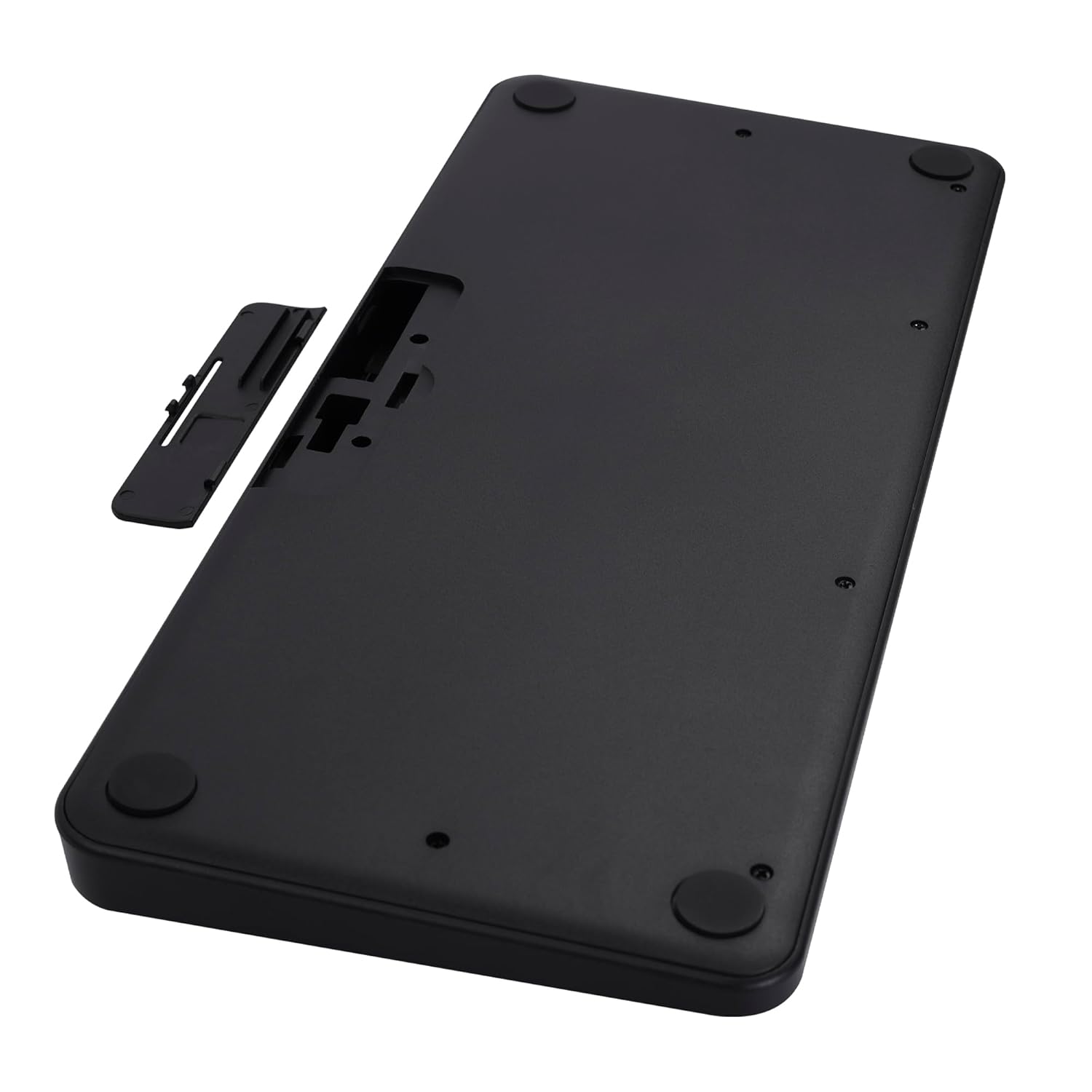
Image 2: The underside of the keyboard, showing the battery compartment and the slot for the USB nano receiver.
2.3 פֿאַרבינדן זיך דורך 2.4 GHz ווירעלעס
- Remove the USB nano receiver from its storage slot in the battery compartment.
- Plug the nano receiver into an available USB port on your computer or compatible device.
- The keyboard should automatically connect. The 2.4G LED indicator on the keyboard will illuminate briefly to confirm connection.
2.4 קאַנעקטינג דורך בלועטאָאָטה
The keyboard supports up to two Bluetooth connections (BT1 and BT2).
- Pairing for BT1:
א. דריקן און האַלטן די Fn + BT1 keys simultaneously for 3-5 seconds until the BT1 LED indicator starts blinking rapidly.
b. On your device (laptop, tablet, smartphone), enable Bluetooth and search for available devices.
c. Select "ZEB-K4000MW" from the list of devices to pair.
d. Once paired, the BT1 LED indicator will stop blinking and remain solid for a few seconds. - Pairing for BT2:
a. Follow the same steps as for BT1, but press and hold Fn + BT2 שליסלען.
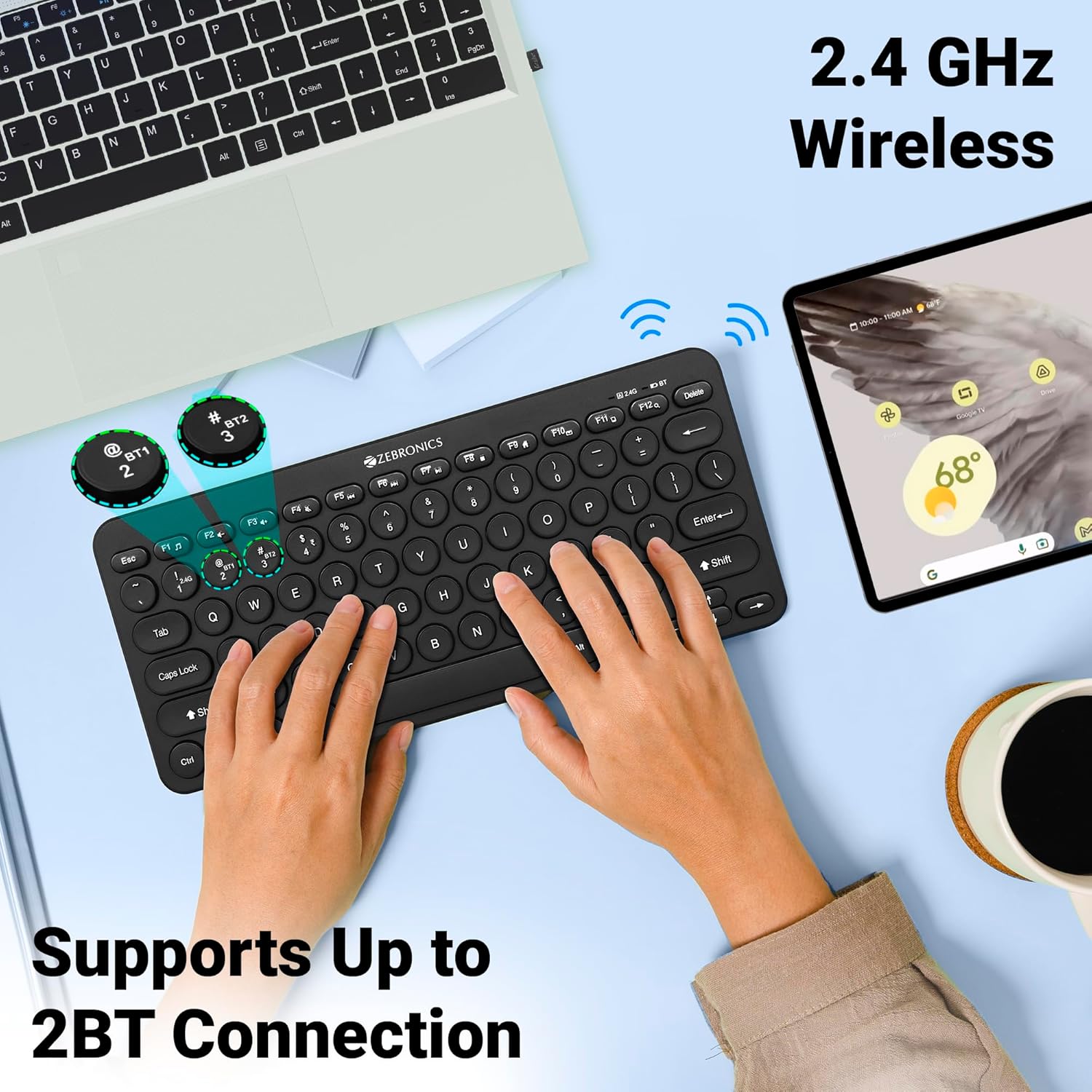
Image 3: The keyboard in use, highlighting the 2.4 GHz wireless and dual Bluetooth connection capabilities with LED indicators.
2.5 וועקסלען צווישן דעוויסעס
צו באַשטימען צווישן קאָננעקטעד דעוויסעס:
- דרוק Fn + 2.4G to switch to the device connected via the 2.4 GHz nano receiver.
- דרוק Fn + BT1 to switch to the device paired with Bluetooth 1.
- דרוק Fn + BT2 to switch to the device paired with Bluetooth 2.
3. אפערירן די קלאַוויאַטור
3.1 גרונטלעכע טייפּינג
The keyboard features 78 UV-coated keys designed for comfortable and efficient typing. The layout includes standard alphanumeric keys, function keys, and navigation keys.
3.2 מולטימעדיאַ קיז
The keyboard integrates 12 multimedia keys (F1-F12) for quick access to media controls and other functions. To use these functions, press the Fn קנעפּל גלײַכצײַטיק מיטן געוואונטשענעם פֿונקציע קנעפּל.
- Fn+F1: מעדיע פּלייַער
- Fn+F2: באַנד אַראָפּ
- Fn+F3: באַנד אַרויף
- Fn+F4: שטום
- Fn+F5: פֿריִערדיקע שפּירט
- Fn+F6: שפּיל / פּויזע
- Fn+F7: ווייַטער שפּור
- Fn+F8: האַלטן
- Fn+F9: Web בלעטערער
- Fn+F10: בליצפּאָסט
- Fn+F11: מיין קאָמפּיוטער
- Fn+F12: קאַלקולאַטאָר
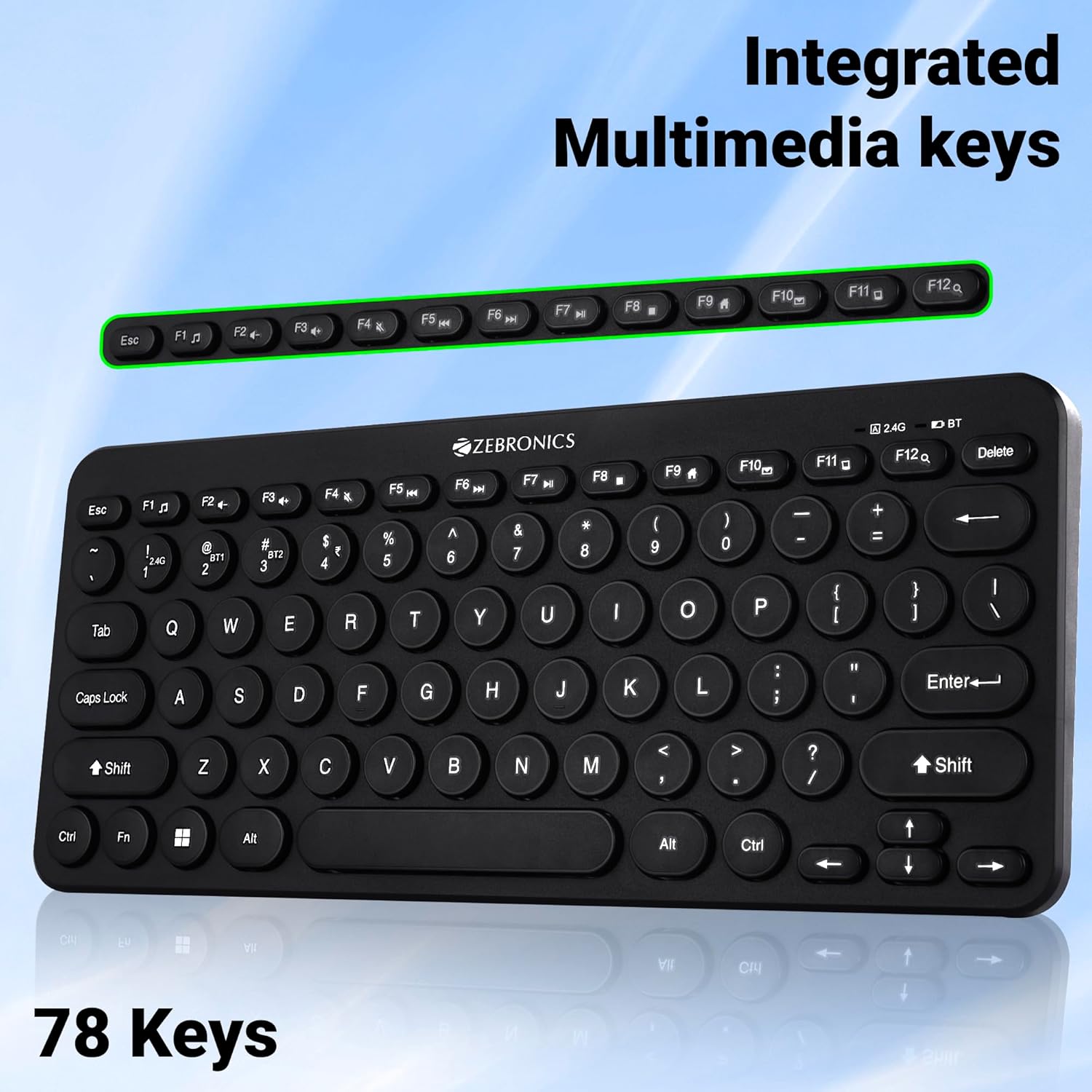
Image 4: The keyboard with the row of function keys (F1-F12) highlighted, indicating their integrated multimedia capabilities.
3.3 Rupee Key
The keyboard includes a dedicated Rupee key, indicating regional inclusivity for users.
3.4 געפירט ינדיקאַטאָרס
The keyboard features LED indicators to provide status information:
- 2.4G LED: Indicates 2.4 GHz wireless connection status.
- BT1/BT2 LED: Indicates Bluetooth connection status for BT1 or BT2.
- קאַפּס לאָק LED: לייכט זיך ווען קאַפּס לאַק איז אַקטיוו.
- נידעריק באַטערי געפירט: Flashes or changes color to indicate low battery power.
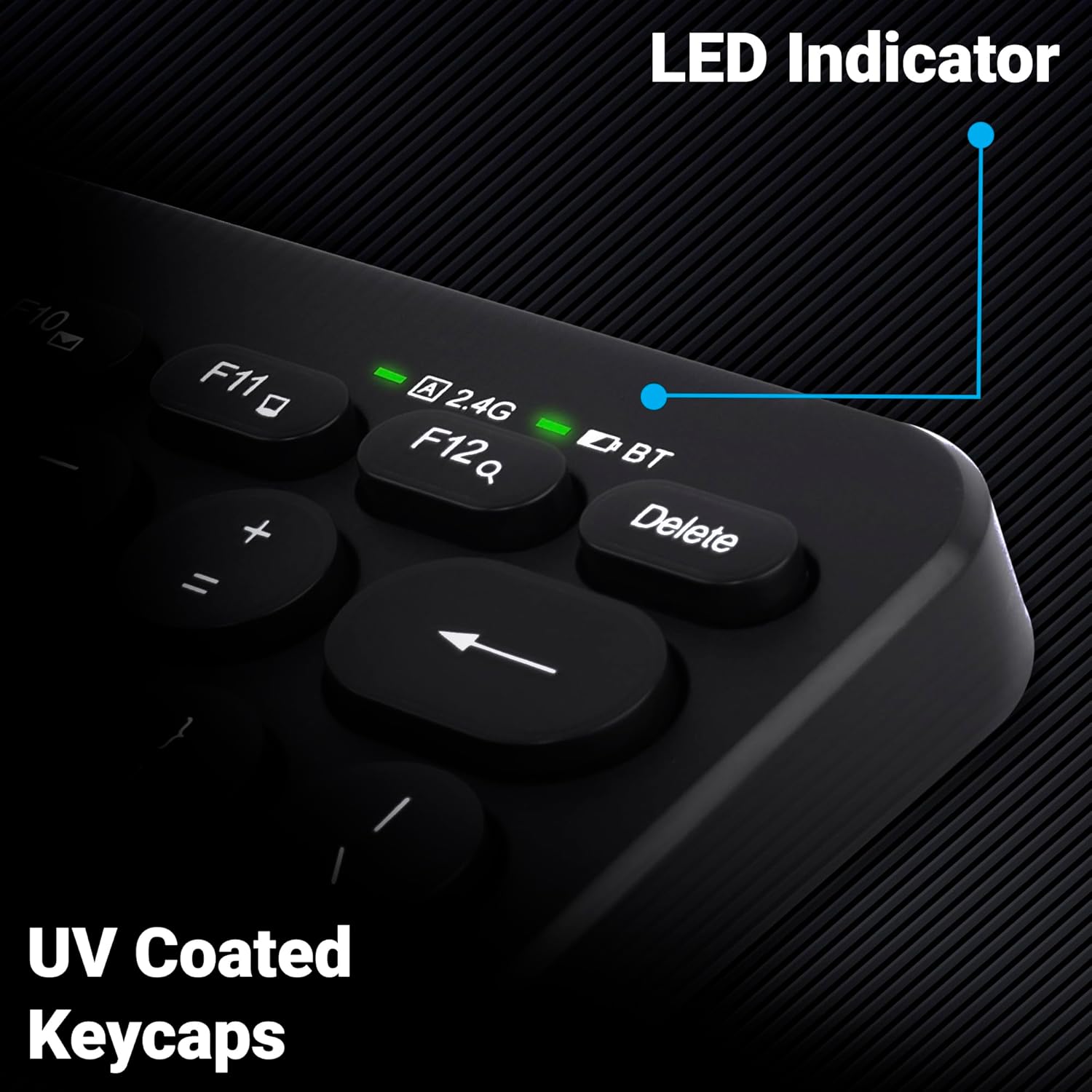
בילד 5: א נאָענטע בילד view of the keyboard's top right corner, showing the LED indicators for 2.4G, BT, and Caps Lock, along with the UV-coated keycaps.
3.5 מיטל קאַמפּאַטאַבילאַטי
The K4000MW keyboard is designed for broad compatibility, integrating seamlessly with:
- לאַפּטאָפּס
- דעסקטאָפּס
- טאַבלעץ
- סמאַרטפאָנעס
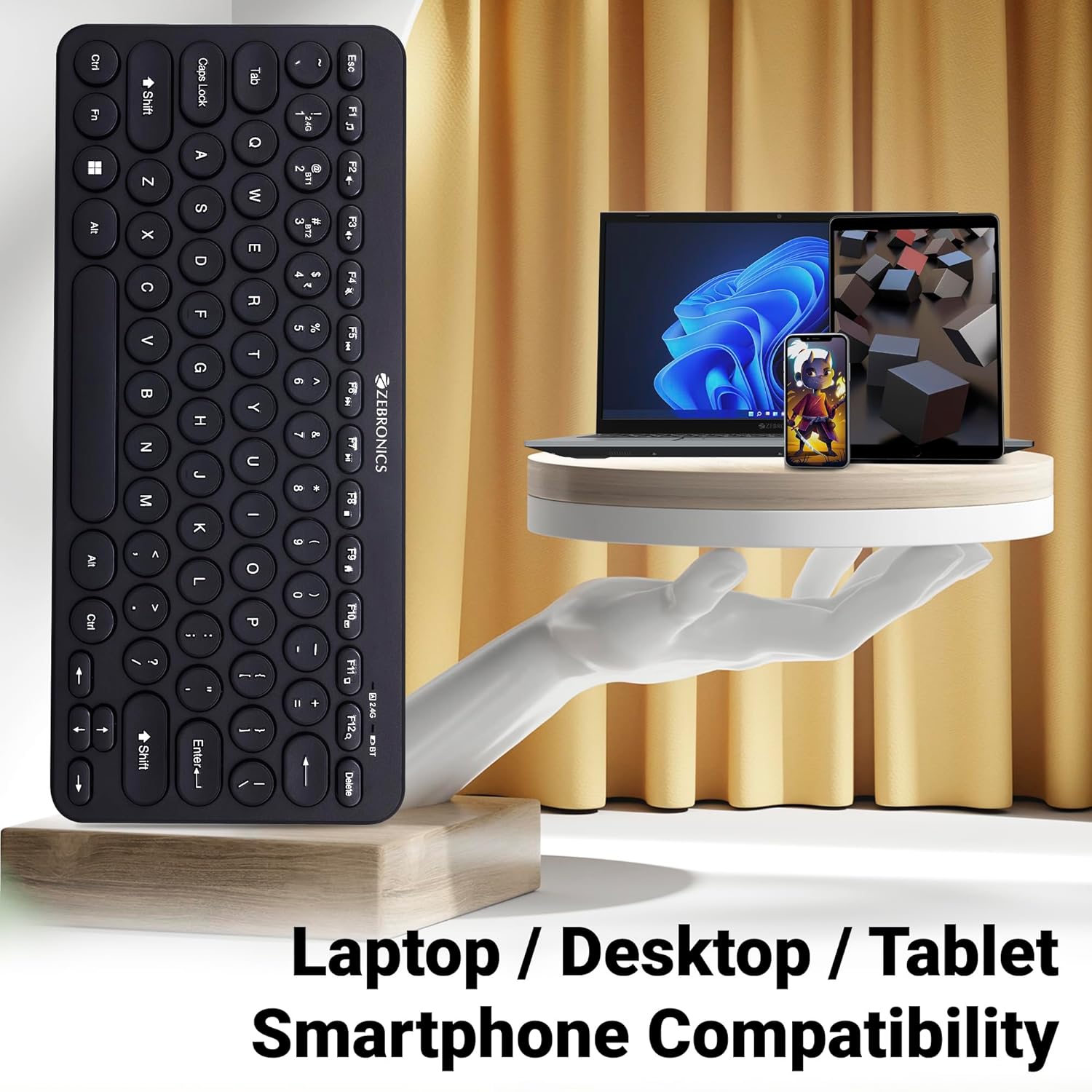
Image 6: The keyboard positioned next to a laptop, tablet, and smartphone, illustrating its multi-device compatibility.
4. וישאַלט
4.1 רייניקונג
- ניצט אַ ווייכן, טרוקענעם שטאָף צו ווישן די ייבערפלאַך פון דער קלאַוויאַטור.
- פֿאַר שווערן שמוץ, אַ ביסל דampווייקט דעם שטאָף מיט וואַסער אָדער אַ מילדער רייניקונג לייזונג. פֿאַרמייַדט איבעריקע פֿײַכטקייט.
- Do not use harsh chemicals or abrasive cleaners, as these can damage the keycaps and finish.
- ניצט קאמפרעסט לופט צו באזייטיגן שטויב און שמוץ פון צווישן די קנעפלעך.
4.2 באַטערי קער
- Replace batteries when the low battery indicator illuminates to ensure uninterrupted operation.
- אויב די קלאַוויאַטור וועט נישט ווערן גענוצט פֿאַר אַ לענגערע צייט, איז רעקאָמענדירט צו אַרויסנעמען די באַטעריעס צו פאַרמייַדן ליקאַדזש.
- Store the keyboard in a cool, dry place.
5. טראָובלעשאָאָטינג
5.1 קלאַוויאַטור רעאַגירט נישט
- טשעק באַטעריז: זיכער מאַכן אַז די באַטעריעס זענען ריכטיק אינסטאַלירט און האָבן גענוג אָפּצאָל. טוישן אויב נייטיק.
- קוק די קשר: Verify that the 2.4 GHz nano receiver is securely plugged into the USB port, or that the Bluetooth connection is active and paired.
- באַשטימען טשאַנאַלז: If using Bluetooth, ensure you are on the correct BT1 or BT2 channel.
- ווידער-פארבינדן בלוטוט: If connection issues persist, try unpairing and re-pairing the keyboard with your device.
- ינטערפיראַנס: Move the keyboard closer to the receiver/device and away from other wireless devices that might cause interference.
5.2 Keys Not Working or Lagging
- ריינע שליסלען: זייט זיכער אז קיין שמוץ ליגט נישט אונטער די קנעפלעך.
- באַטערי מדרגה: Low battery can sometimes affect key responsiveness. Replace batteries.
- ינטערפיראַנס: Wireless interference can cause lag. Try moving closer to the receiver/device.
- דיווייס קאַמפּאַטאַבילאַטי: Ensure your device's operating system is compatible with the keyboard.
5.3 Bluetooth Disconnection Issues
- דיסטאַנסע: Ensure the keyboard is within the effective range of your Bluetooth device.
- ינטערפיראַנס: Other Bluetooth or wireless devices nearby can cause disconnections.
- Device Bluetooth Driver: Update your device's Bluetooth drivers to the latest version.
- ריפּער: Remove the keyboard from your device's Bluetooth list and re-pair it.
6. ספּעסאַפאַקיישאַנז
| שטריך | דעטאַל |
|---|---|
| סאָרט | זעבראָניקס |
| מאָדעל נאָמען | K4000MW |
| קאַנעקטיוויטי טעכנאָלאָגיע | 2.4 GHz Wireless, Bluetooth (Dual BT) |
| נומער פון קיז | 78 |
| מולטימעדיאַ קיז | 12 Integrated Multimedia Keys |
| טיפּ פון שליסל | UV-Coated |
| ספּעציעלע פֿעיִקייטן | Rupee Key, LED Indicator (Battery, Connectivity, Caps Lock) |
| פּלאַן | Slim & Minimalist |
| קאַמפּאַטאַבאַל דעוויסעס | דעסקטאָפּ, לאַפּטאָפּ, טאַבלעט, סמאַרטפאָון |
| אָפּערייטינג סיסטעם | Windows 10 (and other compatible OS) |
| מאַכט מקור | באַטאַרייע פּאַוערד |
| פּראָדוקט דימענשאַנז (LxWxH) | 29.4 X 13.4 X 3 סענטימעטער |
| פּונקט וואָג | 320 ג |
7. וואָראַנטי און שטיצן
7.1 וואָראַנטי אינפֿאָרמאַציע
For specific warranty terms and conditions, please refer to the warranty card included with your product or visit the official ZEBRONICS webזייטל. האַלט אייער קויף קוויטל ווי אַ באַווייַז פון קויפן פֿאַר וואָראַנטי קליימז.
7.2 קונה שטיצן
If you encounter any issues or have questions regarding your ZEBRONICS K4000MW Wireless Keyboard, please contact ZEBRONICS customer support through their official webזייטל אדער די קאָנטאַקט אינפֿאָרמאַציע וואָס איז צוגעשטעלט אין אייער פּראָדוקט פּאַקאַדזשינג.


