1. הקדמה
Thank you for choosing the RORRY D2 Portable Charger. This compact and versatile power bank is designed to keep your Apple Watch, iPhone, AirPods, and other compatible devices charged while you are on the go. Please read this manual carefully to ensure safe and optimal use of your device.
וואָס איז אין די קעסטל:
- RORRY Portable Charger (1 unit)
- 1M USB-C to USB-C Charging Cable (1 unit)
- באַניצער מאַנואַל (1 אַפּאַראַט)
2. שליסל פֿעיִקייטן
- וניווערסאַל קאַמפּאַטאַבילאַטי: Designed for Apple Watch Ultra/11/10/9/8/7/6/SE, iPhone 17/16/15/14/13/12/11/Pro/Pro Max, AirPods, and Android devices.
- 5000mAh גרויסע קאַפּאַציטעט: Provides approximately 7-10 charges for Apple Watch, 1 full charge for iPhone 15, and 6-8 charges for AirPods.
- סימולטאַנעאָוס טשאַרדזשינג: Capable of charging multiple devices concurrently, including Apple Watch, iPhone, AirPods, and other Android devices.
- פּאָרטאַטיוו פּלאַן: Features a compact and lightweight keychain design for easy portability in pockets or attached to backpacks.
- העכער זיכערקייַט: Equipped with built-in protection against over-temperature, over-current, over-voltagE, און קורץ-קרייַז.
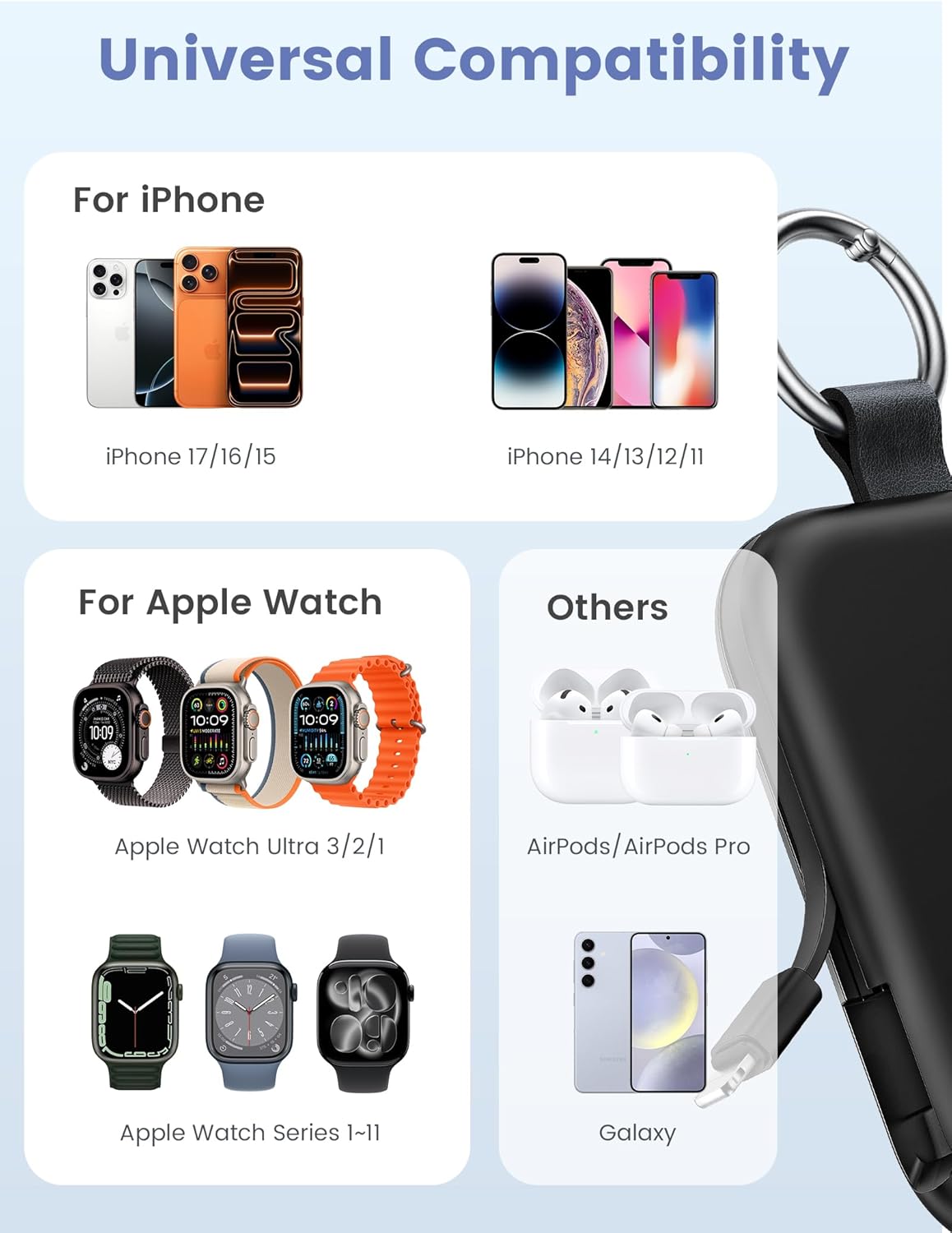
Image: Universal compatibility of the RORRY portable charger with various devices.
3. אויפשטעלן און ערשטע אויפלאדונג
3.1 אויפלאָדן די פּאַוער באַנק
- Connect the provided USB-C to USB-C charging cable to the USB-C input port on the RORRY D2 Portable Charger.
- פֿאַרבינדט דעם אַנדערן עק פֿונעם קאַבל צו אַ קאָמפּאַטיבלע USB-C וואַנט אַדאַפּטער (נישט אַרייַנגערעכנט).
- The LED indicator lights on the power bank will illuminate to show the charging status. A full charge typically takes approximately 2.5 hours.
- Once fully charged, all LED indicators will be solid. Disconnect the power bank from the charger.

Image: Charging the RORRY D2 Portable Charger using the included USB-C cable.
4. אַפּערייטינג ינסטרוקטיאָנס
4.1 Charging Apple Watch
- Press the power button on the side of the RORRY D2 Portable Charger to activate the wireless charging pad.
- Place your Apple Watch onto the magnetic charging pad located on the top surface of the power bank.
- Ensure the watch is properly aligned for optimal charging. The watch screen will indicate charging status.
4.2 Charging iPhone and USB-C Devices
- Locate the built-in Lightning cable (for iPhone) or USB-C cable (for Android/other USB-C devices) on the sides of the power bank.
- Gently pull out the appropriate cable.
- Connect the cable to your device's charging port. The device should begin charging automatically.
- To charge multiple devices simultaneously, use the wireless charging pad for Apple Watch and the built-in cables for other devices.

Image: RORRY D2 Portable Charger actively charging an Apple Watch and an iPhone.

בילד: איבערview of charging times and capacities for various devices with the RORRY D2.
4.3 מאַכט גראדן
The LED lights on the front of the power bank indicate the remaining battery level. Press the power button once to check the current battery status.
Video: Demonstration of the RORRY Portable Apple Watch Charger's features and usage.
5. ספּעסאַפאַקיישאַנז
| מאָדעל נומער | D2 |
| באַטאַרייע קאַפּאַציטעט | 5000 מיליamp שעהן |
| פּראָדוקט דימענשאַנז | 3.86 X 2.82 X 0.65 אינטשעס |
| פּונקט וואָג | 4.4 אונסעס |
| קאַנעקטער טיפּ | Built-in Cable L+C, USB-C Port |
| ספּעציעלע פֿעיִקייטן | Compact, Built-in Cables, All-in-one, Keychain Design |
6. Safety Features and Precautions
The RORRY D2 Portable Charger is equipped with multiple safety features to protect your devices and the power bank itself:
- איבער-טעמפּעראַטור שוץ: Prevents overheating during charging and discharging.
- איבער-קראַנט שוץ: זיכערהייטן קעגן איבערגעטריבענעם קראַנט שטראָם.
- איבער-וואָלtagE שוץ: באַשיצט קעגן וואָלtage סערגעס.
- קורץ-קרייַז שוץ: אויטאָמאַטיש שליסט זיך אויס אין פאַל פון אַ קורץ קרייַז.
אַלגעמיינע זיכערקייַט פּריקאָשאַנז:
- Do not disassemble, squeeze, or hit the device.
- Keep away from fire, water, and heat sources.
- האַלטן אויס פון דערגרייכן פון קינדער.
- Do not use the power bank in extremely high or low temperatures.
- ויסמיידן דראַפּינג די מיטל אָדער אונטערטעניק צו שטאַרק ימפּאַקץ.
7. קער און וישאַלט
- רייניקט די פּאַוער באַנק מיט אַ ווייכן, טרוקענעם שטאָף. ניצט נישט קיין שאַרפע כעמיקאַלן אָדער אַברייסיוו מאַטעריאַלן.
- סטאָר די מיטל אין אַ קיל, טרוקן אָרט ווען ניט אין נוצן.
- If the power bank will not be used for an extended period, charge it fully at least once every three months to maintain battery health.
8. טראָובלעשאָאָטינג
מיטל ניט טשאַרדזשינג:
- זיכער מאַכן אַז די פּאַוער באַנק איז גענוג אויפגעלאָדן. קאָנטראָלירט די LED אינדיקאַטאָרן.
- Verify that the charging cables are securely connected to both the power bank and your device.
- For Apple Watch, ensure it is correctly placed on the magnetic charging pad and the power button has been pressed.
- Try using a different charging cable or wall adapter to charge the power bank itself.
פּאַמעלעך טשאַרדזשינג:
- Ensure you are using a compatible wall adapter for optimal charging speed.
- טשאַרדזשינג קייפל דעוויסעס סיימאַלטייניאַסלי קען רעדוצירן די טשאַרדזשינג גיכקייַט פֿאַר יחיד דעוויסעס.
פּאַוער באַנק טוט זיך נישט אָן:
- Charge the power bank fully. If the battery is completely depleted, it may take a few minutes for the LED indicators to light up.
9. וואָראַנטי און שטיצן
RORRY products are designed and manufactured to the highest quality standards. For warranty information, after-sales service, or technical support, please refer to the contact details provided in the packaging or visit the official RORRY webפּלאַץ.
קאָנטאַקט אינפֿאָרמאַציע:
- פאַבריקאַנט: שענזשען Xianyang יננאָוואַטיאָן טעכנאָלאָגיע קאָו, לטד
- Webפּלאַץ: www.rorry.com (ביטע באַמערקן: דאָס איז אַ פּלאַץ האָלדער URL, refer to actual product for correct webפּלאַץ)


