1. הקדמה
Thank you for choosing the COCOCAM 2PCS Solar Camera Outdoor Wireless. This manual provides detailed instructions for the installation, operation, and maintenance of your new security cameras. Please read this manual thoroughly before use to ensure proper functionality and safety.

Image: Two COCOCAM ZY-C2 solar cameras, showcasing their design and integrated solar panels.
2. וואָס איז אין דער קעסטל
ביטע קאָנטראָלירט דעם אינהאַלט פֿון אייער פּעקל צו זיכער מאַכן אַז אַלע זאַכן זענען דאָרט:
- 2 x COCOCAM ZY-C2 Solar Security Cameras
- 2 x Solar Panels (integrated or separate, depending on model variant)
- 2 רענטגענ מאָונטינג בראַקאַץ
- מאָנטירונג שרויפן און וואַנט פּלאַגז
- וסב טשאַרדזשינג קאַבלע
- באַניצער מאַנואַל (דעם דאָקומענט)
3. פּראָדוקט איבערview
The COCOCAM ZY-C2 is a high-performance outdoor security camera designed for comprehensive surveillance. Key features include:
- 2K QHD Resolution: Delivers crisp 3MP image quality for clear video monitoring.
- Flexible 360° Coverage: Features 355° pan and 120° tilt rotation, controllable via the Cloudage/Cococam app, ensuring no blind spots.
- Solar Powered & 100% Wireless: Equipped with a solar panel and 5200mAh rechargeable batteries for continuous power, eliminating the need for frequent charging.
- קינסטלעכע אינטעליגענץ באַוועגונג דעטעקציע: Optimized algorithms enhance human-like recognition, reducing false alarms. Supports optional paid features for pet, car, and package recognition.
- קאָליר נאַכט זעאונג: Provides clear, full-color video even in low-light conditions, alongside traditional infrared night vision.
- 2-וועג אַודיאָ: אן איינגעבויטער מיקראָפאָן און רעדנער ערמעגלעכן קאָמוניקאַציע אין רעאַל-צייט.
- IP66 וועטערפּרוף: Designed to withstand various weather conditions, operating reliably from -25°C to 60°C (-13°F to 140°F).
- צווייענדיק אַנטענאַז: 4DBi dual antennas ensure stronger and more stable 2.4GHz Wi-Fi reception.

Image: The camera's dual solar panel design, illustrating 365-day power capability.

Image: Comparison of color night vision and infrared night vision, highlighting the camera's low-light capabilities.
4. סעטאַפּ גייד
4.1 טשאַרדזשינג די באַטאַרייע
Although solar-powered, it is recommended to fully charge the camera's internal battery via the USB port before the first use. Connect the camera to a 5V/2A USB power adapter (not included) using the provided USB cable. The charging indicator light will show the charging status.
4.2 אַפּ אינסטאַלאַציע און אַקאַונט שאַפונג
- Download the 'Cloudage' or 'Cococam' app from your smartphone's app store (iOS or Android).
- עפֿנט די אַפּ און רעגיסטרירט אַ נײַעם חשבון מיט אײַער בליצפּאָסט אַדרעס.
- גיי די פּראַמפּס אויף דעם עקראַן צו פאַרענדיקן די רעגיסטראַציע פּראָצעס.
4.3 קאַמעראַ פּערינג מיט Wi-Fi
- זיכער מאַכן אַז אייער Wi-Fi נעץ איז 2.4GHz. די קאַמעראַ שטיצט נישט 5GHz Wi-Fi.
- In the app, tap '+' or 'Add Device' to add a new camera.
- Select the appropriate camera model or scan the QR code on the camera.
- Follow the in-app instructions to connect the camera to your Wi-Fi network. This typically involves generating a QR code on your phone screen for the camera to scan.
- Once connected, you will hear a confirmation sound from the camera, and it will appear in your app's device list.
4.4 גשמיות ינסטאַלירונג
Choose a suitable outdoor location for installation, ensuring the solar panel receives adequate direct sunlight throughout the day. The camera can be mounted on a wall or ceiling.
- מאַרקירט די בויער פונקטן ניצנדיק די מאַונטינג קלאַמער ווי אַ שאַבלאָן.
- באָערט לעכער און אַרײַנשטעקט וואַנט פּלאַגז אויב נייטיק.
- Secure the mounting bracket to the surface with screws.
- Attach the camera to the mounting bracket and adjust its angle for optimal viewing.
- Ensure the solar panel is positioned to maximize sun exposure.

Image: An outdoor mounted camera illustrating its pan and tilt range for comprehensive monitoring.
5. אַפּערייטינג ינסטרוקטיאָנס
5.1 לעבן View און PTZ קאָנטראָל
Open the Cloudage/Cococam app and select your camera from the device list to access the live view. From here, you can:
- פּאַן / טילט: Drag your finger across the screen to remotely adjust the camera's horizontal (355°) and vertical (120°) viewינג אַנגלעס.
- דיגיטאַל פארגרעסער: Pinch to zoom in or out on the live feed for more detail.
- Snapshot/Record: Capture still images or record video clips directly to your phone.
5.2 AI Motion Detection and Alerts
The camera uses advanced AI to detect motion and send instant alerts to your smartphone.
- געבן / דיסייבאַל: Navigate to camera settings in the app to enable or disable motion detection.
- סענסיטיוויטי אַדזשאַסטמאַנט: אַדזשאַסטירן די דעטעקשאַן סענסיטיוויטי צו מינימיזירן פאַלשע אַלאַרמס.
- מענטשנרעכט דעטעקטיאָן: Enable AI human detection for more accurate alerts.
- Paid Features: Optional paid features allow for recognition of pets, cars, and packages.
- Alert Methods: Configure push notifications, light warnings, sound warnings, or audible/light warnings via the app.
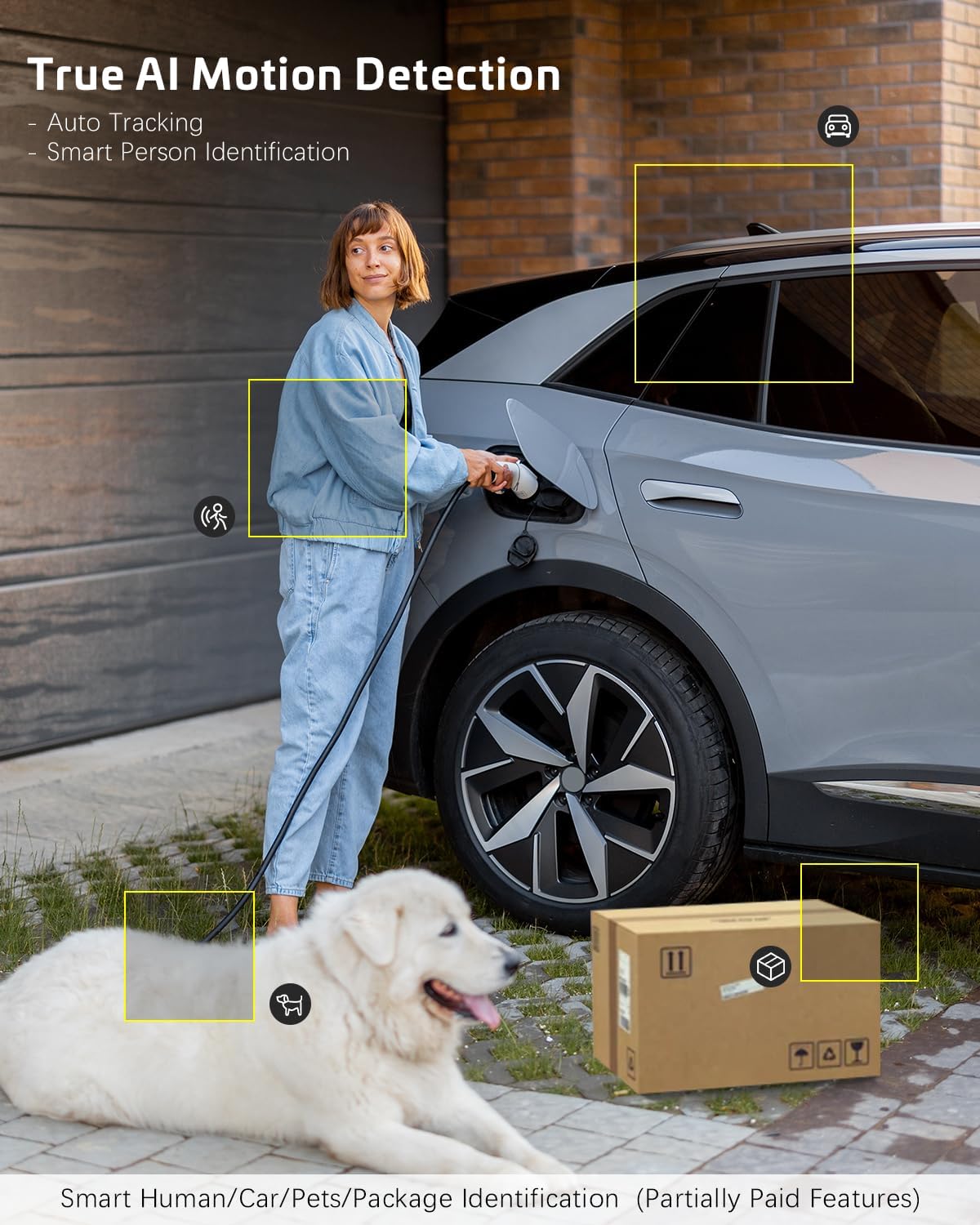
Image: AI motion detection in action, highlighting its ability to identify various objects like people, vehicles, and packages.
5.3 נאַכט זעאונג מאָדעס
די קאַמעראַ שטיצט צוויי נאַכט זעאונג מאָדעס:
- קאָליר נאַכט זעאונג: Utilizes built-in spotlights to provide full-color video in dark environments.
- ינפרערעד נאַכט זעאונג: Uses infrared LEDs for black-and-white video in complete darkness.
- איר קענט באַשטימען צווישן די מאָדעס אָדער שטעלן זיי צו אויטאָמאַטיש אין די אַפּ סעטטינגס.
5.4 צוויי-וועג אַודיאָ
צו ניצן די צוויי-וועג אודיאָ פֿונקציע:
- אין דער לעבן view, צאַפּן אויף דעם מיקראָפאָן בילדל צו רעדן דורך די קאַמעראַ'ס רעדנער.
- צאַפּן אויף דעם רעדנער בילדל צו הערן אַודיאָ פֿון דער קאַמעראַ'ס מיקראָפֿאָן.
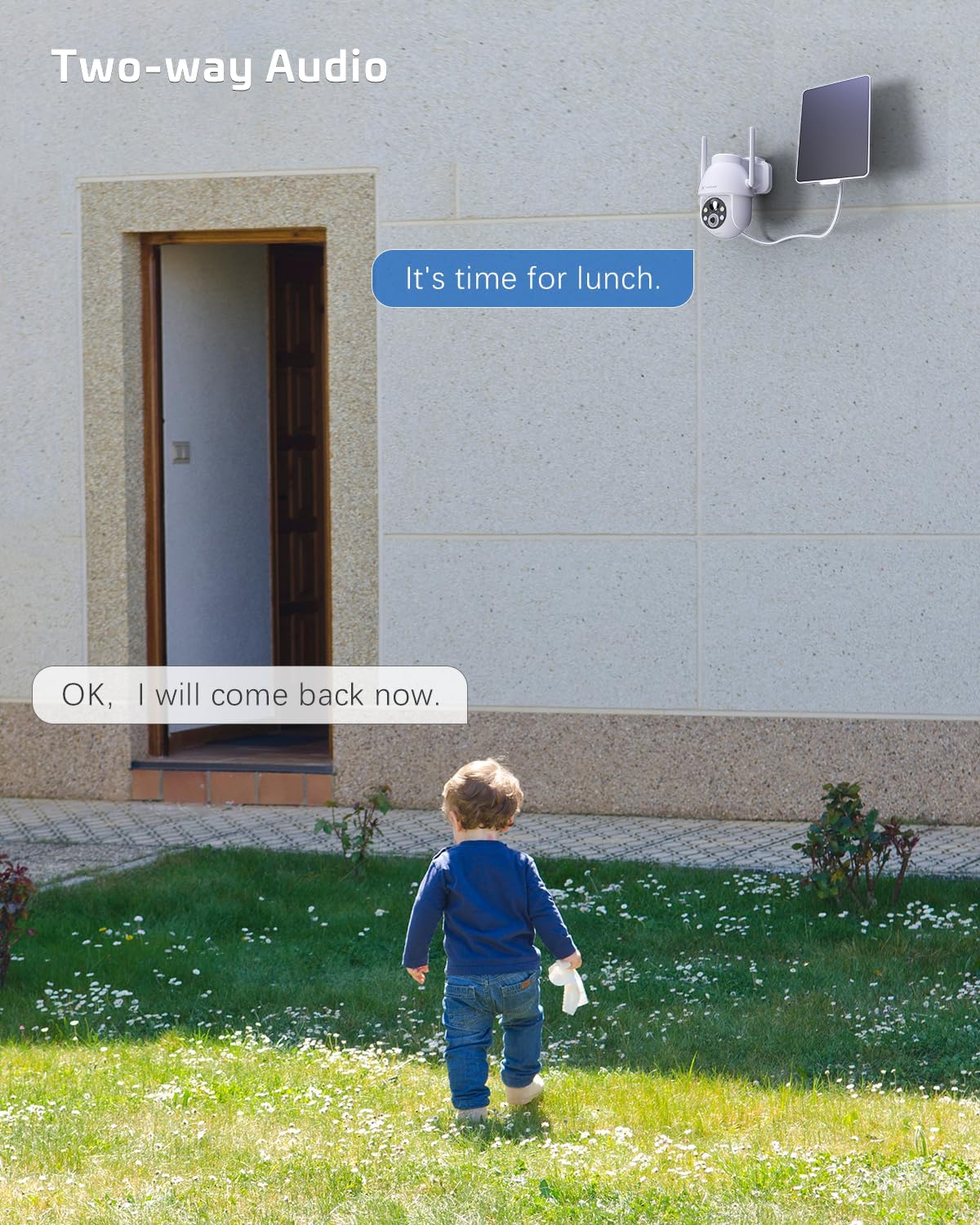
Image: A visual representation of the two-way audio feature, showing communication between a person and the camera.
5.5 סטאָרידזש אָפּציעס
The camera offers flexible storage solutions for recorded footage:
- TF קאָרט סטאָרידזש: Supports up to 128GB TF (microSD) card (not included) for local storage. Insert the card into the designated slot on the camera.
- וואָלקן סטאָרידזש: A cloud storage service is available (paid feature) for secure, off-site storage of your video recordings. All cloud video is encrypted.
5.6 מולטי-באַניצער ייַנטיילונג
You can easily share camera access with family members or friends:
- In the app, go to the camera settings and find the 'Share Device' option.
- Generate a QR code or invite link for others to scan or click, granting them access to the camera feed.
6. וישאַלט
To ensure optimal performance and longevity of your COCOCAM security camera:
- רעגולער רייניקונג: ווישט פּעריִאָדיש די קאַמעראַ לינז און זונ פּאַנעל מיט אַ ווייכן, דamp שטאָף צו באַזייַטיקן שטויב און שמוץ. ניצט נישט קיין שאַרפע כעמיקאַלן.
- Firmware דערהייַנטיקונגען: Check the app regularly for firmware updates. Keeping your camera's firmware up-to-date ensures the latest features and security patches.
- באַטערי געזונט: While solar-powered, ensure the solar panel is free from obstructions to maintain optimal battery charge. In prolonged periods of low sunlight, consider manually charging the camera via USB.
- ינווייראַנמענאַל טנאָים: The camera is IP66 weatherproof, but extreme conditions outside its operating temperature range (-25°C to 60°C / -13°F to 140°F) may affect performance.

Image: The camera operating effectively in rainy conditions, highlighting its IP66 weatherproof design.
7. טראָובלעשאָאָטינג
7.1 Camera Offline / Disconnected
- ווי-פי סיגנאַל: Ensure the camera is within range of your 2.4GHz Wi-Fi router and the signal strength is adequate.
- ראָוטער סעטטינגס: Verify that your router's settings are not blocking the camera. Restarting the router may help.
- מאַכט צושטעלן: Check if the camera has sufficient battery charge. Ensure the solar panel is clean and receiving sunlight.
- ריפּער: If issues persist, try re-pairing the camera with the app.
7.2 Motion Detection Issues (Too Many/Few Alerts)
- סענסיטיוויטי: Adjust the motion detection sensitivity in the app settings. Lower sensitivity for fewer false alarms, higher for more detections.
- דעטעקשאַן זאָנע: If available, configure specific detection zones to focus on critical areas and ignore irrelevant motion.
- AI מענטש דיטעקשאַן: Ensure AI human detection is enabled to filter out non-human movements.
7.3 שלעכטע בילד קוואַליטעט
- לינז ריינקייט: רייניקט די קאַמעראַ לענס צו באַזײַטיקן יעדע פֿלעק אָדער שמוץ.
- נעץ גיכקייַט: Ensure your internet connection is stable and fast enough for 2K video streaming.
- נאַכט זעאונג: If image quality is poor at night, check if the night vision mode is set correctly (color or infrared) and if the spotlights/IR LEDs are unobstructed.
7.4 באַטעריע לאָדט זיך נישט אויף
- זונ פּאַנעל: Ensure the solar panel is clean and positioned to receive direct sunlight for several hours a day.
- קאַבלע קשר: קאָנטראָלירט די פֿאַרבינדונג צווישן דעם זונ - פּאַנעל און דער קאַמעראַ.
- Manual Charge: Try charging the camera directly via the USB port to confirm the battery is functional.
8. ספּעסאַפאַקיישאַנז
| שטריך | באַשרייַבונג |
|---|---|
| מאָדעל | ZY-C2 |
| ווידעא קאַפּטורע רעסאָלוטיאָן | 1440p (2K QHD) |
| קאַנעקטיוויטי טעכנאָלאָגיע | Wireless (2.4GHz Wi-Fi, Bluetooth) |
| מאַכט מקור | באַטעריע-געטריבן, זונ -געטריבן |
| באַטאַרייע קאַפּאַציטעט | 5200 מאַה (קריקאָנלאָדלעך) |
| זכּרון סטאָרידזש קאַפּאַסיטי | 128 GB (TF card, not included) |
| פּאַן / טילט ווינקל | 355° פּאַן, 120° טילט |
| וועטערפּראָאָף שאַץ | IP66 |
| אַפּערייטינג טעמפּעראַטור | -25°C צו 60°C (-13°F צו 140°F) |
| מאַונטינג טיפּ | סטעליע בארג, וואנט בארג |
| קאַמפּאַטאַבאַל אַס | יאָס, אַנדרויד |
| דימענסיעס (L X W X H) | 18 X 17 X 14 סענטימעטער |
| פּונקט וואָג | 1.3 קג |
9. וואָראַנטי און שטיצן
COCOCAM provides a 2 יאָר וואָראַנטי for its cameras. If you encounter any problems using our products or require technical assistance, please do not hesitate to contact our customer support team. Refer to the contact information provided on the product packaging or the official COCOCAM webזייטל פֿאַר שטיצע קאַנאַלן.
We are committed to providing high-quality service and ensuring your satisfaction with our products.


