1. הקדמה
Thank you for choosing the ZIPRO Nitro RS Home Exercise Bike. This manual provides essential information for the safe assembly, operation, and maintenance of your new fitness equipment. Please read all instructions carefully before use to ensure optimal performance and safety.

Image: The ZIPRO Nitro RS Home Exercise Bike, showcasinג זײַן גלאַטן דיזײַן און שליסל פֿעיִקייטן.
2. וויכטיק סאַפעטי אינפֿאָרמאַציע
Before beginning any exercise program, consult with your physician. Failure to follow these safety instructions could result in injury or damage to the equipment.
- פאַרזיכערן אַז אַלע טיילן זענען סיקיורלי טייטאַנד איידער יעדער נוצן.
- האַלטן קינדער און פּעץ אַוועק פון די ויסריכט בעשאַס אָפּעראַציע.
- שטעלט דעם געניטונג-בייק אויף א גלייכער, סטאַבילער ייבערפלאַך.
- טראָגט פּאַסיקע ספּאָרט־קליידער און שיך.
- מאַקסימום באַניצער וואָג: 150 קג.
- Maximum user height: 200 cm.
3. פּעקל אינהאַלט
Verify that all components are present before assembly. Refer to the included assembly guide for a detailed list and diagrams.
- Main frame components
- האַנדלעבאַר פֿאַרזאַמלונג
- אַוועקזעצן פּאָסטן און זאָטל
- פּעדאַלז
- סטאַביליזער באַרס
- Computer console
- וואַסער פלאַש האָלדער
- פֿאַרזאַמלונג מכשירים און ייַזנוואַרג
4. אַסעמבלי אינסטרוקציעס
Assembly typically requires two people. Follow the step-by-step instructions provided in the separate assembly manual for detailed diagrams and hardware identification. A general overview איז צוגעשטעלט אונטן:
- צוטשעפּען סטאַביליזאַטאָר באַרס: Secure the front and rear stabilizer bars to the main frame using the provided bolts and washers.
- ינסטאַלירן פּעדאַלז: Attach the left and right pedals to the crank arms. Note that pedals are typically threaded differently (left pedal is reverse-threaded).
- Mount Seat Post and Saddle: Insert the seat post into the main frame and secure it at the desired height. Attach the saddle to the seat post.
- צוזאַמענשטעלן די האַנטלבאַר: Connect the handlebar post to the main frame. Attach the handlebar to the post.
- אינסטאַלירן קאָמפּיוטער קאַנסאָול: Connect the sensor cables from the main frame to the computer console. Mount the console onto the handlebar post.
- צוטשעפּען אַקסעסעריז: Install the water bottle holder.
- לעצט טשעק: Ensure all bolts and nuts are securely tightened. Adjust the leveling feet on the stabilizer bars to ensure the bike is stable on your floor.

Image: The sturdy base and adjustable stabilizer feet of the ZIPRO Nitro RS, ensuring stability during workouts.
5. אַפּערייטינג ינסטרוקטיאָנס
5.1 אַדזשאַסטינג קעגנשטעל
The ZIPRO Nitro RS features 8 levels of magnetic resistance. To adjust the resistance, turn the resistance knob located on the main frame. Turn clockwise to increase resistance and counter-clockwise to decrease it.
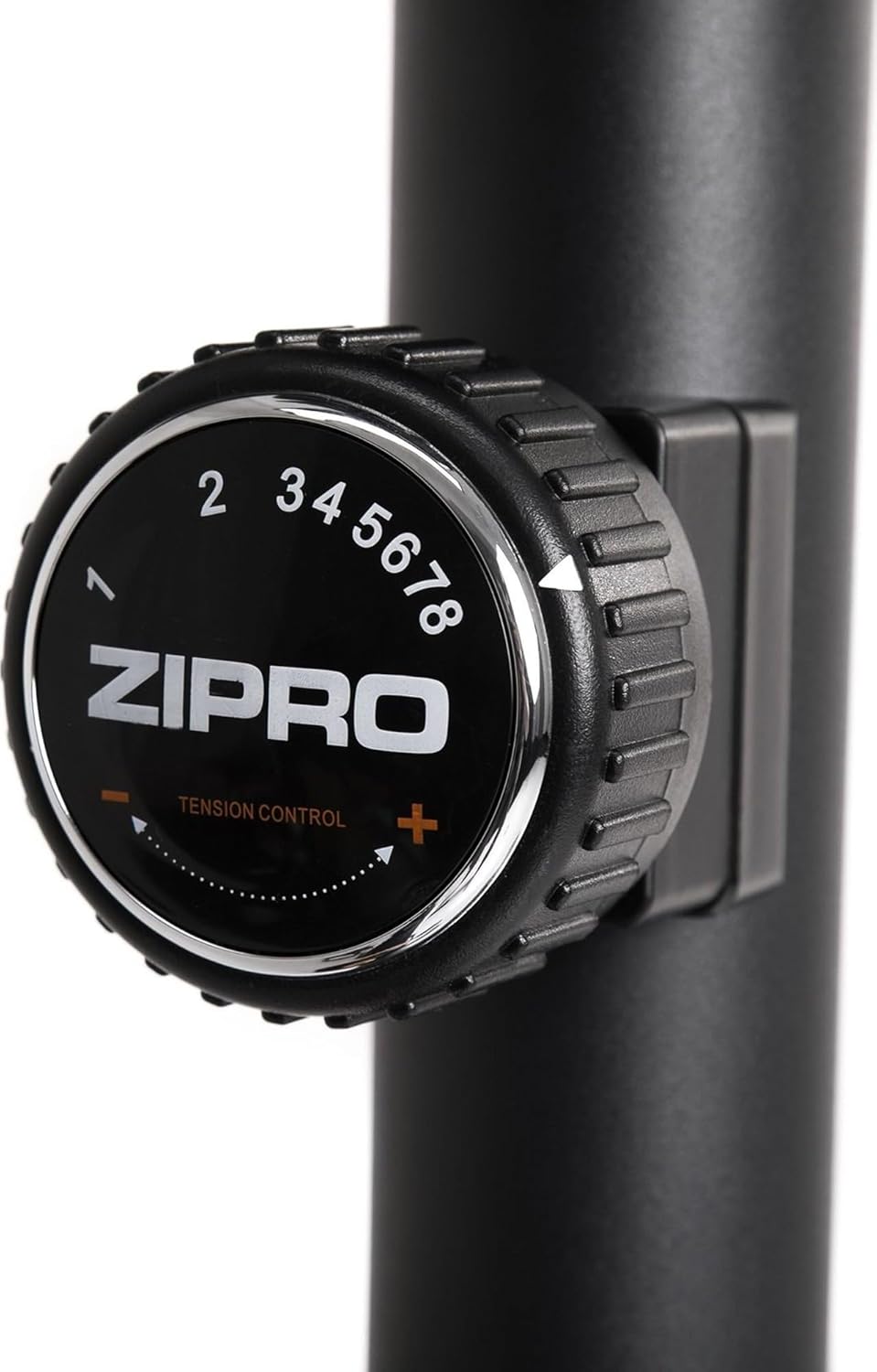
Image: Close-up of the resistance adjustment knob with levels 1-8 clearly marked.
5.2 Computer Console Functions
The advanced computer console displays key workout metrics. Insert batteries (included) into the console before first use.

Image: The computer console displaying workout data and control buttons.
- יבערקוקן: גייט אויטאָמאַטיש דורך אַלע דיספּליי פונקציעס.
- צייט: ווײַזט די געדויער פון אײַער טרענירונג.
- SPEED: ווײַזט אײַער איצטיקע סייקלינג גיכקייט.
- AFSTAND: טראַקט די דיסטאַנץ באדעקט בעשאַס דיין סעסיע.
- קאַלאָריעס: Estimates the calories burned.
- דויפעק: ווײַזט אײַער האַרץ־ריטם ווען איר האַלט די פּולס־סענסאָרן אויף די האַנטבאַרס.
- גאַנץ דיסטאַנסע: Accumulates total distance over multiple workouts.
ניצן די מאָדע button to select a specific display function, באַשטעטיק to clear current workout data, and שטעלן to configure target values (if applicable).
5.3 אַדזשאַסטירן זיץ און האַנטל
Proper adjustment of the seat and handlebar ensures comfort and effective training.
- זיצפּלאַץ הייך: Loosen the adjustment knob on the seat post, raise or lower the seat to the desired height, and re-tighten securely.
- Seat Horizontal Position: Loosen the knob beneath the saddle, slide the seat forward or backward, and re-tighten.
- האַנטלבאַר ווינקל: Loosen the adjustment knob on the handlebar post, tilt the handlebar to a comfortable angle, and re-tighten.
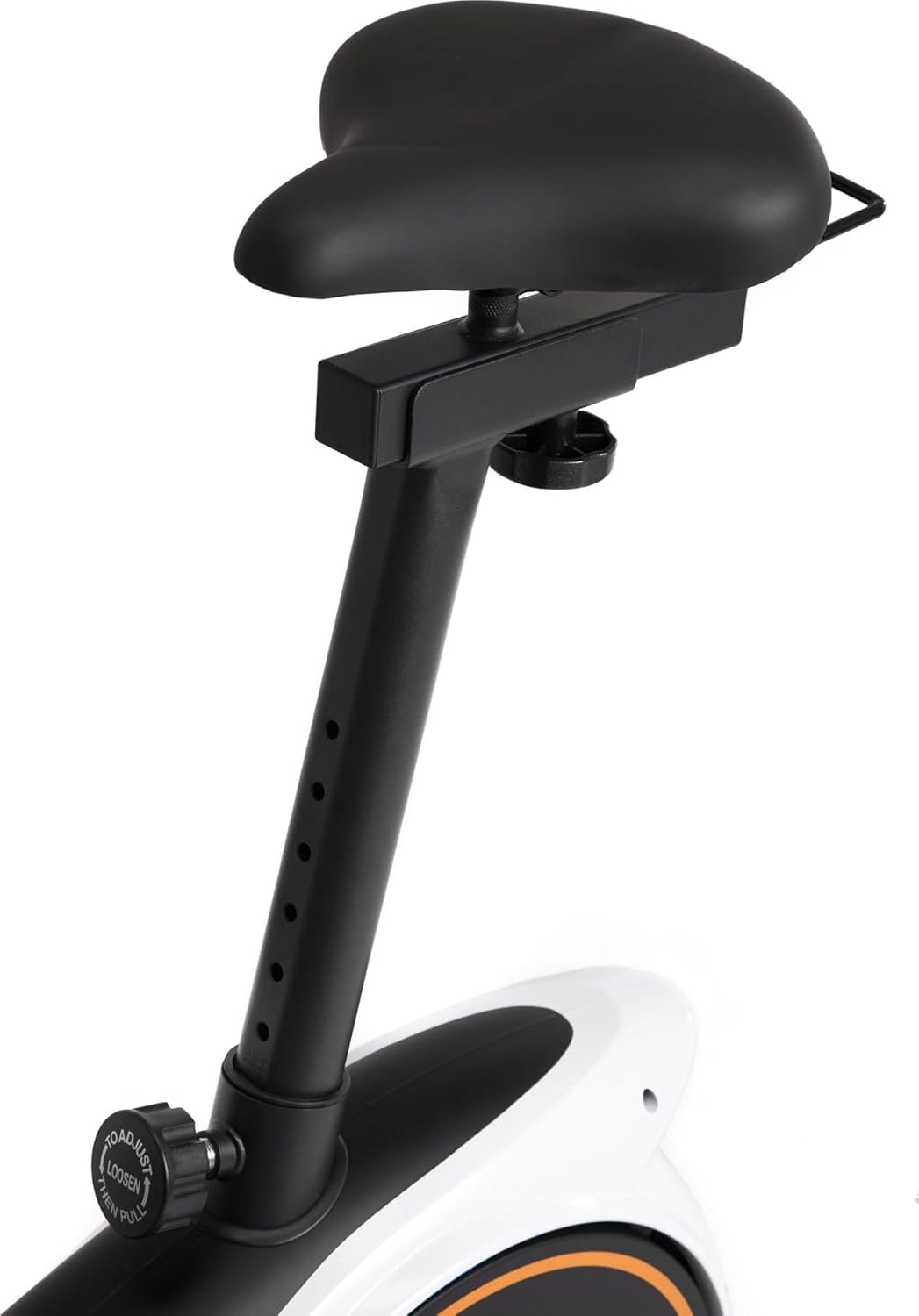
Image: Seat height adjustment mechanism.

Image: Seat horizontal adjustment mechanism.
5.4 ניצן דעם דעווייס האָלדער
The console features a convenient holder for your smartphone or tablet, allowing you to enjoy entertainment or follow guided workouts during your session.

Image: A smartphone placed in the console's device holder.

Image: A tablet placed in the console's device holder.
6. וישאַלט
רעגולערע אויפהאלטונג גאראנטירט די לאנגעוויטי און זיכערע אפעראציע פון אייער עקסערסייז בייק.
- רייניקונג: ווישן אַראָפּ די בייק מיט אַדamp טוך נאך יעדן באניץ צו באזייטיגן שווייס און שטויב. פארמיידט שווארצע רייניגער.
- דורכקוק: קאָנטראָלירט פּעריִאָדיש אַלע באָלץ, ניסלעך און באַוועגלעכע טיילן פֿאַר פעסטקייט און אָפּנוץ. פֿעסטשטעלט אַלע לויזע פֿעסטערס.
- שמירן: The magnetic resistance system is generally maintenance-free. Refer to the full manual for any specific lubrication requirements for other moving parts.
- סטאָרידזש: האַלט דאָס וועלאָסיפּעד אין אַ טרוקענעם, קילן אָרט אַוועק פון דירעקטער זון און עקסטרעמע טעמפּעראַטורן.
7. טראָובלעשאָאָטינג
| פּראָבלעם | מעגלעך סיבה | לייזונג |
|---|---|---|
| בייק איז נישט סטאַביל אָדער וואַקלט זיך | Uneven floor; loose stabilizer bolts | Adjust the leveling feet on the stabilizer bars. Ensure all stabilizer bolts are tight. |
| Computer display not working | טויטע באַטעריעס; פרייַ סענסאָר פֿאַרבינדונג | Replace batteries. Check that all sensor cables are securely connected to the console. |
| קעגנשטעל נישט טשאַנגינג | קעגנשטעל קאַבל דיסקאַנעקטיד אָדער דאַמידזשד | קאָנטראָלירט די פֿאַרבינדונג פֿון דעם קעגנשטאַנד־קאַבל צום קנעפּל און דעם פֿלי־ראָד־מעכאַניזם. קאָנטאַקטירט קונה־שטיצע אויב עס איז געשעדיגט. |
| ומגעוויינטלעך ראַש בעשאַס אָפּעראַציע | Loose parts; friction | Check all bolts and nuts for tightness. Ensure no parts are rubbing. |
8. פּראָדוקט ספּעסאַפאַקיישאַנז
| שטריך | דעטאַל |
|---|---|
| סאָרט | ZIPRO |
| מאָדעל | ניטראָ רס |
| קאָליר | שוואַרץ |
| קעגנשטעל מעקאַניזאַם | מאַגנעטיק |
| קעגנשטעל לעוועלס | 8 |
| דרייוו סיסטעם | גאַרטל |
| מאַטעריאַל | פּלאַסטיק |
| מאַקסימום באַניצער וואָג | 150 קג |
| מאַקסימום באַניצער הייך | 200 סענטימעטער |
| פּראָדוקט דימענשאַנז (L x W x H) | 92 x 60 x 143 ס״מ (אומגעפער) |
| פּונקט וואָג | 28.6 קג |
| מאַכט מקור (קאָנסאָל) | באַטאַרייע פּאַוערד |
| מאָדעל נומער | 5304090 |

Image: Dimensions of the ZIPRO Nitro RS Home Exercise Bike (115 cm length, 59 cm width, 145 cm height).
9. וואָראַנטי און שטיצן
Your ZIPRO Nitro RS Home Exercise Bike comes with a manufacturer's warranty. Please refer to the warranty card included with your purchase for specific terms and conditions. For technical support, spare parts, or warranty claims, please contact ZIPRO customer service through their official webוועבזייטל אדער דער הענדלער וואו איר האט געקויפט דעם פּראָדוקט.
For additional information and support, visit the official ZIPRO webפּלאַץ: www.zipro.pl


