1. הקדמה
This manual provides essential information for the proper use and care of your PocketBook Charge Cover. This cover is specifically designed to protect your PocketBook InkPad Color 3 and InkPad 4 e-readers while offering convenient wireless charging capabilities.
The PocketBook Charge Cover features a slim and elegant design, protecting your e-reader from dirt and scratches. All necessary connections on your e-reader remain freely accessible when the cover is installed. A key feature is its integrated wireless charging functionality, compatible with Qi chargers.

Figure 1: The PocketBook Charge Cover in blue, shown closed, protecting the e-reader.
2. סעטאַפּ און ייַנמאָנטירונג
To install your PocketBook e-reader into the Charge Cover, align the e-reader with the cover's internal frame. The e-reader is secured by a magnetic attachment system on the back, ensuring a firm fit. Gently press the e-reader into place until it is securely seated within the cover.
Ensure that the e-reader is correctly positioned to allow for proper alignment with the cover's features, including the sleep/wake function and wireless charging coil.
3. אַפּערייטינג ינסטרוקטיאָנס
3.1. Automatic Sleep/Wake Function
The PocketBook Charge Cover is equipped with an automatic sleep/wake function. When you close the cover, your e-reader will automatically enter sleep mode, conserving battery power. Opening the cover will wake the e-reader, allowing you to resume reading instantly.

Figure 2: Illustration showing the e-reader entering sleep mode when the cover is closed and waking up when opened, conserving battery.
3.2. ווירעלעסס טשאַרדזשינג
The Charge Cover enables wireless charging of your PocketBook e-reader. To charge wirelessly, place the e-reader (with the cover attached) onto a compatible Qi wireless charging pad. The cover supports 5-watt charging power and is compatible with all Qi wireless chargers from version 1 onwards.
Ensure the e-reader is centered on the charging pad for optimal charging efficiency. The charging process will begin automatically.

Figure 3: An illustration indicating the wireless charging area on the back of the cover, allowing for convenient power replenishment.

Figure 4: The PocketBook InkPad 4 e-reader inside the Charge Cover, highlighting its compatibility with the Qi wireless charging standard.
4. וישאַלט
To maintain the appearance and functionality of your PocketBook Charge Cover, follow these guidelines:
- רייניקונג: ניצן אַ ווייך, דamp cloth to gently wipe the exterior of the cover. Avoid abrasive cleaners or solvents, as these can damage the material.
- שוץ: While the cover is designed to protect your e-reader, avoid exposing it to extreme temperatures, direct sunlight for prolonged periods, or harsh chemicals.
- האַנדלינג: Handle the cover with care to prevent unnecessary wear and tear. The material is durable and pleasant to touch.
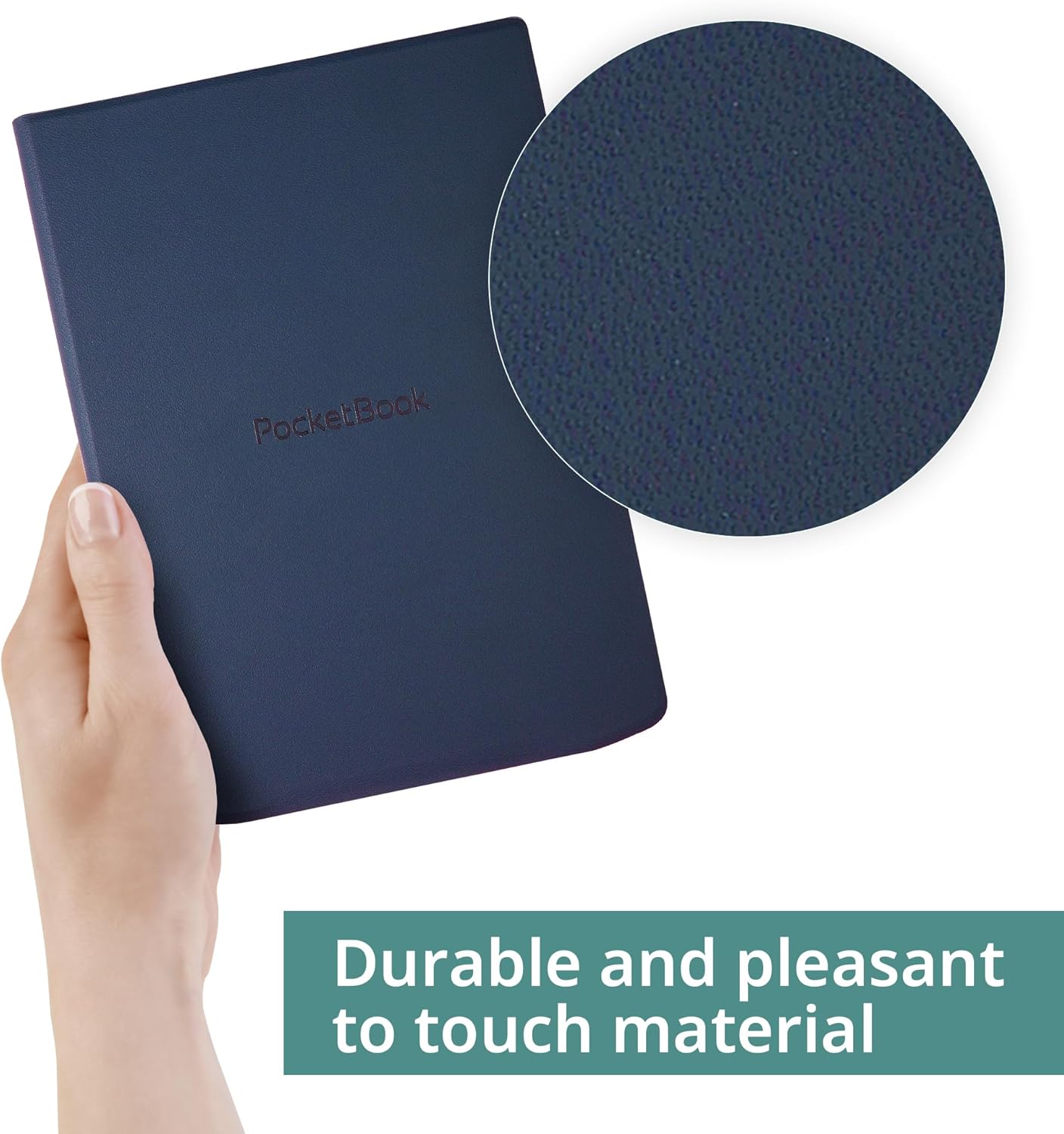
Figure 5: A hand holding the PocketBook Charge Cover, with a magnified inset showing the durable and pleasant-to-touch texture of the material.
5. טראָובלעשאָאָטינג
- Cover Detachment: If the cover appears to detach easily from the e-reader, ensure that the e-reader is firmly seated and the magnetic attachment points are clean and unobstructed. Re-seat the e-reader if necessary.
- Wireless Charging Inconsistency: If wireless charging is not initiating or is intermittent, verify that the e-reader (within its cover) is precisely aligned with the center of the Qi charging pad. Obstructions between the cover and the charging pad can also interfere with charging.
- Sleep/Wake Function Not Working: Check that the e-reader is correctly installed in the cover and that no debris is preventing the cover from closing completely.
6. ספּעסאַפאַקיישאַנז
| פּראָדוקט דימענשאַנז | 5.59 X 0.51 X 8.15 אינטשעס |
| פּונקט וואָג | 6.7 אונסעס |
| נומער מאָדעל נומער | HN-QI-PU-743G-NB-WW |
| ספּעציעלע פֿעיִקייטן | Lightweight, Wireless Charging |
| פאָרם פאַקטאָר | דעקן |
| קאָליר | בלוי |
| פאַבריקאַנט | פּאַקאַטבאָאָק |
| קאַמפּאַטאַבאַל דעוויסעס | PocketBook InkPad Color 3, PocketBook InkPad 4 |
| שאָל טיפּ | פעסט |
7. וואָראַנטי און שטיצן
For information regarding warranty coverage and technical support for your PocketBook Charge Cover, please refer to the documentation provided with your original e-reader or visit the official PocketBook website. You may also contact PocketBook customer service directly for assistance.


