1. הקדמה
This manual provides detailed instructions for the safe and efficient operation of your AQQA 200W Aquarium Heater. This device is designed to maintain a stable water temperature in aquariums ranging from 20 to 40 gallons. It features a digital thermostat with an external controller, PTC heating technology, and multiple safety protections. Please read this manual thoroughly before use and retain it for future reference.
2. וויכטיק סאַפעטי אינסטרוקציעס
- Always ensure the heater rod is גאָר סאַבמערדזשד in water before plugging it into a power outlet. Operating the heater out of water can cause damage and pose a safety risk.
- After unplugging the heater, allow it to cool down in the water for 15-30 מינוט before attempting to remove it from the aquarium. This prevents residual heat from causing damage or burns.
- מאַכן זיכער אַז עס איז good water circulation around the heater to allow for even heat distribution and accurate temperature readings.
- Do not operate the heater if the power cord, controller, or heater rod shows any signs of damage.
- דער פּראָדוקט איז דיזיינד פֿאַר דרינענדיק נוצן בלויז and specifically for aquariums. Do not use it for any other purpose.
- Unplug the heater from the power outlet before performing any maintenance, water changes, or handling the aquarium contents.
- Keep the external controller dry and away from water splashes.
- דער אַפּפּליאַנסע איז נישט בדעה פֿאַר נוצן דורך מענטשן (אַרייַנגערעכנט קינדער) מיט רידוסט פיזיש, סענסערי אָדער גייַסטיק קייפּאַבילאַטיז, אָדער פעלן פון דערפאַרונג און וויסן, סייַדן זיי האָבן באקומען השגחה אָדער לימעד וועגן די נוצן פון דעם אַפּפּליאַנסע דורך אַ מענטש פאַראַנטוואָרטלעך פֿאַר זייער זיכערקייַט. .
3. פּעקל אינהאַלט
ביטע טשעקט דעם פּעקל צו זיכער מאַכן אַז אַלע זאכן זענען פאַראַן און אין גוטן צושטאַנד:
- AQQA 200W Aquarium Heater Rod
- External Digital Temperature Controller
- סאַקשאַן קאַפּס פֿאַר מאַונטינג
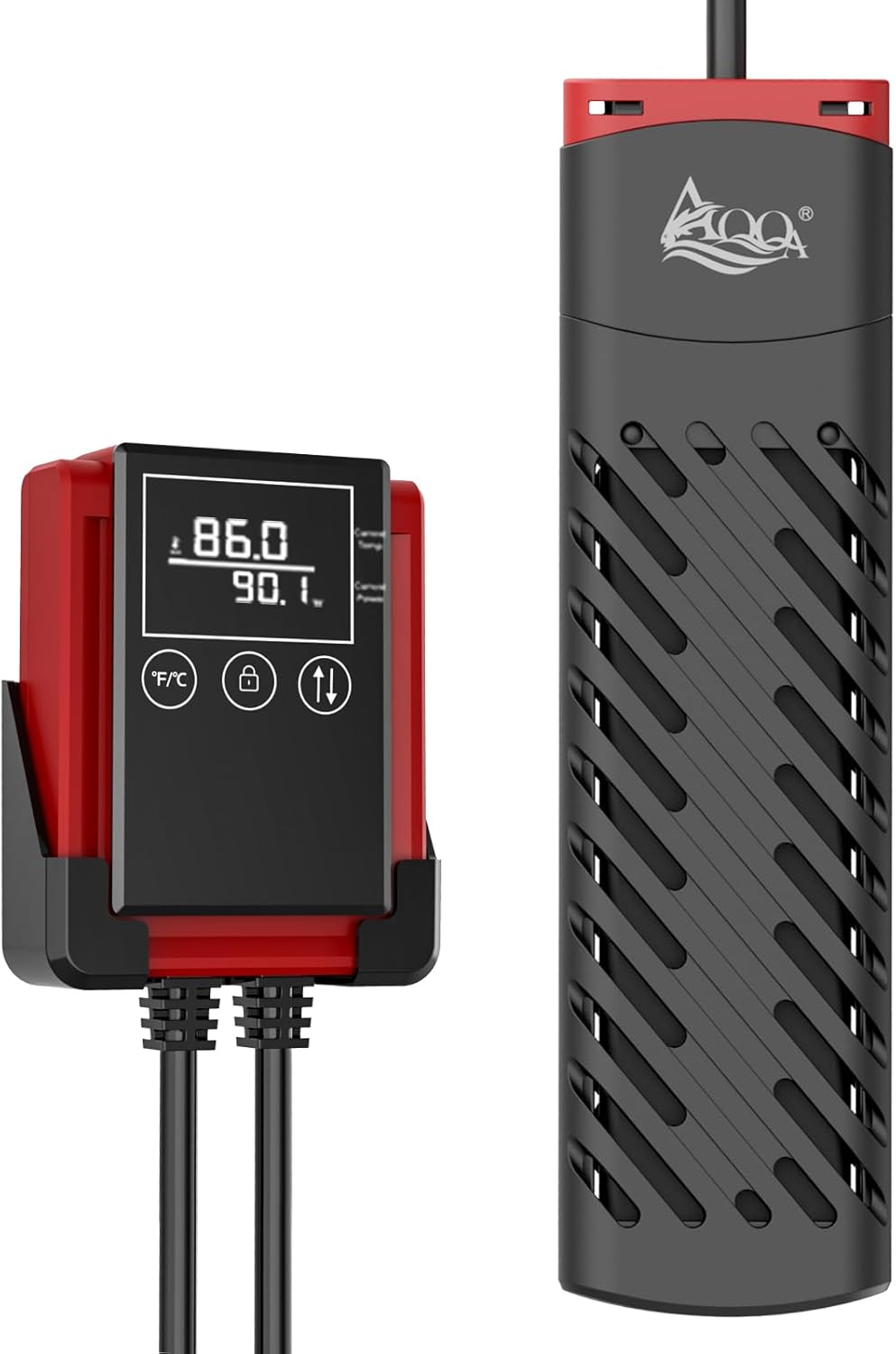
Image: The AQQA 200W Aquarium Heater, showing the heater rod and the external digital temperature controller.
4. פּראָדוקט ספּעסאַפאַקיישאַנז
| שטריך | באַשרייַבונג |
|---|---|
| מאָדעל נומער | גאַס-AQ073-200W-US |
| מאַכט | 200 וו |
| רעקאַמענדיד טאַנק גרייס | 20-40 גאלאנען |
| Voltage | אַק 110-120 וו / 60 הז |
| טעמפּעראַטור קאָנטראָל ראַנגע | 59°F - 94°F (15°C - 34°C) |
| טעמפּעראַטור אַקקוראַסי | ±0.5°F/°C |
| כיטער שטאנג דימענסיעס | 5.3 X 2.4 X 0.8 אינטשעס (13.5 X 6.2 X 2.0 סענטימעטער) |
| קאָנטראָללער דימענשאַנז | 4.1 X 3.1 X 1.1 אינטשעס (10.3 X 8.0 X 3.0 סענטימעטער) |
| קאַבלע לענג | 47 inches (Heater to Controller) + 47 inches (Controller to Plug) |
| מאַטעריאַל | Ceramics PTC (heating element), Heat-resistant ABS (shell, controller) |
| קאָליר | שוואַרץ |

Image: A table detailing product parameters including power, application, heating rod dimensions, control range, and controller dimensions for various AQQA heater models.
5. סעטאַפּ אינסטרוקציעס
- כיטער אָרט: Securely attach the heater rod to the inside wall of your aquarium using the provided suction cups. Ensure the heater is positioned horizontally or vertically in an area with good water flow. The heater must be completely submerged in water.
- Controller Mounting: Attach the external digital temperature controller to the outside of your aquarium using its bracket. Position it in a location that is easily accessible for viewing and adjustments, and where it will remain dry.
- מאַכט קשר: Once the heater rod is fully submerged and the controller is mounted, plug the power cord into a standard AC 110-120V/60Hz electrical outlet.

Image: A visual guide showing three steps for installing the external controller: sticking the bracket, placing the controller on the bracket, and the final installed position.

Image: A diagram illustrating correct installation of the heater (fully submerged, horizontal or vertical) and incorrect installations (partially submerged, out of water).
6. אַפּערייטינג ינסטרוקטיאָנס
6.1. ערשטע איינשאַלטונג
Once plugged in, the digital display on the external controller will illuminate, showing the current water temperature and the set temperature (if previously configured).
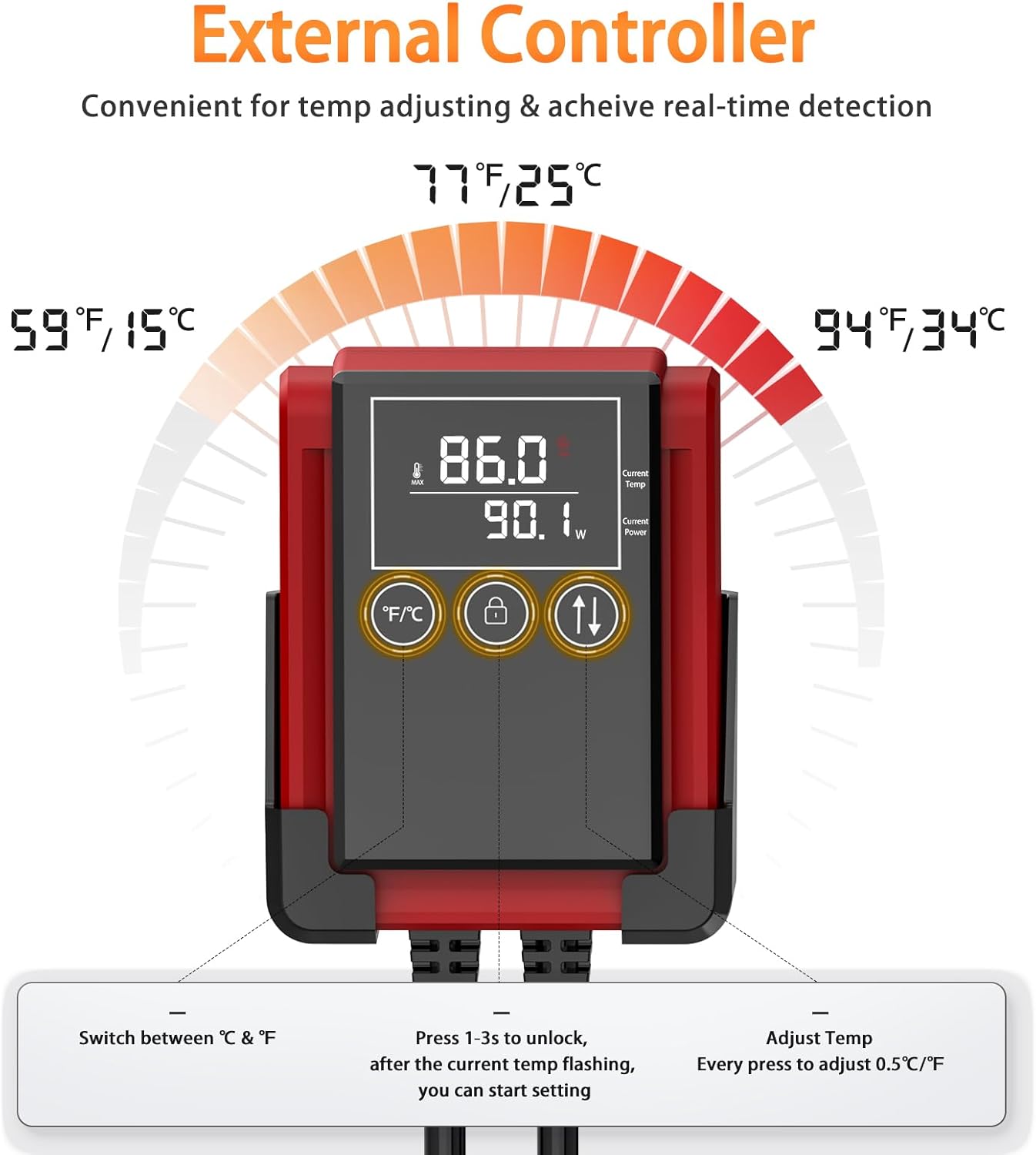
בילד: א דעטאַלירטע view of the external controller, highlighting the digital display showing current and set temperatures, and the F/C, lock, and adjustment buttons.
6.2. באַשטעטיקן די טעמפּעראַטור
- To unlock the controller and enter temperature setting mode, long press the child lock button (key icon) for 1-3 seconds. The current temperature display will begin flashing, indicating it is ready for adjustment.
- דרוק די temperature cycle button (up/down arrows icon) repeatedly to adjust the desired temperature. Each press will change the temperature by 0.5°F or 0.5°C. The available setting range is 59°F-94°F (15°C-34°C).
- After you stop operating the controller for approximately 3 seconds, the device will automatically enter the child lock state, preventing accidental changes to the set temperature.
6.3. וועקסלען טעמפּעראַטור איינהייטן (°F/°C)
דרוק די F / C קנעפּל on the controller to toggle between Fahrenheit (°F) and Celsius (°C) temperature displays.
6.4. Intelligent Heating Operation
The AQQA heater features an intelligent constant temperature system:
- When the water temperature is lower than the set temperature, the heater will automatically activate and warm the water.
- Once the water temperature reaches the set temperature, the heater will switch to a low-power mode to maintain the temperature within a 0.5°F/°C difference from the set point, optimizing energy efficiency.

Image: A graph showing how the heater's output power decreases as it approaches the set temperature, then operates at low power to maintain it, demonstrating energy-saving functionality.
7. וישאַלט
Regular maintenance ensures the longevity and efficient operation of your AQQA aquarium heater.
- רייניקונג: Unplug the heater and allow it to cool completely in the water before removing it. Gently clean the heater rod and its protective shell to remove any algae, mineral deposits, or debris. A soft brush or cloth can be used. Avoid harsh chemicals or abrasive materials.
- דורכקוק: Periodically inspect the heater rod, protective shell, power cord, and controller for any signs of wear, cracks, or damage. If any damage is found, discontinue use immediately.
- וואַסער סערקיאַליישאַן: Ensure that water circulation around the heater remains unobstructed.

בילד: אן עקספלאדירטע view of the heater rod, illustrating its internal PTC heating material and the removable ABS protective shell for easier cleaning and maintenance.
8. טראָובלעשאָאָטינג
If you encounter issues with your AQQA aquarium heater, refer to the following common problems and solutions:
| פּראָבלעם | מעגלעך סיבה | לייזונג |
|---|---|---|
| Controller displays "EE" and flashes | Over-temperature protection activated (water temperature exceeded 36°C / 96°F) | Unplug the heater, allow the water to cool naturally, and check for proper water circulation. Re-plug after the temperature has normalized. |
| Controller displays "Er" and flashes | Heater is not fully immersed in water (dry-run protection) | Immediately unplug the heater. Ensure the heater rod is completely submerged in water before plugging it back in. |
| Heater not heating or maintaining temperature | 1. Power not connected or interrupted. 2. Set temperature is lower than current water temperature. 3. Insufficient water circulation. 4. Heater malfunction. | 1. Check power outlet and connections. 2. Adjust the set temperature higher than the current water temperature. 3. Ensure good water flow around the heater. 4. If issues persist, contact customer support. |
| טעמפּעראַטור פלוקטואירט באַדייטנד | Poor water circulation or heater placed in a stagnant area. | Relocate the heater to an area with better water flow or improve overall tank circulation. |

Image: Illustrations of the heater protection system, showing the 'Er' error when the heater is out of water and the 'EE' error when the temperature reaches 36°C (96°F).
9. וואָראַנטי און שטיצן
AQQA products are manufactured with quality and reliability in mind. While specific warranty details may vary, please retain your proof of purchase for any warranty claims.
For technical support, troubleshooting assistance, or warranty inquiries, please contact AQQA customer service through the retailer where the product was purchased or visit the official AQQA webפּלאַץ פֿאַר קאָנטאַקט אינפֿאָרמאַציע.
You can visit the AQQA Store for more information: AQQA קראָם אויף עמעזאָן


