1. הקדמה
This manual provides detailed instructions for the Varmilo VA Series V2 Aurora Bluetooth White LED Mechanical Keyboard. It covers setup, operation, maintenance, and troubleshooting to ensure optimal performance and user experience. The VA Series V2 features an upgraded design with a standard USB-C cable, a double-section kickstand for enhanced adjustability, North-facing LEDs, and sound-proof silicone pads for a quieter typing experience. Indicator lights are positioned on the top right to minimize distractions.
2. פּעקל אינהאַלט
ביטע קאָנטראָלירט די אינהאַלט פון דער פּאַקעט ווען איר נעמט עס אויס. אויב עס פעלט עפּעס אָדער עס זענען צעבראָכן, קאָנטאַקטירט קונה סערוויס.
- Varmilo VA Series V2 Aurora Mechanical Keyboard
- וסב- C קאַבלע
- באַניצער מאַנואַל (דעם דאָקומענט)
3. סעטאַפּ
3.1 פיזישע אויפשטעל
- ופשליסן די קלאַוויאַטור: פֿאָרזיכטיק אַרויסנעמען די קלאַוויאַטור און אַלע אַקסעסאָריעס פֿון דער פּאַקאַדזשינג.
- Adjust Kickstands: די קלאַוויאַטור פֿאַרמאָגט צוויי-סtage height adjustable feet. Flip out the desired kickstands on the underside of the keyboard to achieve your preferred typing angle.

Image: The underside of the keyboard, highlighting the two-stage adjustable kickstand for ergonomic positioning.
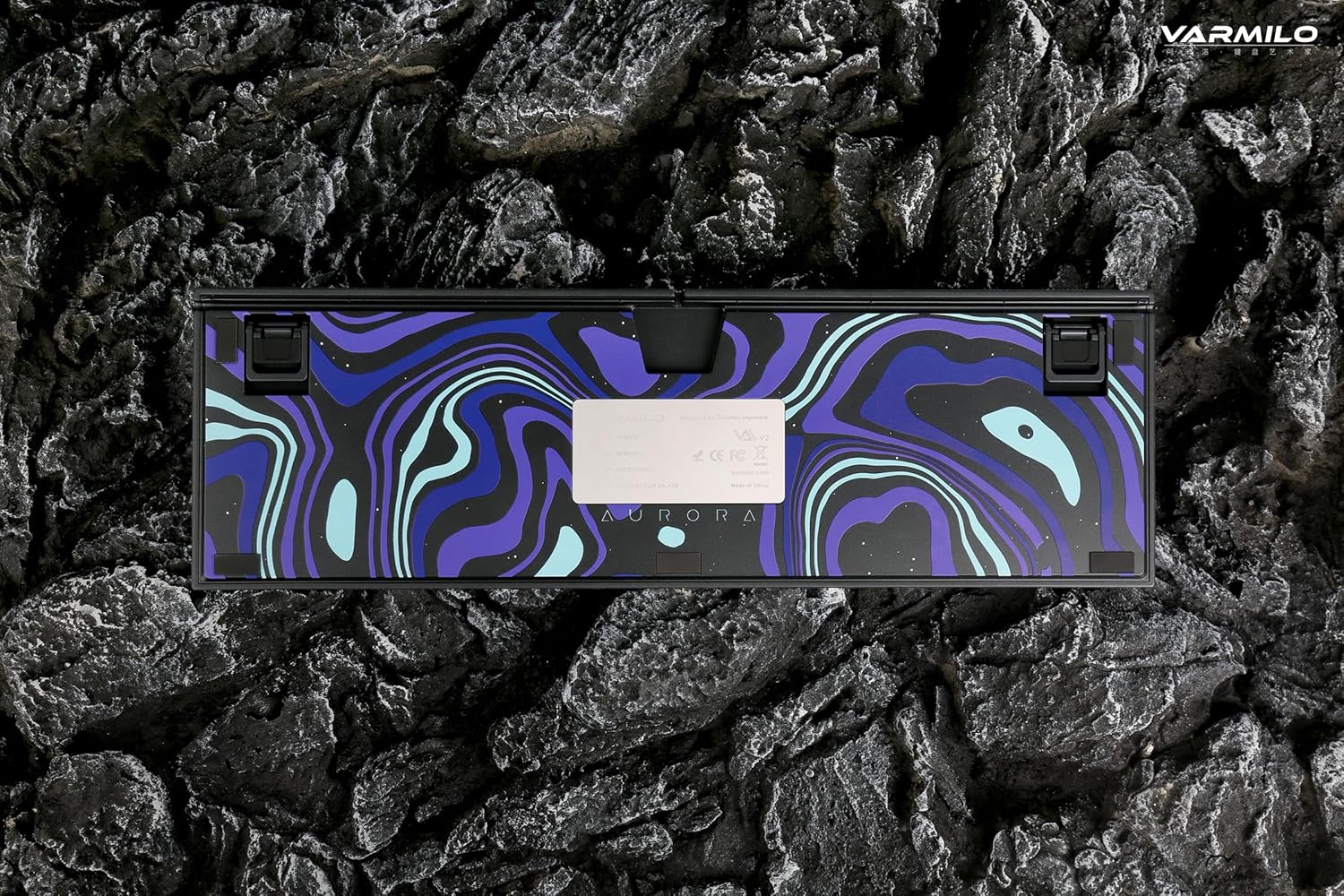
Image: The bottom of the keyboard, illustrating the cable grooves that allow the USB-C cable to exit from the left, right, or middle.
3.2 קאַנעקשאַן מעטהאָדס
3.2.1 דראָטיקע פֿאַרבינדונג (USB-C)
- געפינט דעם USB-C פּאָרט אויף דער הינטערשטער זייט פון דער קלאַוויאַטור.
- Connect the provided USB-C cable to the keyboard and the other end to an available USB port on your computer or device.
- The keyboard will be automatically recognized by your operating system. The indicator light will show charging status if the battery is low.
3.2.2 בלועטוט וויירלעס פֿאַרבינדונג
The Varmilo VA Series V2 Aurora keyboard supports connecting up to 3 devices wirelessly via Bluetooth.
- איבערגיין צו בלועטוט מאָדע: Locate the mode switch on the keyboard (usually on the back or side) and set it to Bluetooth mode.
- אַרייַן די פּערינג מאָדע: דריקן און האַלטן Fn + ינסערט (פֿאַר בלוטוט מיטל 1), Fn + היים (פֿאַר בלועטוט דעווייס 2), אָדער Fn + בלאַט אַרויף (for Bluetooth device 3) for 3-5 seconds until the indicator light flashes rapidly, indicating pairing mode.
- אַקטיווירן בלועטוט אויף דיין מיטל: On your computer, smartphone, or tablet, go to Bluetooth settings and turn on Bluetooth.
- אויסקלייבן קלאַוויאַטור: Look for "Varmilo VA2" or a similar name in the list of available devices and select it to pair.
- באַשטעטיקן פּערינג: Once paired, the indicator light on the keyboard will stop flashing and remain solid for a few seconds, then turn off or show battery status.
- Pair Additional Devices: Repeat steps 2-5 using a different Fn key combination (Fn + Home or Fn + Page Up) to pair up to two more devices.
4. אַפּערייטינג ינסטרוקטיאָנס
4.1 וועקסלען צווישן דעוויסעס
- To switch to Bluetooth device 1: Press Fn + ינסערט.
- To switch to Bluetooth device 2: Press Fn + היים.
- To switch to Bluetooth device 3: Press Fn + בלאַט אַרויף.
- To switch to Wired mode: Set the mode switch on the keyboard to Wired mode.
4.2 LED באַקלייט קאָנטראָל
The keyboard features a White LED backlight. Use the following key combinations to control the backlight:
- Fn + < (Left Arrow): פֿאַרקלענערן די ברייטקייט פֿון דער באַקלייט.
- Fn + > (Right Arrow): פֿאַרגרעסערן די ברייטקייט פֿון דער באַקלייט.
- Fn + אַרויף פײַל: Change backlight mode/effect.
- Fn + אַראָפּ פײַל: Change backlight mode/effect (reverse direction).
- Fn + Z: דרייען די באַקלייט אויף/אויס
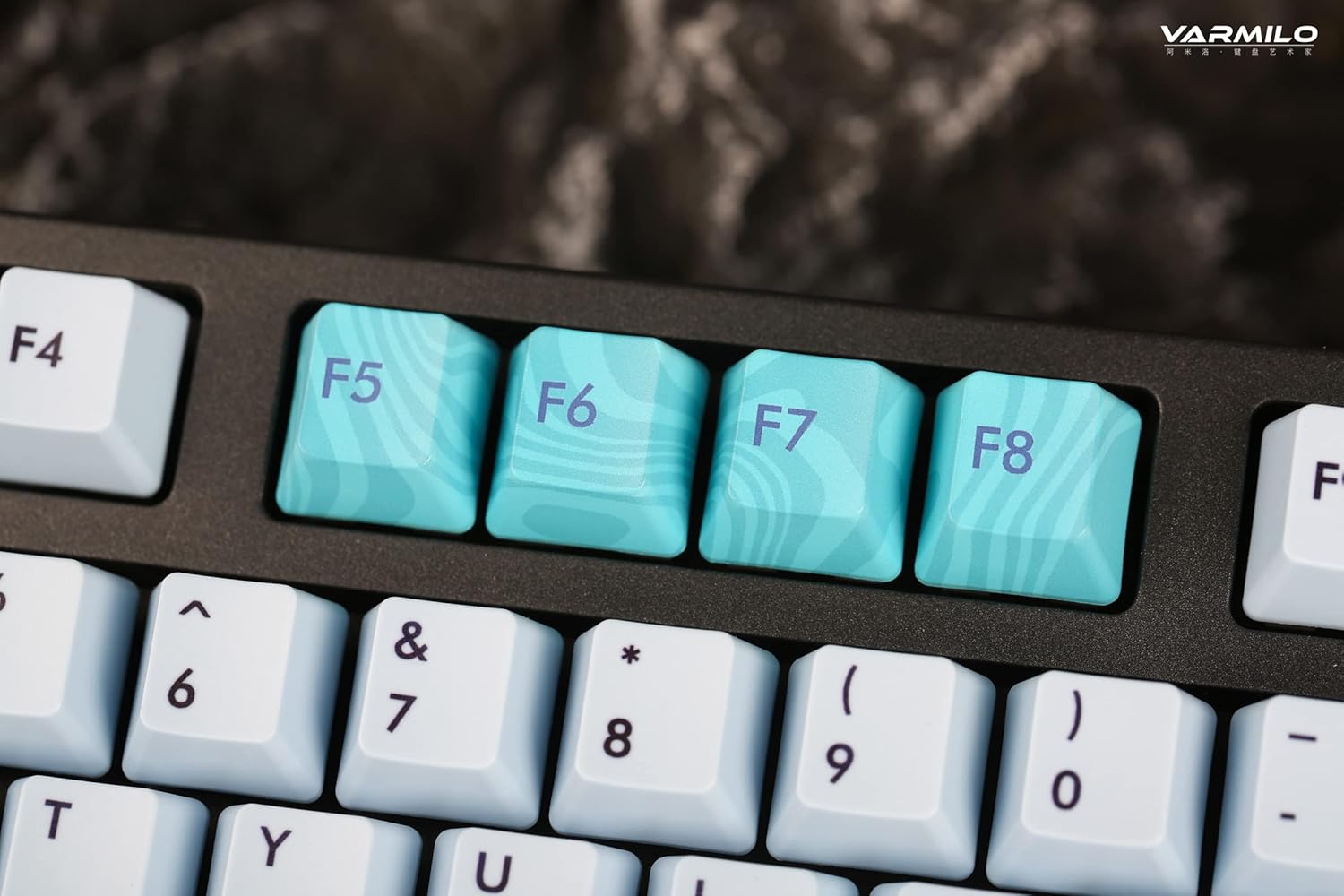
Image: Close-up of the arrow keys, which are used in combination with the Fn key to control backlight brightness and modes.
4.3 פונקציע קנעפּלעך און מולטימעדיאַ קאָנטראָלס
The keyboard features a full-size (104 + 4) layout with dedicated function keys and multimedia controls accessible via the Fn שליסל.
- Fn + F1-F12: Access various system functions (e.g., media playback, volume control, screen brightness). Refer to your operating system's settings for specific mappings or common keyboard shortcuts.
- Fn + ווינדאָוס קנעפּל: פארשליסן/אנשליסן די ווינדאָוס קנעפּל צו פארמיידן אַקסאַדענטאַלע דריקונגען בעת גיימינג.
- Fn + רעכטע קאָנטראָל: Switch between Mac/Windows layout (if applicable, check specific model features).

בילד: א נאָענטע בילד view of the F5-F8 keys, showcasing their unique design and potential secondary functions.
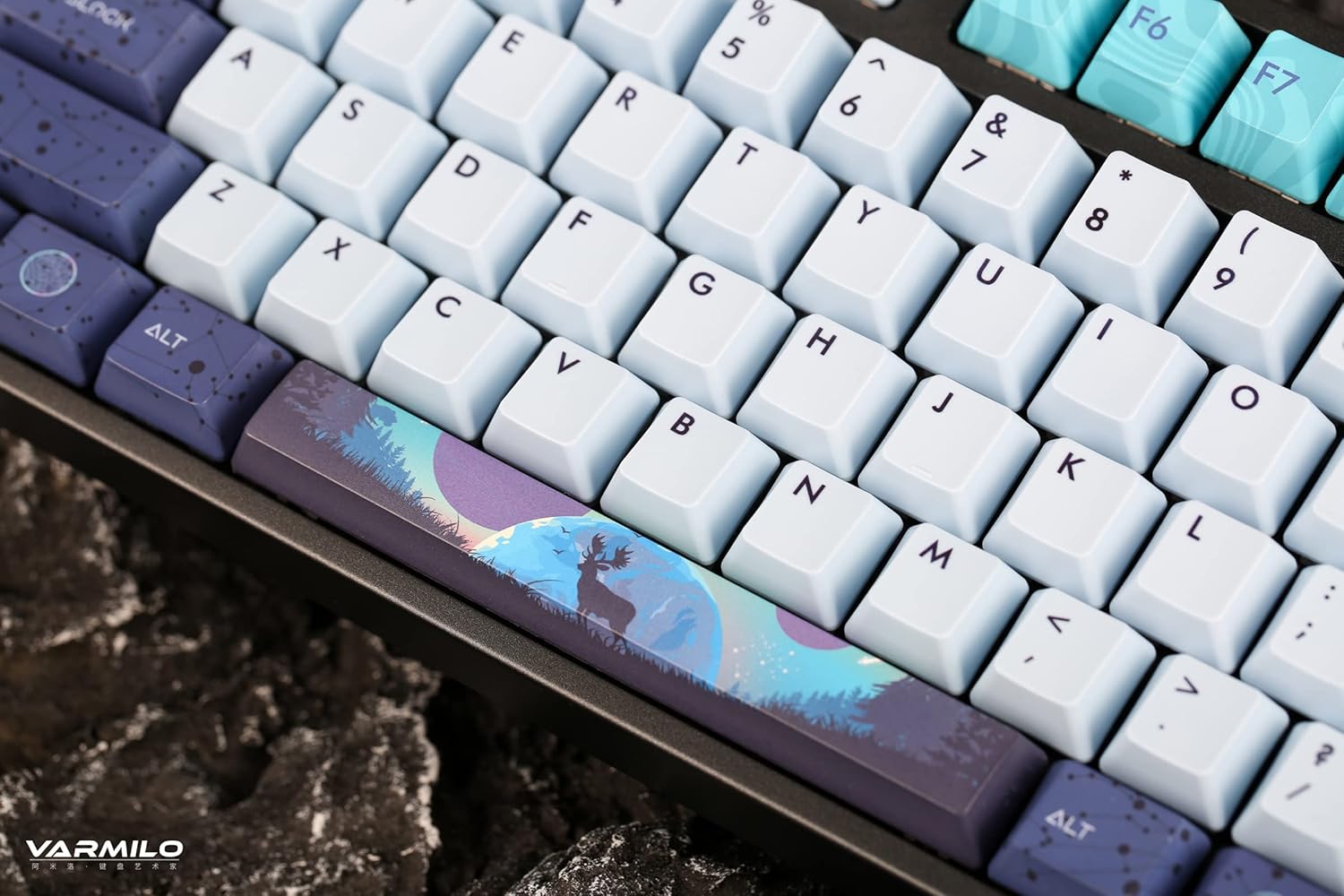
בילד: א דעטאַלירטע view of the keyboard's keycaps, including a custom-designed spacebar, highlighting the thick Dye Sub PBT keycaps.
5. וישאַלט
Proper maintenance ensures the longevity and performance of your Varmilo keyboard.
- רייניקונג: Use a soft brush or compressed air to remove dust and debris from between the keycaps. For stubborn dirt, gently wipe the keycaps with a damp cloth and mild soap solution, ensuring no liquid enters the keyboard.
- קלאַוויאַטור אַראָפּנעמען: If you need to clean under the keycaps or replace them, use a keycap puller. Gently pull the keycap straight up to avoid damaging the switch. The keyboard features durable Dye Sub PBT keycaps.
- סטאָרידזש: ווען נישט אין באַנוץ פֿאַר לענגערע פּעריאָדן, זאָל מען האַלטן די קלאַוויאַטור אין אַ טרוקענער, שטויב-פֿרײַער סביבה.
- ויסמיידן ליקווידס: Do not expose the keyboard to liquids. Spills can cause permanent damage.
6. טראָובלעשאָאָטינג
| פּראָבלעם | מעגלעך סיבה | לייזונג |
|---|---|---|
| קלאַוויאַטור רעאַגירט נישט (ווייערד) | Loose USB-C cable connection; faulty USB port; incorrect mode. |
|
| קלאַוויאַטור רעאַגירט נישט (בלוטעט) | Not paired; out of range; low battery; incorrect Bluetooth channel selected. |
|
| באַקלייט נישט ארבעטן | Backlight turned off; brightness set to minimum; low battery. |
|
| שליסלען רעגיסטרירן זיך נישט אדער טייפן זיך צוויי מאל | Dust/debris under keycap; switch malfunction; software issue. |
|
7. ספּעסאַפאַקיישאַנז
| שטריך | דעטאַל |
|---|---|
| סאָרט | וואַרמילאָ |
| מאָדעל | VA Series V2 Aurora |
| קלאַוויאַטור טיפּ | מעטשאַניקאַל |
| באַשטימען טיפּ | Kailh Prestige Red |
| קאַנעקטיוויטי | USB-C (Wired), Bluetooth (Wireless) |
| ווירעלעסס דעוויסעס | Connects up to 3 devices wirelessly |
| קייקאַפּס | Thick Dye Sub PBT |
| באַקלייט | White LED, North-facing |
| אויסלייג | Full-size (104 + 4 keys) |
| קאַמפּאַטאַבאַל דעוויסעס | לאַפּטאָפּ, פּיסי, סמאַרטפאָון, טאַבלעט |
| ספּעציעלע פֿעיִקייטן | צוויי-סtage height adjustable feet, Sound-proof silicone pads, Cable grooves |
| מאַטעריאַל | Silicone (internal sound dampאיינינג) |
8. וואָראַנטי און שטיצן
Varmilo products are designed for quality and durability. For warranty information, technical support, or service inquiries, please refer to the official Varmilo webפּלאַץ אָדער קאָנטאַקט דיין זיצער.
You can visit the official Varmilo Store for more information: Varmilo Store on Amazon.


