הקדמה
This manual provides essential information for the safe and efficient operation of your Telefunken 40-Inch Full HD LED TV. Please read these instructions thoroughly before using the television and retain them for future reference.
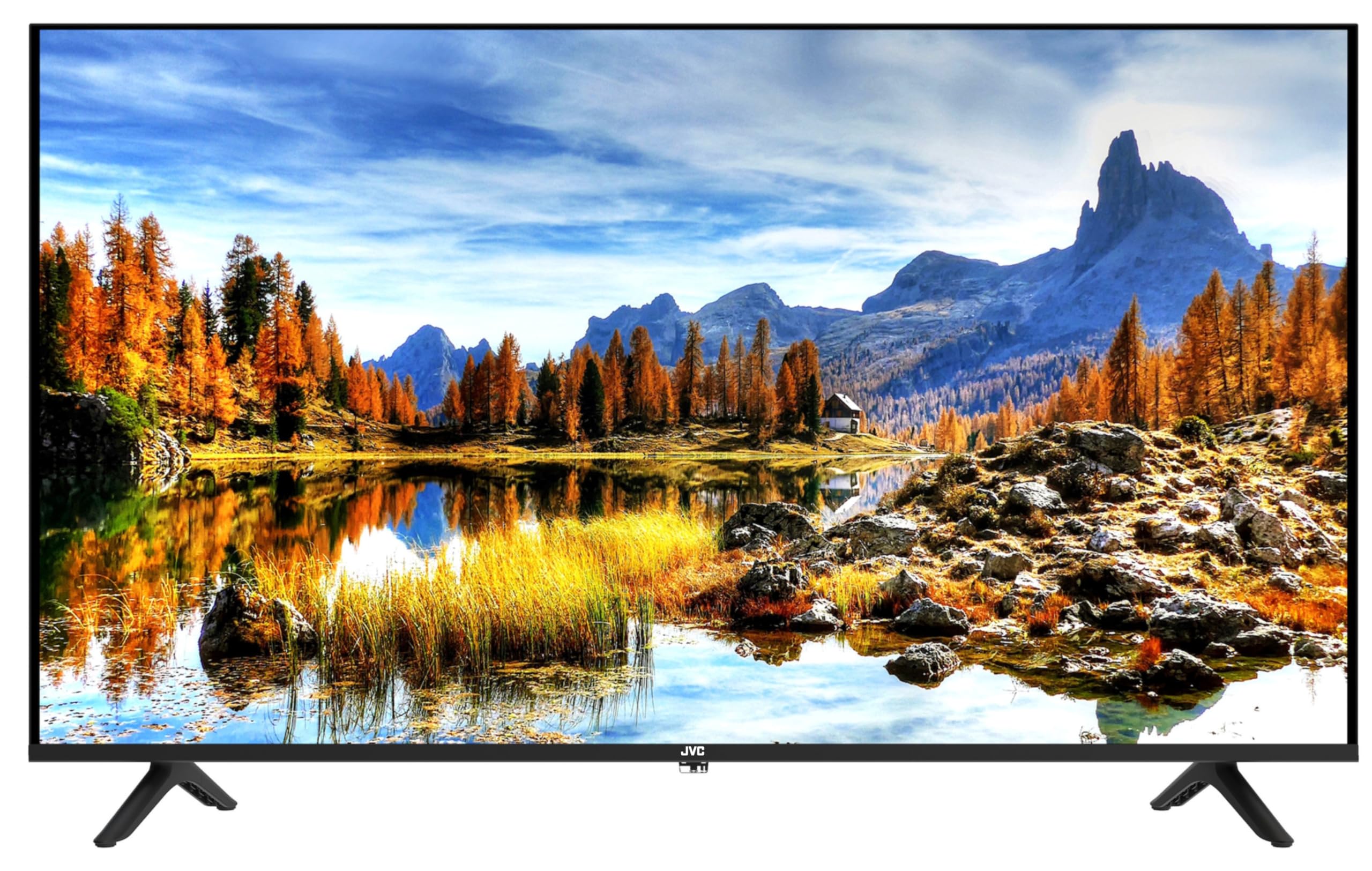
פראָנט view of the Telefunken 40-Inch Full HD LED TV. This image displays the screen and the stand attached to the bottom of the television.
סעטאַפּ
1. ונפּאַקקינג
Carefully remove the TV from its packaging. Ensure all accessories are present: remote control, batteries, power cord, and stand components. Inspect the TV for any damage incurred during transit.
2. אנשטעלן דעם שטאנד
- לייגט דעם טעלעוויזיע מיטן עקראַן אַראָפּ אויף אַ ווייכער, גלאַטער ייבערפלאַך צו פאַרמייַדן קראַצן.
- גלייכט אויס די שטאַנד קאָמפּאָנענטן מיט די מאַונטינג לעכער אויף דער אונטערשטער טייל פון דער טעלעוויזיע.
- באַפעסטיקט דעם שטאַנד מיט די צוגעשטעלטע שרויפן. נישט צו שטאַרק אָנציִען.
3. קאַנעקטינג דעוויסעס
Your TV offers various connectivity options. Refer to the image below for port locations.

זייַט view of the Telefunken 40-Inch TV, illustrating the location of the USB ports, HDMI ports, and headphone jack.
- HDMI פּאָרטן (x2): Connect high-definition devices such as Blu-ray players, gaming consoles, or streaming devices.
- USB פּאָרטן (x2): Connect USB storage devices for media playback or PVR functionality.
- VGA קאַנעקטער: פֿאַרבינדט אַ קאָמפּיוטער צו נוצן ווי אַ מאָניטאָר.
- כעדפאָון פּאָרט: פאַרבינדן כעדפאָונז פֿאַר פּריוואַט צוגעהערט.
- אַנטענע/קאַבל אַרייַנגאַנג: Connect an antenna or cable TV source for receiving broadcast channels.

צוריק view of the Telefunken 40-Inch TV, highlighting the VESA mounting points for wall installation.
4. מאַכט אויף
After connecting all necessary cables, plug the power cord into a wall outlet. Press the power button on the TV or the remote control to turn on the television.
אַפּערייטינג
1. ערשט סעטאַפּ וויזערד
Upon first power-on, the TV will guide you through an initial setup process. This typically includes language selection, country/region, and channel scanning.
2. רימאָוט קאָנטראָל פאַנגקשאַנז
מאַכט זיך באַקאַנט מיטן ווײַטקאָנטראָל. די הויפּט פֿונקציעס זענען:
- מאַכט: טורנס די טעלעוויזיע אויף אָדער אַוועק.
- אַרייַנשרייַב / מקור: Selects the input source (HDMI 1, HDMI 2, VGA, TV).
- קאַנאַל אַרויף / אַראָפּ: טוישט טעלעוויזיע קאַנאַלן.
- באַנד אַרויף / אַראָפּ: אַדדזשוסץ די געזונט מדרגה.
- מעניו: גייט אריין אין הויפּט סעטטינגס מעניו.
- נאַוויגאַציע קנעפּלעך (אַרויף/אַראָפּ/לינקס/רעכטס) און OK: נאַוויגירן דורך מעניוז און באַשטעטיקן סעלעקשאַנז.
- ארויסגאַנג/צוריק: גייט צוריק צום פריערדיקן מעניו אדער גייט ארויס פונעם איצטיקן מעניו.
3. קאַנאַל סקאַנינג
To receive broadcast channels, perform an auto-scan:
- דרוק די מעניו קנעפּל אויף דיין ווייַט.
- נאַוויגירן צו די קאַנאַל or סעטאַפּ מעניו.
- אויסקלייַבן אַוטאָ סקאַן or Auto Tuning and confirm. The TV will search for available digital channels.
4. אַרייַנשרייַב מקור סעלעקציע
To switch between connected devices (e.g., a gaming console on HDMI 1, a streaming device on HDMI 2):
- דרוק די אַרייַנשרייַב or מקור קנעפּל אויף דיין ווייַט.
- Use the navigation buttons to select the desired input (e.g., HDMI 1, HDMI 2, VGA).
- דרוק OK צו באַשטעטיקן.
5. PVR (Personal Video Recorder) Function
The TV's PVR feature allows you to record live TV shows to a connected USB drive.
- Connect a USB storage device (formatted to FAT32) to one of the TV's USB ports.
- שטעלט זיך איין צום געוואונטשענעם קאַנאַל.
- דרוק די רעקאָרד button on your remote (if available) or access the PVR function through the menu.
- Follow on-screen prompts to schedule or start recording.
וישאַלט
1. רייניקן דעם עקראַן
To clean the screen, first turn off the TV and unplug the power cord. Use a soft, lint-free cloth, slightly dampened with water or a specialized screen cleaner. Do not spray liquid directly onto the screen.
2. רייניקן דעם טעלעוויזיע קערפער
Wipe the TV's exterior with a soft, dry cloth. Avoid using abrasive cleaners, waxes, or solvents as they can damage the finish.
3. ווענטילאַטיאָן
זיכערט זיך אז עס איז דא גענוג ווענטילאציע ארום דעם טעלעוויזאר. בלאקירט נישט די ווענטילאציע עפענונגען. האלט א מינימום דיסטאנץ פון ווענט און אנדערע אביעקטן כדי צו ערלויבן געהעריגע לופט שטראם.
טראָובלעשאָאָטינג
איידער איר קאָנטאַקטירט שטיצע, פּרוּווט די פֿאָלגנדיקע לייזונגען פֿאַר געוויינטלעכע פּראָבלעמען:
| פּראָבלעם | מעגלעך לייזונג |
|---|---|
| קיין מאַכט | Check if the power cord is securely plugged into both the TV and the wall outlet. Ensure the wall outlet is functional. |
| קיין בילד נישט, אבער סאונד איז דא | באַשטעטיקן אַז די ריכטיקע אַרייַנגאַנג מקור איז אויסגעקליבן. קאָנטראָלירט קאַבל קאַנעקשאַנז צו פונדרויסנדיק דעוויסעס. |
| קיין קלאַנג, אָבער בילד איז דאָ | קאָנטראָלירט דעם וואָלומען לעוועל און זיכערט זיך אַז דער טעלעוויזאָר איז נישט שטיל. קאָנטראָלירט די קאַנעקשאַנז פון די אַודיאָ קאַבל פֿאַר עקסטערנע דעוויסעס. |
| ווייַט קאָנטראָל איז נישט ארבעטן | טוישט די באַטעריעס. מאַכט זיכער אַז עס זענען נישטאָ קיין שטערונגען צווישן דעם ווײַטקאָנטראָל און דעם טעלעוויזיע'ס IR סענסאָר. |
| נעבעך בילד קוואַליטי | Check antenna or cable connections. Adjust picture settings (brightness, contrast, sharpness) in the TV menu. |
ספּעסאַפאַקיישאַנז
| שטריך | דעטאַל |
|---|---|
| מאָדעל נומער | TLEDD-40FHD/F |
| פאַרשטעלן גרייס | 40 אינטשעס |
| ווייַז טעכנאָלאָגיע | געפירט |
| האַכלאָטע | 1920x1080 (פול HD) |
| דערפרישן קורס | 60 הז |
| ברייטנאַס | 300 קד / מ 2 |
| אַספּעקט פאַרהעלטעניש | 16:9 |
| קאַנעקטיוויטי | 2 x HDMI, 2 x USB, 1 x VGA, Headphone Port |
| פּראָדוקט דימענשאַנז (ד רענטגענ וו רענטגענ ה) | 96 ד רענטגענ 12.3 וו רענטגענ 59 ה סענטימעטער |
| קאָליר | שוואַרץ |
וואָראַנטי & שטיצן
פאַבריקאַנט'ס וואָראַנטי
This Telefunken TV comes with a 1-יאָר פאַבריקאַנט ס וואָראַנטיביטע באַהאַלטן אייער קויפן-באַווייַז פֿאַר וואָראַנטי-קליימז. די וואָראַנטי דעקט חסרונות אין מאַטעריאַלן און אַרבעט אונטער נאָרמאַל נוצן.
קונה שטיצן
For technical assistance, troubleshooting beyond this manual, or warranty inquiries, please refer to the contact information provided with your purchase documentation or visit the official Telefunken website for support details specific to your region.


