הקדמה
This manual provides essential information for setting up, operating, and maintaining your HP Essential 17t Laptop TPN-I139. Please read these instructions carefully to ensure proper use and to maximize the lifespan of your device.
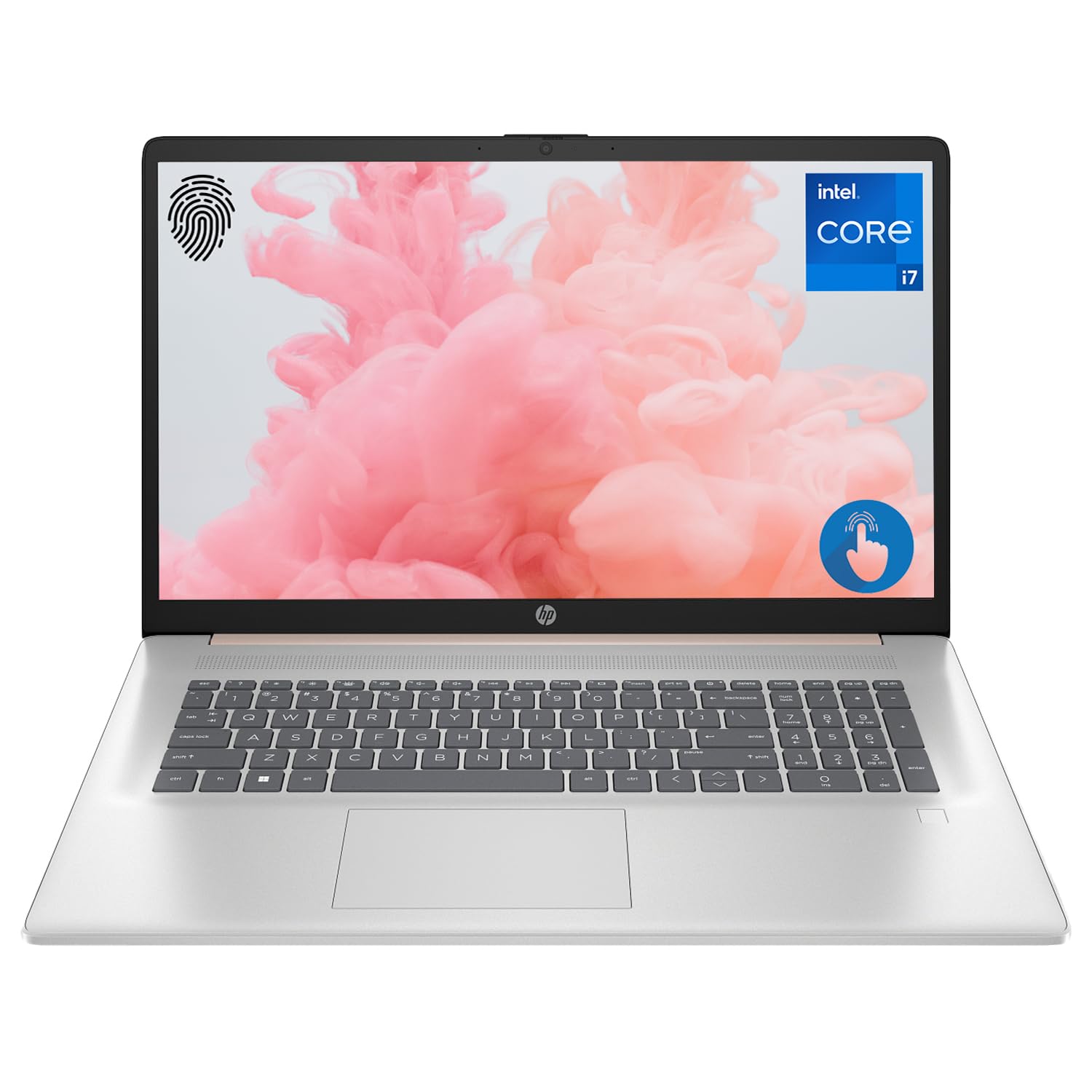
Figure 1: HP Essential 17t Laptop
The HP Essential 17t Laptop is designed for productivity and everyday use, featuring a 17.3-inch HD+ touchscreen, an Intel Core i7-1355U processor, 64GB of RAM, and a 2TB SSD. It comes pre-installed with Windows 11 Home.
געטינג סטאַרטעד
1. וואָס איז אין דער קעסטל
- HP Essential Touchscreen Laptop
- אַק מאַכט אַדאַפּטער
- שנעלע אָנהייב גייד (אויב אַרייַנגערעכנט)
2. ערשטע איינשאַלטונג און סעטאַפּ
- Connect the AC power adapter to the laptop and a power outlet.
- עפֿנט דעם דעקל פֿונעם לאַפּטאָפּ און דריק דעם "Power" קנעפּל, וואָס געפֿינט זיך געוויינטלעך אויף דער קלאַוויאַטור.
- Follow the on-screen instructions to complete the Windows 11 Home setup. This includes selecting your region, connecting to a Wi-Fi network, creating a user account, and accepting the license agreement.

Figure 2: Windows 11 Home Interface
ייַזנוואַרג איבערview
פּאָרץ און קאַנעקטערז
Familiarize yourself with the various ports on your laptop for connecting external devices.

Figure 3: Laptop Ports and Connectors
- סופּערספּיד יו-עס-בי טיפּ-א (5 גיגאבייט פּער סעקונדע): פֿאַר פֿאַרבינדן USB דעוויסעס ווי מײַז, קלאַוויאַטורן אָדער עקסטערנע דרייווז.
- HDMI 1.4b: פֿאַר פֿאַרבינדן צו עקסטערנע דיספּלייז אָדער פּראָיעקטאָרן.
- סופּערספּיד יו-עס-בי טיפּ-C (5 גיגאבייט פּער סעקונדע): A versatile port for data transfer and connecting compatible devices.
- Headphone/Microphone Combo Jack (3.5mm): פֿאַר פֿאַרבינדן כעדפֿאָונז, עקסטערנע רעדנערס, צי אַ כעדסעט מיט אַ מיקראָפֿאָן.
קלאַוויאַטור און טאָוטשפּאַד
The laptop features a full-size backlit keyboard for comfortable typing in various lighting conditions and a responsive touchpad for navigation.
ווייַז
Your HP Essential 17t Laptop is equipped with a 17.3-inch HD+ (1600 x 900) touchscreen display, offering intuitive interaction with Windows 11.

Figure 4: 17.3" HD+ Touchscreen Display
אפערירן דיין לאַפּטאָפּ
מאַכט מאַנאַגעמענט
- מאַכט אויף / אַוועק: Press the power button to turn the laptop on. To shut down, click the Start button, then Power > Shut down.
- שלאָפן מאָדע: Close the lid or click the Start button, then Power > Sleep to put the laptop into a low-power state.
- באַטערי זאָרגן: The laptop supports battery fast charge, reaching approximately 50% charge in 45 minutes. For optimal battery health, avoid consistently draining the battery to 0% or keeping it at 100% for extended periods.
ניצן די טאָוטשסקרעען
Interact with your laptop directly on the screen using touch gestures. Common gestures include tapping to select, pinching to zoom, and swiping to scroll.
ניצן די פינגערפּרינט רידער
The integrated fingerprint reader allows for secure and quick login. Set up your fingerprints through Windows Hello in the Windows Settings app (Accounts > Sign-in options).
קאַנעקטינג צו Wi-Fi
To connect to a wireless network, click the Wi-Fi icon in the taskbar, select your desired network, and enter the password if prompted. The laptop supports Wi-Fi 6 for fast and reliable wireless connectivity.
פּראָדוקטיוויטי פֿעיִקייטן
This laptop integrates Copilot + AI capabilities to enhance productivity. These features can assist with scheduling, drafting emails, summarizing documents, and more, streamlining your workflow.

Figure 5: Copilot + AI for Enhanced Productivity
וישאַלט און זאָרג
רייניקן דיין לאַפּטאָפּ
- ניצן אַ ווייך, לינט-פֿרייַ שטאָף אַ ביסל דampאָפּגעוואַשן מיט וואַסער אָדער אַ עקראַן רייניגער צו רייניקן דעם עקראַן.
- פֿאַר דער קלאַוויאַטור און שאַסי, ניצט אַ ווייכע, טרוקענע שטאָף. פֿאַרמייַדט שטרענגע כעמיקאַלן אָדער אַברייסיוו מאַטעריאַלן.
- זייט זיכער אז דער לאַפּטאַפּ איז אויסגעלאָשן און נישט אַרויסגעטראָגן פון דער פּלאַטע איידער איר רייניקט עס.
ווייכווארג דערהייַנטיקונגען
קאָנטראָלירט און אינסטאַלירט רעגולער ווינדאָוס דערהייַנטיקונגען צו זיכער מאַכן אַז אייער סיסטעם האט די לעצטע זיכערהייט פּאַטשאַז און פאָרשטעלונג פֿאַרבעסערונגען. גייט צו סעטטינגס > ווינדאָוס דערהייַנטיקונג.
טראָובלעשאָאָטינג
If you encounter issues with your laptop, try the following basic troubleshooting steps:
- קיין מאַכט: זיכער מאַכן אַז דער AC אַדאַפּטער איז זיכער פארבונדן צו ביידע דעם לאַפּטאַפּ און אַ אַרבעטנדיקער עלעקטרישער אַוטלעט. פּרוּווט אַן אַנדער אַוטלעט.
- ווייַז ישוז: If the screen is blank, try connecting an external monitor to check if the issue is with the laptop's display.
- Wi-Fi קאַנעקטיוויטי: Restart your router and modem. Ensure Wi-Fi is enabled on your laptop.
- פּאַמעלעך פאָרשטעלונג: Close unnecessary applications. Check for available Windows updates.
For more complex issues, refer to the HP support webזייטל אדער קאנטאקט HP קאסטומער סערוויס.
ספּעסאַפאַקיישאַנז
Below are the key technical specifications for the HP Essential 17t Laptop TPN-I139:

פיגור 6: אינטעל קאָר i7-1355U פּראַסעסאָר
| שטריך | באַשרייַבונג |
|---|---|
| מאָדעל נאָמען | TPN-I139 |
| פּראַסעסער | 13th Gen Intel Core i7-1355U (10 Cores, 12 Threads, up to 5.0 GHz) |
| באַראַן | 64 גיגאבייט DDR4 SDRAM (3200 MHz) |
| סטאָרידזש | 2 טב פּי-סי-עי NVMe M.2 SSD |
| ווייַז | 17.3" HD+ (1600 x 900) Touchscreen, BrightView, 250 nits |
| גראַפיקס | Intel Iris Xe גראַפיקס |
| אָפּערייטינג סיסטעם | Windows 11 היים |
| ווירעלעסס קאַנעקטיוויטי | Wi-Fi 6 (802.11 אַקס) |
| פּאָרץ | 1x SuperSpeed USB Type-C (5Gbps), 2x SuperSpeed USB Type-A (5Gbps), 1x HDMI 1.4b, 1x Headphone/Microphone Combo |
| ספּעציעלע פֿעיִקייטן | באַקלייט קלאַוויאַטור, פינגערפּרינט לייענער |
| דימענשאַנז (LxWxH) | 15.78 X 10.15 X 0.78 אינטשעס |
| וואָג | 5.25 פונט |

Figure 7: Intel Iris Xe Graphics
וואָראַנטי און שטיצן
Your HP Essential 17t Laptop comes with a standard manufacturer's warranty. For detailed warranty terms and conditions, please refer to the documentation included with your product or visit the official HP support website. For technical assistance, driver downloads, or service requests, please contact HP customer support directly.
פּראָדוקט איבערview ווידעא
קוקט דעם ווידעא פאר א וויזועלע איבערבליקview of the HP Essential 17t Laptop's features and capabilities.
Video 1: HP Essential 17 Touchscreen 13th Gen i7 Laptop Overview by PCOnline US. This video highlights key features and design aspects of the laptop.