1. הקדמה
Thank you for choosing the SETTY Wireless Rechargeable Mouse. This manual provides essential information for setting up, operating, and maintaining your new mouse. Please read these instructions carefully before use to ensure optimal performance and longevity of your device.
2. פּעקל אינהאַלט
- 1 x SETTY Wireless Rechargeable Mouse
- 1 x 2.4 GHz USB Receiver
- 1 x USB Charging Cable (25 cm)

Image 1: SETTY Wireless Rechargeable Mouse and its retail packaging.
3. פּראָדוקט איבערview
The SETTY Wireless Rechargeable Mouse is designed for comfort and efficiency in both office and home environments. It features a slim, ergonomic design, adjustable DPI settings, RGB lighting, and dual-mode connectivity (2.4 GHz and Bluetooth).
שליסל פֿעיִקייטן:
- צוויי-מאָד קאַנעקטיוויטי: Supports 2.4 GHz wireless via USB receiver and Bluetooth 5.1.
- אַדזשאַסטאַבאַל דפּי: Three sensitivity levels (800, 1200, 1600 DPI) for precise control.
- ערגאָנאָמיק פּלאַן: באַקוועם פֿאַר פֿאַרלענגערט נוצן.
- קריקאָנלאָדלעך באַטערי: Built-in 500 mAh lithium battery.
- RGB לייטינג: Dynamic LED lighting for enhanced aesthetics.
- 6 קנעפּלעך: Including left, right, scroll wheel, DPI switch, and two side buttons.
- One-Click Desktop Function: Quickly minimize all windows.
- שטיל קליק דיזיין: רעדוצירט אָפּעראַציאָנעל ראַש.

Image 2: The ergonomic shape of the mouse designed for comfortable hand placement.
4. סעטאַפּ
4.1. אויפלאָדן די מויז
Before first use, it is recommended to fully charge the mouse. Connect the provided USB charging cable to the charging port on the front of the mouse and the other end to a USB power source (e.g., computer USB port, USB wall adapter). The RGB lighting will indicate charging status and turn off when fully charged.
- טשאַרדזשינג צייט: בעערעך 2 שעה.
- אַרבעט צייט: אַרויף צו 150 שעה אויף אַ פול אָפּצאָל.

Image 3: The mouse being charged via its USB cable.
4.2. קאַנעקטינג די מאַוס
The SETTY mouse offers two connection methods: 2.4 GHz wireless via USB receiver or Bluetooth 5.1.
4.2.1. 2.4 GHz דראָטלאָזע פֿאַרבינדונג
- געפינט דעם USB ריסיווער, וואס געפינט זיך געווענליך אין א קאמפארטמענט אויף דער אונטערשטער זייט פון דער מויז.
- צאַפּן די וסב ופנעמער אין אַ בנימצא וסב פּאָרט אויף דיין קאָמפּיוטער.
- צינדט אָן די מויז מיטן מאַכט-קנעפּל אויף איר אונטערשטער זײַט.
- די מויז זאָל זיך אויטאָמאַטיש פֿאַרבינדן צו דיין קאָמפּיוטער.
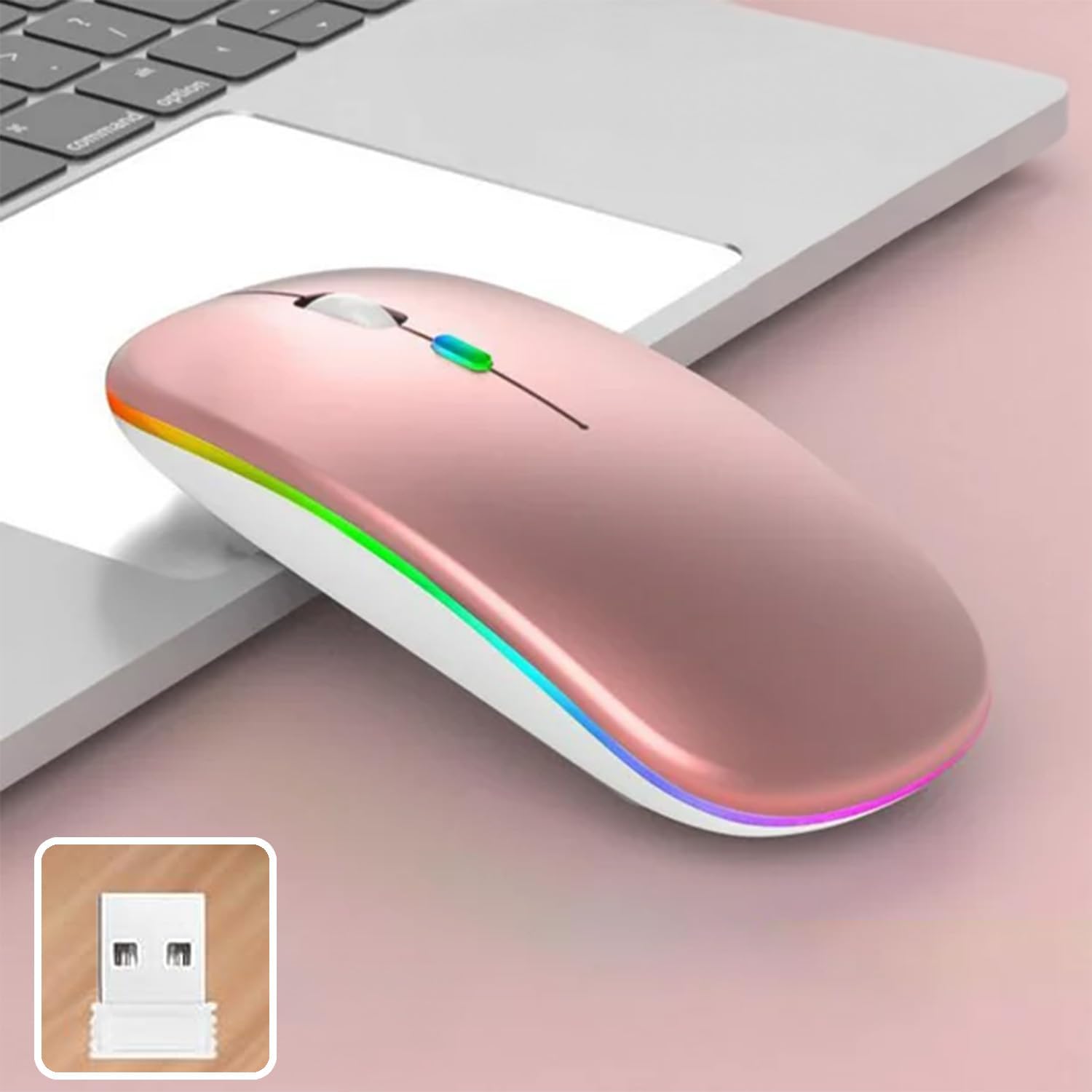
Image 4: The mouse and its 2.4 GHz USB receiver.
4.2.2. בלועטוט 5.1 פֿאַרבינדונג
- קער אויף די מויז ניצן די מאַכט באַשטימען.
- Press and hold the Bluetooth pairing button (often located on the underside or a dedicated button) until the indicator light starts flashing, indicating pairing mode.
- On your device (Windows, Mac OS, Android), go to Bluetooth settings and search for new devices.
- Select "SETTY Mouse" or a similar name from the list of available devices to pair.
- Once paired, the indicator light on the mouse will stop flashing.
4.3. קאַמפּאַטאַבילאַטי
The SETTY Wireless Rechargeable Mouse is compatible with a wide range of operating systems and devices:
- Windows אָפּערייטינג סיסטעמען
- מעק אַס
- אַנדרויד דעוויסעס
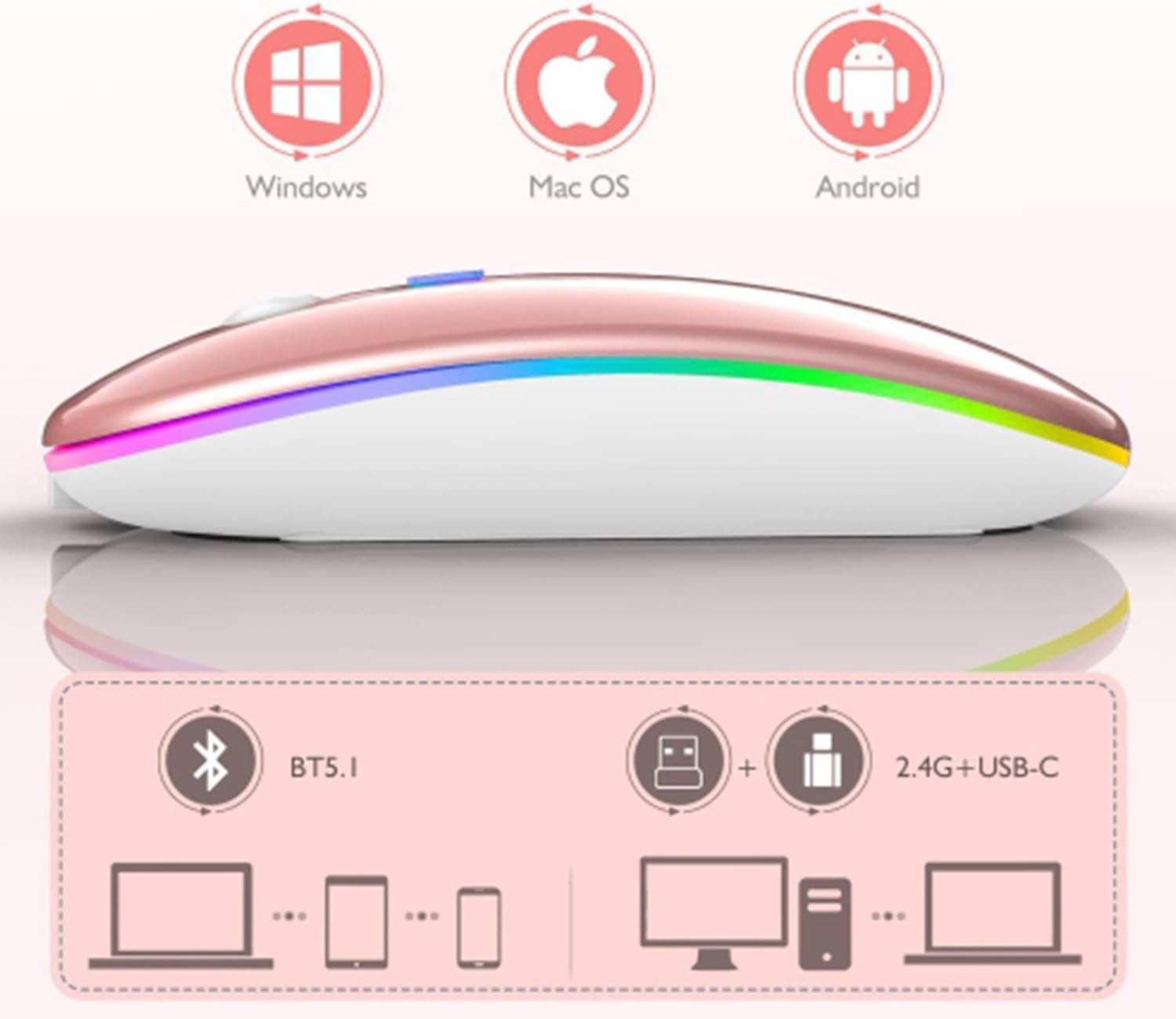
Image 5: Visual representation of the mouse's compatibility with various operating systems and connection types.
5. אַפּערייטינג ינסטרוקטיאָנס
5.1. דפּי אַדזשאַסטמאַנט
The mouse features three adjustable DPI (Dots Per Inch) settings to suit your preference for cursor speed and precision. Press the DPI button (usually located behind the scroll wheel) to cycle through the settings:
- 800 דפּי: Lower sensitivity for precise tasks.
- 1200 דפּי: Standard sensitivity (default setting).
- 1600 דפּי: העכערע סענסיטיוויטי פֿאַר שנעלערע קורסאָר באַוועגונג.
5.2. RGB לייטינג
The mouse is equipped with dynamic RGB LED lighting. The lighting activates when the mouse is in use and enters power-saving modes when idle.
5.3. מאַכט שפּאָרן מאָדעס
To conserve battery life, the mouse implements a three-level power-saving system:
- מדרגה 1 שלאָף: After 3 seconds of inactivity, the mouse enters a light sleep mode, indicated by a continuously flashing light.
- מדרגה 2 שלאָף: After approximately 1 minute of inactivity, the mouse enters a deeper sleep mode, indicated by intermittently flashing lights.
- מדרגה 3 שלאָף: After 8 minutes of inactivity, the mouse enters its deepest sleep mode, and the lights turn off completely. To wake the mouse, simply move it or click any button.
5.4. One-Click Desktop Function
The mouse includes a dedicated button (often a side button) that, when pressed, instantly minimizes all open windows, allowing you to quickly access your desktop.
6. וישאַלט
To ensure the longevity and optimal performance of your SETTY Wireless Rechargeable Mouse, follow these maintenance guidelines:
- רייניקונג: ניצט אַ ווייכע, טרוקענע שטאָף צו ווישן די ייבערפלאַך פון דער מויז. פֿאַר שווערע שמוץ, אַ ביסל ווייכער מאַכןampווישט דעם שטאָף מיט וואַסער אָדער אַ מילדער רייניקונג לייזונג. פֿאַרמייַדט ניצן שטרענגע כעמיקאַלן אָדער אַברייסיוו מאַטעריאַלן.
- סטאָרידזש: ווען נישט אין באַנוץ פֿאַר לענגערע פּעריאָדן, האַלט די מויז אין אַ קיל, טרוקן אָרט.
- באַטערי זאָרגן: Avoid fully discharging the battery frequently. Charge the mouse when the low battery indicator appears.
- ויסמיידן עקסטרעמע טנאָים: שטעלט נישט אויס די מויז צו עקסטרעמע טעמפּעראַטורן, דירעקטע זונשייַן, אדער איבערגעטריבענע פייכטקייט.
7. טראָובלעשאָאָטינג
If you encounter issues with your SETTY Wireless Rechargeable Mouse, please refer to the following common solutions:
- מויז ענטפערט נישט:
- מאַכן זיכער אַז די מויז איז אויסגעדרייט אויף.
- קאָנטראָלירט די באַטאַרייע מדרגה און לאָדנט אויף די מויז אויב נייטיק.
- פֿאַר אַ 2.4 GHz פֿאַרבינדונג, זאָרגט אַז דער USB ריסיווער איז זיכער אַרײַנגעשטעקט אין אַ פֿונקציאָנירנדיקן USB פּאָרט. פּרוּווט אַן אַנדער USB פּאָרט.
- For Bluetooth connection, ensure Bluetooth is enabled on your device and the mouse is properly paired. Try re-pairing the mouse.
- Move the mouse closer to the receiver/device to ensure it's within the 15m wireless range.
- קורסאָר באַוועגונג איז נישט סטאַביל אָדער פּאַמעלעך:
- רייניקט דעם אָפּטישן סענסאָר אויף דער אונטערשטער זײַט פֿון דער מויז.
- Ensure you are using the mouse on a suitable surface (non-reflective, opaque).
- Adjust the DPI setting to a higher value if the cursor is too slow.
- RGB לייטינג ארבעט נישט:
- The lighting may be off due to power-saving mode. Move or click the mouse to wake it up.
- זייט זיכער אז די מויז איז גענוג אויפגעלאָדן.
8. ספּעסאַפאַקיישאַנז
| שטריך | באַשרייַבונג |
|---|---|
| מאָדעל | GSM111404 |
| קאַנעקטיוויטי טעכנאָלאָגיע | 2.4 GHz Wireless, Bluetooth 5.1 |
| ווירעלעסס ראַנגע | אַרויף צו 15 מעטער |
| דפּי סעטטינגס | 800 / 1200 / 1600 DPI (Default: 1200 DPI) |
| נומער פון קנעפּלעך | 6 |
| באַוועגונג דעטעקשאַן טעכנאָלאָגיע | אָפּטיש |
| באַטערי טיפּ | Built-in 500 mAh Lithium-ion Rechargeable Battery |
| טשאַרדזשינג צייט | בעערעך. 2 שעה |
| אַרבעט צייט | בעערעך. 150 שעה |
| רייטאַד וואָלtagE / קראַנט | 3.7 V / 18 מאַ |
| שליסל לעבן | 5 מיליאָן קליקס |
| מאַטעריאַל | ABS + Metal parts |
| פּראָדוקט דימענשאַנז (L x W x H) | 11.3 X 5.7 X 2.5 סענטימעטער |
| טשאַרדזשינג קאַבלע לענג | 25 סענטימעטער |
| קאַמפּאַטאַבאַל אַפּערייטינג סיסטעמס | Windows, Mac OS, Android |
9. וואָראַנטי און שטיצן
For warranty information or technical support, please refer to the documentation provided at the point of purchase or contact SETTY customer service. Keep your proof of purchase for warranty claims.


