הקדמה
This manual provides detailed instructions for the safe and effective use of the KAIWEETS KM201 Smart Digital Multimeter. The KM201 is a compact, auto-ranging multimeter designed for measuring voltage, resistance, and continuity, featuring True RMS for accurate readings and Non-Contact Voltage (NCV) detection for enhanced safety. Please read this manual thoroughly before operation and retain it for future reference.
זיכערקייַט אינפֿאָרמאַציע
Always adhere to local and national safety codes. Use appropriate personal protective equipment (PPE) when working with electrical circuits. Do not use the device if it appears damaged or if the test leads are compromised. Ensure the battery compartment is securely closed before operation.
פּעקל אינהאַלט
באַשטעטיקן אַז אַלע זאכן זענען פאַראַן אין פּעקל:
- 1 x KAIWEETS KM201 Smart Digital Multimeter
- 2 X AAA באַטעריז
- 1 x באַניצער מאַנואַל (דאָס דאָקומענט)
פּראָדוקט איבערview
The KAIWEETS KM201 is designed for ease of use and portability. Below is an illustration of the device and its main components.

פיגורע 1: פראָנט און צוריק view of the KAIWEETS KM201 Multimeter, showing the display, function buttons, and integrated test leads with storage clips.
שליסל פֿעיִקייטן:
- Smart Automatic Mode: Automatically identifies measurement type (voltage, קעגנשטעל, קאַנטיניויישאַן).
- אמת RMS: גיט גענויע לייענונגען פֿאַר ניט-סינוסאָידאַל כוואַליעפאָרמען.
- נאַן-קאָנטאַקט חלקtagE (NCV) דעטעקשאַן: דעטעקץ AC voltagE אָן גשמיות קאָנטאַקט.
- פאַזע סיקוואַנס טעסט: Identifies live and phase wires.
- Backlight & Flashlight: ימפּרוווז וויזאַביליטי אין נידעריק-ליכט טנאָים.
- דאַטן האַלטן: איינפֿרירט די איצטיקע לייענונג אויפן דיספּלעי.
- אַוטאָ מאַכט אַוועק: שפּאָרט באַטאַריע לעבן.
- נידעריק באַטערי ינדיקאַטאָר: וואָרענונגען ווען באַטעריע פאַרבייַט איז דארף.
סעטאַפּ
ייַנמאָנטירונג פון באַטאַרייע
- געפינט דעם דעקל פון דעם באַטעריע אָפּטייל אויף דער צוריקזייט פון דעם מולטימעטער.
- ניצן אַ שרויפנ - ציער צו עפענען די באַטאַרייע אָפּטייל.
- אַרײַנשטעלן צוויי AAA באַטעריעס, און זיכער מאַכן אַז די פּאָלאַריטעט איז ריכטיק (+/-).
- פאַרבייַטן די דעקן פון די באַטאַרייע אָפּטייל און באַוואָרענען עס מיט די שרויף.
Note: The device will display a low battery indicator when batteries need replacement.
אַפּערייטינג ינסטראַקשאַנז
מאַכט אויף / אַוועק
דרוק די מאַכט קנעפּל ( ) to turn the multimeter on or off. The device will automatically power off after a period of inactivity to conserve battery.
Smart Automatic Mode
The KM201 features a smart automatic mode that simplifies measurements. When powered on, the multimeter defaults to this mode, indicated by "Auto" on the display. In this mode, the device automatically detects and measures AC/DC voltagע, קעגנשטעל, און קאנטינעויטעט.
פיגורע 2: The multimeter display indicating "Auto" mode, ready for automatic measurement.
Voltage Test (AC/DC)
In Smart Automatic Mode, connect the test leads to the circuit or component you wish to measure. The multimeter will automatically detect and display the AC or DC voltage.
- Ensure the test leads are securely plugged into the COM and INPUT jacks.
- Touch the red probe to the positive terminal or live wire and the black probe to the negative terminal or neutral/ground wire.
- לייענען דעם חלקtagE ווערט אויף די אַרויסווייַזן.

פיגורע 3: מעאַסורינג דק וואָלtage on a car battery using the KM201 multimeter.
קעגנשטעל און קאָנטינויטי טעסט
In Smart Automatic Mode, the multimeter will automatically switch to resistance or continuity measurement when connected to a non-powered circuit.
- Ensure the circuit is de-energized before connecting the test leads.
- Connect the test leads across the component or circuit path.
- For continuity, if the resistance is less than approximately 50 ohms, the screen will turn green and a beeping sound will indicate continuity.
- For resistance, the display will show the resistance value in ohms (Ω), kilohms (kΩ), or megohms (MΩ).
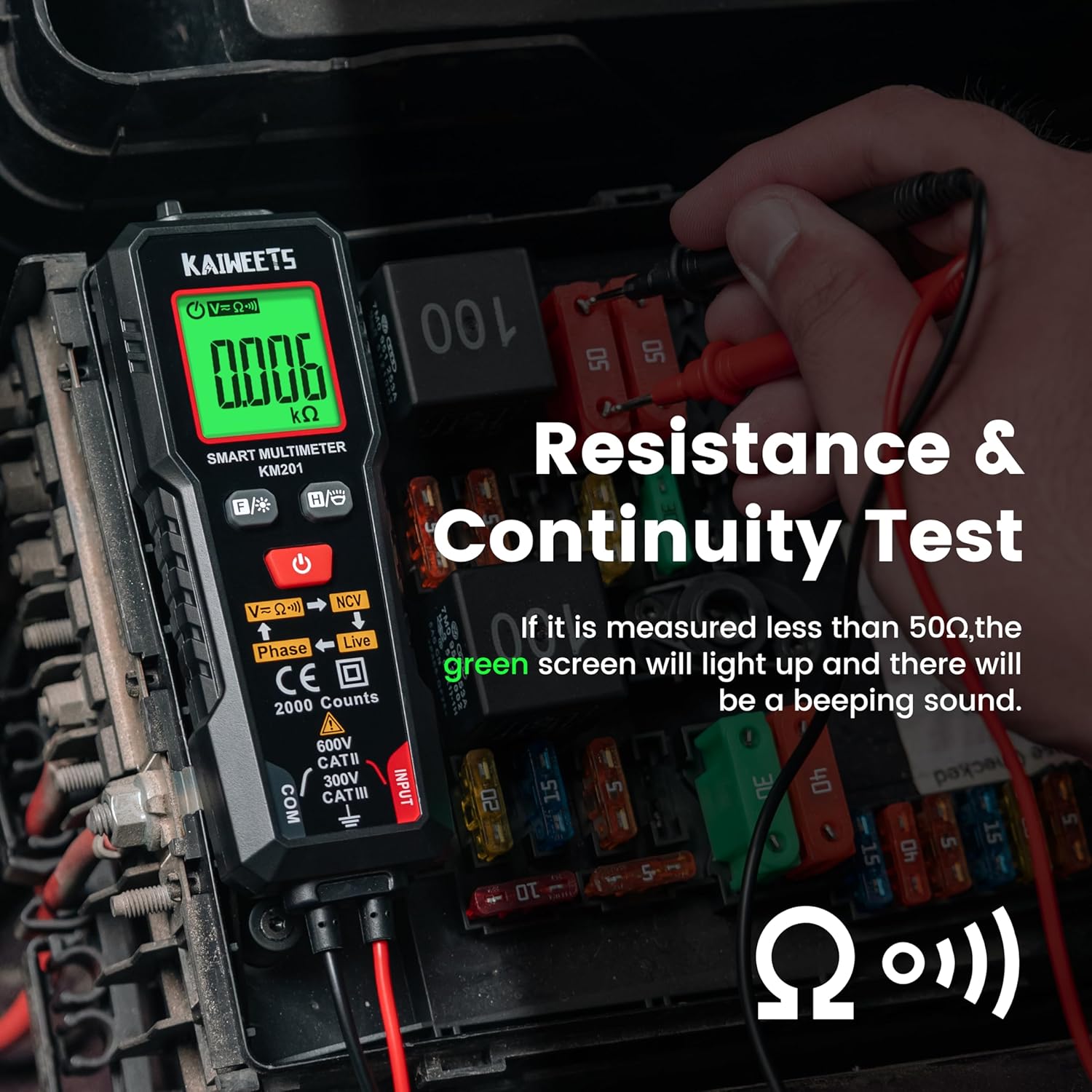
פיגורע 4: Performing a resistance and continuity test on electrical components within a fuse box.
נאַן-קאָנטאַקט חלקtagE (NCV) דעטעקשאַן
די NCV פונקציע ערמעגליכט זיכערע דעטעקציע פון AC וואָלומעןtagע אָן דירעקטן קאָנטאַקט מיט קאָנדוקטאָרן.
- דרוק די NCV קנעפּל (labeled V=K))) NCV) to activate NCV mode.
- Move the top tip of the multimeter close to the wire or outlet.
- אויב AC voltage is detected, the screen will display red, show "-H", and emit a rapid beeping sound, indicating the presence of live voltage.
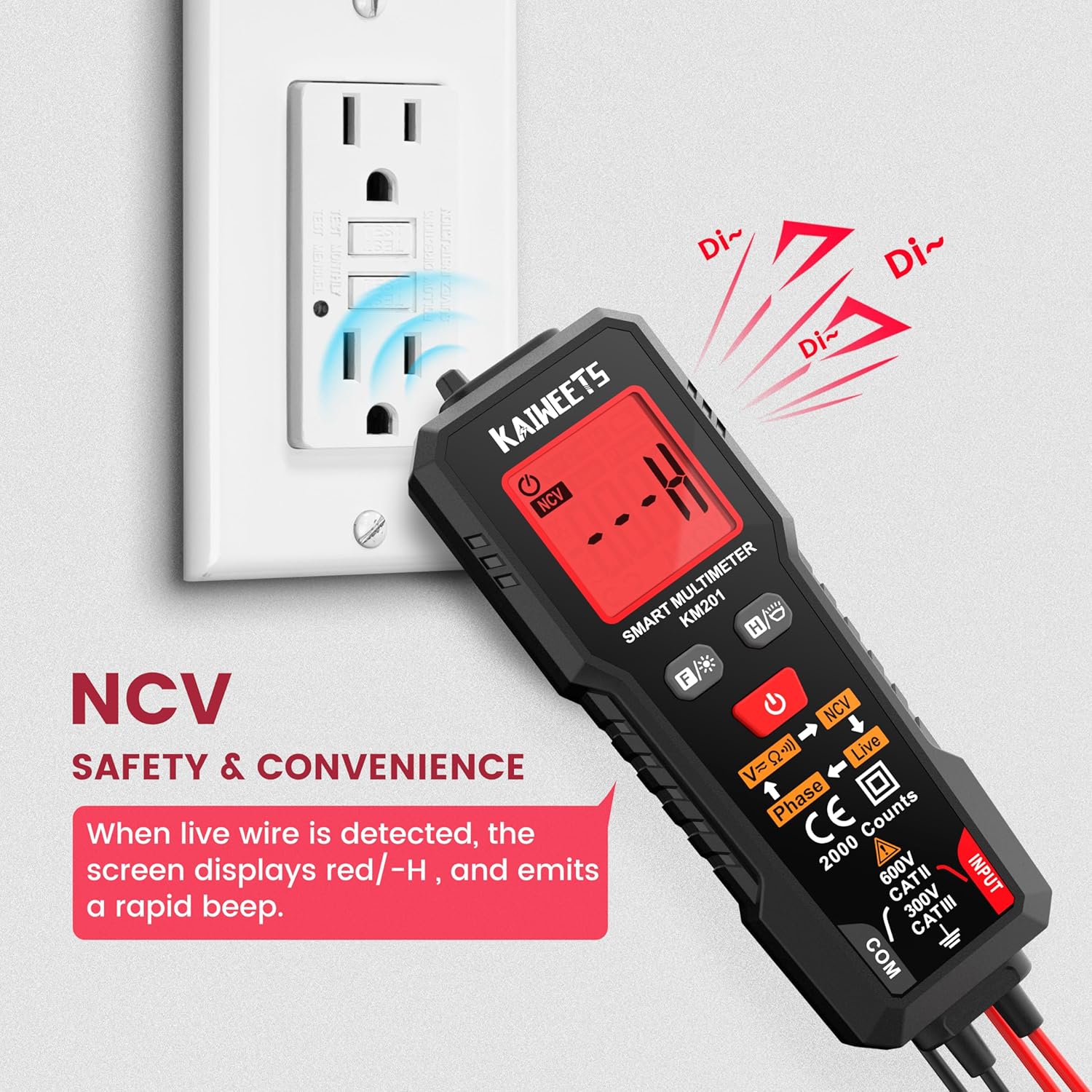
פיגורע 5: Using the NCV function to detect live voltage in an electrical outlet, indicated by a red screen and audible alarm.
פאַסע טעסט
The phase test helps identify live and phase wires.
- דרוק די פאַסע קנעפּל (labeled Phase ← Live) to activate the phase test mode.
- Touch the red probe to the wire you want to test.
- The display will indicate "Phase" or "Live" to identify the wire type.
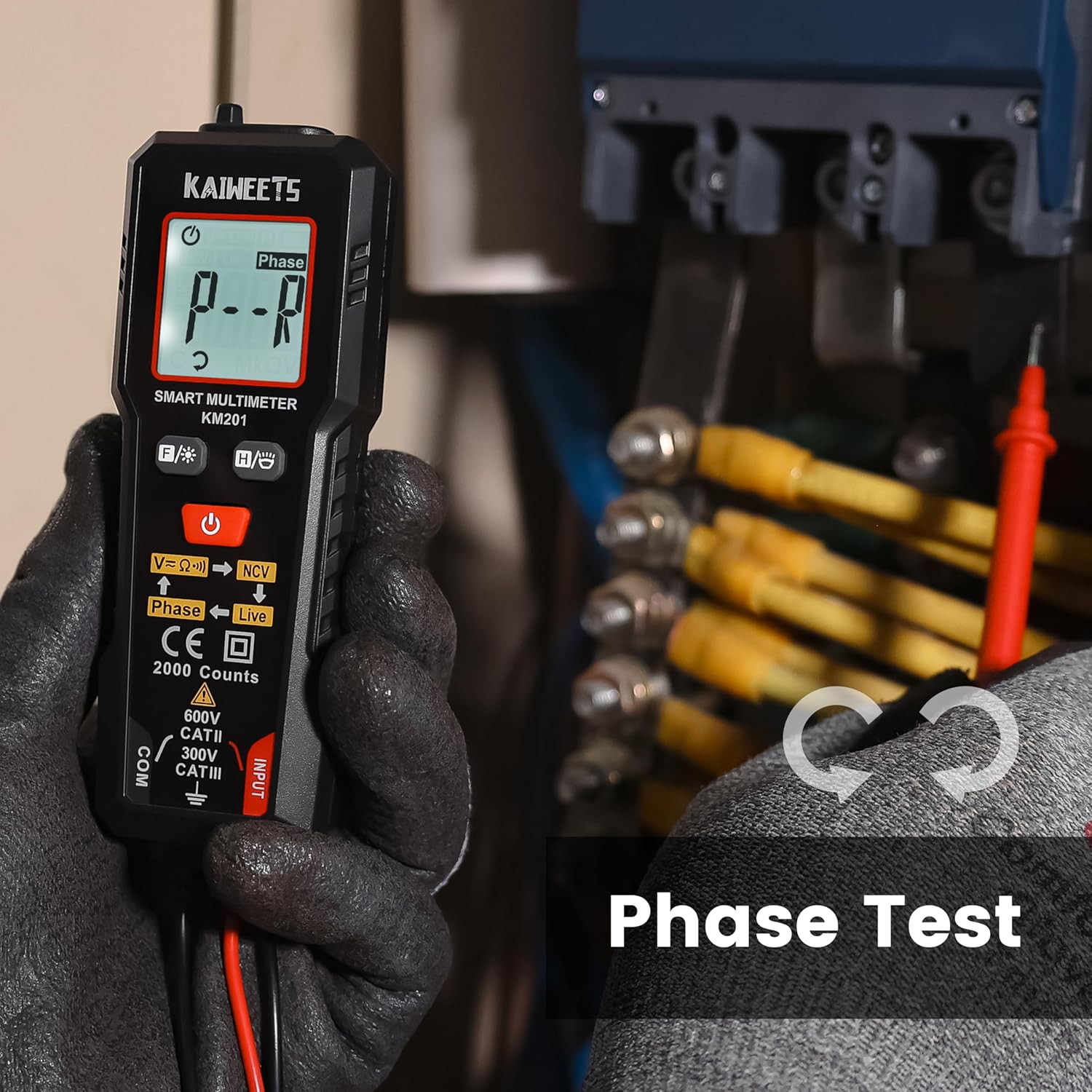
פיגורע 6: Performing a phase test on electrical wiring to identify live conductors.
Backlight and Flashlight
The KM201 includes a backlight for the display and a built-in flashlight for improved visibility in dark environments.
- דרוק די באַקלייט / פלאַשליגהט קנעפּל (
 ) to toggle the display backlight.
 - דריקן און האַלטן די באַקלייט / פלאַשליגהט קנעפּל to turn the flashlight on or off.
פיגורע 7: The KM201 multimeter with its display backlight and integrated flashlight active, illuminating wires in a dark space.
וישאַלט
רייניקונג
ווישט אויס דעם מולטימעטער גasinג מיט אַדamp cloth and mild detergent. Do not use abrasive cleaners or solvents. Ensure the device is dry before storage or use.
באַטערי פאַרבייַט
When the low battery indicator appears on the display, replace the batteries as described in the "Battery Installation" section. Always use two new AAA batteries of the same type.
סטאָרידזש
אויב דער מולטימעטער וועט נישט ווערן גענוצט פאר א לענגערע צייט, נעמט ארויס די באטעריעס כדי צו פארמיידן ליעק. לייגט דאס אפאראט אין א קילן, טרוקענעם ארט, אוועק פון דירעקטער זון און עקסטרעמע טעמפעראטורן.
טראָובלעשאָאָטינג
| פּראָבלעם | מעגלעך סיבה | לייזונג |
|---|---|---|
| מולטימעטער גייט נישט אן. | טויטע אדער נישט ריכטיק אינסטאלירטע באַטעריעס. | קאָנטראָלירט די פּאָלאַריטעט פון די באַטעריע אָדער פאַרבייט די באַטעריעס. |
| ומפּינקטלעך רידינגז. | Damaged test leads; incorrect measurement technique; external interference. | Inspect test leads for damage; ensure proper connection; move away from strong electromagnetic fields. |
| "Auto" mode not selecting desired measurement (e.g., continuity instead of voltagאון). | The smart auto mode prioritizes voltage detection. If a small voltage is present, it may default to voltage מעזשערמאַנט. | Ensure the circuit is completely de-energized for resistance/continuity tests. The KM201 is primarily designed for automatic detection, which may not suit all specific manual mode requirements. |
| דער עקראַן איז טונקל אָדער פליקערט. | נידעריק באַטאַרייע. | פאַרבייַטן באַטעריז. |
ספּעסאַפאַקיישאַנז
| שטריך | דעטאַל |
|---|---|
| מאָדעל נומער | KM201 |
| סאָרט | KAIWEETS |
| ווייַז קאַונץ | 2000 קאַונץ |
| מעזשערמאַנט טיפּ | Smart Digital Multimeter (True RMS) |
| מאַכט מקור | 2 X AAA באַטעריז (אַרייַנגערעכנט) |
| דימענסיעס (L X W X H) | 13.97 X 4.57 X 3.56 סענטימעטער (5.5 X 1.8 X 1.4 אינטשעס) |
| וואָג | 200 גראַם (אומגעפער 7.05 אונס) |
| זיכערקייַט רייטינג | 600V CAT II, 300V CAT III, CE compliant |
| פֿעיִקייטן | Smart Auto Mode, NCV, Phase Test, Backlight, Flashlight, Data Hold, Auto Power Off, Low Battery Indicator |
וואָראַנטי און שטיצן
KAIWEETS גיט א 36-חודש דינסט וואָראַנטי און לעבן טעכניש שטיצן for the KM201 Smart Digital Multimeter. For any inquiries, technical assistance, or warranty claims, please contact KAIWEETS customer service through their official channels.


