1. הקדמה
This manual provides instructions for the assembly, operation, maintenance, and troubleshooting of your FLEXISPOT E6 Pro Electric Standing Desk. Please read this manual thoroughly before use to ensure proper function and safety.

Figure 1: FLEXISPOT E6 Pro Electric Standing Desk
2. זיכערקייַט אינפֿאָרמאַציע
וויכטיק זיכערקייַט פּריקאָשאַנז:
- Ensure the desk is properly anchored to the wall or floor when height is adjusted, especially if loading heavy items.
- האַלט קינדער און חיות אַוועק פון די טיש בעת אָפּעראַציע צו פאַרמייַדן שאָדן פון באַוועגלעכע טיילן.
- Do not place hands or other body parts near the lifting mechanism while the desk is in motion.
- איבערלאָדן נישט דעם טיש. זעט די ספּעציפֿיקאַציעס אָפּטייל פֿאַר מאַקסימום וואָג קאַפּאַציטעט.
- ניצט נאָר דעם צוגעשטעלטן מאַכט אַדאַפּטער און קאָמפּאָנענטן.
- If any unusual sounds or movements occur, immediately stop operation and unplug the desk.
3. אַסעמבלי אינסטרוקציעס
Assembly is required for this product. It is recommended to have two people for assembly due to the weight and size of the components. All necessary hardware and tools are typically included. Follow the steps below for a smooth assembly process.
3.1 אויספּאַקן און צוגרייטן
- פֿאָרזיכטיק עפֿנט די פּאַקעט און נעמט אַרויס אַלע קאָמפּאָנענטן.
- Verify all parts are present against the included parts list.
- לייגט אויס אַלע קאָמפּאָנענטן אויף אַ ווייכער, ריינער ייבערפלאַך צו פאַרמייַדן קראַצן.
3.2 ראַם אַסעמבלי
Attach the desk legs to the crossbar and feet. Ensure all screws are tightened securely.
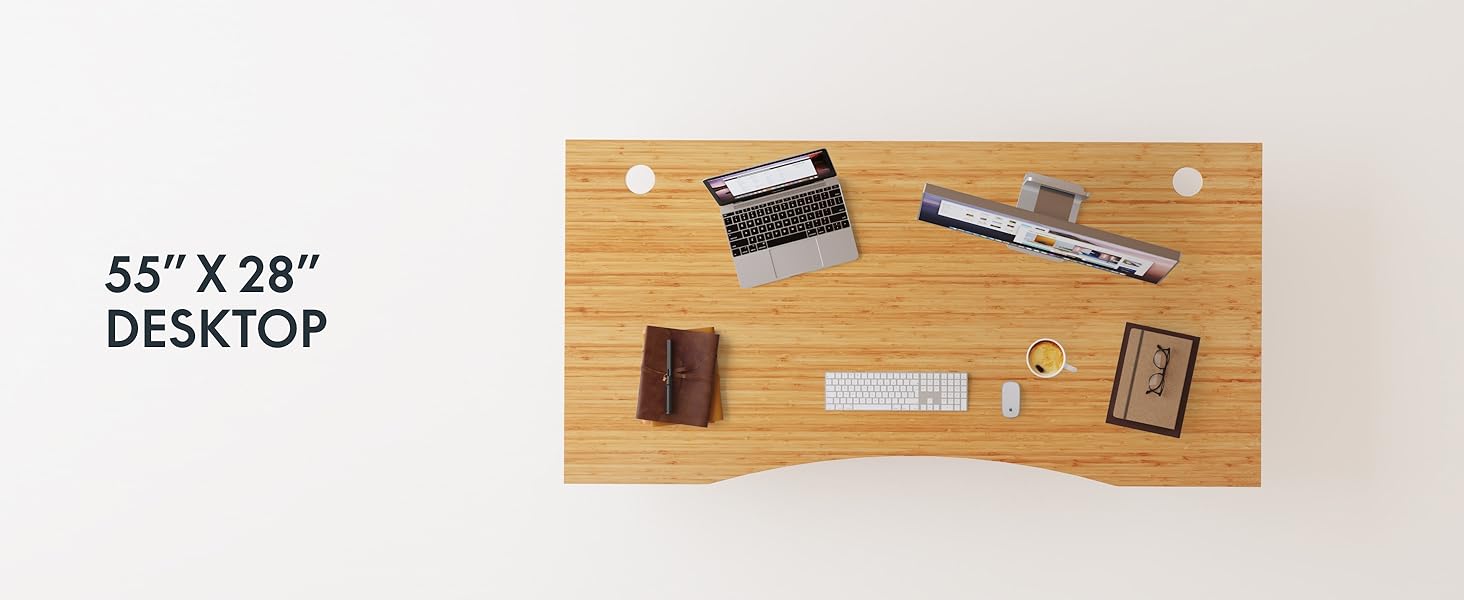
Figure 2: Desk Frame Assembly
3.3 דעסקטאָפּ אַטאַטשמענט
Carefully place the bamboo desktop onto the assembled frame. Align the pre-drilled holes and secure the desktop with the provided screws. The desktop features a curved design for ergonomic comfort.

Figure 3: Curved Bamboo Desktop
3.4 Control Panel and Cable Management
Mount the digital control panel to the underside of the desk. Connect all motor and power cables according to the diagram. Utilize the integrated cable management holes to organize wires and prevent clutter.

Figure 4: Control Panel and Cable Management

Figure 5: Cable Management Hole
4. אַפּערייטינג ינסטרוקטיאָנס
The FLEXISPOT E6 Pro desk features a user-friendly digital control panel for height adjustment and memory presets.

פיגור 6: דיגיטאַל קאָנטראָל פּאַנעל
4.1 אַדזשאַסטירן טיש הייך
- דרוק די אַרויף עראָו קנעפּל צו הייבן דעם טיש.
- דרוק די אַראָפּ עראָו קנעפּל צו נידעריקערן דעם טיש.
- Release the button at your desired height.
4.2 שטעלן זכּרון פּרעסעטס
The control panel allows you to save up to two preferred height settings.
- שטעל צו דעם טיש צו אייער געוואונטשענע הייך.
- דרוק די "מ" קנעפּל. דער ווייַז וועט בליץ.
- דרוק אָדער די "1" or "2" button within 3 seconds to save the current height to that preset.
- To recall a saved height, simply press the corresponding "1" or "2" button. The desk will automatically move to the saved position.
4.3 וסב טשאַרדזשינג פּאָרט
A USB port is integrated into the control panel for convenient charging of your devices.
4.4 אַנטי-קאליזיע פונקציע
The desk is equipped with an anti-collision system that automatically stops and slightly reverses movement if it encounters an obstruction during height adjustment. This feature helps prevent damage and injury.

Figure 7: Anti-Collision System in action
5. וישאַלט
רעגולערע אויפהאלטונג גאראנטירט די לאנגעוויטי און אפטימאלע פאָרשטעלונג פון אייער שטייענדיקן טיש.
- רייניקונג: The bamboo desktop has a smooth, waterproof surface, making it easy to clean. Use a soft, damp cloth with mild soap to wipe down the surface. Avoid abrasive cleaners or harsh chemicals.
- דורכקוק: קאָנטראָלירט פּעריִאָדיש אַלע שרויפֿן און פֿאַרבינדונגען צו זיכער מאַכן אַז זיי זענען פֿעסט. פֿעסטשטײַערט ווידער אויב נייטיק.
- קאַבלע פאַרוואַלטונג: Ensure cables are neatly organized and not pinched or tangled, which could affect desk operation.

Figure 8: Waterproof Bamboo Surface
6. טראָובלעשאָאָטינג
If you encounter issues with your FLEXISPOT E6 Pro desk, refer to the following common problems and solutions:
| פּראָבלעם | מעגלעך סיבה | לייזונג |
|---|---|---|
| דער טיש רירט זיך נישט. | Power cable disconnected, control panel locked, or motor error. | Check power connections. Unlock control panel if applicable. Unplug for 10 seconds and plug back in to reset. |
| אומגלייכע הייך אַדזשאַסטמענט. | Uneven load, loose connections, or motor synchronization issue. | Ensure weight is evenly distributed. Check all frame connections. Perform a reset procedure (refer to full manual if available). |
| דער טיש שטעלט זיך אפ אומגעריכט. | Anti-collision system activated, or overload. | Check for obstructions. Reduce weight on the desk if exceeding maximum capacity. |
| ראַש בעשאַס אָפּעראַציע. | Loose components or normal motor sound. | Tighten all screws. A low hum from the dual motors (less than 45 dB) is normal. |
אויב די פראבלעם בלייבט, ביטע קאנטאקטירט FLEXISPOT קאסטומער סופארט.
7. ספּעסאַפאַקיישאַנז
| שטריך | דעטאַל |
|---|---|
| סאָרט | FLEXISPOT |
| מאָדעל נומער | ET365 |
| פּראָדוקט דימענשאַנז | 77.9"ד רענטגענ 29.5"וו רענטגענ 23.6"ה |
| דעסקטאָפּ גרייס | 78"x30" גאנצע שטיק |
| קאָליר | Black Frame + Curved Bamboo Top |
| באַזע מאַטעריאַל | מעטאַל |
| שפּיץ מאַטעריאַל טיפּ | Wood (Bamboo) |
| ליפטינג מעקאַניזאַם | עלעקטרישער דואַל מאָטאָר |
| מינימום הייך | 23.6 אינטשעס |
| מאַקסימום הייך | 48.8 אינטשעס |
| מאַקסימום וואָג רעקאָממענדאַטיאָן | 352 פונט |
| ראַש מדרגה | ווייניקער ווי 45 דב |
| פארלאנגט אַסעמבלי | יא |
8. וואָראַנטי & שטיצן
8.1 וואָראַנטי אינפֿאָרמאַציע
FLEXISPOT provides the following warranty coverage for your E6 Pro Electric Standing Desk:
- 10-יאָר קאַווערידזש: טיש ראַם און מאָטאָר.
- 2-יאָר קאַווערידזש: קאָנטראָל פּאַנעל און עלעקטראָניק.
This warranty covers manufacturing defects and malfunctions under normal use. Please retain your proof of purchase for warranty claims.
8.2 קונה שטיצן
For any assistance, questions, or warranty claims, please contact FLEXISPOT customer support. You can find more information and contact details on the official FLEXISPOT webזייטל אדער דורך אייער קויפן פּלאַטפאָרמע.
Visit the official FLEXISPOT Store: פלעקסיספּאָט קראָם אויף עמעזאָן


