הקדמה
This manual provides essential information for the safe and efficient use of your Strex 3-in-1 Wireless Charging Station. This device allows you to simultaneously charge a smartphone, an Apple Watch, and AirPods wirelessly. Please read this manual thoroughly before using the product and retain it for future reference.

Image: The Strex 3-in-1 Wireless Charger in use, showing a smartphone, Apple Watch, and AirPods being charged simultaneously.
זיכערקייַט אינפֿאָרמאַציע
- דו זאלסט נישט צענעמען, מאדיפיצירן אדער פאררעכטן דעם אפאראט אליין.
- האַלט דעם טשאַרדזשער אַוועק פון וואַסער, נעץ און הויכע טעמפּעראַטורן.
- פֿאַרמײַדט צו לאָזן פֿאַלן דעם טשאַרדזשער אָדער אים אויסשטעלן צו שטאַרקע קלאַפּן.
- Use only a compatible power adapter (Quick Charge 3.0, at least 18W) to ensure optimal performance and safety.
- Do not place metal objects or magnetic cards on the charging surface, as this may interfere with charging or damage the device.
- פאַרזיכערן געהעריק ווענאַליישאַן אַרום די טשאַרדזשער בעשאַס נוצן.
פּעקל אינהאַלט
ביטע טשעק די פּאַקעט פֿאַר די פאלגענדע זאכן:
- Strex 3-in-1 Wireless Charging Station (Model SP288)
- וסב- C קאַבלע
- באַניצער מאַנואַל
Note: A Quick Charge 3.0 (18W or higher) power adapter is required for fast charging all devices simultaneously and is ניט אַרייַנגערעכנט.
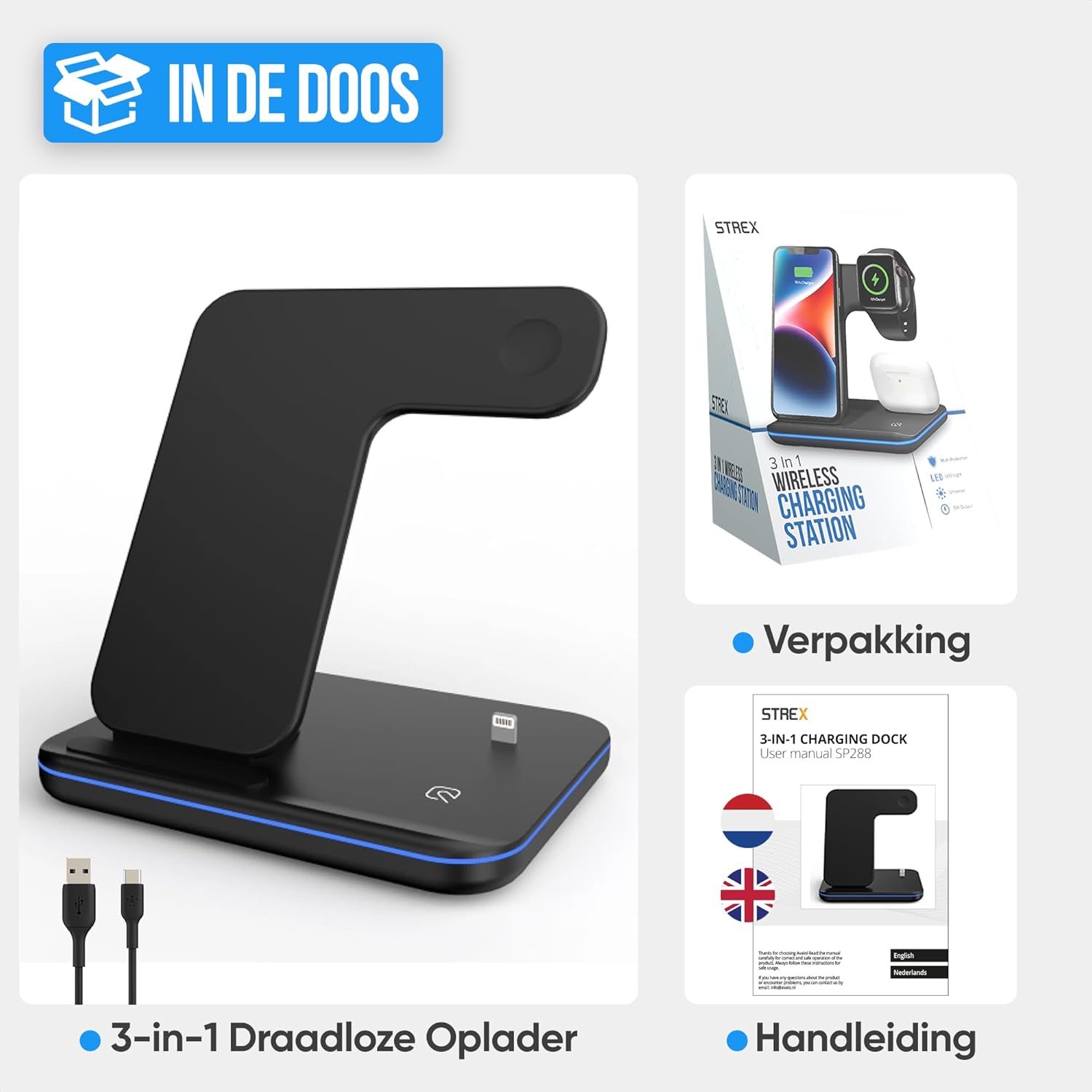
Image: The Strex 3-in-1 Wireless Charger, a USB-C cable, and the user manual, as typically found in the product packaging.
פּראָדוקט איבערview
Familiarize yourself with the components of your Strex 3-in-1 Wireless Charger:
- Smartphone Charging Pad: Vertical stand for wireless smartphone charging.
- Apple Watch Charging Module: Magnetic charging area for Apple Watch.
- AirPods Charging Area: Flat pad for wireless AirPods charging.
- LED ינדיקאַטאָר ליכט: דיספּלייז טשאַרדזשינג סטאַטוס.
- USB-C אַרייַנשרייַב פּאָרט: פֿאַר קאַנעקטינג די מאַכט קאַבלע.
- אַנטי-גליטש פּאַדס: Located on the base for stability.
- ווענטילאַציע גריל: פֿאַר היץ דיסיפּיישאַן.

בילד: א דעטאַלירטע view of the Strex 3-in-1 Wireless Charger, highlighting its various components such as the phone charging area, watch charging area, AirPods charging area, LED indicator, USB port, ventilation grille, and anti-slip feet.
סעטאַפּ אינסטרוקציעס
- פאַרבינדן מאַכט: Insert the provided USB-C cable into the USB-C input port on the back of the charging station.
- פאַרבינדן צו אַדאַפּטער: Connect the other end of the USB-C cable to a Quick Charge 3.0 (18W or higher) power adapter (not included).
- צאַפּן אין: Plug the power adapter into a wall outlet. The LED indicator light will briefly illuminate, indicating the charger is ready for use.
- אָרט: Place the charging station on a flat, stable surface.

Image: A visual comparison demonstrating how the Strex 3-in-1 Wireless Charger helps reduce cable clutter, showing a tidy setup on the right compared to a disorganized one on the left.
אַפּערייטינג ינסטראַקשאַנז
טשאַרדזשינג דיין דעוויסעס
- סמאַרטפאָנע: Place your wireless charging-compatible smartphone on the vertical charging stand. It can be placed horizontally or vertically. Ensure the phone is centered on the charging area for optimal connection.
- עפל וואך: Attach your Apple Watch to the magnetic charging module. The watch will snap into place and begin charging.
- אַירפּאָדס: Place your wireless charging-compatible AirPods case on the flat charging pad at the base of the station.
The charger supports fast wireless charging up to 15W for compatible smartphones. All three devices can be charged simultaneously.
געפירט ינדיקאַטאָר סטאַטוס
The LED indicator light provides visual feedback on the charging status:
- גרין ליכט: The charging station is in standby mode or no device is currently charging.
- בלוי ליכט: Devices are actively charging.
- Flashing Green and/or Blue Light: Indicates an improper placement of a device or detection of a foreign object. Re-position the device or remove any obstructions.
To turn the LED light on or off, gently tap the touch-sensitive area on the base of the charger.
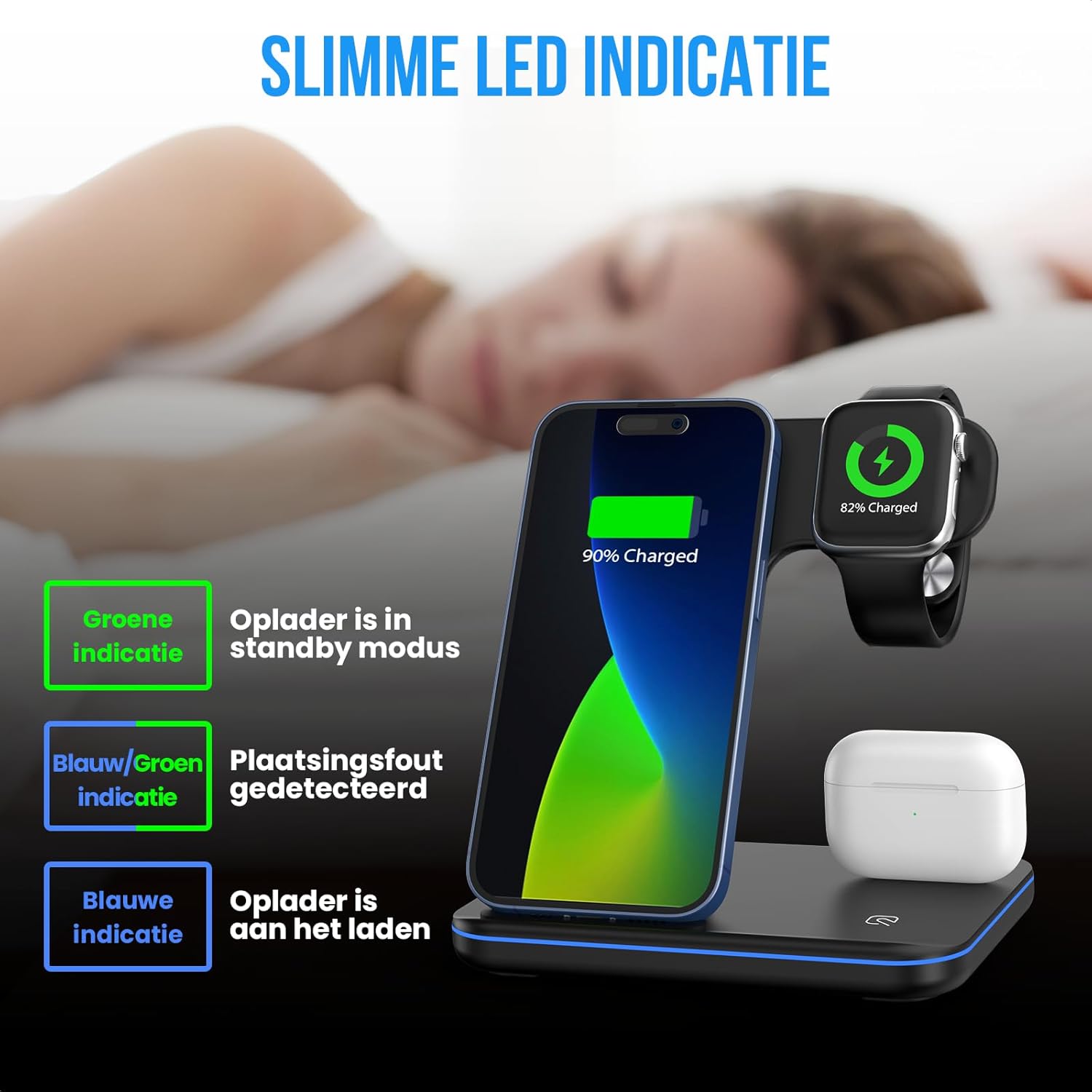
Image: An illustration detailing the meaning of the LED indicator lights: green for standby, blue for active charging, and flashing green/blue for incorrect device placement.
קאַמפּאַטאַבילאַטי
The Strex 3-in-1 Wireless Charger is compatible with most wireless charging-enabled devices, including:
- Apple iPhone (iPhone 8 series and newer)
- Apple Watch (Series 2 and newer, excluding Series 1 and original)
- Apple AirPods (with wireless charging case, e.g., AirPods 2, AirPods Pro, AirPods 3)
- Android smartphones with wireless charging functionality (e.g., Samsung Galaxy S series, Huawei, Google Pixel, etc.)

Image: A comprehensive compatibility chart illustrating which models of Apple Watch, AirPods, iPhones, and other Android smartphones are supported by the Strex 3-in-1 Wireless Charger.

Image: The Strex 3-in-1 Wireless Charger demonstrating flexible charging orientations, with a phone charging vertically for communication and horizontally for media consumption.
וישאַלט
- רייניקונג: Disconnect the charger from the power source before cleaning. Use a soft, dry cloth to wipe the surface. Do not use abrasive cleaners or solvents.
- סטאָרידזש: When not in use for extended periods, store the charger in a cool, dry place away from direct sunlight.
- קאַבלע זאָרגן: Avoid bending or twisting the USB-C cable excessively to prevent damage.
טראָובלעשאָאָטינג
| פּראָבלעם | מעגלעך סיבה | לייזונג |
|---|---|---|
| מיטל ניט טשאַרדזשינג. |
|
|
| LED light flashing green/blue. |
|
|
| פּאַמעלעך טשאַרדזשינג. |
|
|
ספּעסאַפאַקיישאַנז
| מאָדעל נומער | SP288 |
| סאָרט | סטרעקס |
| פּראָדוקט טיפּ | 3-אין -1 ווירעלעסס טשאַרדזשינג סטאַנציע |
| אַרייַנשרייַב וואָלtage | 12V DC |
| רעזולטאַט מאַכט (מאַקס) | 15W (Smartphone), 5W (Apple Watch), 5W (AirPods) |
| Required Power Adapter | Quick Charge 3.0 (18W or higher) - ניט אַרייַנגערעכנט |
| קאַנעקטער טיפּ | וסב טיפּ-C |
| מאַטעריאַלס | Heat-resistant ABS and PC |
| קאָליר | Black (Note: Product specification listed "vert une" but product images show black) |
| פּונקט וואָג | 296 גראַמז |
| פּראָדוקט דימענשאַנז | 13.6 X 10.1 X 13.6 סענטימעטער |
וואָראַנטי און שטיצן
For warranty information or technical support, please refer to the contact details provided with your purchase or visit the official Strex webזייטל. האַלט דיין קויפן באַווייַז פֿאַר קיין וואָראַנטי קליימז.
For further assistance, please contact Strex customer service.


