1. הקדמה
Thank you for choosing the HOCO W41 Bluetooth Headphones. This manual provides detailed instructions for setting up, operating, and maintaining your headphones to ensure optimal performance and longevity. Please read this manual carefully before use and retain it for future reference.
2. זיכערקייַט אינפֿאָרמאַציע
- שטעלט נישט אויס די כעדפאָונז צו עקסטרעמע טעמפּעראַטורן, הומידיטי, אדער קאָראָזיווע סאַבסטאַנצן.
- פֿאַרמײַדט צו לאָזן פאַלן אָדער אויסשטעלן די כעדפאָונז צו שטאַרקע קלאַפּן.
- נעמט נישט אויס אדער מאדיפיצירט נישט די כעדפאָונז. דאס וועט בטל מאכן די גאראנטיע.
- רייניקט די כעדפאָונז מיט אַ ווייכן, טרוקענעם שטאָף. ניצט נישט קיין שאַרפע כעמיקאַלן אדער שרײַבנדיקע מאַטעריאַלן.
- הערט אויף מיטלמעסיגע קול לעוועלס צו פארמיידן הערן שאדן.
3. פּעקל אינהאַלט
ביטע טשעק די אינהאַלט פון די פּאַקעט ווען איר עפֿנט עס אויס:
- HOCO W41 Bluetooth Headphones (Pink)
- טשאַרדזשינג קאַבלע
- אַודיאָ קאַבלע (3.5 מם)
- באַניצער מאַנואַל
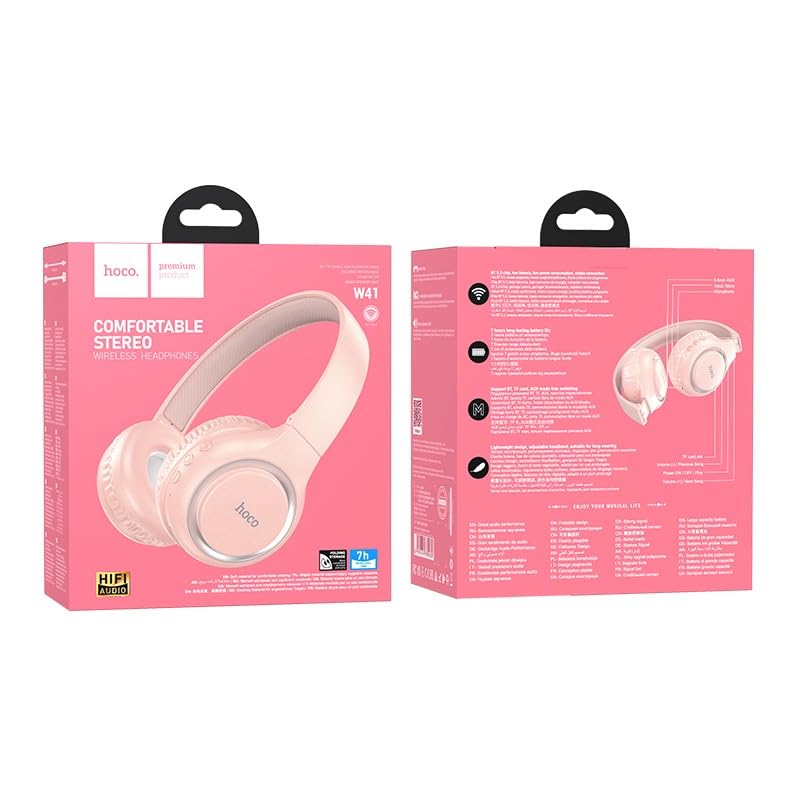
Image: The HOCO W41 Bluetooth Headphones in their retail packaging, showcasing the pink color variant.
4. פּראָדוקט איבערview
Familiarize yourself with the various parts and controls of your HOCO W41 headphones.
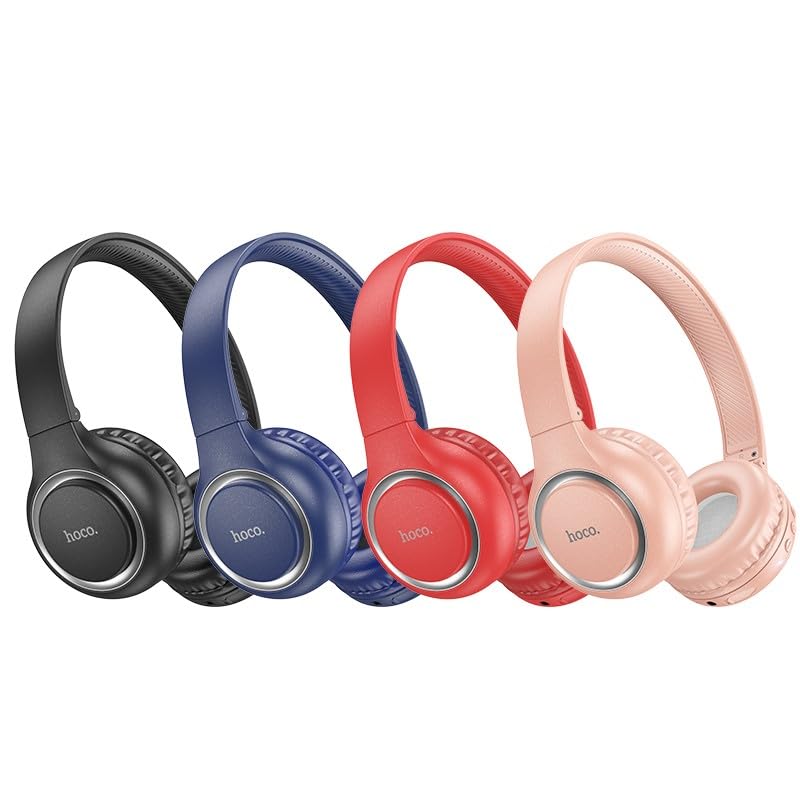
Image: A lineup of HOCO W41 headphones in various colors (black, blue, red, pink), illustrating the overall design.
קאָנטראָלס און פּאָרץ:
- מאַכט קנעפּל: אן/אויס, שפילן/פאוזן, ענטפערן/ענדיגן רוף.
- באַנד אַרויף (+): פֿאַרגרעסערן די קול, נעקסטע ליד (לאַנג דריקן).
- באַנד אַראָפּ (-): פֿאַרקלענערן די באַנד, פֿריִערדיקע ליד (לאַנג דריקן).
- מיקראָפאָן: פֿאַר הענט-פריי קאַללס.
- טשאַרדזשינג פּאָרט: USB (Type-C, if applicable, otherwise micro USB).
- 3.5 מם אַודיאָ דזשאַק: פֿאַר דראָטיקער פֿאַרבינדונג.
- LED ינדיקאַטאָר: ווײַזט מאַכט, טשאַרדזשינג, און פּערינג סטאַטוס.
5. סעטאַפּ
5.1 אויפלאָדן די קאָפּהערער
- Connect the charging cable to the charging port on the headphones.
- פֿאַרבינדט דעם אַנדערן עק פֿונעם קאַבל צו אַ USB מאַכט מקור (למשל, קאָמפּיוטער USB פּאָרט, וואַנט אַדאַפּטער).
- The LED indicator will illuminate (e.g., red) during charging and turn off or change color (e.g., blue) when fully charged.
- א פול אָפּצאָל נעמט בעערעך 1 שעה.
5.2 בלועטאָאָטה פּערינג
- זיכער מאַכן אַז די כעדפאָונז זענען גאָר אויפגעלאָדן.
- Press and hold the Power button for approximately 3-5 seconds until the LED indicator flashes rapidly (e.g., blue and red alternately), indicating pairing mode.
- אויף אייער דעווייס (סמאַרטפאָן, טאַבלעט, לאַפּטאָפּ), אַקטיווירט בלועטוט און זוכט פֿאַר פֿאַראַן דעווייסעס.
- Select "HOCO W41" from the list of found devices.
- Once paired, the LED indicator will stop flashing and may show a solid blue light. A voice prompt may confirm the connection.
- די כעדפאָונז וועלן זיך אויטאָמאַטיש ווידער פֿאַרבינדן צום לעצטן געפּאָרטן מיטל ווען זיי ווערן אָנגעצונדן, אויב די מיטל'ס בלועטוט איז אַקטיוו און אין דערגרייך.
5.3 דראָטיקע פֿאַרבינדונג (3.5 מ״מ אַודיאָ קאַבל)
- שטעקט אריין איין עק פון די 3.5 מ״מ אודיא קאבל אין די אודיא דזשעק אויף די כעדפאונס.
- Insert the other end into the 3.5mm audio output jack of your device.
- די כעדפאָונז וועלן אויטאָמאַטיש איבערגיין צו דראָט מאָדע. בלועטוט פונקציע וועט זיין דיאַקטיווייטיד.
6. אַפּערייטינג ינסטרוקטיאָנס
6.1 מאַכט אויף / אַוועק
- מאַכט אויף: Press and hold the Power button for 3 seconds. The LED indicator will flash blue.
- מאַכט אַוועק: Press and hold the Power button for 3 seconds. The LED indicator will turn off.
6.2 מוזיק פּלייבאַק
- שפּיל / פּויזע: קורץ דריקן די מאַכט קנעפּל.
- באַנד אַרויף: דריק קורץ דעם "+" קנעפל.
- באַנד אַראָפּ: דריק קורץ דעם "-" קנעפל.
- ווייַטער שפּור: לאַנג דריקן די "+" קנעפּל.
- פֿריִערדיקע שפּור: לאַנג דריקן די "-" קנעפּל.
6.3 רוף פאַרוואַלטונג
- ענטפֿערן / סוף רופן: קורץ דריקן די מאַכט קנעפּל.
- אָפּוואַרפן רופן: לאנג דריקן די מאַכט קנעפּל פֿאַר 2 סעקונדעס.
- ריאַל די לעצטע נומער: דריקט צוויי מאָל דעם מאַכט קנעפּל.
6.4 ווויס אַססיסטאַנט
- אַקטיווירן שטימע אַסיסטאַנט (סירי/גוגל אַסיסטאַנט): Triple-press the Power button.
7. וישאַלט
- רייניקונג: ניצן אַ ווייך, אַ ביסל דamp cloth to wipe the earcups and headband. Do not use alcohol, benzene, or other chemical cleaners.
- סטאָרידזש: ווען נישט אין באַנוץ, האַלט די כעדפאָונז אין אַ קיל, טרוקן אָרט, אַוועק פון דירעקט זונשייַן און עקסטרעמע טעמפּעראַטורן.
- באַטערי זאָרגן: כדי צו פארלענגערן די לעבן פון די באַטעריע, זאָלט איר לאָדן די קאָפּהערער רעגולער, אפילו אויב זיי ווערן נישט אָפט גענוצט. פֿאַרמייַדט גאָר אויסצולאָדן די באַטעריע פֿאַר לענגערע פּעריאָדן.
8. טראָובלעשאָאָטינג
| פּראָבלעם | מעגלעך סיבה | לייזונג |
|---|---|---|
| די קאָפּהערער ווערן נישט אנגעצינדן. | נידעריק באַטאַרייע. | טשאַרדזש די כעדפאָונז גאָר. |
| קען נישט צופּאַסן מיטן דעווייס. | כעדפאָונז נישט אין פּערינג מאָדע; מיטל בלועטוט אויסגעלאָשן; צו ווייט פון מיטל. | Ensure headphones are in pairing mode (flashing LED). Turn on device Bluetooth. Move headphones closer to device. |
| קיין געזונט. | קול צו נידעריג; נישט פארבונדן; אומרעכטע אודיא ארויסגאנג אויסגעקליבן. | Increase volume on headphones and device. Re-pair headphones. Check device's audio output settings. |
| געזונט דיסטאָרשאַן. | אריינמישונג; אפאראט צו ווייט; נידריגע באטעריע. | Move away from sources of interference. Move closer to device. Charge headphones. |
9. ספּעסאַפאַקיישאַנז
| מאָדעל נאָמען: | W41_pink |
| בלועטאָאָטה ווערסיע: | 5.3 |
| קאַנעקטיוויטי טעכנאָלאָגיע: | ווירעלעס (בלוטוט), ווייערד (3.5 מ"מ דזשעק) |
| באַטאַרייע לעבן: | שפּיל צייט אַרויף צו 12 שעה |
| טשאַרדזשינג צייט: | בעערעך 1 שעה |
| עאַרפּיעסע פאָרעם: | איבער אויער |
| מיקראָפאָן: | געבויט-אין מיקראָפאָן |
| ראַש קאָנטראָל: | געזונט אפגעזונדערטקייט |
| וואַסער קעגנשטעל מדרגה: | וואַסער קעגנשטעליק (שווייספּרוף) |
| נומער וואָג: | 180 ג |
| פאַבריקאַנט: | HOCO |
| לאַנד פון אָריגין: | כינע |
10. וואָראַנטי און שטיצן
The HOCO W41 Bluetooth Headphones come with a 1-יאָר וואָראַנטי פֿון דעם קויפֿדאַטום. די וואָראַנטי דעקט פֿאַבריקאַציע חסרונות און אַרבעט אונטער נאָרמאַל נוצן.
די וואָראַנטי טוט נישט דעקן:
- שאָדן געפֿירט דורך אומרעכט, זידלען, אַקסידענט, אָדער פאַרלאָזיקייט.
- נישט-אויטאריזירטע רעפּאַראַטור אָדער מאָדיפיקאַציע.
- נאָרמאַל טראָגן און טרער.
For warranty claims or technical support, please contact your retailer or the HOCO customer service department with your proof of purchase.
קאָנטאַקט אינפֿאָרמאַציע: Please refer to the contact details provided on the product packaging or the official HOCO webזייטל פֿאַר די מערסט אַרויף-צו-דאַטע שטיצע אינפֿאָרמאַציע.


