1. הקדמה
This manual provides detailed instructions for the setup, operation, maintenance, and troubleshooting of your Machenike K500-B94 Mechanical Keyboard. Please read this manual thoroughly before using the product to ensure proper functionality and longevity.
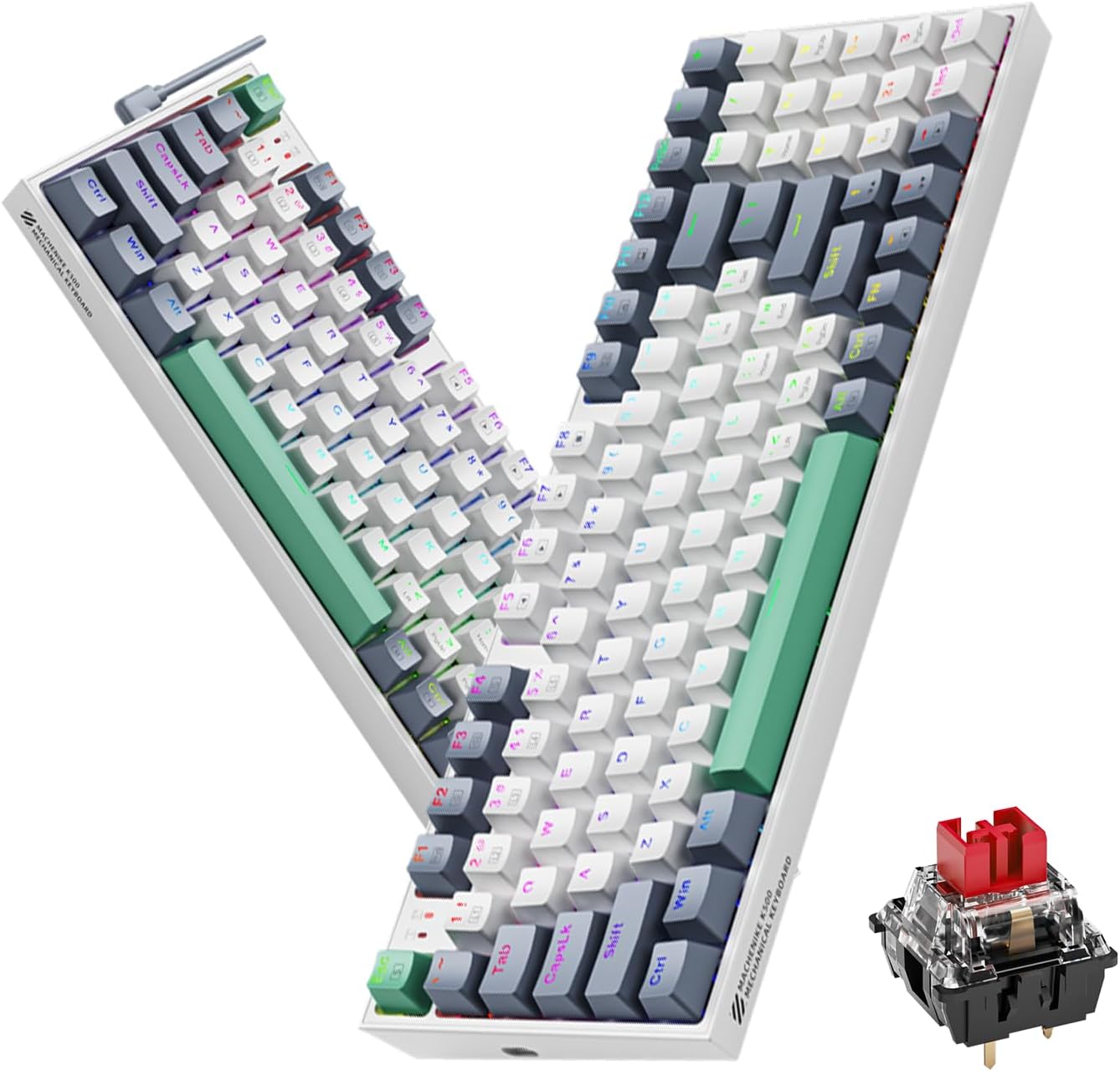
Image 1.1: The Machenike K500-B94 Mechanical Keyboard, showcasing its compact layout and a detailed view of a hot-swappable mechanical switch.
2. פּעקל אינהאַלט
באַשטעטיקן אַז אַלע זאכן זענען פאַראַן אין פּעקל:
- Machenike K500-B94 Mechanical Keyboard
- אָפּנעמבאַר טיפּ-C USB קאַבל
- Keycap Puller (for hot-swappable switches)
- Switch Puller (for hot-swappable switches)
- באַניצער מאַנואַל (דעם דאָקומענט)
3. סעטאַפּ אינסטרוקציעס
- ופשליסן די קלאַוויאַטור: פֿאָרזיכטיק אַרויסנעמען די קלאַוויאַטור און אַלע אַקסעסאָריעס פֿון דער פּאַקאַדזשינג.
- פאַרבינדן די וסב קאַבלע: Insert the Type-C end of the provided USB cable into the port on the keyboard. Connect the standard USB-A end to an available USB port on your computer (PC, Desktop, All-in-one, or Notebook).
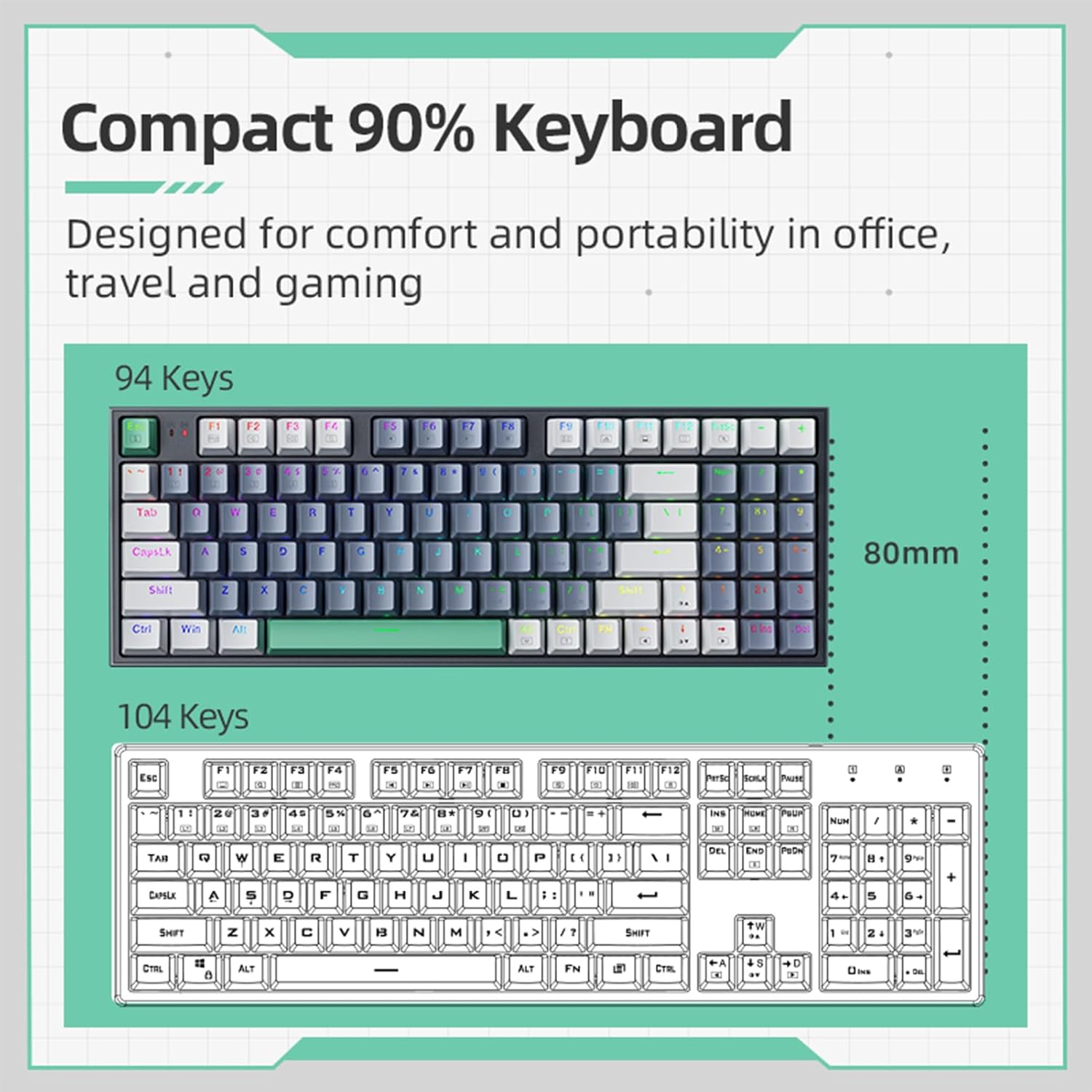
Image 3.1: Illustration of the detachable Type-C USB cable connection to the keyboard, highlighting its compatibility with various devices.
- דרייווער ינסטאַלירונג: The keyboard is plug-and-play. Your operating system will automatically detect and install the necessary drivers. No additional software installation is required for basic functionality.
- אפציאנעלע ווייכווארג אינסטאַלאַציע: For advanced customization of RGB lighting and macros, download the official Machenike K500-B94 software from the official Machenike webפּלאַץ.
4. אַפּערייטינג ינסטרוקטיאָנס
4.1. גרונטלעכע קלאַוויאַטור פונקציעס
The Machenike K500-B94 features a 94-key layout, providing a compact yet functional experience. All standard keyboard functions operate as expected.

Image 4.1: A visual representation of the Machenike K500-B94's 94-key compact layout, designed for comfort and portability.
4.2. RGB לייטינג קאָנטראָל
The keyboard features customizable RGB backlighting. Use the dedicated function keys or the optional software to adjust lighting effects, brightness, and color.
- ברייטנאַס אַדזשאַסטמאַנט: Typically, use Fn + אַרויף/אַראָפּ פײַל שליסלען.
- עפעקט סייקלינג: ניצן Fn + Right/Left Arrow keys to cycle through various lighting modes.
- קאָליר סעלעקציע: Some modes allow color changes via Fn + specific keys or through the software.

Image 4.2: Screenshot of the customizable software interface, demonstrating options for RGB lighting effects, brightness, speed, and color selection.
4.3. הייס-סוואַפּאַבל סוויטשיז
The Machenike K500-B94 features hot-swappable switches, allowing users to change mechanical switches without soldering. This enables customization of typing feel and sound.

בילד 4.3: א דעטאלירטע view of the keyboard with several keycaps and switches removed, illustrating the hot-swappable switch sockets for easy replacement.
צו פארטרעטן א סוויטש:
- ניצט דעם צוגעשטעלטן קלאַוויאַטור-אויסציער צו פֿאָרזיכטיק אַראָפּנעמען דעם געוואונטשענעם קלאַוויאַטור.
- ניצט דעם צוגעשטעלטן סוויטש-אויסצוג צו פארזיכטיק כאפן דעם סוויטש און ציען אים גלייך ארויף.
- גלייכט אויס די שטיפטלעך פון דעם נייעם סוויטש מיט די לעכער אויפן PCB און דריקט עס פעסט אריין ביז עס קליקט.
- לייג צוריק צו דעם שליסל.
5. וישאַלט
5.1. רייניקן די קלאַוויאַטור
- אָפּשטעקן די קלאַוויאַטור פֿון אייער קאָמפּיוטער איידער איר רייניקט.
- ניצט אַ קלאַוויאַטור-אויסציער צו אַראָפּנעמען די קלאַוויאַטור-קאַפּס פֿאַר אַ גרינטלעכע רייניקונג.
- ניצט קאמפרעסט לופט צו באזייטיגן שטויב און שמוץ פון צווישן די קנעפלעך.
- ווישט די קלאַוויאַטור קאַפּס און די קלאַוויאַטור ייבערפלאַך מיט אַ ווייכן, טרוקענעם שטאָף.amp שטאָף. ויסמייַדן האַרב קעמיקאַלז.
- Ensure all parts are completely dry before reattaching keycaps and reconnecting the keyboard.
5.2. קאַבלע מאַנאַגעמענט
The detachable Type-C cable allows for easy replacement and storage. Ensure the cable is not kinked or excessively bent to prevent damage.
6. טראָובלעשאָאָטינג
- קלאַוויאַטור ניט ריספּאַנדינג:
- זיכער מאַכן אַז דער USB קאַבל איז זיכער פארבונדן צו ביידע די קלאַוויאַטור און דעם קאָמפּיוטער.
- פרובירט צו קאנעקטן די קלאַוויאַטור צו אַן אַנדער USB פּאָרט אויף אייער קאָמפּיוטער.
- פּרובירט די קלאַוויאַטור אויף אַן אַנדער קאָמפּיוטער צו אויסשליסן אַ קאָמפּיוטער-ספּעציפֿישן פּראָבלעם.
- ריסטאַרט דיין קאָמפּיוטער.
- RGB לייטינג ארבעט נישט אדער נישט ריכטיג:
- Check if the lighting is turned off via keyboard shortcuts (e.g., Fn + specific key).
- If using the software, ensure it is running and configured correctly.
- Reinstall the optional software if issues persist.
- ספּעציפֿישע קנעפּלעך אַרבעטן נישט:
- Due to the hot-swappable design, a switch might be improperly seated. Gently remove the keycap and switch, then reinsert the switch firmly.
- If a switch is faulty, replace it with a new one using the provided tools.
7. ספּעסאַפאַקיישאַנז
| שטריך | דעטאַל |
|---|---|
| סאָרט | מאטשעניקע |
| מאָדעל נומער | ק500-ב94 |
| קאָליר | ווייַס |
| קאַנעקטיוויטי טעכנאָלאָגיע | USB (Detachable Type-C) |
| נומער פון קיז | 94 |
| קלאַוויאַטור באַשרייַבונג | Mechanical, Hot-Swappable |
| פּראָדוקט וואָג | 830 ג |
| קאַמפּאַטאַבאַל דעוויסעס | PC |
8. וואָראַנטי און שטיצן
Machenike products are designed for reliability and performance. For warranty information and technical support, please refer to the official Machenike webזייטל אדער קאנטאקט זייער קאסטומער סערוויס גלייך.
האַלט אייער קויף קוויטל ווי אַ באַווייַז פון קויפן פֿאַר וואָראַנטי קליימז.
פֿאַר נאָך שטיצן, באַזוכן: www.machenike.com


