הקדמה
Thank you for choosing the HOCO W40 Bluetooth Headphones. These wireless headphones are designed to provide a high-quality audio experience with deep bass, clear calls, and comfortable wear. This manual will guide you through the setup, operation, and maintenance of your new headphones.
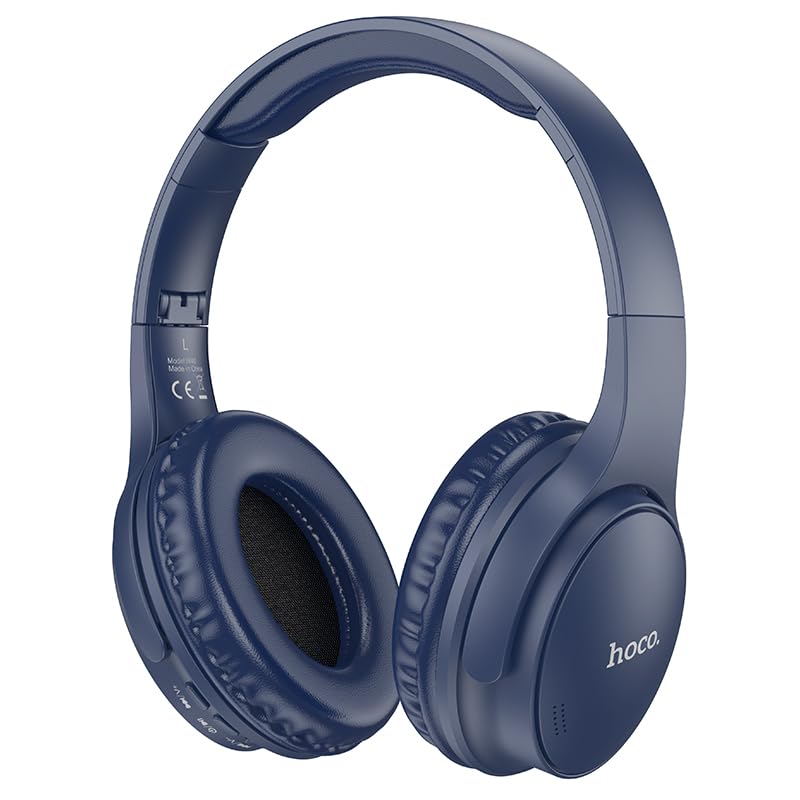
Image: HOCO W40 Bluetooth Headphones in a folded position, showcasing the earcups and headband. The headphones are blue.
וואָס איז אין די קעסטל
ביטע קאָנטראָלירט דעם אינהאַלט פֿון אייער פּעקל צו זיכער מאַכן אַז אַלע זאַכן זענען דאָרט:
- HOCO W40 Bluetooth Headphones
- אויער קושאַנז
- Headband (integrated with headphones)
The package includes the HOCO W40 Bluetooth Headphones, along with ear cushions and the integrated headband for comfortable use.
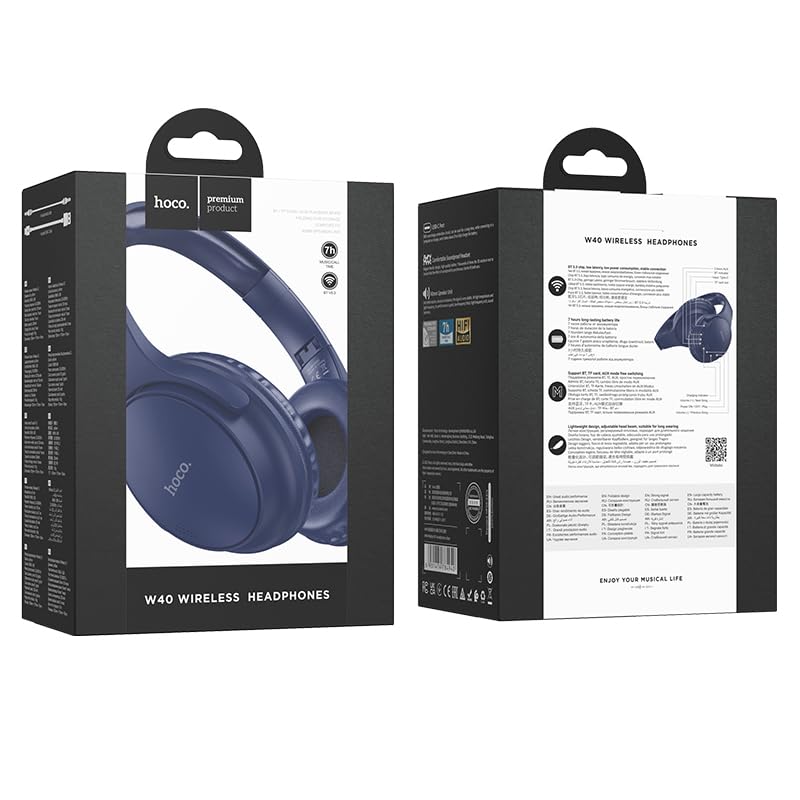
Image: Retail packaging for the HOCO W40 Wireless Headphones, showing the product image and some features on the box.
פּראָדוקט איבערview
Familiarize yourself with the various parts and controls of your HOCO W40 headphones.
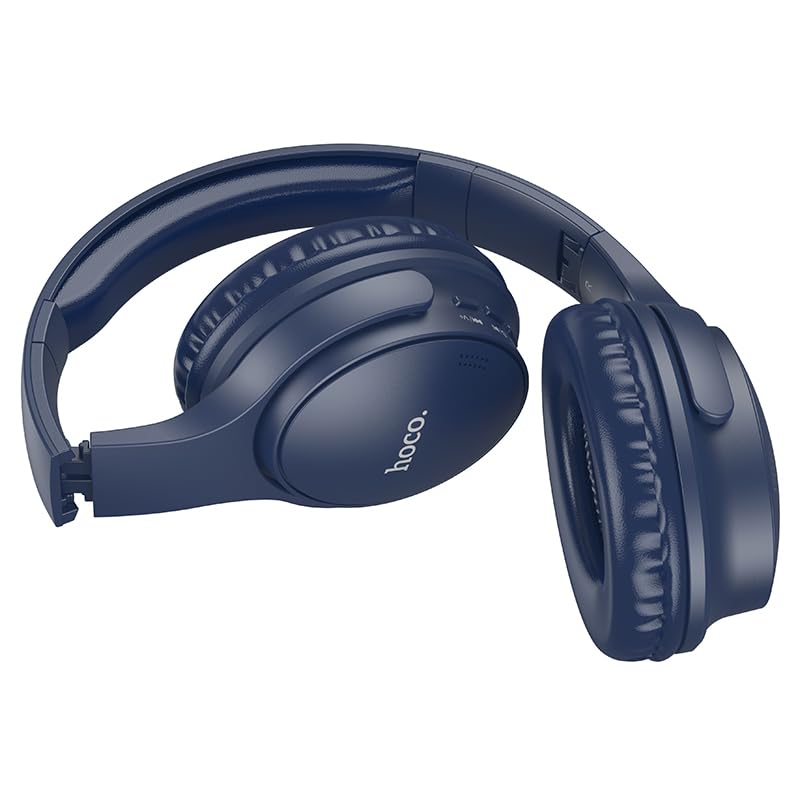
בילד: זייט view of the HOCO W40 Bluetooth Headphones, highlighting the earcup and headband design. The controls are visible on the right earcup.
קאָנטראָלס און ינדיקאַטאָרס:
- מאַכט קנעפּל: Used to power the headphones on/off and initiate pairing.
- באַנד קאָנטראָל: Adjusts the listening volume using touch controls.
- מולטי-פונקציע קנעפּל (MFB): For play/pause, answer/end calls.
- מיקראָפאָן: איינגעבויט פֿאַר הענט-פֿרײַע רופֿן.
- טשאַרדזשינג פּאָרט: פֿאַר פֿאַרבינדן דעם טשאַרדזשינג קאַבל.
- LED ינדיקאַטאָר: Shows power status, pairing mode, and charging status.
The headphones feature touch controls for volume adjustment and other functions, along with a built-in microphone for clear communication.
סעטאַפּ
1. טשאַרדזשינג די כעדפאָונז
פארן ערשטן באניץ, לאדט אויף אייערע כעדפאונס פולשטענדיג. א פולע לאדונג נעמט בערך 1 שעה.
- Connect the charging cable (not included in the JSON's 'whats_in_the_box' but typically provided) to the charging port on the headphones.
- פאַרבינדן די אנדערע סוף פון די קאַבלע צו אַ וסב מאַכט מקור (למשל, קאָמפּיוטער, וואַנט אַדאַפּטער).
- The LED indicator will show the charging status (e.g., red while charging, blue/off when fully charged).
אַמאָל גאָר אָנגעלאָדן, די כעדפאָונז צושטעלן ביז 12 שעה of continuous playtime.
2. פּערינג מיט אַ בלועטאָאָטה דיווייס
The HOCO W40 headphones use Bluetooth 5.3 for stable and seamless connectivity. They are compatible with smartphones, tablets, laptops, and other Bluetooth-enabled devices (iOS, Android).
- מאַכן זיכער אַז די כעדפאָונז זענען אויסגעדרייט אַוועק.
- Press and hold the Power Button until the LED indicator flashes rapidly (usually blue and red alternately), indicating pairing mode.
- אויף דיין מיטל, געבן בלועטאָאָטה און זוכן פֿאַר בנימצא דעוויסעס.
- Select "HOCO W40" from the list of found devices.
- Once paired, the LED indicator will stop flashing and may turn solid blue or off, depending on the model.
- The headphones have a wireless range of up to 10 מעטער.
If pairing is unsuccessful, turn off both devices, wait a few seconds, and repeat the steps.
אַפּערייטינג ינסטראַקשאַנז
מאַכט אויף / אַוועק
- מאַכט אויף: דריק און האלט דעם פּאַוער קנעפּל פֿאַר אַרום 3 סעקונדעס ביז די LED אינדיקאַטאָר צינדט זיך אָן.
- מאַכט אַוועק: דריק און האלט דעם פּאַוער קנעפּל פֿאַר אַרום 5 סעקונדעס ביז דער LED אינדיקאַטאָר גייט אויס.
מוזיק קאָנטראָל
- שפּיל / פּויזע: Short press the Multi-function Button (MFB).
- באַנד אַרויף: Tap the designated touch control area for volume up.
- באַנד אַראָפּ: Tap the designated touch control area for volume down.
- ווייַטער שפּור: Double-tap the MFB or use the designated touch control.
- פֿריִערדיקע שפּור: Triple-tap the MFB or use the designated touch control.
Note: Specific touch control gestures may vary slightly. Refer to the quick start guide included with your product for precise details.
רופן קאָנטראָל
- ענטפֿערן / סוף רופן: Short press the Multi-function Button (MFB).
- אָפּוואַרפן רופן: דריקן און האַלטן די MFB פֿאַר 2 סעקונדעס.
- ריאַל די לעצטע נומער: Double-press the MFB when not on a call.
וישאַלט
Proper care will extend the life of your HOCO W40 headphones.
- רייניקונג: ניצט אַ ווייכע, טרוקענע שטאָף צו רייניקן די כעדפאָונז. ניצט נישט קיין שרײַבנדיקע רייניגערס אדער סאָלווענטן.
- סטאָרידזש: האַלט די כעדפאָונז אין אַ קיל, טרוקן אָרט אַוועק פון דירעקט זונשייַן און עקסטרעמע טעמפּעראַטורן.
- וואַסער קעגנשטעל: The headphones are water resistant, making them suitable for workouts and outdoor activities. However, they are not designed for submersion in water. Avoid prolonged exposure to heavy rain or direct water jets.
- באַטערי זאָרגן: To preserve battery life, charge the headphones regularly, even if not in frequent use. Avoid fully discharging the battery for extended periods.
טראָובלעשאָאָטינג
| פּראָבלעם | מעגלעך לייזונג |
|---|---|
| די קאָפּהערער ווערן נישט אנגעצינדן. | Ensure the headphones are charged. Connect them to a power source and try again after a few minutes. |
| קען נישט צופּאַסן מיטן דעווייס. |
|
| קיין קלאַנג אָדער נידעריקע וואָלומען. |
|
| די קוואַליטעט פון די רופן איז שלעכט. |
|
ספּעסאַפאַקיישאַנז
| מאָדעל | W40 |
| סאָרט | HOCO |
| קאַנעקטיוויטי טעכנאָלאָגיע | ווירעלעס (בלוטוט 5.3) |
| בלועטאָאָטה קייט | 10 מעטער |
| באַטערי לעבן | אַרויף צו 12 שעה |
| טשאַרדזשינג צייט | בעערעך 1 שעה |
| אַודיאָ דרייווער טיפּ | דינאַמיש דרייווער |
| ראַש קאָנטראָל | געזונט אפגעזונדערטקייט |
| וואַסער קעגנשטעל מדרגה | וואַסער קעגנשטעליק |
| קאָנטראָל טיפּ | באַנד קאָנטראָל (ריר) |
| געבויט-אין מיקראָפאָן | Yes, for Hands-Free Calls |
| קאַמפּאַטאַבאַל דעוויסעס | Smartphones, Tablets, Laptops (Universal Compatibility) |
| מאַטעריאַל | פּלאַסטיק |
| פּונקט וואָג | 180 ג |
אפיציעלע פּראָדוקט ווידעאָ
זעט דעם אפיציעלן פּראָדוקט ווידעאָ פֿאַר אַ וויזועלן איבערבליקview of the HOCO W40 Bluetooth Headphones and their key features.
ווידעא: אן אפיציעלער פראדוקט איבערview of the HOCO W40 Bluetooth Headphones, demonstrating its features, battery life, design, and device compatibility.
וואָראַנטי און שטיצן
For warranty information and customer support, please refer to the documentation included with your purchase or visit the official HOCO webזייטל. האַלט דיין קויפן באַווייַז פֿאַר קיין וואָראַנטי קליימז.
פֿאַר ווייטערדיקע הילף, קענט איר אויך קאָנטאַקטירן דעם הענדלער וואו דער פּראָדוקט איז געקויפט געוואָרן.


