1. הקדמה
Thank you for choosing the HOCO EQ3 True Wireless Earbuds. These earbuds are designed to provide a high-quality audio experience with seamless Bluetooth 5.3 connectivity, intuitive touch controls, and a comfortable in-ear fit. This manual will guide you through the setup, operation, and maintenance of your new earbuds to ensure optimal performance and longevity.
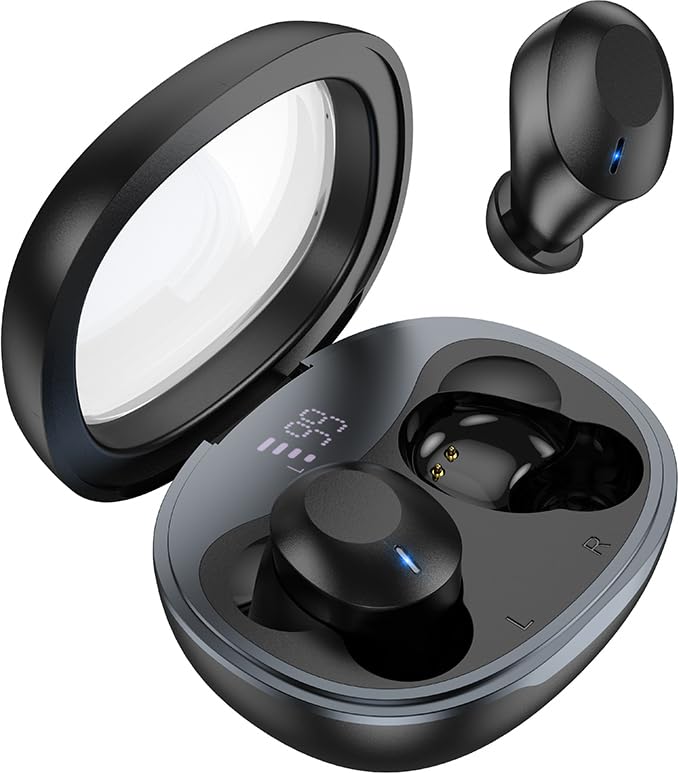
Image: The HOCO EQ3 earbuds, one in the transparent charging case displaying a digital battery percentage, and one earbud removed from the case.
2. זיכערקייַט אינפֿאָרמאַציע
- נעמט נישט אויס, פאררעכט, אדער מאדיפיצירט נישט דאס פראדוקט. דאס קען פאראורזאכן א פייער, אן עלעקטראנישן צוזאמענפאל, אדער א גאנצן שאדן צום פראדוקט.
- Keep the device away from liquids, moisture, or humidity.
- פֿאַרמײַדט אויסשטעלן דעם אַפּאַראַט צו עקסטרעמע טעמפּעראַטורן (אונטער 0°C אָדער העכער 45°C).
- דו זאלסט נישט נוצן די מיטל בעשאַס אַ שטורעם.
- Clean the earbuds and charging case with a soft, dry cloth. Do not use harsh chemicals or abrasive materials.
- אַוועקוואַרפן דעם פּראָדוקט פאַראַנטוואָרטלעך לויט די לאָקאַלע רעגולאַציעס. נישט אַוועקוואַרפן מיטן הויזגעזינדלעכן מיסט.
3. וואָס איז אין דער קעסטל
ביטע טשעקט די אינהאַלט פון די פּאַקעט צו זיכער מאַכן אַז אַלע זאכן זענען דאָרט:
- HOCO EQ3 True Wireless Earbuds (Left and Right)
- ווירעלעסס טשאַרדזשינג קאַסע
- וסב טשאַרדזשינג קאַבלע
- Ear Cushions (Multiple Sizes: XS/S/M/L)
- Protective Case (if included as an accessory)
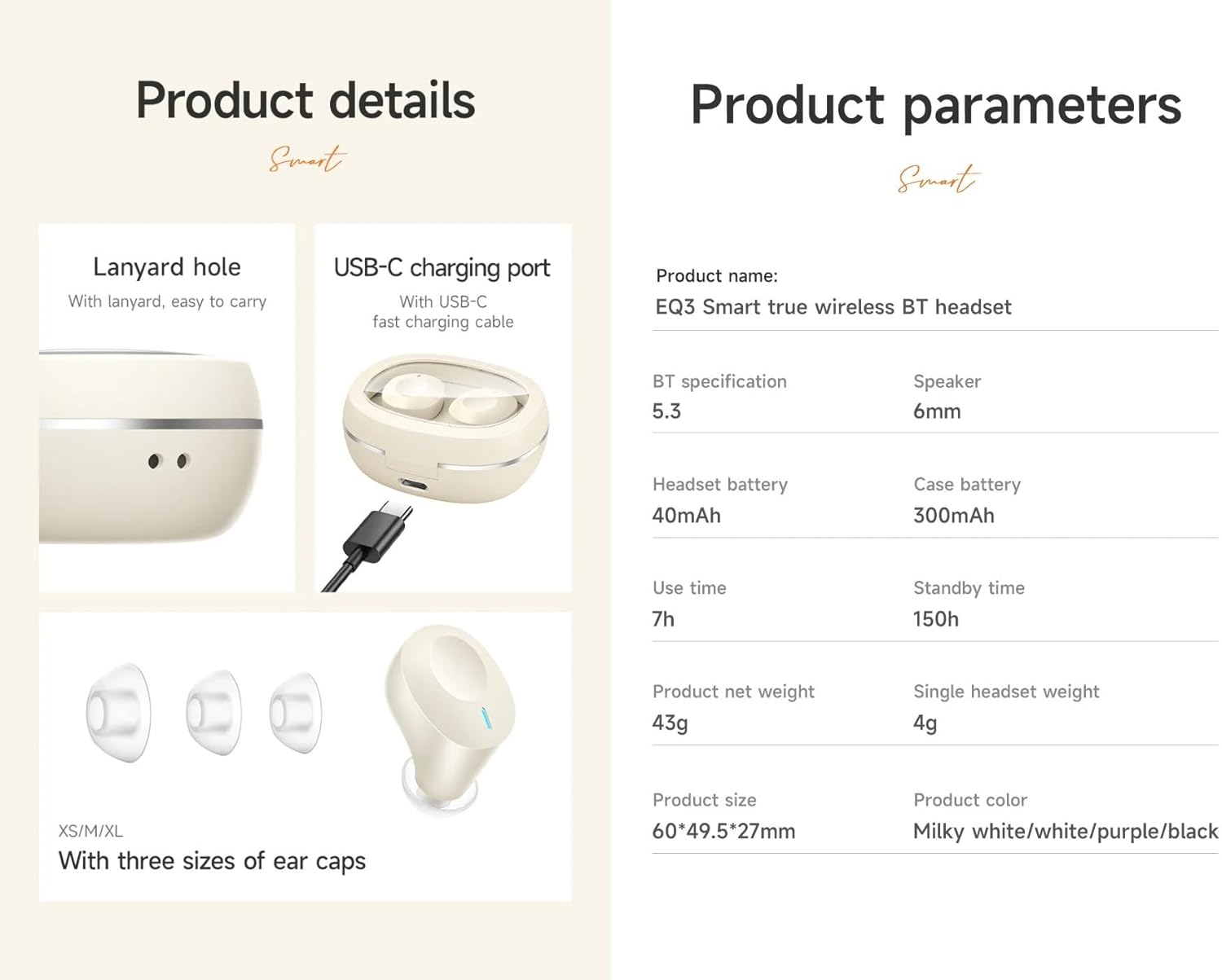
Image: An infographic detailing product features such as the USB-C charging port, lanyard hole, and different sizes of ear caps (XS/S/M/L).
4. פּראָדוקט איבערview
The HOCO EQ3 earbuds feature a compact design with a transparent charging case that includes a digital power display. Each earbud is equipped with touch control areas for easy operation.
טשאַרדזשינג קאַסע
- טראַנספּעראַנט דעקל: Allows visibility of earbuds and digital display.
- דיגיטאַל מאַכט אַרויסווייַז: ווייזט די רוען באַטאַרייע פּראָצענטtagE פון די טשאַרדזשינג פאַל.
- USB-C טשאַרדזשינג פּאָרט: פֿאַרן איבערלאָדן דעם קעסטל.
- לאַניאַרד האָלע: פֿאַר גרינג פּאָרטאַביליטי.
עאַרבודז
- ריר קאָנטראָל שטח: געפינען זיך אויף דער אויסערליכער ייבערפלאך פון יעדן אויערקנעפל פאר פארשידענע פונקציעס.
- LED ינדיקאַטאָר: Displays pairing status and charging status.
- מיקראָפאָן: For clear calls.
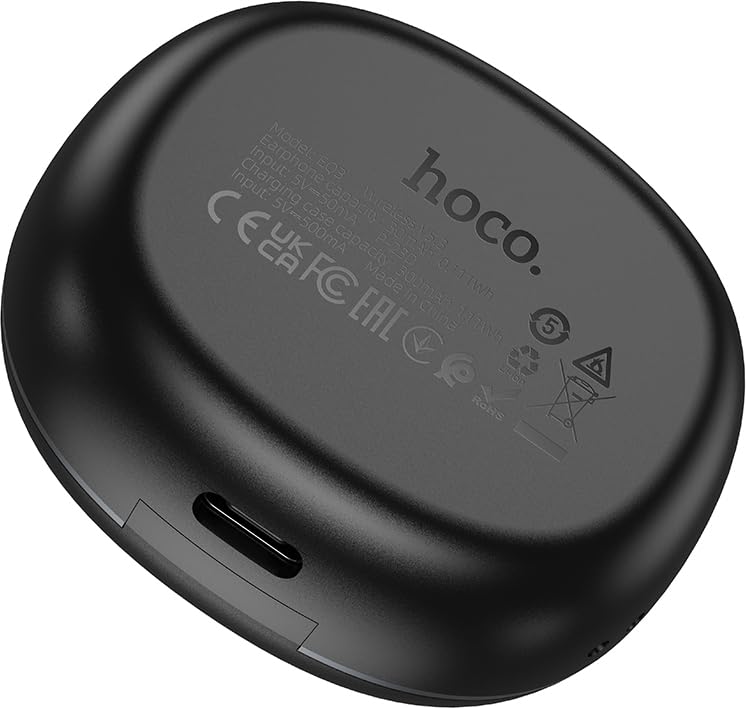
Image: The back of the HOCO EQ3 charging case, showing regulatory marks and basic electrical specifications.
5. סעטאַפּ
5.1 אויפלאָדן די אויערקנעפּלעך און קעסטל
- Place both earbuds into the charging case. Ensure they are correctly seated in their respective slots (L for left, R for right).
- Connect the USB charging cable to the USB-C port on the charging case and the other end to a compatible USB power source (e.g., computer USB port, wall adapter).
- The digital display on the charging case will show the charging status. The earbuds' LED indicators will also show charging status.
- A full charge for the case takes approximately 1.5-2 hours. The earbuds charge automatically when placed in the case.
5.2 פּאָרן מיט אַ בלועטוט מיטל
- מאַכן זיכער אַז די עאַרבודז זענען באפוילן.
- Open the lid of the charging case. The earbuds will automatically power on and enter pairing mode. The LED indicators on the earbuds will flash, indicating they are ready to pair.
- אויף אייער דעווייס (סמאַרטפאָן, טאַבלעט, אאז"וו), אַקטיווירט בלועטוט און זוכט פֿאַר נײַע דעווייסעס.
- Select "HOCO EQ3" from the list of available devices.
- Once connected, the earbuds' LED indicators will stop flashing and remain solid or turn off, and you will hear a confirmation tone.
- The earbuds support master-slave switching, allowing either earbud to be used independently.

Image: An infographic illustrating the automatic connection feature when the charging case cover is opened, and highlighting the high-fidelity sound quality from the dynamic coil unit.
6. אַפּערייטינג ינסטרוקטיאָנס
The HOCO EQ3 earbuds feature intuitive touch controls. The touch control area is located on the outer surface of each earbud.

Image: A diagram illustrating the touch control functions for the HOCO EQ3 earbuds, including single tap, double tap, triple tap, and long press.
6.1 מוזיק פּלייבאַק
- שפּיל / פּויזע: Tap the touch area on either the Left (L) or Right (R) earbud once.
- ווייַטער שפּור: Double tap the touch area on either the Left (L) or Right (R) earbud.
- פֿריִערדיקע שפּור: Triple tap the touch area on either the Left (L) or Right (R) earbud.
6.2 רוף פאַרוואַלטונג
- ענטפֿערן / סוף רופן: צאַפּן דעם ריר־געגנט אויף יעדן אויער־קנעפּעל איין מאָל.
- אָפּוואַרפן רופן: Long press the touch area on either earbud for 2 seconds.
6.3 ווויס אַססיסטאַנט
- אַקטיווירן שטימע אַסיסטאַנט (סירי, גוגל אַסיסטאַנט, אאז"וו): Long press the touch area on either earbud for 2 seconds.
7. וישאַלט
7.1 רייניקונג
- רייניקט רעגולער די אויערן-קנעפּלעך און די טשאַרדזשינג קעסטל צו פאַרמייַדן שטויב און שמוץ אָנזאַמלונג.
- ניצט אַ ווייכן, טרוקן, לינט-פֿרייע שטאָף צו ווישן די ייבערפֿלאַכן.
- For the ear tips, remove them from the earbuds and clean with a damp שטאָף, און דערנאָך גוט טרוקן איידער איר עס צוריק צוטשעפּען.
- Do not use alcohol, benzene, or other volatile liquids for cleaning.
7.2 סטאָרידזש
- ווען נישט אין באַנוץ, לייגט די אויערן-קנעפּלעך אין זייער טשאַרדזשינג קעסטל צו באַשיצן זיי און האַלטן זיי טשאַרדזשד.
- האַלט דעם אַפּאַראַט אין אַ קיל, טרוקן אָרט, אַוועק פון דירעקט זונשייַן און עקסטרעמע טעמפּעראַטורן.
8. טראָובלעשאָאָטינג
If you encounter any issues with your HOCO EQ3 earbuds, please refer to the following common solutions:
| פּראָבלעם | מעגלעך סיבה | לייזונג |
|---|---|---|
| עאַרבודס נישט אויסגעדרייט אויף | נידעריק באַטאַרייע | Place earbuds in the charging case and charge the case fully. |
| קען נישט צוזאמענשטעלן מיטן אפאראט | Bluetooth off, earbuds not in pairing mode, or previously paired. | Ensure Bluetooth is on. Open case lid to enter pairing mode. Forget "HOCO EQ3" from your device's Bluetooth list and try pairing again. |
| בלויז איין עאַרבוד אַרבעט | One earbud not connected or low battery. | Place both earbuds back into the charging case, close the lid for 5 seconds, then open again. Ensure both are charged. |
| ניט געזונט אָדער נידעריק באַנד | Device volume too low, earbud volume too low, or poor connection. | Increase volume on your device. Ensure earbuds are properly connected. Clean ear tips if blocked. |
| טשאַרדזשינג פאַל ניט טשאַרדזשינג | דעפעקטיווער קאַבל אָדער מאַכט מקור. | Try a different USB-C cable and power adapter. Ensure the cable is securely connected. |
9. ספּעסאַפאַקיישאַנז
Detailed technical specifications for the HOCO EQ3 True Wireless Earbuds:
| שטריך | באַשרייַבונג |
|---|---|
| מאָדעל נאָמען | EQ3 EARBUDS |
| בלועטאָאָטה ווערסיע | 5.3 (Chip: JL AC6983D2) |
| ווירעלעסס קאָמוניקאַציע טעכנאָלאָגיע | בלועטאָאָטה |
| עאַרבוד באַטערי קאַפּאַציטעט | 40 מאַה (יעדער עאַרבוד) |
| טשאַרדזשינג קאַסע באַטאַרייע קאַפּאַציטעט | 300 מאַה |
| Use Time (Single Charge) | אַרויף צו 15 שעה |
| גאַנץ שפּילצייט (מיט טשאַרדזשינג קעסטל) | אַרויף צו 28 שעה |
| סטאַנדביי צייט | 150 שעה |
| קאָנטראָל מעטאָד | ריר קאָנטראָל |
| וואַסער קעגנשטעל מדרגה | וואַסער קעגנשטעליק |
| ראַש קאָנטראָל | אַקטיוו ראַש קאַנסאַליישאַן (ANC) |
| אַרייַנגערעכנט קאַמפּאָונאַנץ | Cable, Ear Cushions, Protective Case, Wireless Charging Case |
| מאַטעריאַל | פּלאַסטיק |
| פּונקט וואָג | 48 Grams (Total weight: 43g from feature bullets) |
| פּראָדוקט דימענשאַנז | 60 x 49.5 x 27 mm (Case); 25 x 15 x 7 cm (Package) |
| קאָליר | שוואַרץ |

Image: An infographic highlighting key features such as 28 hours total listening time, Hi-Fi sound quality, Bluetooth 5.3, LED digital display, magnetic switch, lightweight design, TWS stereo, and touch control.
10. וואָראַנטי און שטיצן
For warranty information and customer support, please refer to the warranty card included in your product packaging or contact HOCO customer service through their official website or authorized distributors. Please retain your proof of purchase for warranty claims.
פאַבריקאַנט: HOCO
פּאַקער: Pejy
אימפארטירער: Pejy


