הקדמה
The Gtech Multi Platinum Cordless Handheld Vacuum Cleaner is designed for powerful and convenient cleaning in your car, home, and various other spaces. Its lightweight aluminum-reinforced construction ensures durability, while the rechargeable battery provides up to 30 minutes of runtime for fuss-free cleaning. This manual provides essential information for setup, operation, maintenance, and troubleshooting to help you get the most out of your vacuum cleaner.

Image: The Gtech Multi Platinum Cordless Handheld Vacuum Cleaner with its main components and included attachments.
פּעקל אינהאַלט
Your Gtech Multi Platinum package should include the following items:
- Gtech Multi Platinum Handheld Vacuum Unit
- Power Head (Motorized Brush Head)
- קרעוויסע טול
- געשפּרייט טוב
- דאַסטינג באַרשט
- ריטשאַרדזשאַבאַל ליטיום-יאָן באַטאַרייע (פאַר-אינסטאַלירט אָדער באַזונדער)
- באַטערי טשאַרדזשער
- Scented Cartridges (replaceable)
- ספּער פילטער
- באַניצער מאַנואַל (דעם דאָקומענט)

בילד: נאָענט-אַרויף view of the Gtech Multi Platinum handheld vacuum and its versatile attachments, including the crevice tool, extension tube, and dusting brush.
סעטאַפּ
1. טשאַרדזשינג די באַטערי
Before first use, fully charge the battery. The battery provides up to 30 minutes of runtime and takes approximately 3 hours to fully charge.
- Locate the battery charger.
- Connect the charger to the battery. The battery can be charged while installed in the unit or removed.
- צאַפּן די טשאַרדזשער אין אַ נאָרמאַל וואַנט ווענטיל.
- The indicator lights on the battery will show the charging status. All lights will be solid when fully charged.
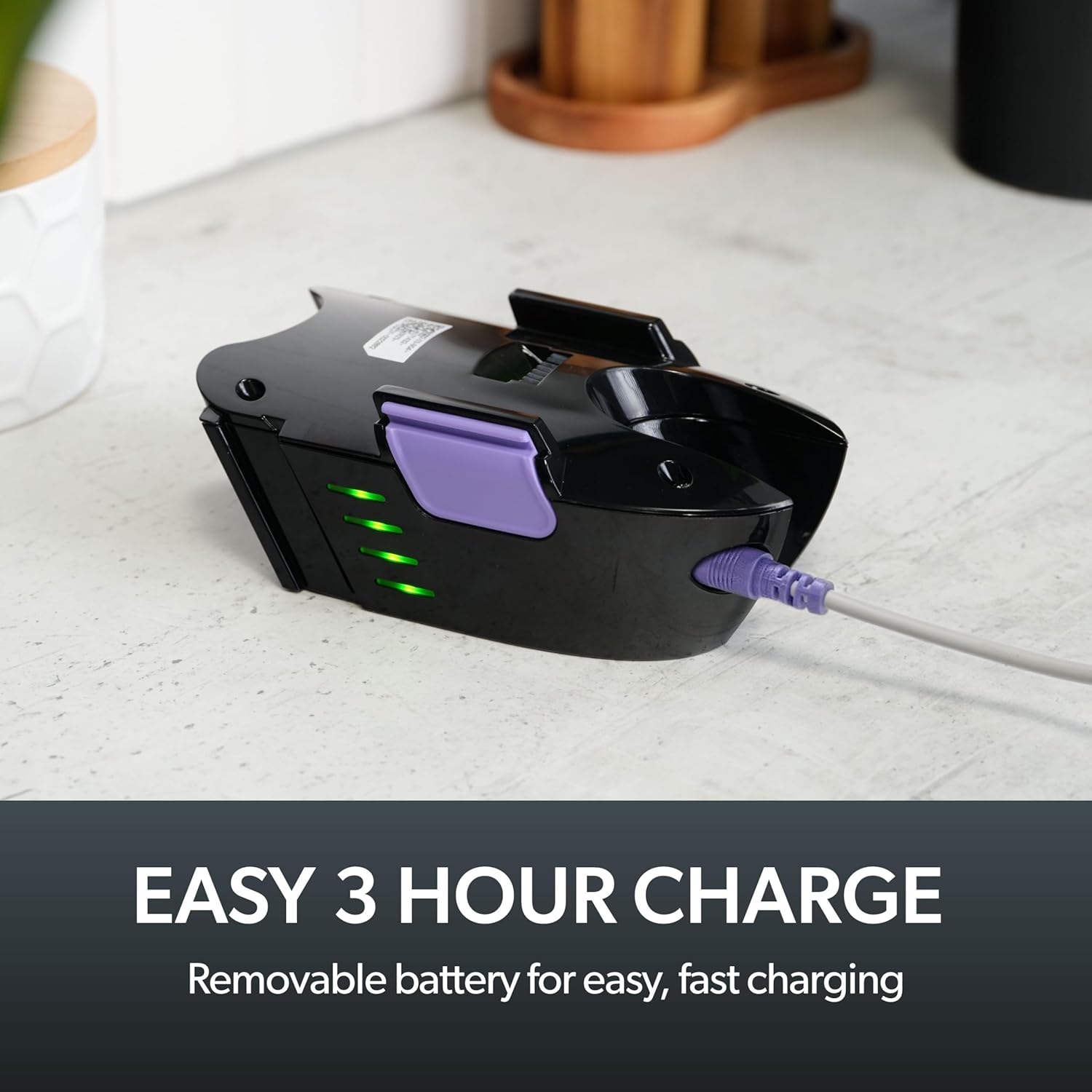
Image: The removable battery of the Gtech Multi Platinum connected to its charger, showing the indicator lights.
2. צוטשעפּען אַקסעסאָריעס
The Gtech Multi Platinum comes with several handy attachments for various cleaning tasks:
- מאַכט קאָפּ: Ideal for carpets, upholstery, and stairs. Simply push it onto the main vacuum nozzle until it clicks into place.
- קרעוויסע געצייַג: Perfect for tight spaces, corners, and edges. Attach directly to the main nozzle.
- עקסטענסיאָן רער: Use with other attachments to reach high or low areas without bending or stretching. Connect it between the main nozzle and your chosen attachment.
- דאַסטינג באַרשט: For delicate surfaces like keyboards, shelves, or blinds. Attach to the main nozzle or the extension tube.
אַפּערייטינג ינסטראַקשאַנז
מאַכט אויף / אַוועק
כדי צו אנצינדן דעם וואקיום, דריקט דעם "power" קנעפל וואס געפינט זיך אויפן הענטל. דריקט עס נאכאמאל כדי אויסצולעשן דעם וואקיום.
אַלגעמיינע רייניקונג
For general floor cleaning, attach the Power Head. Its motorized brush effectively lifts dirt, debris, and pet hair from various surfaces, including carpets and hard floors.

Image: The Gtech Multi Platinum in use, demonstrating its maneuverability on stairs, effectively cleaning both carpeted and hard surfaces.
ניצן אַטאַטשמאַנץ
אויסקלייבן דעם פּאַסיקן אַטאַטשמענט פֿאַר אייער רייניקונג אַרבעט:
- ניצן די קרעוויסע טול for narrow gaps, car interiors, and along skirting boards.
- די געשפּרייט טוב combined with the Crevice Tool or Dusting Brush is ideal for reaching cobwebs on ceilings or cleaning high shelves.
- די דאַסטינג באַרשט is gentle enough for delicate items like computer keyboards or intricate furniture.

Image: The Gtech Multi Platinum with a dusting brush attachment, cleaning a laptop keyboard, highlighting its precision for delicate surfaces.

Image: The Gtech Multi Platinum with its extension tube and LED headlights, illuminating hidden dust and dirt in hard-to-reach areas.
Scented Cartridges
The vacuum includes lightly scented cartridges to help neutralize odors and leave your home smelling fresh. Replace them as needed.
וישאַלט
ליידיק די שמוץ בין
The large, easy-empty dirt bin should be emptied regularly to maintain optimal suction performance. Simply slide the ejector arm to release collected dirt and dust.

Image: A user emptying the easy-empty dirt bin of the Gtech Multi Platinum, demonstrating the quick and mess-free disposal of debris.
רייניקונג די פילטער
The vacuum features a washable filter system. For best performance, clean the filter regularly:
- Remove the dirt bin and then the filter.
- Tap the filter to remove loose debris.
- שווענקט דעם פילטער אונטער קאלט וואסער ביז דאס וואסער ווערט קלאר.
- Allow the filter to air dry completely for at least 24 hours before reinserting it into the vacuum. Do not use the vacuum with a wet filter.
A spare filter is included to allow for continuous use while one filter is drying.
Cleaning the Power Head Brush Bar
Periodically check the Power Head brush bar for tangled hair or debris. Use scissors or the included hair/string cutter to carefully remove any obstructions. Ensure the vacuum is turned off before performing this maintenance.
טראָובלעשאָאָטינג
| פּראָבלעם | מעגלעך סיבה | לייזונג |
|---|---|---|
| וואַקוום נישט אויסגעדרייט אויף | Battery not charged; Battery not properly inserted | Charge the battery fully; Ensure battery is securely clicked into place |
| רידוסט סאַקשאַן מאַכט | Dirt bin full; Filter clogged; Obstruction in nozzle/attachments/brush bar | Empty dirt bin; Clean/replace filter; Remove any obstructions |
| Power Head brush bar not spinning | Obstruction in brush bar; Power Head not properly attached | Clear any tangled hair/debris; Reattach Power Head securely |
ספּעסאַפאַקיישאַנז
- מאָדעל נאָמען: Multi Platinum
- מאָדעל נומער: ATF061
- סאָרט: גטעטש
- ספּעציעלע שטריך: Lightweight, Handheld
- פילטער טיפּ: קאַרטרידזש (וואַשעוודיק)
- איז קאָרדלעסס?: יא
- קאַפּאַציטעט: 0.4 קילאָגראַמס
- וואָסtage: 140 וואטס
- לויפן צייט: אַרויף צו 30 מינוט
- טשאַרדזשינג צייט: בעערעך 3 שעה
- רעקאַמענדיד ניצט: Indoor (Car, Home, Upholstery, Stairs)
- פאָרם פאַקטאָר: כאַנדכעלד
- קאָליר: ווייַס / לילאַ
- פּראָדוקט דימענשאַנז: 15.2"ל x 5.4"בר x 9.8"ה
- ראַש מדרגה: 70 דב
- נומער וואָג: 3.3 פונט
- באַטערי: 1 ליטהיום יאָן באַטאַרייע (אַרייַנגערעכנט)
אפיציעלע פּראָדוקט ווידעאָ
Video: An official product video from Gtech Home USA showcasing the features and benefits of the Gtech Multi Platinum vacuum cleaner.
וואָראַנטי און שטיצן
Gtech products are designed for durability and performance. For specific warranty details, please refer to the warranty card included with your purchase or visit the official Gtech webפּלאַץ.
For customer support, technical assistance, or to purchase replacement parts and accessories, please contact Gtech Home USA directly:
- Webפּלאַץ: www.gtech.co.uk
- אַמאַזאָן סטאָר: Visit the Gtech Store on Amazon
Please have your model number (ATF061) and purchase date ready when contacting support.


