הקדמה
Thank you for choosing the AVMTON Wireless Gaming Mouse. This manual provides detailed instructions on how to set up, operate, and maintain your new mouse, ensuring optimal performance and an enhanced gaming and work experience. Designed for comfort and precision, this ergonomic wireless mouse features adjustable DPI, customizable buttons, and vibrant RGB lighting.
פּראָדוקט איבערview
The AVMTON Wireless Gaming Mouse is engineered for both gaming and office use, offering a comfortable ergonomic design and responsive control. It features a honeycomb hollow design with RGB backlighting, providing both aesthetic appeal and lightweight performance.
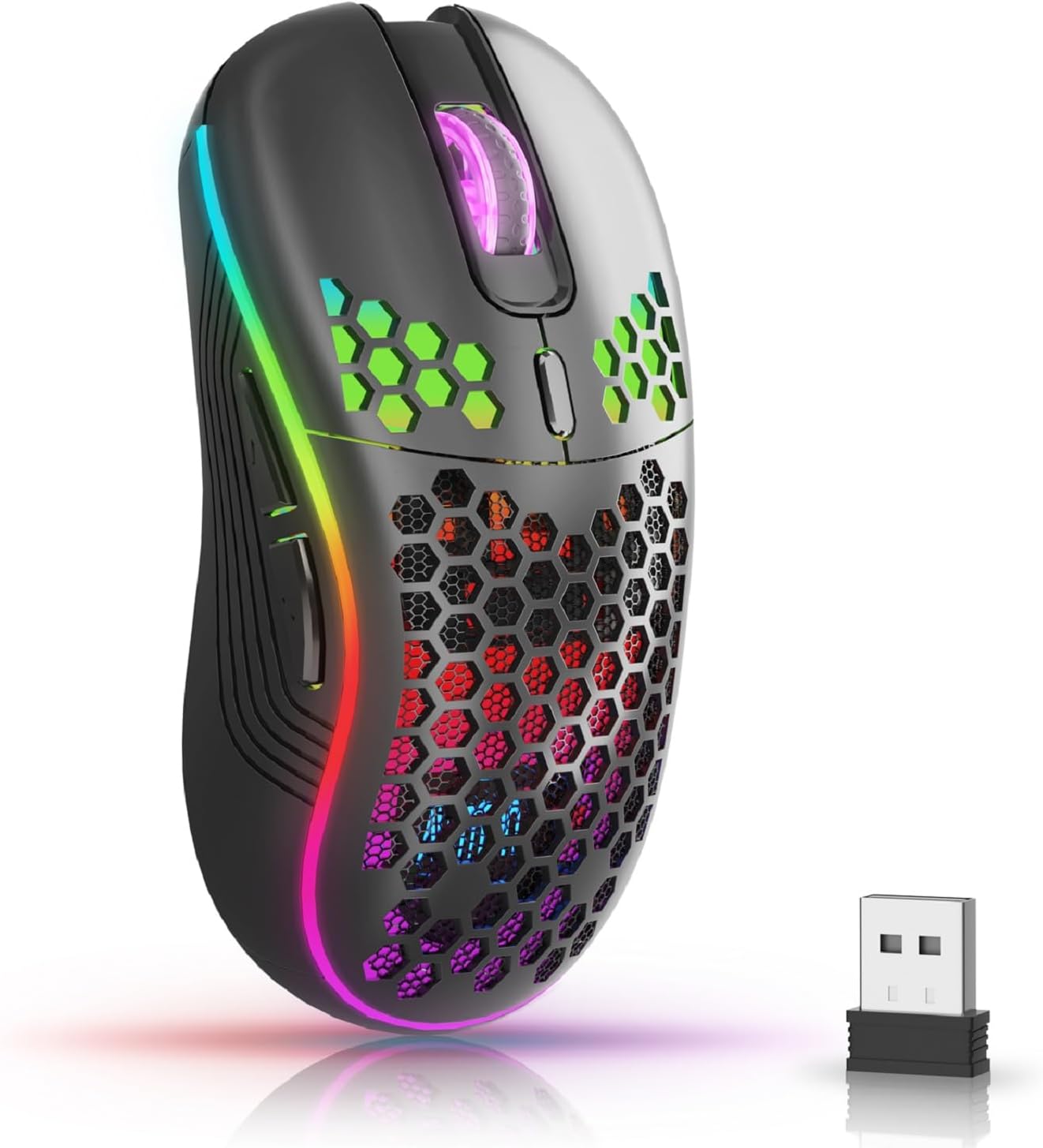
The AVMTON Wireless Gaming Mouse in black, featuring RGB lighting and a honeycomb design, shown alongside its compact USB receiver.

Illustration of the mouse's connectivity modes, including Type-C charging, 2.4G wireless receiver, and a 10m sensing range, suitable for home, gaming, and office environments.
שליסל פֿעיִקייטן:
- ערגאָנאָמיק פּלאַן: Shaped to fit the hand comfortably, reducing strain during extended use.
- אַדזשאַסטאַבאַל דפּי: Easily switch between 800/1200/1600/2400/4800 DPI settings for precise control.
- 6 פּראָגראַממאַבלע קנעפּלעך: Includes forward/backward, left/right click, scroll wheel, and DPI adjustment button.
- קריקאָנלאָדלעך באַטערי: Built-in lithium battery with USB-C charging, offering 15-20 days of use on a single charge.
- שטיל קליק דיזיין: Ideal for quiet environments like libraries or offices.
- ברייט קאַמפּאַטאַבילאַטי: Supports Windows 2000/ME/XP/7/8/10/Vista/98, Mac OS, Linux, and compatible with laptops, PCs, desktops, and Macbooks.
- דוראַבאַל קאַנסטראַקשאַן: Tested for over 5 million clicks, ensuring long-lasting performance.
סעטאַפּ גייד
Follow these steps to set up your AVMTON Wireless Gaming Mouse:
- באַשולדיקן די מויז: Before first use, fully charge the mouse using the provided USB-C charging cable. Connect the cable to the mouse's Type-C port and a USB power source (e.g., computer USB port, USB wall adapter). The charging indicator will show the charging status.
- געפינט דעם USB ריסיווער: The compact USB 2.4G wireless receiver is typically stored in a compartment on the underside of the mouse for safe keeping during transport.
- פאַרבינדן די ופנעמער: Insert the USB receiver into an available USB port on your computer (laptop, PC, desktop, Macbook).
- מאַכט אויף: Turn on the mouse using the power switch located on the underside of the mouse.
- אָטאַמאַטיק קשר: The mouse should automatically connect to your computer. No additional drivers are usually required for basic functionality.
אַפּערייטינג ינסטראַקשאַנז
Understanding the functions of your mouse buttons and settings will enhance your experience.
קנעפּל פאַנגקשאַנז:
- לינקער קליק קנעפל: נאָרמאַלע ערשטיקע קליק פונקציע.
- רעכט קליק קנעפל: נאָרמאַלע צווייטיקע קליק פונקציע.
- סקראָל ראָד: סקראָלן אַרויף אָדער אַראָפּ דורך דאָקומענטן און web בלעטער. קען אויך געדריקט ווערן פאר מיטל-קליק פונקציאנאליטעט.
- DPI אַדזשאַסטמענט קנעפּל: Located near the scroll wheel. Press this button to cycle through available DPI settings (800/1200/1600/2400/4800). Each press changes the cursor speed and sensitivity.
- פֿאָרווערטס קנעפּל: Typically located on the side of the mouse. Used for navigating forward in web בראַוזערז אָדער file עקספּלאָרערס.
- צוריק קנעפּל: Typically located on the side of the mouse. Used for navigating backward in web בראַוזערז אָדער file עקספּלאָרערס.
RGB באַקלייט קאָנטראָל:
The mouse features dynamic RGB backlighting. If you prefer to turn off the backlight, refer to the specific instructions provided with your mouse or check the manufacturer's website for software utilities, if available. Some models allow toggling RGB with a combination of buttons (e.g., DPI button + another button).
וישאַלט
Proper maintenance ensures the longevity and performance of your mouse.
- טשאַרדזשינג: Recharge the mouse when the battery indicator shows low power. A full charge provides approximately 15-20 days of use. It is recommended to fully charge the mouse before extensive use.
- רייניקונג: ניצט אַ ווייכע, טרוקענע שטאָף צו רייניקן די ייבערפלאַך פון דער מויז. פֿאַר שווערע שמוץ, אַ ביסל טרוקןamp מען קען ניצן אַ שטאָף, אָבער זאָרגט זיך אַז קיין נעץ זאָל נישט אַרײַנגיין אין די אינעווייניקסטע קאָמפּאָנענטן. פֿאַרמײַדט שטרענגע כעמיקאַלן אָדער אַברייסיוו מאַטעריאַלן.
- סטאָרידזש: ווען נישט אין באַנוץ פֿאַר לענגערע פּעריאָדן, מאַכט אויס די מויז צו שפּאָרן באַטאַרייע לעבן. האַלט עס אין אַ קיל, טרוקן אָרט.
טראָובלעשאָאָטינג
If you encounter issues with your AVMTON Wireless Gaming Mouse, try the following solutions:
- מויז ענטפערט נישט:
- מאַכן זיכער אַז די מויז איז פּאַוערד אויף.
- Check if the USB receiver is securely plugged into a working USB port on your computer.
- Recharge the mouse. A low battery can cause unresponsiveness.
- פּרוּווט פּלאַגינג די וסב ופנעמער אין אַ אַנדערש וסב פּאָרט.
- ריסטאַרט דיין קאָמפּיוטער.
- פארשפּעטיקונג אדער איבערצייטיגע פארבינדונג:
- Ensure the mouse is within the 10-meter sensing range of the USB receiver.
- Remove any large metallic objects or other wireless devices that might be causing interference between the mouse and the receiver.
- Try moving the USB receiver to a port closer to the mouse.
- DPI Adjustment Not Working:
- Ensure you are pressing the dedicated DPI adjustment button.
- If the issue persists, try restarting the mouse and your computer.
- RGB לייץ נישט ארבעטן:
- Check if the RGB backlight has been intentionally turned off (refer to "RGB Backlight Control" in Operating Instructions).
- זייט זיכער אז די מויז האט גענוג באַטעריע אָפּצאָל.
If these steps do not resolve the issue, please contact AVMTON customer support for further assistance.
ספּעסאַפאַקיישאַנז
| שטריך | דעטאַל |
|---|---|
| סאָרט | AVMTON |
| מאָדעל נומער | AV-DDMB-1 |
| קאָליר | שוואַרץ |
| קאַנעקטיוויטי טעכנאָלאָגיע | 2.4G ווירעלעס (USB ריסיווער) |
| דפּי סעטטינגס | 800 / 1200 / 1600 / 2400 / 4800 |
| נומער פון קנעפּלעך | 6 |
| האַנט אָריענטירונג | רעכט |
| באַטערי לעבן | Approx. 15-20 days (on a single charge) |
| טשאַרדזשינג פּאָרט | וסב טיפּ-C |
| קאַמפּאַטאַבאַל אַפּערייטינג סיסטעמס | Windows 2000/ME/XP/7/8/10/Vista/98, Mac OS, Linux |
| קאַמפּאַטאַבאַל דעוויסעס | פערזענלעכער קאמפיוטער, לעפטאפ |
| ספּעציעלע פֿעיִקייטן | Portable, Ergonomic, Rechargeable, RGB Backlight, Silent Click |
וואָראַנטי און שטיצן
AVMTON offers a 12-month worry-free after-sales service for this product. If you encounter any problems with your wireless mouse, please do not hesitate to contact us. Our customer support team is ready to assist you.
For support, please visit the official AVMTON webפּלאַץ אָדער קאָנטאַקט דיין זיצער.


