1. הקדמה
Thank you for choosing the iFFALCON 43-inch 4K Ultra HD Smart QLED Google TV, model iFF43Q73. This manual provides essential information for the safe and efficient use of your television. Please read it thoroughly before operating the device and retain it for future reference.
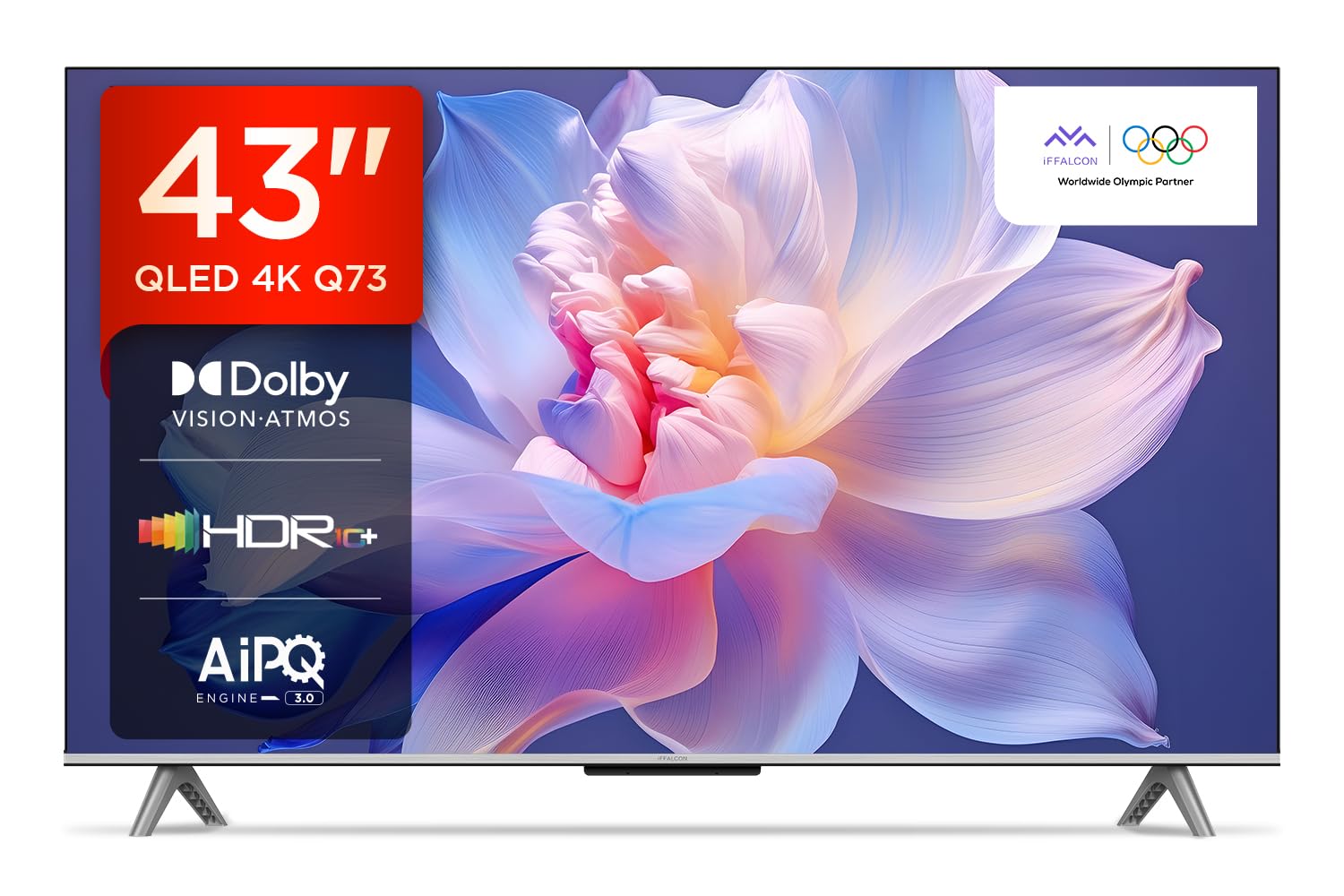
בילד: פראָנט view of the iFFALCON 43-inch 4K Ultra HD Smart QLED Google TV.
2. זיכערקייַט אינפֿאָרמאַציע
Always adhere to the following safety guidelines to prevent electric shock, fire, or damage to the television:
- דו זאלסט נישט ויסשטעלן די טעלעוויזיע צו רעגן אָדער נעץ.
- זיכער מאַכן אַז די ווענטילאַציע איז ריכטיק; נישט פאַרשפּאַרן די ווענטילאַציע עפענונגען.
- ניצן בלויז אַטאַטשמאַנץ / אַקסעסעריז ספּעסיפיעד דורך דער פאַבריקאַנט.
- נעמט ארויס דעם טעלעוויזאר בעת בליץ-שטורעמס אדער ווען מען ניצט עס נישט פאר לאנגע צייטן.
- אָפּשיקן אַלע סערוויסעס צו קוואַלאַפייד סערוויס פּערסאַנעל.
3. וואָס איז אין דער קעסטל
ביים אויספּאַקן, קאָנטראָלירט אַז אַלע זאכן זענען פאַראַן:
- 1N LED טעלעוויזיע
- 1N אַודיאָ קאַבלע
- 1N שטאַנד (פֿאַר טיש מאָנטירונג)
- 1N באַניצער מאַנואַל
- 1N רימאָוט קאָנטראָל
- 1N וואָראַנטי קאַרד
- 2N AAA באַטעריעס (פֿאַר ווײַטקאָנטראָל)
4. סעטאַפּ
4.1 גשמיות ינסטאַלירונג
Your iFFALCON TV can be installed on a table stand or wall-mounted. Ensure the installation surface is stable and can support the TV's weight.

Image: The iFFALCON TV placed on a media console, illustrating a typical table-top setup.
טיש מאַונטינג:
- Carefully place the TV face down on a soft, flat surface.
- Attach the provided stand legs to the designated slots on the bottom of the TV using the screws included.
- זיכער מאַכן אַז דער שטאַנד איז זיכער באַפעסטיקט איידער איר הייבט פֿאָרזיכטיק דעם טעלעוויזאָר צו זיין אויפֿרעכטער פּאָזיציע.
וואַנט מאָונטינג:
For wall mounting, a compatible VESA wall mount kit (not included) is required. Follow the instructions provided with your wall mount kit. Professional installation is recommended.

Image: The iFFALCON TV displayed as wall-mounted in a modern living room setting.
4.2 ערשטע אײַנפֿיר און קאָנפֿיגוראַציע
- פֿאַרבינדט דעם עלעקטרישן שנור צום טעלעוויזיע און דערנאָך צו אַן עלעקטרישן ווענטיל.
- אַרייַנלייגן די צוגעשטעלט אַאַאַ באַטעריז אין די ווייַט קאָנטראָל.
- דרוק די מאַכט קנעפּל אויף די ווייַט קאָנטראָל אָדער טעלעוויזיע צו קער עס אויף.
- פֿאָלגט די אינסטרוקציעס אויף דעם עקראַן צו פֿאַרענדיקן די ערשטע סעטאַפּ, אַרייַנגערעכנט שפּראַך אויסוואַל, נעץ פֿאַרבינדונג (Wi-Fi אָדער עטהערנעט), און גוגל חשבון לאָגין.
5. אַפּערייטינג דיין טעלעוויזיע
5.1 רימאָוט קאָנטראָל
די קלוגע ווײַטקאָנטראָל גיט שנעלן צוטריט צו פֿאַרשידענע פֿונקציעס און סטרימינג סערוויסעס.

Image: The iFFALCON smart remote control, highlighting dedicated buttons for Netflix, Prime Video, YouTube, and TCL Channel, along with Google Assistant functionality.
5.2 גוגל טיווי צובינד
Your TV runs on Google TV, offering a personalized experience with content recommendations and easy access to apps.

Image: The Google TV home screen displaying various streaming apps and content recommendations.

Image: A visual representation of the Google TV platform, emphasizing its user-friendly interface.
שליסל פֿעיִקייטן:
- הענט-פריי קול קאָנטראָל: Use "Ok Google" to search for content, control smart home devices, and get information.
- Google Watchlist: Add movies and TV shows to a unified watchlist from various services.
- Google Kids: Access curated content suitable for children.
- Google טרעפן: Conduct video calls directly from your TV (requires compatible camera, not included).

Image: A user interacting with the TV using the "Ok Google" voice command to check the weather.

Image: The Google Watchlist feature shown across both a mobile device and the TV screen.

Image: The Google Kids interface, displaying child-friendly content and shows.

Image: A video call in progress using Google Meet on the iFFALCON TV.
6. קאַנעקטיוויטי
The iFFALCON iFF43Q73 offers multiple connectivity options for external devices and networks.

בילד: א דעטאַלירטע view of the TV's side panel, illustrating the various input and output ports.
- HDMI פּאָרטן (3): Connect set-top boxes, Blu-ray players, and gaming consoles. HDMI 3 supports eARC/ARC for enhanced audio return.
- יו-עס-בי פּאָרט (1): פֿאַר פֿאַרבינדן USB סטאָרידזש דעוויסעס צו שפּילן מעדיע.
- לאַן (עטערנעט): פֿאַר אַ דראָטיקער אינטערנעט פֿאַרבינדונג.
- כעדפאָון רעזולטאַט: פֿאַר פֿאַרבינדן כעדפֿאָונז אָדער עקסטערנע רעדנערס.
- דיגיטאַל אַודיאָ אַרויס (אָפּטיש): פֿאַר פֿאַרבינדן צו סאַונדבאַרס אָדער היים טעאַטער סיסטעמען.
- אַנטענע/קאַבל אריין: פֿאַר פֿאַרבינדן אַן אַנטענע אָדער קאַבל טעלעוויזיע סיגנאַל.
- AV אין אַדאַפּטער: פֿאַר פֿאַרבינדן עלטערע דעוויסעס ניצנדיק קאָמפּאָזיט ווידעאָ און סטערעאָ אַודיאָ.
- ווי-פי: Built-in for wireless internet access.
- בלועטאָאָטה: פֿאַר פֿאַרבינדן וויירלעס אַקסעסאָריעס ווי כעדפאָונז אָדער שפּיל קאָנטראָללערס.

Image: An illustration of an HDMI 2.1 cable connecting to the TV, highlighting its advanced capabilities.

Image: A laptop screen being cast to the iFFALCON TV, demonstrating low latency casting functionality.
7. ווייַז פֿעיִקייטן
דערלעבט שטוינענדיקע וויזשוואַלן מיט אַוואַנסירטע דיספּליי טעקנאַלאַדזשיז.

בילד: אן איבערview of the iFFALCON TV's key display and audio features, including QLED, Dolby Vision Atmos, HDR10+, MEMC, High Brightness, DTS:X, Gaming in Dolby Vision, Game Master, and Edgeless Design.
- QLED דיספּלעי: Quantum Dot technology delivers vibrant colors and improved brightness.
- 4K אולטרא HD (3840 x 2160): Provides four times the resolution of Full HD for incredible detail.
- דאָלבי וויזשאַן און HDR10+: Advanced HDR formats for enhanced contrast, brightness, and color accuracy.
- 4K HDR Pro: Optimizes HDR content for a superior viewינג דערפאַרונג.
- AIPQ 3.0 Engine: AI-powered picture quality engine for intelligent optimization of color, contrast, and clarity.
- MEMC (באַוועגונג שאַצונג, באַוועגונג קאָמפּענסאַציע): Reduces motion blur and makes fast-moving scenes smoother.
- High Brightness (300 nits): Ensures clear visibility even in well-lit rooms.
- 178 דיגריז ברייט Viewאין ווינקל: Consistent picture quality from various viewינג שטעלעס.

Image: An illustration demonstrating the layers and technology behind a QLED display.

Image: The Dolby Vision logo displayed over a vibrant, colorful abstract image, representing enhanced visual quality.

Image: The HDR10+ logo positioned next to an image of a colorful, explosive visual effect, symbolizing dynamic range.

Image: A split image demonstrating the difference between standard and high brightness, showing a more vivid landscape on the right.

Image: A comparison showing a skier with motion blur (Without MEMC) versus a clear image (With MEMC), illustrating the motion compensation technology.
8. אַודיאָ פֿעיִטשערז
Immersive sound experience with integrated speaker boxes.
- 30 וואטס ארויסגאַנג: Powerful audio for clear sound.
- MS12Z with Dolby Atmos: Delivers multi-dimensional sound that moves around you.
- DTS Virtual:X: Creates an immersive audio experience without the need for additional speakers.
- Integrated Speaker Boxes (Bottom Side): Optimized speaker placement for enhanced sound delivery.

Image: An illustration of the Dolby Atmos sound experience, showing sound waves emanating from the TV and surrounding the viewער.

Image: A visual representation of Dolby Atmos audio filling a living room, with sound waves surrounding the TV.

Image: The DTS:X logo with an illustration of dolphins jumping out of water, depicting immersive sound.

Image: A visual representation of DTS:X audio, showing sound waves emanating from the TV and surrounding a viewer on a couch.
9. גיימינג פֿעיִטשערז
פֿאַרבעסערט אייער גיימינג דערפאַרונג מיט דעדאַקייטאַד פֿעיִקייטן.
- שפּיל־מייסטער: A suite of features designed for gamers.
- Gaming in Dolby Vision: Experience games with enhanced visuals and dynamic range.
- ALLM (אַוטאָ נידעריק לייטאַנס מאָדע): אויטאָמאַטיש טוישט דעם טעלעוויזיע צו אַ נידעריק-לעיטענסי מאָדע ווען אַ שפּיל קאַנסאָול ווערט דעטעקטירט, וואָס רעדוצירט אינפוט לעג.
- שפּיל באַר: Quick access to game-related settings and information during gameplay.

Image: The Game Master feature displayed on the TV screen, showing icons for Game Bar, ALLM, and Aiming Aid.

Image: A gaming scene displayed on the TV with the 'Gaming in Dolby Vision' logo, indicating enhanced visual quality for games.

Image: The Game Master logo with icons for Game Bar, ALLM, and Aiming Aid, illustrating the gaming optimization features.

Image: The Game Bar interface displayed at the bottom of the TV screen during gameplay, showing options like HGIG, StatsBar, Boost, and Toolbox.

Image: A split screen comparison of a racing game with ALLM Mode OFF (left) and ALLM Mode ON (right), demonstrating reduced input lag.
10. וישאַלט
געהעריגע זאָרג גאַראַנטירט די לאַנגלעבעדיקייט און פאָרשטעלונג פון דיין טעלעוויזיע.
- רייניקונג די פאַרשטעלן: ניצט אַ ווייכע, לינט-פֿרייע שטאָף ספּעציעל דיזיינד פֿאַר עלעקטראָניק. ניצט נישט קיין שרײַבנדיקע רייניגער אָדער סאָלווענטן.
- רייניקונג די ראַם: ווישט מיט אַ ווייכן, טרוקענעם שטאָף. פֿאַר שווערע פֿלעקן, אַ ביסל טרוקןamp א שטאָף קען גענוצט ווערן, און דערנאך א טרוקענעם שטאָף.
- ווענטילאַטיאָן: Ensure the TV's ventilation openings are clear of dust and obstructions.
- מאַכט שנור: קעסיידער קאָנטראָלירן די מאַכט שנור פֿאַר קיין שעדיקן.
11. טראָובלעשאָאָטינג
זעט דעם אָפּטייל פֿאַר געוויינטלעכע פּראָבלעמען און זייערע לייזונגען.
| פּראָבלעם | מעגלעך סיבה | לייזונג |
|---|---|---|
| קיין מאַכט | Power cord disconnected, no power from outlet. | קאָנטראָלירט די פֿאַרבינדונג פֿון דער עלעקטרישער שנור. פּרובירט די אַוטלעט מיט אַן אַנדער אַפּאַראַט. |
| קיין בילד נישט, אבער סאונד איז דא | Incorrect input source, faulty cable. | באַשטעטיקן די ריכטיקע אַרייַנגאַנג מקור. קאָנטראָלירט די HDMI/AV קאַבל קאַנעקשאַנז. |
| קיין קלאַנג, אָבער בילד איז דאָ | Volume muted, external audio device issue. | Unmute volume. Check audio settings. Ensure external audio devices are connected correctly. |
| ווייַט קאָנטראָל נישט ארבעטן | טויטע באַטעריעס, שטערונג, ווײַטקאָנטראָל נישט געפּאָרט. | Replace batteries. Remove obstructions. Re-pair Bluetooth remote if applicable. |
| ווי-פי קשר ישוז | אומרעכט פּאַראָל, ראַוטער פּראָבלעם, סיגנאַל שטערונג. | אַרייַן ווידער דעם Wi-Fi פּאַראָל. ריסטאַרט דעם ראַוטער. רוקט דעם טעלעוויזיע נענטער צום ראַוטער אָדער רעדוצירט דעם שטערונג. |
12. ספּעסאַפאַקיישאַנז
Detailed technical specifications for the iFFALCON 43-inch 4K Ultra HD Smart QLED Google TV.

Image: A diagram illustrating the dimensions and weight of the iFFALCON 43-inch TV, both with and without the stand.
| שטריך | דעטאַל |
|---|---|
| מאָדעל | iFF43Q73 |
| פאַרשטעלן גרייס | 43 אינטשעס (108 סענטימעטער) |
| ווייַז טעכנאָלאָגיע | QLED |
| האַכלאָטע | 4K Ultra HD (3840 רענטגענ 2160) |
| דערפרישן קורס | 60 הז |
| אָפּערייטינג סיסטעם | גוגל טעלעוויזיע |
| פּראַסעסער | 64-ביט קוואַד קאָר פּראַסעסער |
| באַראַן | 2 גיגאבייט |
| סטאָרידזש | 16 גיגאבייט |
| אַודיאָ רעזולטאַט | 30 וואטס |
| סאָונד טעכנאָלאָגיע | דאָלבי אַטמאָס, די-טי-עס ווירטועל:X |
| קאַנעקטיוויטי | 3 HDMI Ports, 1 USB Port, Wi-Fi, Bluetooth, Ethernet |
| מאַכט קאַנסאַמשאַן (אויף-מאָד) | 130 וואטס |
| פּראָדוקט גרייס (מיט שטאַנד) | 8 X 95.7 X 60.3 סענטימעטער |
| וואָג פון דעם פּראָדוקט (מיט אַ שטאַנד) | 6.7 קג |
13. וואָראַנטי און שטיצן
Your iFFALCON TV comes with a 2 יאָר וואָראַנטי provided by the manufacturer from the date of purchase. For warranty claims, please use your Amazon e-invoice as proof of purchase.
For technical support or service inquiries, please refer to the contact information provided on the warranty card or visit the official iFFALCON support webפּלאַץ.


