הקדמה
Thank you for choosing the ZEBRONICS Zeb-Rainbow 400 Multimedia Speaker. This manual provides essential information for the proper setup, operation, and maintenance of your speaker system. Please read it carefully before use and retain it for future reference.
זיכערקייַט אינסטרוקציעס
- שטעלט נישט אויס דעם אַפּאַראַט צו רעגן אָדער פייכטקייט כּדי צו פאַרמייַדן פייער אָדער עלעקטרישע קלאַפּן.
- Do not open the speaker cabinet. Refer all servicing to qualified personnel.
- זיכער מאַכן אַז עס איז דאָ געהעריקע ווענטילאַציע אַרום דעם אַפּאַראַט. בלאָקירט נישט קיין ווענטילאַציע עפענונגען.
- באַשיצן די מאַכט שנור פון גיין אויף אָדער פּינטשעד.
- אָפּשטעקן די אַפּאַראַט בעשאַס בליץ סטאָרמז אָדער ווען אַניוזד פֿאַר לאַנג פּיריאַדז.
- Keep the product away from direct sunlight, heat sources, and strong magnetic fields.
פּעקל אינהאַלט
ביטע אָפּהאַקן דאָס קעסטל פֿאַר די פֿאָלגנדיקע זאַכן:
- Subwoofer Unit
- סאַטעליט רעדנערס (4 איינהייטן)
- ווייַט קאָנטראָל
- Audio Input Cable (3.5mm to RCA)
- באַניצער מאַנואַל
פּראָדוקט איבערview
The ZEBRONICS Zeb-Rainbow 400 is a 4.1 channel multimedia speaker system designed for versatile audio playback. It features multiple connectivity options including Bluetooth, AUX, USB, and FM radio. The system includes a powerful subwoofer and four satellite speakers for an immersive audio experience, complemented by integrated RGB lighting.
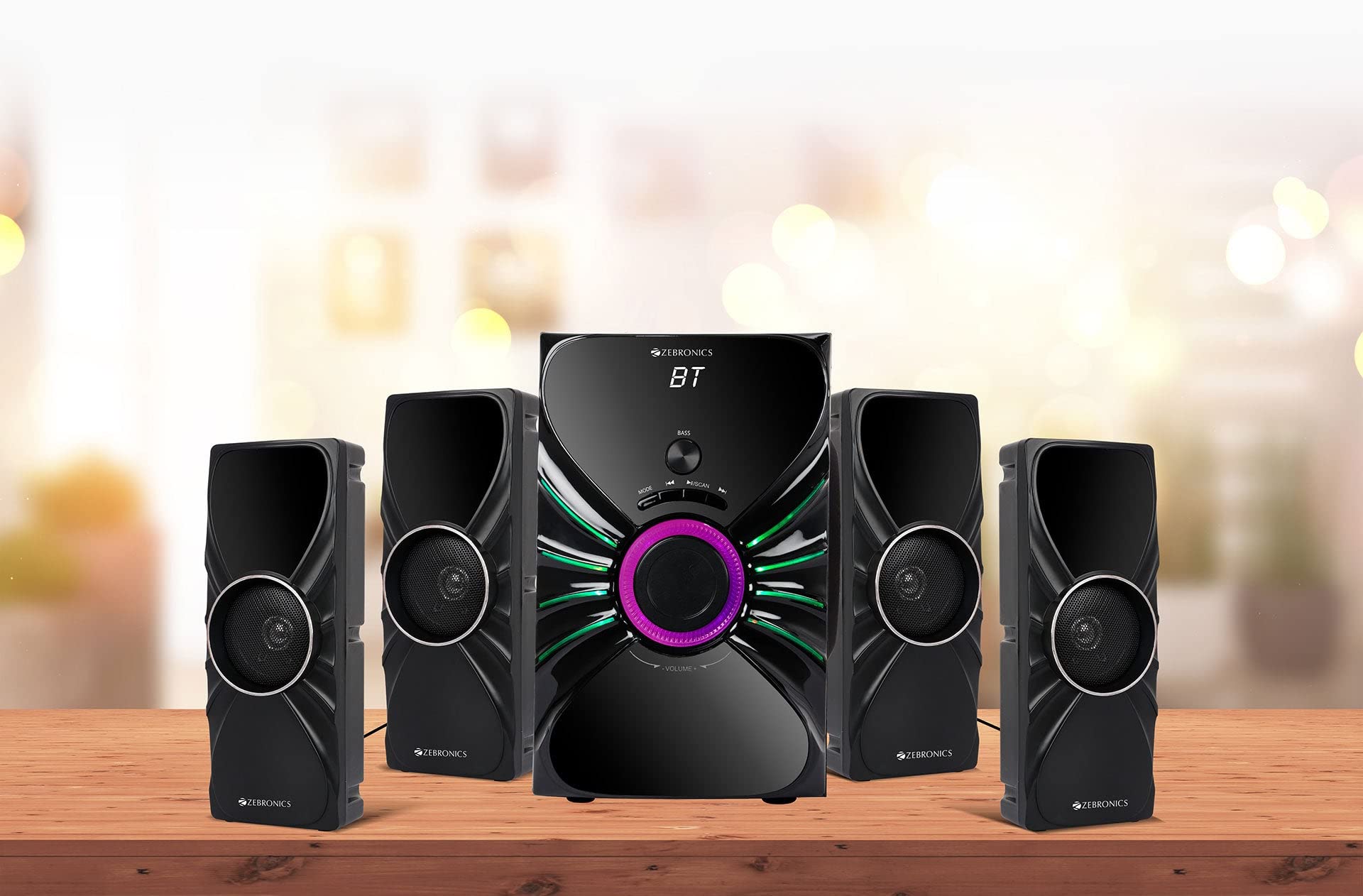
Image: The complete ZEBRONICS Zeb-Rainbow 400 multimedia speaker system, showing the subwoofer, four satellite speakers, and remote control.
סעטאַפּ
1. ונפּאַקקינג
נעמט פֿאָרזיכטיק אַרויס אַלע קאָמפּאָנענטן פֿון דער פּאַקאַדזשינג. האַלט די פּאַקאַדזשינג מאַטעריאַלן פֿאַר צוקונפֿטיקן טראַנספּאָרט אָדער סטאָרידזש.
2. רעדנער פּלייסמאַנט
Place the subwoofer on a stable, flat surface, preferably on the floor for optimal bass response. Position the four satellite speakers around your listening area for a balanced sound field. Ensure adequate space for ventilation.

Image: A visual representation of the 4.1 speaker setup, illustrating the subwoofer and four satellite speakers.
3. Connecting Satellite Speakers
Connect each of the four satellite speakers to the corresponding output ports on the rear panel of the subwoofer unit. Ensure the connections are secure.
4. קאַנעקטינג אַודיאָ קוואלן
- AUX אַרייַנשרייַב: Use the provided 3.5mm to RCA cable to connect your audio device (e.g., smartphone, tablet, PC) to the AUX input ports on the subwoofer.
- וסב ינפּוט: אַרײַנשטעלן אַ USB פֿלעש דרייוו מיט MP3 אַודיאָ fileאַרײַן אין דעם USB פּאָרט אויף דעם סאַבוווּפער.
5. מאַכט קאַנעקשאַן
Connect the power cable to the subwoofer unit and then plug it into a standard AC power outlet.
אַפּערייטינג ינסטראַקשאַנז
1. מאַכט אויף / אויסגעלאשן
Press the Power button on the front panel of the subwoofer or on the remote control to turn the speaker system on or off.
2. מאָדע סעלעקציע
Press the 'MODE' button on the front panel or remote control to cycle through the available input modes: Bluetooth (BT), AUX, USB, and FM Radio.

Image: Close-up of the subwoofer's front panel, showing the control buttons (Mode, Play/Pause, Next/Previous, Bass, Volume) and the integrated RGB lighting.
3. באַנד קאָנטראָל
Rotate the 'VOLUME' knob on the front panel of the subwoofer or use the Volume Up/Down buttons on the remote control to adjust the overall sound level. The 'BASS' knob can be used to adjust the bass intensity.
4. בלועטאָאָטה מאָדע
- Switch the speaker to Bluetooth mode using the 'MODE' button. The display will show 'BT'.
- געבן בלועטאָאָטה אויף דיין רירעוודיק מיטל אָדער קאָמפּיוטער.
- זוכן פֿאַר available devices and select "Zeb-Rainbow 400" to pair.
- Once paired, you can play audio from your device through the speakers.
5. AUX מאָדע
Connect your audio source using the 3.5mm to RCA cable. Switch the speaker to AUX mode. Audio from your connected device will play automatically.
6. וסב מאָדע
Insert a USB flash drive into the USB port. The speaker will automatically switch to USB mode and begin playing MP3 files from the drive. Use the Play/Pause, Next, and Previous buttons to control playback.
7. עפעם ראַדיאָ מאָדע
- באַשטימען די רעדנער צו FM מאָדע.
- Press and hold the 'SCAN' button (often combined with Play/Pause) to automatically scan and save available FM stations.
- Use the Next/Previous buttons to navigate through the saved stations.
8. רימאָוט קאָנטראָל
The included remote control provides full functionality for power, mode selection, volume, track control, and FM station tuning. Ensure the remote has working batteries and is pointed towards the subwoofer's sensor.

Image: The ZEBRONICS Zeb-Rainbow 400 subwoofer unit shown with its remote control, highlighting the main controls.
9. RGB ליגהץ
The subwoofer features integrated RGB lights. These lights typically cycle through various colors and patterns automatically. Refer to the remote control for any specific buttons to change light modes, if available.
וישאַלט
1. רייניקונג
Wipe the speaker surfaces with a soft, dry cloth. Do not use abrasive cleaners, waxes, or solvents as they may damage the finish. Avoid spraying liquids directly onto the speakers.
2. סטאָרידזש
If storing the speakers for an extended period, unplug them from the power outlet and store them in a cool, dry place, away from direct sunlight and extreme temperatures.
טראָובלעשאָאָטינג
| פּראָבלעם | מעגלעך סיבה | לייזונג |
|---|---|---|
| קיין מאַכט | Power cable not connected; Power outlet faulty; Unit switched off | Ensure power cable is securely connected. Check power outlet with another device. Press the Power button. |
| קיין געזונט | Volume too low; Incorrect input mode; Audio cable loose/faulty; Device volume low | Increase volume. Select correct input mode. Check audio cable connections. Increase volume on connected device. |
| בלועטאָאָטה איז נישט קאַנעקטינג | Speaker not in BT mode; Device not in pairing mode; Interference | Switch speaker to BT mode. Ensure device Bluetooth is on and searching. Move devices closer. Restart both devices. |
| ווייַט קאָנטראָל נישט ארבעטן | Batteries depleted; Obstruction; Remote not pointed at sensor | Replace batteries. Remove any obstructions. Point remote directly at the subwoofer's IR sensor. |
| נעבעך עפעם אָפּטראָג | שוואַך סיגנאַל; אַנטענע פּאָזיציע | Adjust the position of the FM antenna. Rescan for stations. |
ספּעסאַפאַקיישאַנז
| שטריך | באַשרייַבונג |
|---|---|
| סאָרט | זעבראָניקס |
| מאָדעל נומער | Zeb Rainbow 400 |
| פּראָדוקט דימענשאַנז (LxWxH) | 21 X 39 X 32 סענטימעטער |
| פּונקט וואָג | קסנומקס קג קסנומקס ג |
| קאַנעקטיוויטי טעכנאָלאָגיע | Auxiliary, Bluetooth, USB, Wireless |
| מאַכט מקור | AC |
| קאַמפּאַטאַבאַל דעוויסעס | סמאַרטפאָנע, טאַבלעט |
| Subwoofer Drive Size | 16.51 סענטימעטער |

Image: A visual highlighting the 16.51 cm subwoofer drive of the ZEBRONICS Zeb-Rainbow 400.
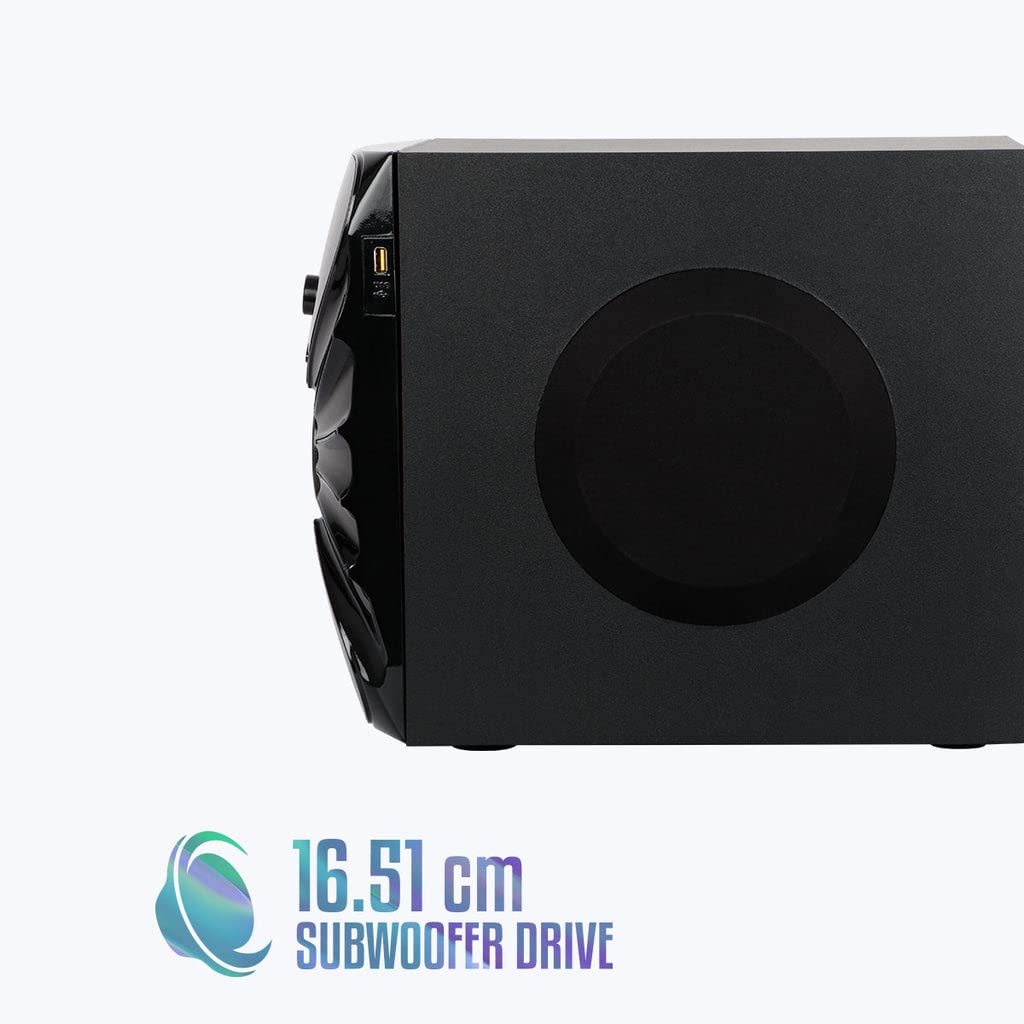
בילד: זייט view of the ZEBRONICS Zeb-Rainbow 400 subwoofer, showing the USB port and overall dimensions.
וואָראַנטי און שטיצן
This product comes with a minimum six-month seller warranty. For any issues or support, please contact your seller or refer to the official ZEBRONICS support channels. Keep your purchase receipt for warranty claims.


