1. הקדמה
The CHUWI Hi10 XPro is a versatile 10.1-inch Android 14 tablet designed for both productivity and entertainment. Featuring an Unisoc T606 Octa-Core processor, 8GB RAM, and 128GB ROM (expandable up to 1TB), it offers smooth performance for various applications. This tablet supports 4G LTE and 5G WiFi connectivity, includes a 7000mAh battery, and comes with 13MP rear and 5MP front cameras. This manual provides essential information for setting up, operating, and maintaining your device.

פיגור 1.1: פאָרנט און הינטן view of the CHUWI Hi10 XPro Tablet.
2. וואָס איז אין דער קעסטל
באַשטעטיקן אַז אַלע זאכן זענען פאַראַן אין פּעקל:
- CHUWI Hi10 XPro Tablet
- 5V/2A adapter (PSE, CE, UL, FCC certified)
- מערשפראכיגע אנווייזונג
- סערטיפיקאַט פון קאַנפאָרמאַטי
- קוואַליטעט באַווייַזן
- וואָראַנטי קאָרט
- 128 גיגאבייט מיקראָ סד קאָרט
3. סעטאַפּ
3.1 ערשט טשאַרדזשינג
Before first use, fully charge the tablet using the provided 5V/2A adapter and Type-C cable. The battery indicator on the screen will show charging progress.
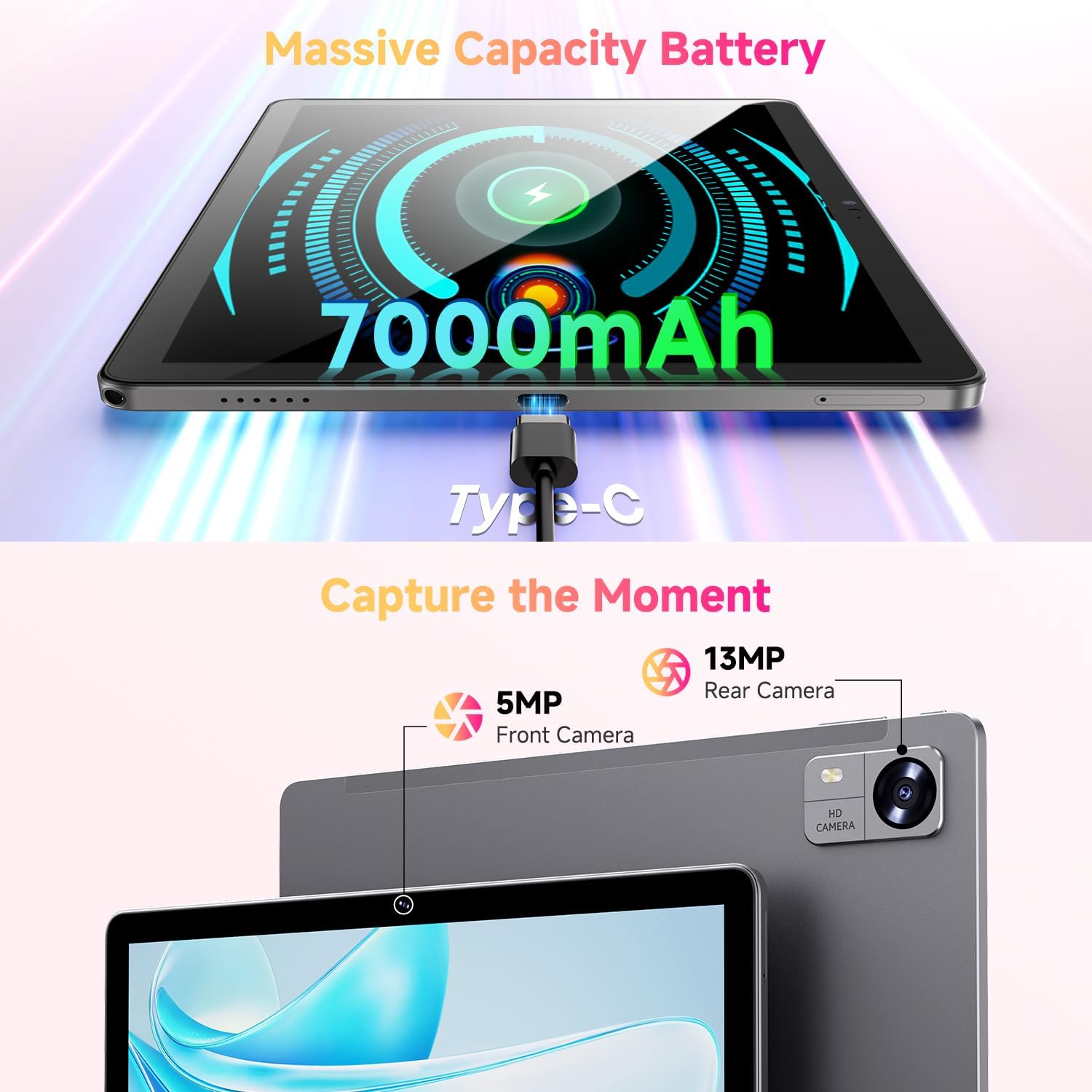
Figure 3.1: Charging the tablet via Type-C port.
3.2 מאַכט אויף / אַוועק
- מאַכט אויף: Press and hold the Power button on the side of the tablet until the CHUWI logo appears.
- מאַכט אַוועק: Press and hold the Power button until a power-off menu appears. Select "Power off" to shut down the device.
- ריסטאַרט: From the power-off menu, select "Restart" to reboot the device.
3.3 סים קאַרטל און TF קאַרטל אינסטאַלאַציע
The tablet supports dual SIM cards and a TF (MicroSD) card for expanded storage. Use the provided SIM ejector tool to open the tray.
- געפינט די SIM/TF קאַרטל טאַץ אויף דער זייט פון דער טאַבלעט.
- שטעקט אריין דעם סים קארטל ארויסווארפער געצייג אין דעם קליינעם לאך לעבן דעם טרעי און דריקט לײַכט ביז דער טרעי קומט ארויס.
- לייגט אריין אייערע נאַנאָ-סים קאַרדס און/אָדער מיקראָסד קאַרטל אין די באַשטימטע סלאָץ אויף דער טאַץ, און זאָרגט אַז די אָריענטירונג איז ריכטיק.
- שטופּ פֿאָרזיכטיק צוריק דעם טאַץ אין דער טאַבלעט ביז עס קליקט אַרײַן אין פּלאַץ.
*Important Note for Cellular Functionality: Please register the IMEI number of your device with local carriers before using cellular network functions. Failure to do so may result in the SIM card functions (network and calls) being disabled by the carriers after a period of use.
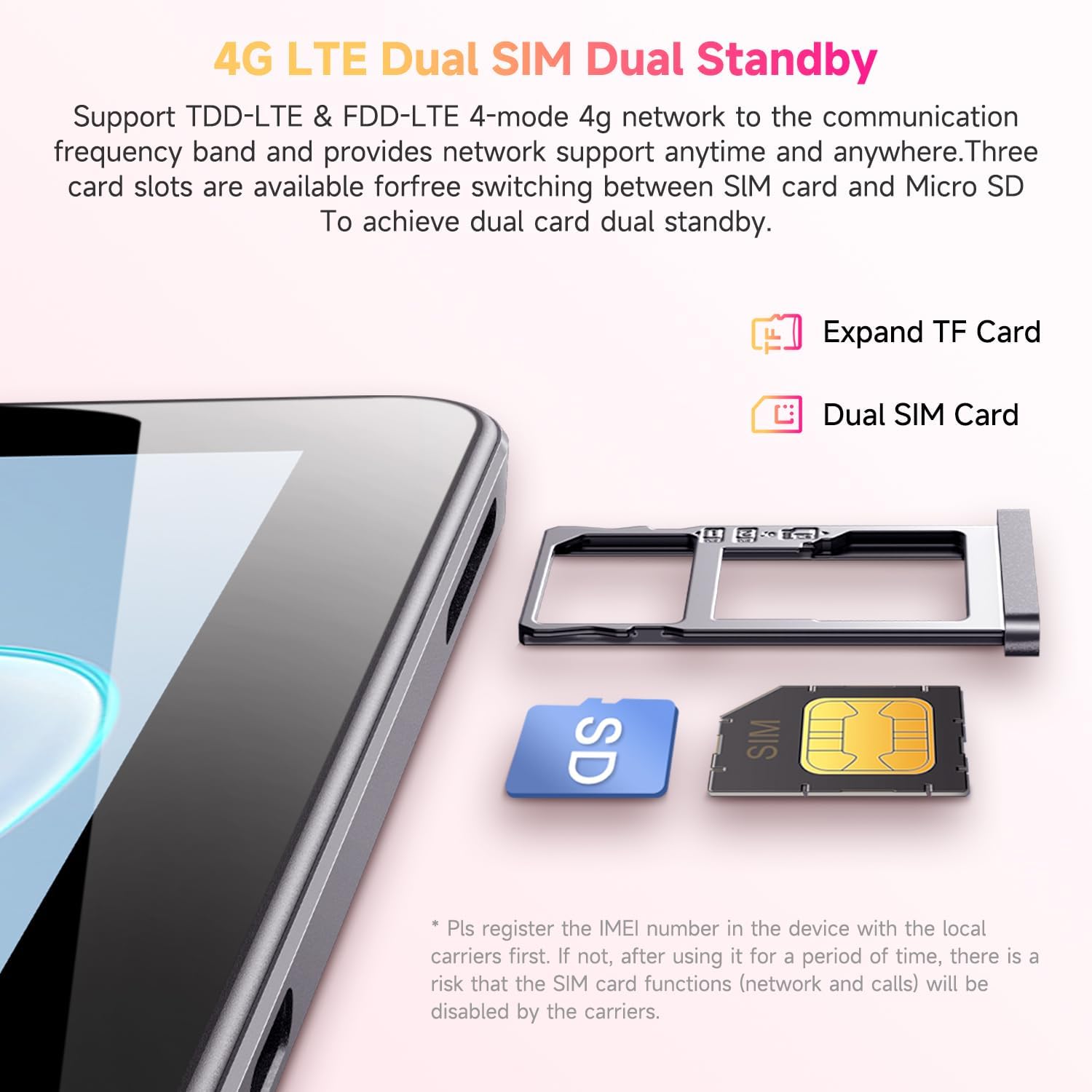
Figure 3.2: Inserting SIM and TF cards into the tray.
3.4 ערשטע סעטאַפּ וויזאַרד
ביים ערשטן מאָל אנצינדן, וועט די טאַבלעט אייך פירן דורך אַן ערשטן סעטאַפּ פּראָצעס. פֿאָלגט די אינסטרוקציעס אויף דעם עקראַן צו:
- אויסקלייַבן דיין שפּראַך.
- פאַרבינדן צו אַ Wi-Fi נעץ.
- לאָג אַרײַן מיט אײַער גוגל אַקאַונט אָדער שאַפֿט אַ נײַעם.
- שטעלט אויף דעם עקראַן שלאָס (PIN, מוסטער, פּאַראָל).
- Review און אָננעמען די תּנאים און באַדינגונגען.
4. אַפּערייטינג ינסטרוקטיאָנס
4.1 אַרויסווייַזונג און נאַוויגאַציע
The CHUWI Hi10 XPro features a 10.1-inch HD IPS touchscreen with a resolution of 1280x800 pixels, providing clear and vibrant visuals. Navigation is primarily touch-based, with gestures and on-screen buttons for home, back, and recent apps.

Figure 4.1: The tablet's 10.1-inch HD IPS display.
4.2 פאָרשטעלונג און סטאָרידזש
Equipped with a 1.6GHz Unisoc T606 Octa-Core processor and Mali-G57 GPU, the tablet ensures smooth operation for daily tasks, browsing, and light gaming. It comes with 8GB RAM (4GB physical + 4GB virtual) and 128GB of internal storage, expandable up to 1TB via a MicroSD card.

Figure 4.2: Illustration of the Unisoc T606 Octa-Core Processor.

Figure 4.3: Visual representation of storage and connectivity options.
4.3 קאַנעקטיוויטי
The tablet supports dual-band 2.4G+5G WiFi (802.11ac) for stable and fast internet connections, and Bluetooth 5.0 for connecting wireless accessories. Dual 4G LTE support allows for mobile data and calls (with proper SIM registration).
4.4 קאַמעראַ פונקציעס
Capture moments with the 13MP rear camera and take clear selfies or make video calls with the 5MP front camera.
4.5 באַטאַרייע לעבן
The built-in 7000mAh battery provides approximately 8-10 hours of usage on a full charge, depending on usage patterns.
4.6 אַנדרויד 14 אָפּערייטינג סיסטעם
The CHUWI Hi10 XPro runs on Android 14, offering enhanced privacy controls, efficient memory management, and multitasking capabilities. It supports Widevine L1 for high-definition streaming on platforms like Netflix, Prime Video, and Disney+.
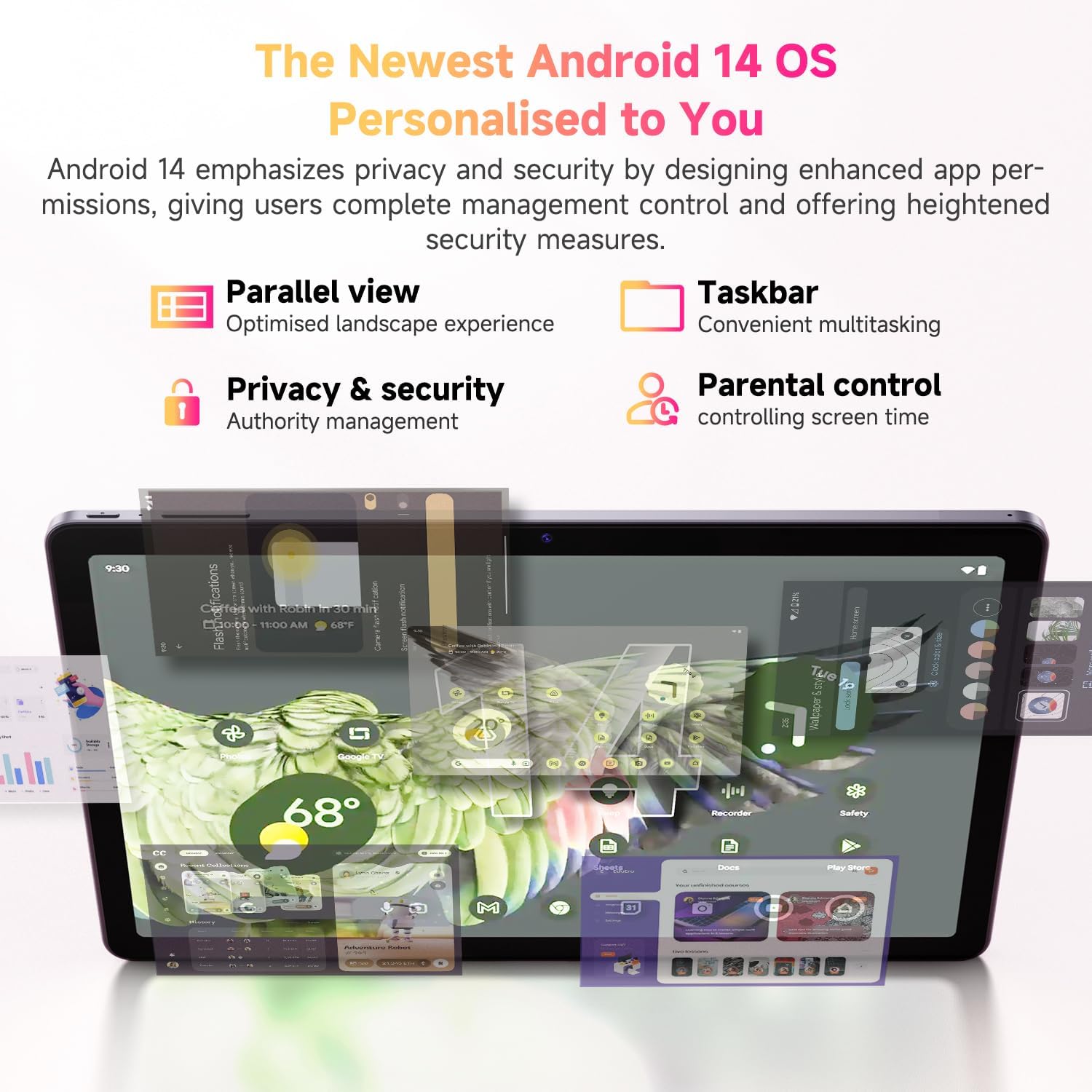
Figure 4.4: Key features of the Android 14 operating system.
4.7 אפיציעלע פּראָדוקט ווידעאָ
ווידעא 4.1: אן אפיציעלע פראדוקט ווידעא ווייַזונגasing the CHUWI Android 13 Tablet Hi10 XPro Tablet 10.1 Inch 8+128GB. This video highlights various features and usage scenarios of the tablet, including its sleek design, display quality, and performance capabilities.
5. ספּעסאַפאַקיישאַנז
| שטריך | באַשרייַבונג |
|---|---|
| סאָרט | CHUWI |
| מאָדעל נאָמען | Hi10 XPro |
| שטייענדיק פאַרשטעלן אַרויסווייַזן גרייס | 10.1 אינטשעס |
| פאַרשטעלן האַכלאָטע | 1280 X 800 בילדצעלן |
| פּראַסעסער | 1.6 GHz Unisoc T606 Octa-Core |
| גראַפיקס קאָופּראַסעסער | Mali-G57 |
| באַראַן | 8GB (4GB+4GB virtual) |
| האַרט דרייוו / פלאַש זכּרון גרייס | 128 גיגאבייט ססד |
| יקספּאַנדאַבאַל סטאָרידזש | Up to 1TB with MicroSD card |
| אָפּערייטינג סיסטעם | אַנדרויד 14 |
| ווירעלעסס טיפּ | 802.11ac (2.4G+5G WiFi), Bluetooth 5.0 |
| סעליאַלער קאַנעקטיוויטי | Dual 4G LTE |
| דערציען Webקאַם האַכלאָטע | 13 מפּ |
| פראָנט קאַמעראַ האַכלאָטע | 5 מפּ |
| באַטאַרייע קאַפּאַציטעט | 7000 מאַה ליטהיום פּאָלימער |
| דורכשניטלעך באַטאַרייע לעבן | 8-10 שעה |
| פּונקט וואָג | 15.5 אונסעס (בעערעך 438 ג) |
| פּראָדוקט דימענשאַנז | 9.41 x 6.2 x 0.29 אינטשעס (אומגעפער 239.3 x 158 x 7.5 מ״מ) |
| קאָליר | שוואַרץ |
| גפּס פונקציע | Supported (GPS, Glonass, Galileo, Beidou) |
| Widevine Certification | L1 Supported |
6. וישאַלט
- רייניקונג: ניצט אַ ווייכע, לינט-פֿרייע שטאָף צו רייניקן דעם עקראַן און קערפּער פֿון דער טאַבלעט. פֿאַרמייַדט ניצן שטרענגע כעמיקאַלן אָדער אַברייסיוו מאַטעריאַלן.
- ווייכווארג דערהייַנטיקונגען: Periodically check for system updates in the tablet's settings to ensure optimal performance and security.
- באַטערי זאָרגן: כדי צו פארלענגערן די לעבן פון די באַטעריע, זאָלט איר אויסמיידן עקסטרעמע טעמפּעראַטורן און נישט לאָזן די באַטעריע גאָר אויסליידיקן אָפט.
- סטאָרידזש פאַרוואַלטונג: רעגולער אויסמעקן נישט-נייטיקע זאכן files and apps to maintain sufficient free storage space for smooth operation.
- שוץ: Consider using a screen protector and a protective case to guard against scratches and accidental damage.
7. טראָובלעשאָאָטינג
7.1 טאַבלעט גייט נישט אָן
- Ensure the tablet is sufficiently charged. Connect it to the charger for at least 30 minutes.
- דריק און האלט דעם פּאַוער קנעפּל פֿאַר 10-15 סעקונדעס צו צווינגען אַ ריסטאַרט.
7.2 Wi-Fi פֿאַרבינדונג פּראָבלעמען
- קוק צי Wi-Fi איז ענייבאַלד אין די טאַבלעט'ס סעטטינגס.
- ריסטאַרט דיין Wi-Fi ראַוטער.
- פארגעסט די נעץ אין די טאַבלעט סעטטינגס און פארבינדט זיך ווידער.
- זייט זיכער אז איר זענט אין דער רייך פון די Wi-Fi סיגנאַל.
7.3 לאַנגזאַמע פאָרשטעלונג
- נאָענט ומנייטיק הינטערגרונט אַפּלאַקיישאַנז.
- Clear cache and data for frequently used apps.
- זיכער מאַכן אַז עס איז דאָ גענוג פֿרײַער סטאָרידזש פּלאַץ.
- ריסטאַרט די טאַבלעט.
7.4 Apps Crashing or Not Responding
- Force close the app from recent apps or app settings.
- ויסמעקן די אַפּ ס קאַש און דאַטן.
- נעם אַוועק און ריינסטאַל די אַפּ.
- זיכער מאַכן אַז די טאַבלעט'ס ווייכווארג איז אַרויף צו דאַטע.
8. וואָראַנטי און שטיצן
CHUWI offers a One-year reassuring quality assurance for the Hi10 XPro tablet. This includes long-term technical support and 24-hour online customer service.
For technical assistance or warranty claims, please contact CHUWI customer service. You can typically find contact information by logging into your Amazon account, finding your order, and selecting "Contact the seller."
For more information, visit the official CHUWI website or refer to the warranty card included in your product package.


