הקדמה
This manual provides comprehensive instructions for the XTRIKE ME GH510 USB RGB Gaming Headset. Please read this guide carefully to ensure proper setup, operation, and maintenance of your headset. Retain this manual for future reference.
פּראָדוקט איבערview
The XTRIKE ME GH510 is a USB RGB gaming headset designed for an immersive audio experience. Key features include:
- Double head beam design for comfort and durability.
- Closed, over-ear design for powerful bass sounds and passive noise isolation.
- Static RGB lighting effects for an enhanced gaming aesthetic.
- 50mm speaker drivers for clear stereo sound.
- Omnidirectional microphone for clear communication.
כעדסעט קאַמפּאָונאַנץ
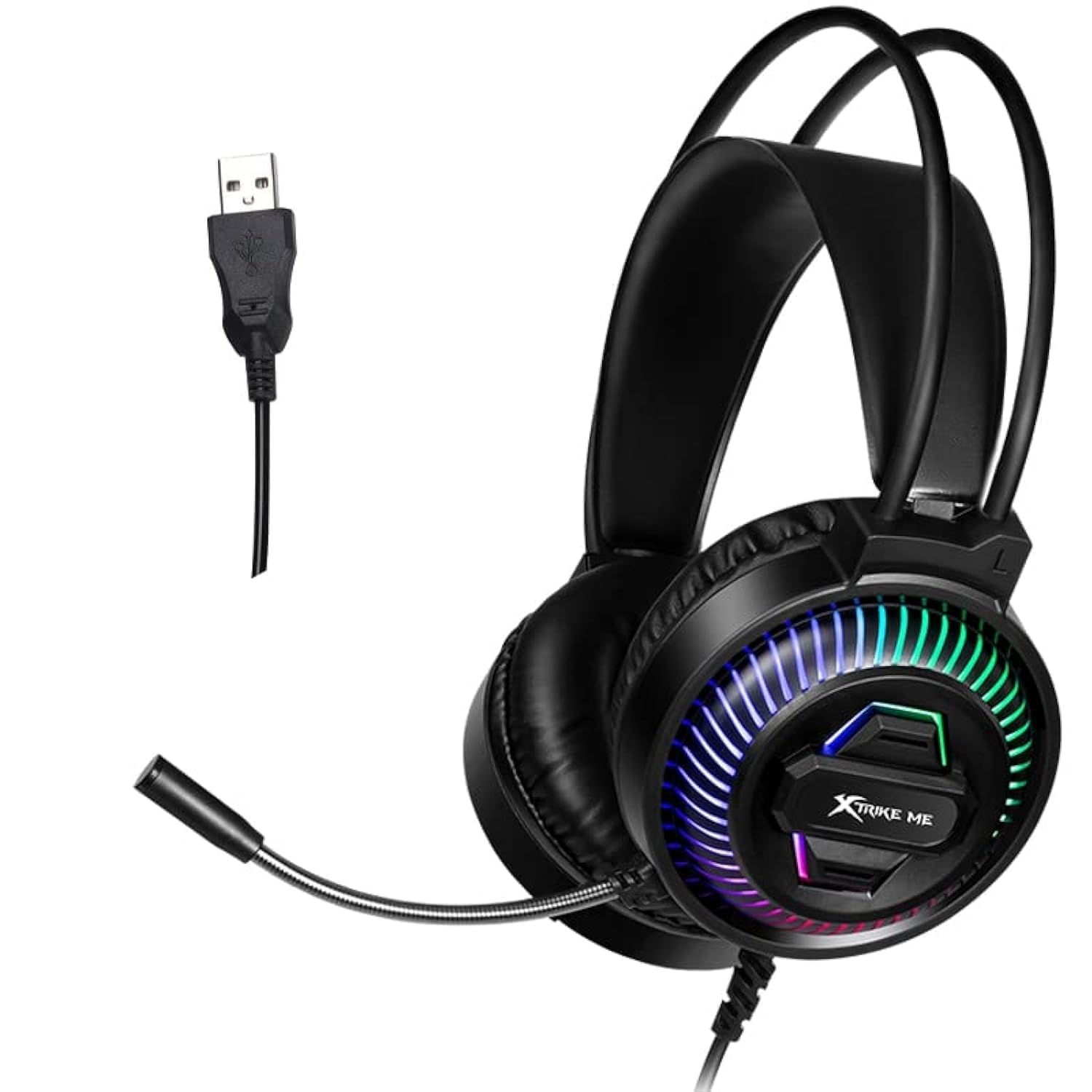
בילד: פראָנט view of the XTRIKE ME GH510 USB RGB Gaming Headset, showcasing the earcups with static RGB lighting and the adjustable microphone.
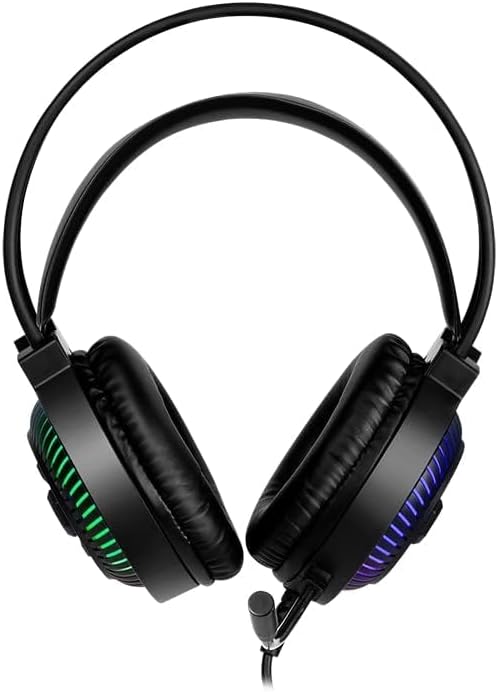
בילד: פון אויבן אַראָפּ view of the XTRIKE ME GH510 USB RGB Gaming Headset, highlighting the double head beam design and the plush earcups.
סעטאַפּ אינסטרוקציעס
קאַנעקטינג די העאַדסעט
- געפינט אַ פאַראַן USB 2.0 פּאָרט אויף אייער קאָמפּיוטער.
- Plug the USB connector of the XTRIKE ME GH510 headset into the USB port.
- The operating system (Windows 7 or above) should automatically detect and install the necessary drivers. This process may take a few moments.
- Once installed, the headset's static RGB lighting will illuminate, indicating it is powered on.
סיסטעם קאַמפּאַטאַבילאַטי
The XTRIKE ME GH510 headset is compatible with computers running Windows 7 or above.
אַפּערייטינג ינסטראַקשאַנז
אַודיאָ פּלייַבאַקק
After successful installation, the headset should be set as the default audio output device. You can verify this in your operating system's sound settings:
- Windows: Right-click the speaker icon in the taskbar, select "Sound settings" or "Playback devices," and ensure the XTRIKE ME GH510 is selected as the default output.
מיקראָפאָן באַניץ
The omnidirectional microphone is designed for clear voice capture. To use the microphone:
- Adjust the microphone boom to a comfortable position near your mouth.
- Ensure the headset is selected as the default recording device in your operating system's sound settings.
- Windows: Right-click the speaker icon in the taskbar, select "Sound settings" or "Recording devices," and ensure the XTRIKE ME GH510 is selected as the default input.
RGB לייטינג
The headset features static RGB lighting effects on the earcups. These lights activate automatically when the headset is connected to a powered USB port. There are no user-adjustable controls for the lighting effects; they remain static.
וישאַלט
רייניקונג
- Disconnect the headset from your computer before cleaning.
- ניצט אַ ווייכן, טרוקענעם שטאָף צו ווישן די אויערקעפּלעך און קאָפּבאַנד.
- פֿאַר שווערן שמוץ, אַ ביסל דamp cloth can be used, but ensure no moisture enters the speaker grilles or USB connector.
- דו זאלסט נישט נוצן האַרב קעמיקאַלז אָדער אַברייסיוו קלינערז.
סטאָרידזש
- האַלט די כעדסעט אין אַ קיל, טרוקן אָרט אַוועק פון דירעקט זונשייַן און עקסטרעמע טעמפּעראַטורן.
- Avoid placing heavy objects on the headset to prevent damage.
- When not in use, consider storing it on a headset stand to maintain its shape and prevent cable tangles.
טראָובלעשאָאָטינג
קיין קלאַנג פֿון כעדסעט
- קוק די USB קאַנעקשאַן: Ensure the USB connector is fully inserted into a working USB port. Try a different USB port.
- Check System Sound Settings: Verify that the XTRIKE ME GH510 is selected as the default playback device in your operating system's sound settings.
- באַנד לעוועלס: Ensure the volume is not muted and is turned up in both your operating system and any applications you are using.
- קאַמפּאַטאַבילאַטי: Confirm your operating system is Windows 7 or above.
מיקראָפאָן איז נישט ארבעטן
- Check Microphone Position: זיכער מאַכן אַז דער מיקראָפאָן בום איז ריכטיק פּאַזיציאָנירט און נישט פֿאַרשטאָפּט.
- Check System Sound Settings: Verify that the XTRIKE ME GH510 is selected as the default recording device in your operating system's sound settings.
- מיקראָפאָן באַנד: Check microphone input levels in your system settings and any communication software.
RGB Lighting Not On
- USB Power: Ensure the headset is connected to a powered USB port. The RGB lighting is static and should illuminate automatically upon connection.
- פּרוּווט אן אנדער וסב פּאָרט: A faulty USB port might not supply sufficient power.
טעכניש ספּעסאַפאַקיישאַנז
| שטריך | באַשרייַבונג |
|---|---|
| מאָדעל נומער | XT-GH-510 |
| געזונט | סטערעאָ |
| רעדנער גרייס | 50 מם |
| רייטאַד מאַכט | 10mW |
| רעדנער ימפּידאַנס | 20 Ω ± 15% |
| רעדנער סענסיטיוויטי | 110 דב ± 3 דב |
| מיקראָפאָן גרייס | 6 X 2.7 מם |
| מיקראָפאָן טיפּ | אָמנידירעקטיאָנאַל |
| מיקראָפאָן סענסיטיוויטי | -38dB ± 3 dB |
| אָפטקייַט ענטפער | 20Hz-20KHz |
| באַקלייט | סטאַטיק RGB |
| קאַנעקטערז | וסב 2.0 |
| קאַבלע לענג | 2.1 ם |
| קאַמפּאַטאַבילאַטי | Windows 7 אָדער העכער |
| פּעקל דימענשאַנז | 30 X 18.5 X 10.5 סענטימעטער |
| וואָג | 390 ג |
זיכערקייַט אינפֿאָרמאַציע
- פֿאַרמײַדט פֿאַרלענגערט הערן אויף הויכע וואָלומען כּדי צו פֿאַרמײַדן שאָדן צו דער הערן.
- שטעלט נישט אויס דעם כעדסעט צו וואַסער אָדער צו פיל פייכטקייט.
- Keep the headset away from extreme temperatures and direct heat sources.
- Do not attempt to disassemble or modify the headset. This will void any potential warranty and may cause damage.
- אָפּזאָגן דעם פּראָדוקט ריספּאַנסאַבלי לויט די היגע רעגיאַליישאַנז.
וואָראַנטי און שטיצן
Specific warranty details and support contact information are not provided within the product description. Please refer to the retailer or manufacturer's official webזייטל פֿאַר וואָראַנטי קליימז און טעכנישע הילף.


