הקדמה
This manual provides essential information for the setup, operation, and maintenance of your Focusrite Scarlett 4i4 4th Gen USB Audio Interface. Designed for musicians, songwriters, guitarists, and content creators, the Scarlett 4i4 offers high-fidelity, studio-quality recording capabilities. Please read this manual thoroughly to ensure optimal performance and longevity of your device.

בילד: פראָנט view of the Focusrite Scarlett 4i4 4th Gen USB Audio Interface, showcasing its inputs and controls.
סעטאַפּ
To begin using your Scarlett 4i4 4th Gen, follow these steps:
- ונבאָקסינג: Carefully remove the Scarlett 4i4, USB C-C cable, USB C-A adaptor, and USB-C 5V 3A power supply from the packaging.
- ווייכווארג ינסטאַלירונג: Visit the Focusrite website and follow the 'Easy Start' guide to download and install the necessary drivers and included software bundle. This process typically involves registering your device.
- פאַרבינדן צו קאָמפּיוטער: Connect the Scarlett 4i4 to your computer using the provided USB C-C cable. If your computer only has USB-A ports, use the included USB C-A adaptor.
- מאַכט קשר: Connect the USB-C 5V 3A power supply to the Scarlett 4i4 and a power outlet. While the device can draw power from USB, the dedicated power supply ensures stable operation, especially when using phantom power or multiple inputs.
- אַודיאָ קאַנעקשאַנז: Connect your microphones, instruments, or line-level devices to the appropriate inputs on the Scarlett 4i4. Connect your headphones to the headphone output and studio monitors to the line outputs.
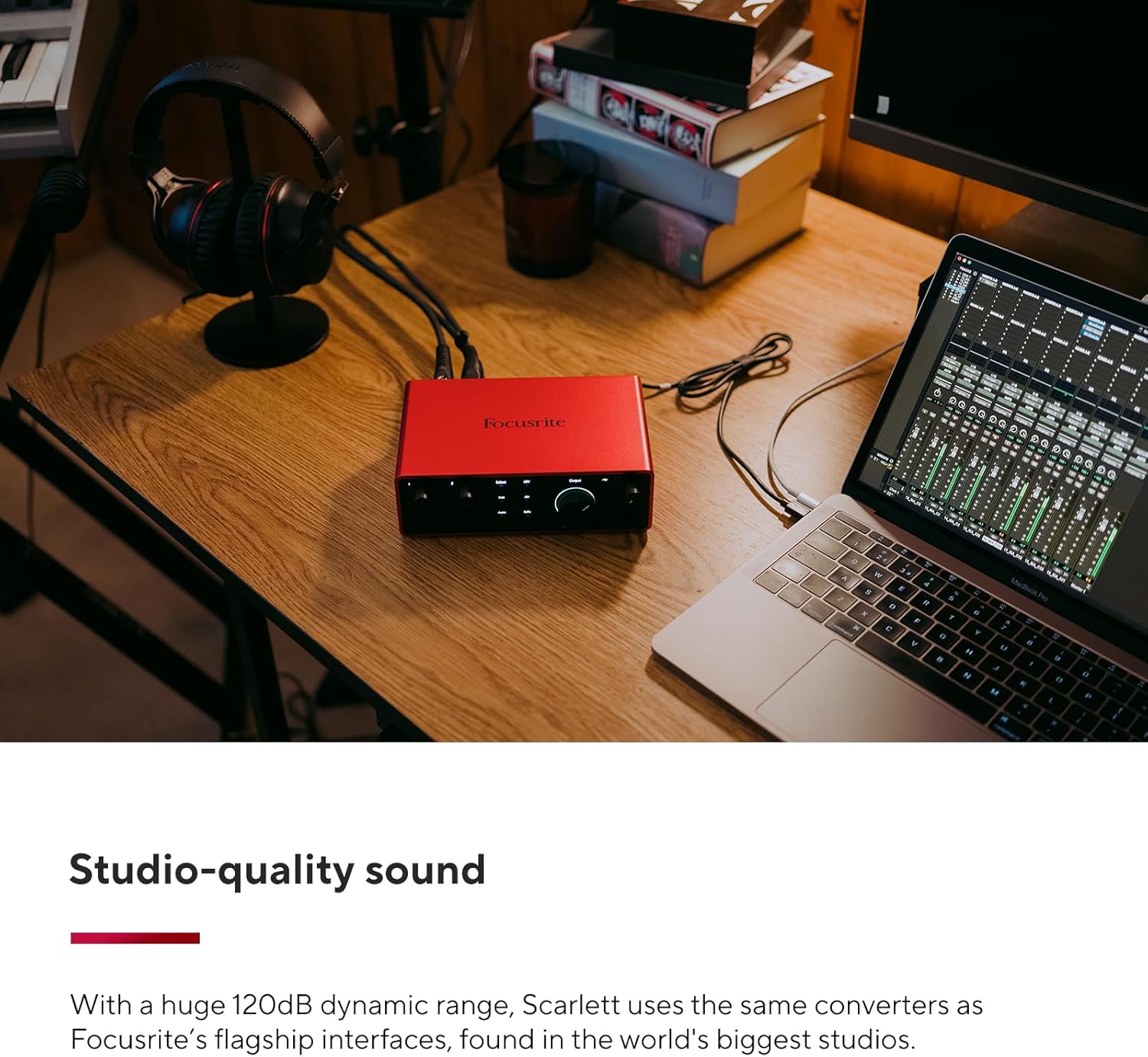
Image: A user connecting cables to the rear of the Scarlett 4i4, which is placed on a desk next to a laptop.
Operating Your Scarlett 4i4
The Scarlett 4i4 features intuitive controls for managing your audio inputs and outputs.
אַרייַנשרייַב קאָנטראָלס
- געווינס קנעפּלעך (1 און 2): Adjust the input level for microphones or instruments connected to inputs 1 and 2. The gain halos around the knobs indicate signal level (green for good, amber for approaching clip, red for clipping).
- 48V (Phantom Power): Activates +48V phantom power for condenser microphones connected to inputs 1 and 2. Ensure your microphone requires phantom power before enabling.
- Inst (Instrument Mode): Engages high-impedance mode for direct connection of guitars or basses to inputs 1 and 2.
- לופט מאָדע: Enhances vocals and guitars by adding a musical presence and rich harmonic drive, emulating classic Focusrite transformer-based preamps.
- אויטאָ געווינס: Automatically sets the optimal input level for your microphone or instrument, preventing clipping and ensuring a clean recording.
- Clip Safe: A safety feature that automatically reduces gain if the input signal approaches clipping, preserving your take.
רעזולטאַט קאָנטראָלס
- Monitor Output Knob: Controls the overall volume of your main studio monitor outputs (outputs 1-2).
- Headphone Output Knob: Adjusts the volume for the dedicated headphone output.
מידי איך / אָ
The Scarlett 4i4 includes MIDI In and Out ports, allowing you to connect MIDI keyboards, controllers, and other MIDI-compatible devices for sequencing and control within your digital audio workstation (DAW).
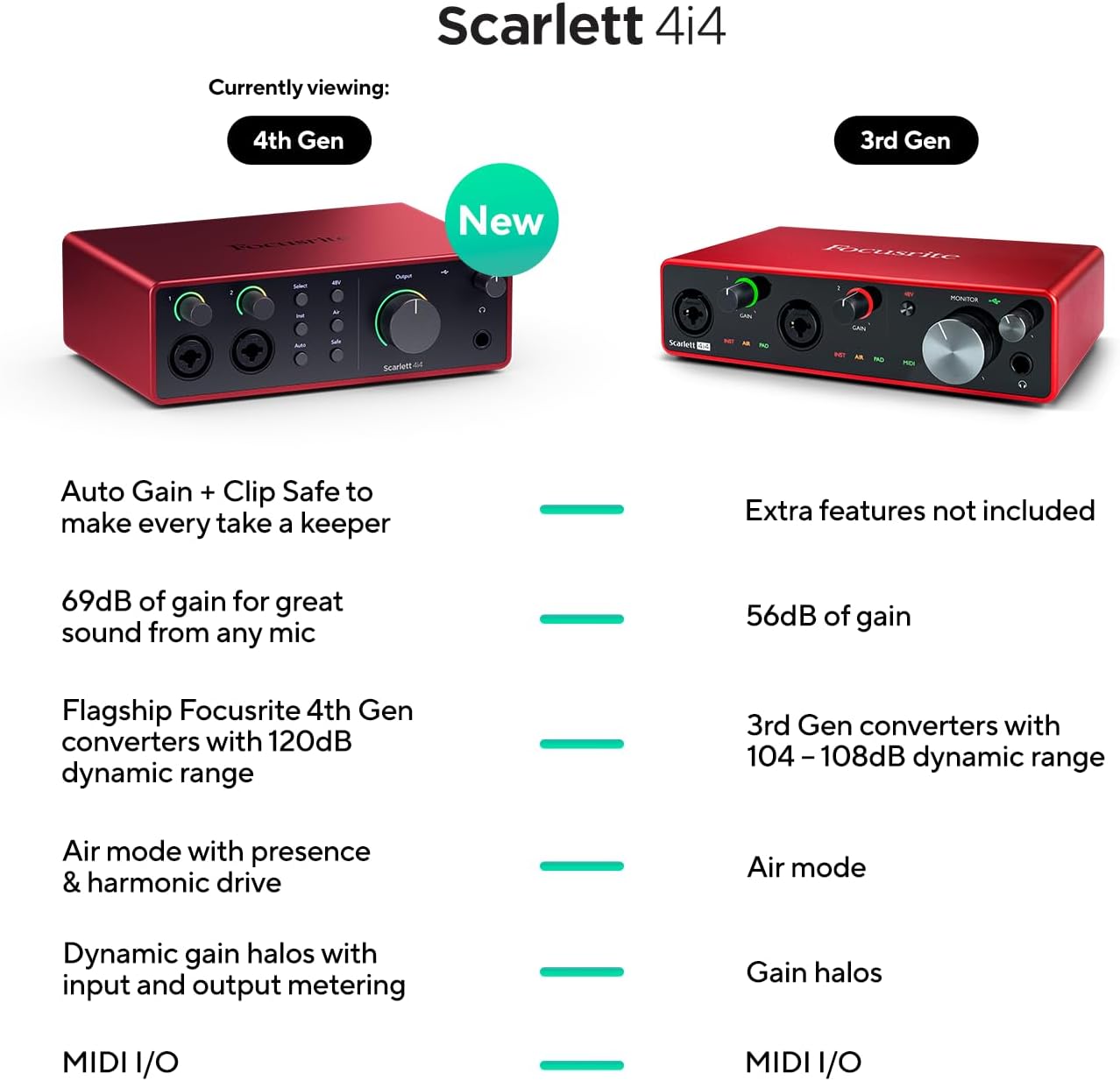
Image: A visual comparison highlighting new features of the Scarlett 4i4 4th Gen, including Auto Gain, Clip Safe, increased gain, improved converters, enhanced Air mode, and dynamic gain halos.
וישאַלט
Proper care ensures the longevity and performance of your Scarlett 4i4:
- רייניקונג: ניצט אַ ווייכע, טרוקענע שטאָף צו רייניקן די אויסערלעכע זייט. פֿאַרמייַדט אַברייסיוו רייניגער אָדער סאָלווענטן.
- סטאָרידזש: האַלט דעם אַפּאַראַט אין אַ קיל, טרוקן אָרט אַוועק פון דירעקט זונשייַן און עקסטרעמע טעמפּעראַטורן.
- האַנדלינג: פֿאַרמײַדט צו לאָזן פאַלן אָדער אויסשטעלן דאָס אַפּאַראַט צו שטאַרקע קלאַפּן.
- ווענטילאַטיאָן: זיכער מאַכן אַז לופט שטראָם אַרום דעם אַפּאַראַט איז גענוג צו פאַרמייַדן איבערהיצונג.
טראָובלעשאָאָטינג
If you encounter issues with your Scarlett 4i4, consider the following common solutions:
- קיין קול: Check all cable connections (USB, power, audio inputs/outputs). Verify that the correct audio device is selected in your computer's sound settings and your DAW. Ensure gain levels are appropriately set and not muted.
- Distorted Audio/Clipping: Reduce the input gain using the gain knobs. Utilize the Auto Gain and Clip Safe features to prevent clipping. Check for proper impedance matching for instruments (Inst mode).
- שאָפער ישוז: Reinstall the latest drivers from the Focusrite webזייטל. זיכער מאַכן אַז אייער אָפּערייטינג סיסטעם איז אַרויף צו דאַטע.
- MIDI ארבעט נישט: Verify MIDI connections and ensure MIDI devices are properly configured in your DAW.
- ינטערמיטאַנט קאַנעקטיוויטי: Try a different USB port or cable. Ensure the dedicated power supply is connected and functioning.
For further assistance, refer to the Focusrite support webפּלאַץ אָדער קאָנטאַקט זייער קונה דינסט.
ספּעסאַפאַקיישאַנז
| שטריך | דעטאַל |
|---|---|
| פּונקט וואָג | 2.23 פונט |
| פּראָדוקט דימענשאַנז | 7.09 X 5.08 X 2.32 אינטשעס |
| נומער מאָדעל נומער | AMS-SCARLETT-4I4-4G |
| גוף מאַטעריאַל | אַלומינום |
| קאָליר נאָמען | רויט |
| קאַמפּאַטאַבאַל דעוויסעס | Microphone, Instrument, Personal Computer, Headphones, Studio Monitors |
| קאַנעקטער טיפּ | וסב-C |
| ייַזנוואַרג צובינד | וסב 2.0 |
| שטיצט ווייכווארג | All audio recording software |
| ייַזנוואַרג פּלאַטפאָרמע | אַודיאָ צובינד |
| אָפּערייטינג סיסטעם | Mac OS, Windows OS |
| קאַנעקטיוויטי טעכנאָלאָגיע | וסב |
| נומער פון טשאַנאַלז | 4 |
| דינאַמיש קייט | 120dB |
וואָס איז אין די קעסטל
Your Focusrite Scarlett 4i4 4th Gen package includes:
- Scarlett 4i4 4th Gen Audio Interface
- וסב סיסי קאַבלע
- USB C-A Adaptor
- USB-C 5V 3A Power Supply
וואָראַנטי און שטיצן
Focusrite provides a three-year warranty for the Scarlett 4i4 4th Gen, ensuring peace of mind regarding your investment. Additionally, 24/7/365 support is available to assist you with any questions or issues you may encounter.
For detailed warranty information and to access support resources, please visit the official Focusrite webפּלאַץ: focusrite.com/support