1. הקדמה
Thank you for choosing the UGREEN Revodok USB C Hub 10Gbps. This device is designed to expand the connectivity of your USB-C enabled devices by providing four high-speed USB 3.2 Gen 2 ports for data transfer. Please read this manual carefully to ensure proper use and optimal performance.
2. פּראָדוקט איבערview
The UGREEN Revodok USB C Hub (Model 15651) is a compact and portable solution for users needing additional USB-C data ports. It features an aluminum alloy casing for durability and efficient heat dissipation, along with a braided cable for enhanced longevity. This hub is specifically designed for data transfer at speeds up to 10Gbps and does not support video output or charging of host devices or peripherals.
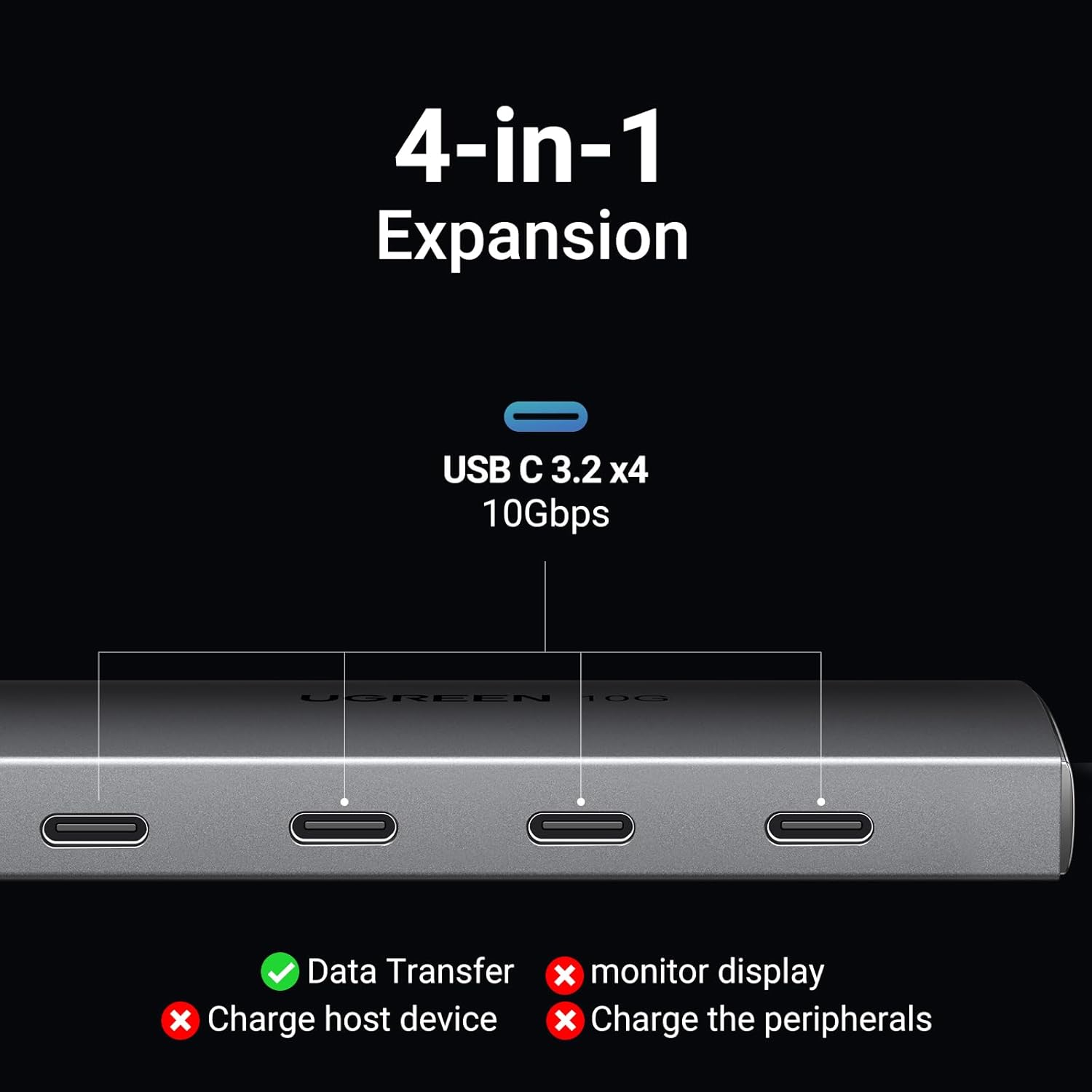
Image: The UGREEN Revodok USB C Hub, a sleek grey device with a short braided USB-C cable, shown on a dark surface.
3. פֿעיִקייטן
- 10Gbps דאַטן אַריבערפירן: Equipped with four USB 3.2 Gen 2 ports, supporting data transfer speeds up to 10Gbps. This allows for rapid transfer of large files, such as a 20 GB file in approximately 16.4 seconds. Note: This hub is exclusively for data transfer and does not support charging or external monitor display.
- וניווערסאַל קאַמפּאַטאַבילאַטי: Compatible with a wide range of USB-C 3.2/3.1/3.0 devices, including SSDs, flash drives, and audio interfaces. It is compatible with operating systems such as Android, Linux, Windows, iPad OS, and macOS. Not compatible with Thunderbolt 3/4 monitors, HDMI adapters, or DisplayLink docks.
- True 10 Gbps Speed: All four ports can achieve USB 3.2 Gen 2 (10 Gbps) speeds simultaneously when used with UASP-enabled SSDs or similar high-speed devices. Actual speeds may vary based on the host device and connected cables.
- פּלאַג און שפּיל פאַנגקשאַנאַליטי: Requires no driver installation for operation. Simply connect the hub to your device, and it is ready for use.
- Compact Aluminum Design: Features an aircraft-grade aluminum shell that aids in heat dissipation and provides a durable, stylish finish. The integrated 1 ft braided cable is designed to reduce strain on the host device's port.

Image: A close-up of the UGREEN Revodok USB C Hub, highlighting its four USB-C 3.2 ports and indicating 'Data Transfer' is supported, while 'monitor display', 'Charge host device', and 'Charge the peripherals' are not.

Image: A visual representation of data flowing rapidly from the UGREEN Revodok USB C Hub to a connected device, illustrating the 10Gbps transfer speed.
4. סעטאַפּ
- אויספּאַקן דעם כאַב: Carefully remove the UGREEN Revodok USB C Hub from its packaging.
- פאַרבינדן צו האָסט מיטל: Plug the integrated USB-C cable of the hub into an available USB-C port on your laptop, tablet, or smartphone.
- פאַרבינדן פּעריפעראַלס: Insert your USB-C data devices (e.g., SSDs, flash drives, card readers) into the available USB-C ports on the hub.
- באַשטעטיקן קשר: Your operating system should automatically detect the connected devices. No additional drivers are required.

Image: The UGREEN Revodok USB C Hub connected to a MacBook, with multiple USB-C devices plugged into the hub, demonstrating its plug-and-play functionality.
5. אַפּערייטינג ינסטרוקטיאָנס
The UGREEN Revodok USB C Hub operates on a plug-and-play basis. Once connected, it functions as an extension of your device's USB-C ports for data transfer.
- דאַטאַ אַריבערפירן: Connect your USB-C storage devices (e.g., external SSDs, USB flash drives) to the hub's ports. You can then access and transfer files between your host device and the connected storage devices at up to 10Gbps.
- פּעריפעראַל קאַנעקטיוויטי: Connect other USB-C peripherals such as keyboards, mice, or card readers to the hub for expanded functionality.
- גלייכצייטיגע באַניץ: All four ports can be used simultaneously for data transfer, maintaining high speeds for compatible devices.
Video: An official UGREEN video demonstrating the setup and high-speed data transfer capabilities of the UGREEN 10Gbps USB C Hub, showing a user connecting multiple devices and transferring fileס געשווינד.

Image: A diagram illustrating the wide compatibility of the UGREEN Revodok USB C Hub with various peripherals (Hard Drive, Flash Drive, Card Reader, Camera, Smartphone, Keyboard, Mouse, Printer, USB Fan) and operating systems (Windows, macOS, Android, Linux, iPad OS, iOS).
6. וישאַלט
- רייניקונג: Use a soft, dry cloth to clean the hub. Avoid using liquid cleaners or aerosols.
- סטאָרידזש: האַלט דעם כאַב אין אַ קיל, טרוקן אָרט אַוועק פון דירעקט זונשייַן און עקסטרעמע טעמפּעראַטורן.
- האַנדלינג: Avoid dropping the hub or subjecting it to strong impacts. Do not bend the integrated cable excessively.
7. טראָובלעשאָאָטינג
- מיטל ניט דערקענט:
- זייט זיכער אז דער כאַב'ס USB-C קאַנעקטאָר איז גאָר אַרײַנגעשטעלט אין אײַער האָסט דעווײַס.
- Try connecting the peripheral directly to your host device to confirm it is functional.
- Test the hub with a different USB-C port on your host device, if available.
- ריסטאַרט דיין האָסט דעווייס.
- לאַנגזאַמע דאַטן טראַנספער:
- Ensure both your host device's USB-C port and the connected peripheral support USB 3.2 Gen 2 (10Gbps) speeds.
- Verify that the cables used are rated for 10Gbps data transfer.
- Avoid connecting multiple high-bandwidth devices simultaneously if you experience performance degradation.
- Hub Not Providing Power:
- This hub is designed for data transfer only and does not provide power to charge host devices or connected peripherals.
- קיין ווידעא רעזולטאַט:
- This hub does not support video output. For video functionality, a different type of USB-C hub or adapter is required.
8. ספּעסאַפאַקיישאַנז
| אַטריביוט | דעטאַל |
|---|---|
| סאָרט | UGREEN |
| מאָדעל נומער | 15651 |
| ייַזנוואַרג צובינד | וסב טיפּ C |
| נומער פון פּאָרץ | 4 |
| דאַטאַ טראַנספער ספּיד | ביז 10 גיגאַביט פּער סעקונדע (USB 3.2 דור 2) |
| אַפּערייטינג סיסטעם קאַמפּאַטאַבילאַטי | Android, Linux, Windows, iPad OS, macOS |
| פּונקט וואָג | 3.87 אונסעס |
| פּראָדוקט דימענשאַנז (LxWxH) | 3.94 X 1.5 X 0.39 אינטשעס |
| קאָליר | גרוי |
| ספּעציעלע שטריך | צאַפּן און שפּיל |
| קאַמפּאַטאַבאַל דעוויסעס | Keyboards, Laptops, Mouse, Tablets, USB Flash Drives |

Image: The UGREEN Revodok USB C Hub, showcasing its aluminum alloy case for durability and heat dissipation, and its braided cable for enhanced safety and longevity.

Image: A visual reminder that the UGREEN Revodok USB C Hub supports data transfer only, explicitly showing it does not support video transmission or charging.
9. וואָראַנטי און שטיצן
UGREEN פּראָדוקטן קומען מיט אַ נאָרמאַלער פאַבריקאַנט'ס וואָראַנטי. פֿאַר ספּעציפֿישע וואָראַנטי דעטאַלן, ביטע זען די וואָראַנטי קאַרטל וואָס איז אַרייַנגערעכנט מיט דיין פּראָדוקט אָדער באַזוכן די באַאַמטער UGREEN וועבזייטל. website. If you encounter any issues or have questions regarding your UGREEN Revodok USB C Hub, please contact UGREEN customer support through their official channels.
אוגרין אפיציעל Webפּלאַץ: www.ugreen.com


