הקדמה
The ESAB SWARM A20 Auto-Darkening Welding Helmet is designed to provide superior protection and performance for various welding applications. Its advanced auto-darkening filter (ADF) and adjustable settings ensure optimal visibility and safety for welders.
זיכערקייַט אינפֿאָרמאַציע
Always read and understand all safety warnings and instructions before using this product. Failure to follow warnings and instructions may result in electric shock, fire, and/or serious injury.
- די שווייס העלם איז דיזיינד צו באַשיצן אויגן און פּנים פון פֿונקען, שפּריצן און שעדלעכע ראַדיאַציע אונטער נאָרמאַלע שווייס באדינגונגען.
- ניצט נישט דעם העלם פֿאַר לאַזער וועַלדינג אָדער אָוווערכעד וועַלדינג אַפּלאַקיישאַנז.
- Ensure the helmet is properly fitted and adjusted before each use.
- פאַרבייַטן דאַמידזשד טיילן מיד.
- Do not modify the helmet or its components.
פּעקל אינהאַלט
באַשטעטיקן אַז אַלע זאכן זענען פאַראַן אין פּעקל:
- ESAB SWARM A20 Auto-Darkening Welding Helmet
- CR2032 Batteries (1 included)
- באַניצער מאַנואַל (דעם דאָקומענט)
פּראָדוקט איבערview
Familiarize yourself with the key components of your ESAB SWARM A20 welding helmet.

בילד: פראָנט view of the ESAB SWARM A20 Auto-Darkening Welding Helmet, showing the auto-darkening filter and the ESAB logo.
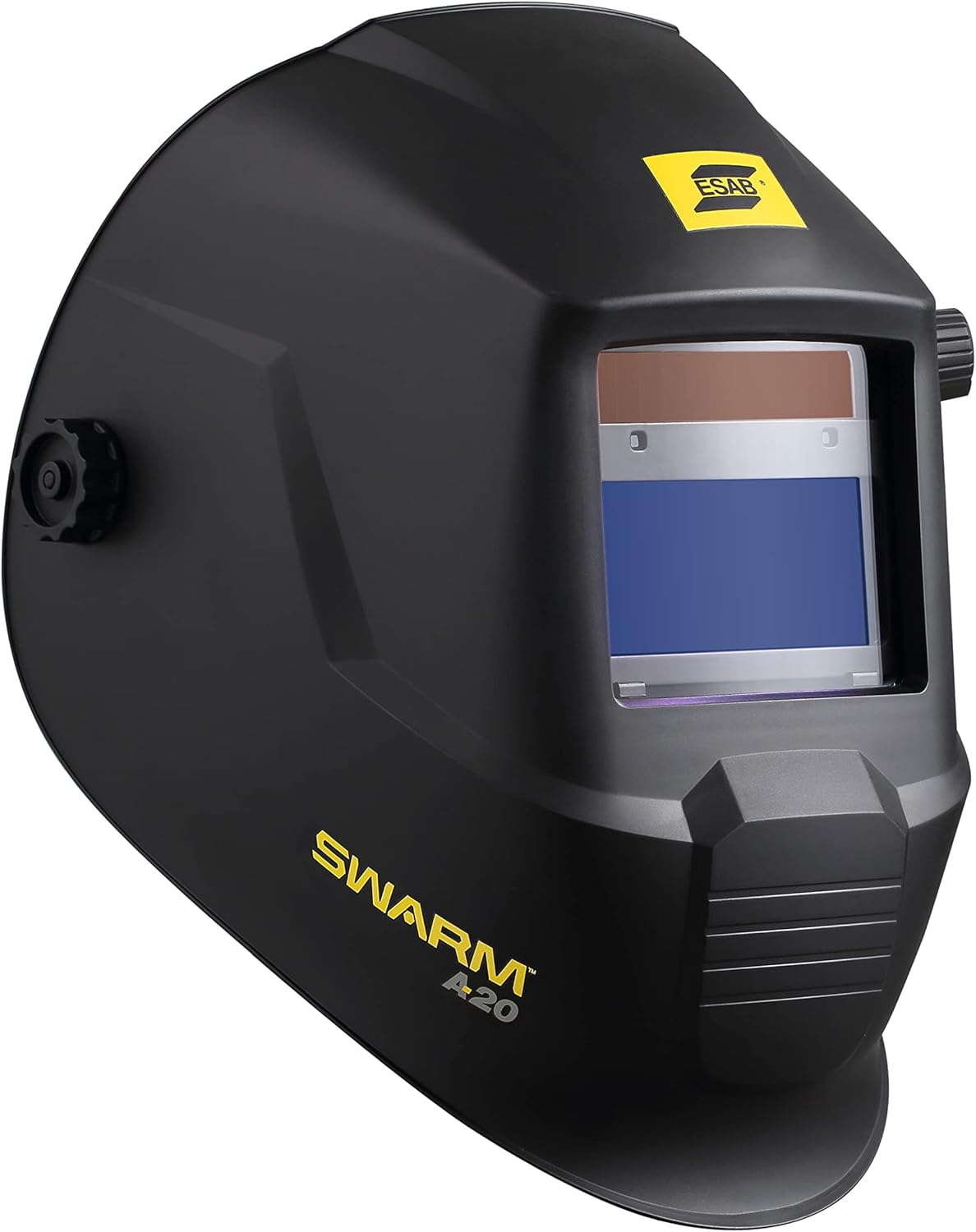
בילד: זייט view of the ESAB SWARM A20 Auto-Darkening Welding Helmet, highlighting its ergonomic design and the SWARM A20 branding.

בילד: זייט view of the ESAB SWARM A20 Auto-Darkening Welding Helmet, displaying the external shade adjustment knob (DIN 9-13) and grind mode setting.

בילד: געווינקלטע פראָנט view of the ESAB SWARM A20 Auto-Darkening Welding Helmet, providing a comprehensive look at the helmet's shape and features.
סעטאַפּ
ייַנמאָנטירונג פון באַטאַרייע
The ESAB SWARM A20 helmet uses one CR2032 battery, which is included.
- Locate the battery compartment on the inside of the helmet's auto-darkening filter (ADF).
- עפענען די אָפּטייל דעקן.
- אַרײַנשטעלן די CR2032 באַטעריע מיט דער positive (+) זײַט אַרויף.
- פאַרמאַכן די באַטאַרייע אָפּטייל דעקן סיקיורלי.
- Press the ADF test button to ensure the filter darkens correctly.
כעדגיר אַדזשאַסטמאַנט
Adjust the headgear for a comfortable and secure fit.
- Adjust the top strap to position the helmet correctly on your head.
- Use the ratchet knob at the back of the headgear to tighten or loosen the fit around your head.
- Adjust the distance between your face and the filter by moving the pins on the side of the headgear.
- Ensure the helmet is stable and does not wobble during use.
אַפּערייטינג ינסטראַקשאַנז
Auto-Darkening Filter (ADF) Controls
The SWARM A20 features external and internal controls for optimal welding performance.
External Shade Adjustment
The shade level can be adjusted externally using the knob on the side of the helmet.
- Rotate the knob to select a shade level between DIN 9 and DIN 13, suitable for most welding processes.
- For grinding operations, select the "Grind" mode on the external knob. In grind mode, the ADF remains light, providing clear vision without darkening.
Internal Sensitivity and Delay Settings
Inside the helmet, there are dials for adjusting sensitivity and delay.
- סענסיטיוויטי: Adjusts how sensitive the ADF is to the welding arc. Increase sensitivity for low-amp TIG welding or when the arc is partially obstructed.
- פאַרהאַלטן: Controls the time it takes for the filter to return to its light state after the arc stops. A longer delay is useful for high-amperage welding or when there are pulsating arcs to prevent eye fatigue.
וועלדינג אָפּעראַציע
- Select the appropriate shade level for your welding process using the external knob.
- Adjust sensitivity and delay settings as needed for your specific application.
- שטעלן די העלם קאַמפערטאַבלי אויף דיין קאָפּ.
- Begin welding. The ADF will automatically darken when the arc is struck and return to its light state after the arc stops, based on your delay setting.
וישאַלט
רייניקונג
Regularly clean your welding helmet to ensure optimal performance and longevity.
- Clean the outer and inner protective lenses with a soft, clean cloth and a mild soap solution. Do not use abrasive cleaners or solvents.
- Wipe the helmet shell with a damp שטאָף.
- דו זאלסט נישט ייַנטונקען די העלם אין וואַסער.
באַטערי פאַרבייַט
The helmet features a low battery indicator LED. When the LED illuminates, replace the CR2032 battery as described in the "Battery Installation" section.
סטאָרידזש
האַלט דעם העלם אין אַ טרוקן, ריינעם אָרט אַוועק פון דירעקט זונשייַן און עקסטרעמע טעמפּעראַטורן.
טראָובלעשאָאָטינג
| פּראָבלעם | מעגלעך סיבה | לייזונג |
|---|---|---|
| ADF does not darken when arc is struck. | Low battery; Sensors obstructed; Sensitivity too low; Helmet in Grind mode. | Replace battery; Clean sensors; Increase sensitivity; Switch out of Grind mode. |
| ADF flickers or flashes. | Sensitivity too high; Ambient light interference; Arc too far from sensors. | Decrease sensitivity; Ensure proper lighting; Position closer to arc. |
| Poor visibility through ADF. | Protective lenses dirty or scratched; Incorrect shade setting. | Clean or replace lenses; Adjust shade to appropriate level. |
ספּעסאַפאַקיישאַנז
- ADF Viewאין שטחגרייס: 93 X 43 מם (3.6 X 1.7 אינטש)
- שאָטן ראַנגע: DIN 9–13 (adjustable)
- CE Optical Class: 1/1/1/2
- אַרק סענסאָרס: 2
- באַשטימען צייט: 0.1 millisecond
- Delay/Sensitivity: Fully adjustable
- באַטערי טיפּ: CR2032 (1)
- נידעריק באַטערי ינדיקאַטאָר: יא
- וואָגוואָג: בעערעך 1.98 פונט (0.9 קג)
- מאָדעל נומער: 0700102043
וואָראַנטי און שטיצן
For warranty information and technical support, please refer to the official ESAB website or contact ESAB customer service. Keep your purchase receipt for warranty claims.
ESAB Official Webפּלאַץ: www.esab.com


