1. הקדמה
This manual provides detailed instructions for the proper use and maintenance of your HOCO BS45 Deep Sound Sports Wireless Speaker. Please read this manual thoroughly before operating the device to ensure optimal performance and longevity. The HOCO BS45 is a portable wireless speaker featuring Bluetooth V5.0 connectivity, FM radio, and TF card support, designed for versatile audio playback.
2. פּעקל אינהאַלט
- HOCO BS45 Wireless Speaker
- וסב טשאַרדזשינג קאַבלע
- באַניצער מאַנואַל
3. פּראָדוקט איבערview
The HOCO BS45 speaker features a compact, spherical design with a durable mesh fabric finish. It incorporates a single speaker unit and intuitive controls for various functions.
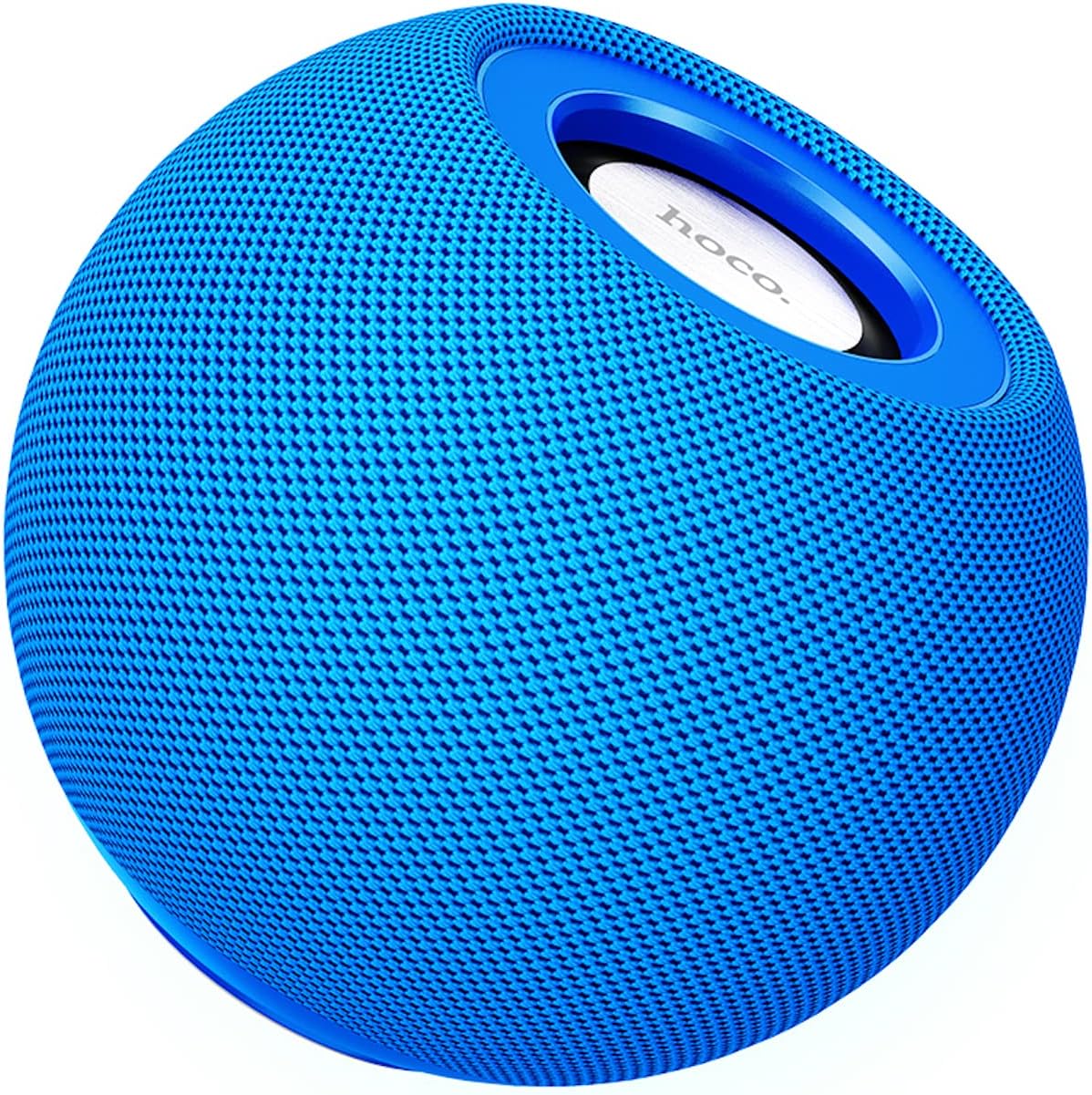
פיגורע 3.1: פראָנט view of the HOCO BS45 speaker, showcasing its blue mesh exterior and top-mounted control area with the HOCO logo.
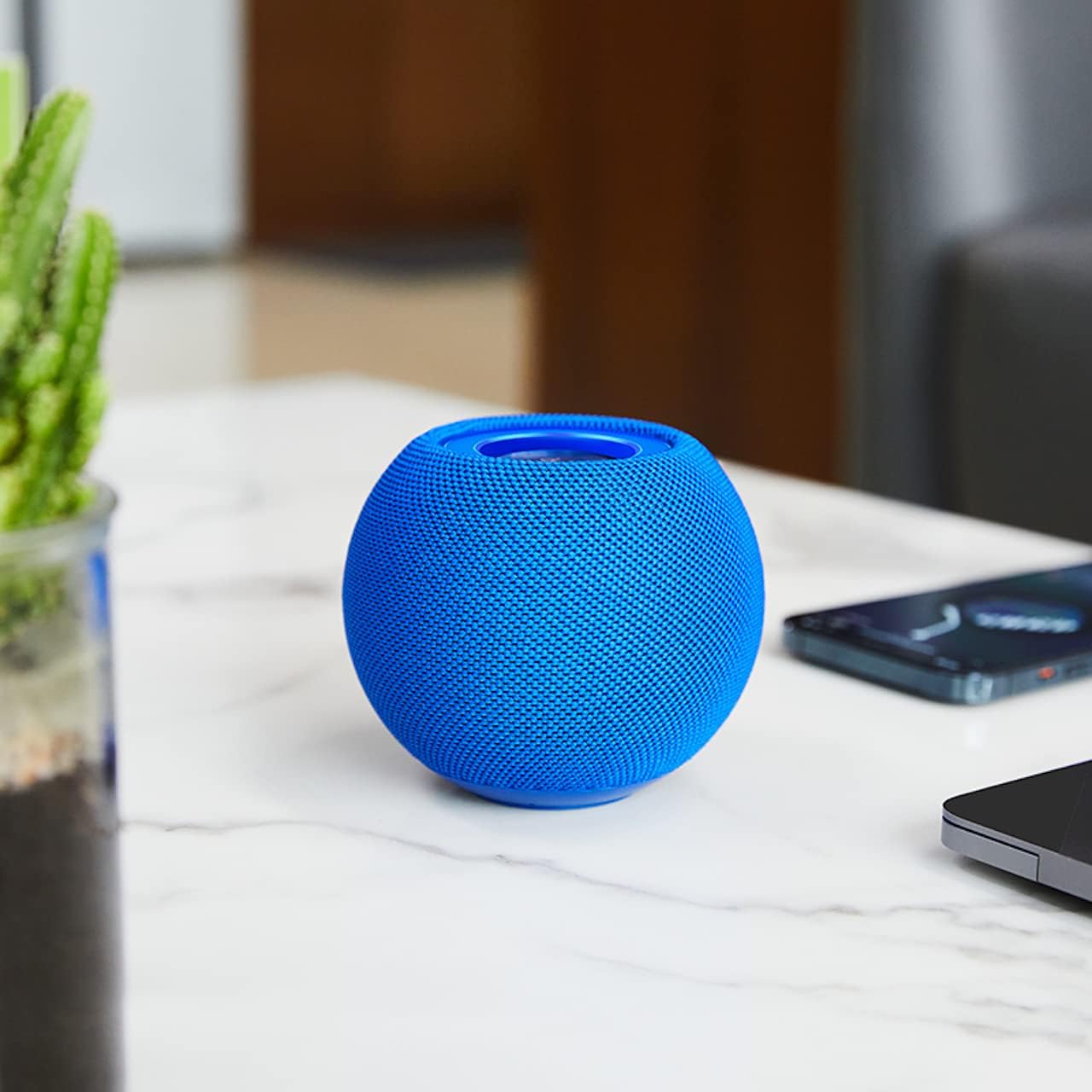
פיגורע 3.2: The HOCO BS45 speaker positioned on a tabletop, illustrating its compact size relative to a smartphone and a small plant, suitable for various indoor settings.
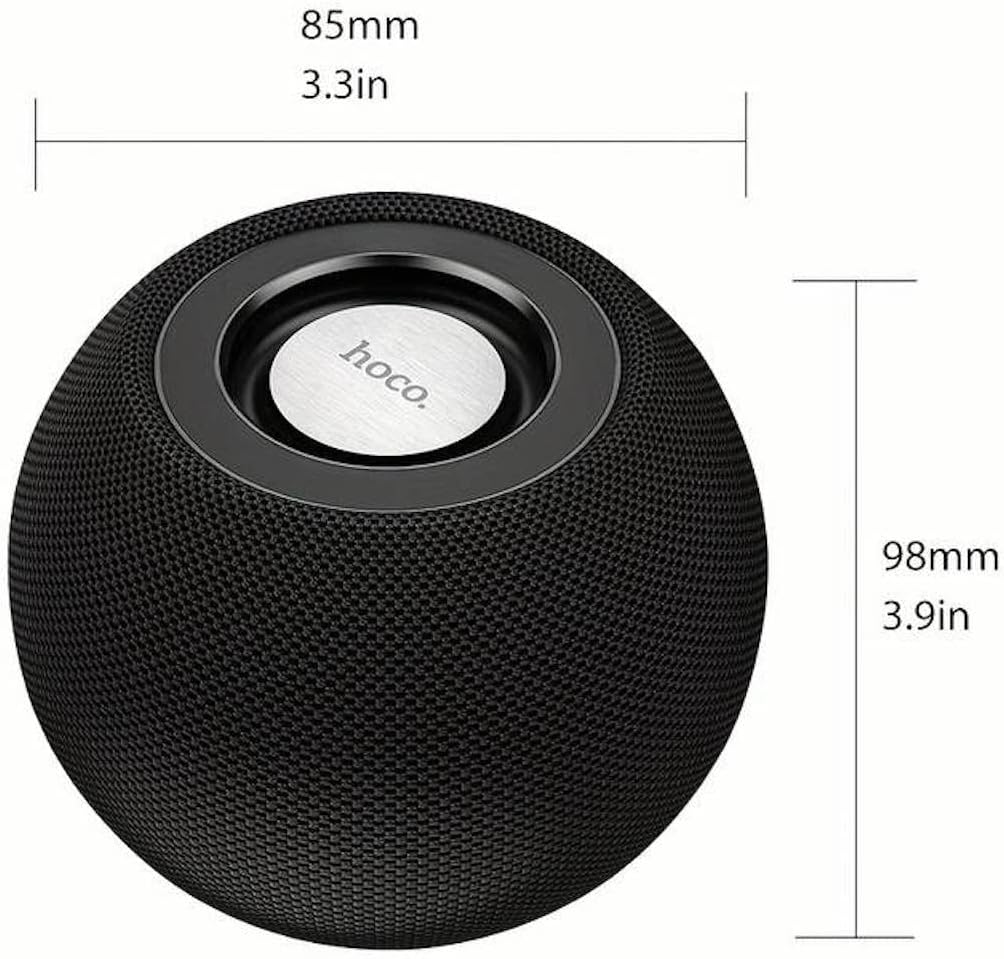
פיגורע 3.3: Technical diagram indicating the dimensions of the HOCO BS45 speaker: 85mm (3.3 inches) in width and 98mm (3.9 inches) in height.
4. סעטאַפּ
4.1 אויפלאָדן דעם רעדנער
- פֿאַרבינדט דעם צוגעשטעלטן USB טשאַרדזשינג קאַבל צום טשאַרדזשינג פּאָרט אויף דעם רעדנער.
- פֿאַרבינדט דעם אַנדערן עק פֿונעם USB קאַבל צו אַ קאָמפּאַטיבלע USB מאַכט אַדאַפּטער (נישט אַרייַנגערעכנט) אָדער אַ קאָמפּיוטער'ס USB פּאָרט.
- די טשאַרדזשינג אינדיקאַטאָר ליכט וועט זיך אָנצינדן בעת טשאַרדזשינג.
- א פולע אויפלאדונג נעמט בערך 1.5 שעה. די אינדיקאטאר ליכט וועט זיך טוישן אדער אויסלעשן אזוי שנעל ווי די אויפלאדונג איז פארטיג.
The speaker has a built-in 500mAh battery, providing approximately 2 hours of talk or music playback time on a full charge.
4.2 מאַכט אויף / אַוועק
- To power on, press and hold the Power button (location not specified, typically a multi-function button) for a few seconds until you hear an audible prompt or see an indicator light.
- To power off, press and hold the Power button again for a few seconds until you hear an audible prompt or the indicator light turns off.
4.3 בלועטאָאָטה פּערינג
- זיכער מאַכן אַז דער רעדנער איז אנגעצונדן און אין בלועטוט פּערינג מאָדע (אנגעצייגט דורך אַ בלינקנדיקע LED ליכט, אויב פאַראַן).
- אויף אייער מאָבילער מיטל (סמאַרטפאָן, טאַבלעט, לאַפּטאָפּ), אַקטיווירט בלועטוט.
- זוכן פֿאַר available Bluetooth devices. The speaker will appear as "HOCO BS45" or similar.
- Select "HOCO BS45" from the list to connect.
- Once successfully paired, you will hear a confirmation sound, and the LED indicator will typically stop flashing and remain solid.
The HOCO BS45 uses Bluetooth 5.0 technology for a stable and reliable connection.
4.4 TWS (אמת'ע ווירעלעס סטערעאָ) פּאָרינג
To achieve a stereo sound experience, you can pair two HOCO BS45 speakers together.
- Ensure both HOCO BS45 speakers are powered on and not connected to any other Bluetooth device.
- On one of the speakers (this will be the primary speaker), press and hold the TWS pairing button (if available, or a multi-function button) until you hear a pairing prompt.
- די צוויי רעדנערס וועלן זיך אויטאמאטיש זוכן און פארבינדן איינער מיטן צווייטן. א באשטעטיגונגס-קלאנג וועט ווייזן א געלונגענע TWS פארבינדונג.
- אַמאָל TWS איז געפּאָרט, פֿאַרבינדט אייער מאָביל דעווייס צום הויפּט רעדנער דורך בלועטוט ווי באַשריבן אין סעקציע 4.3.
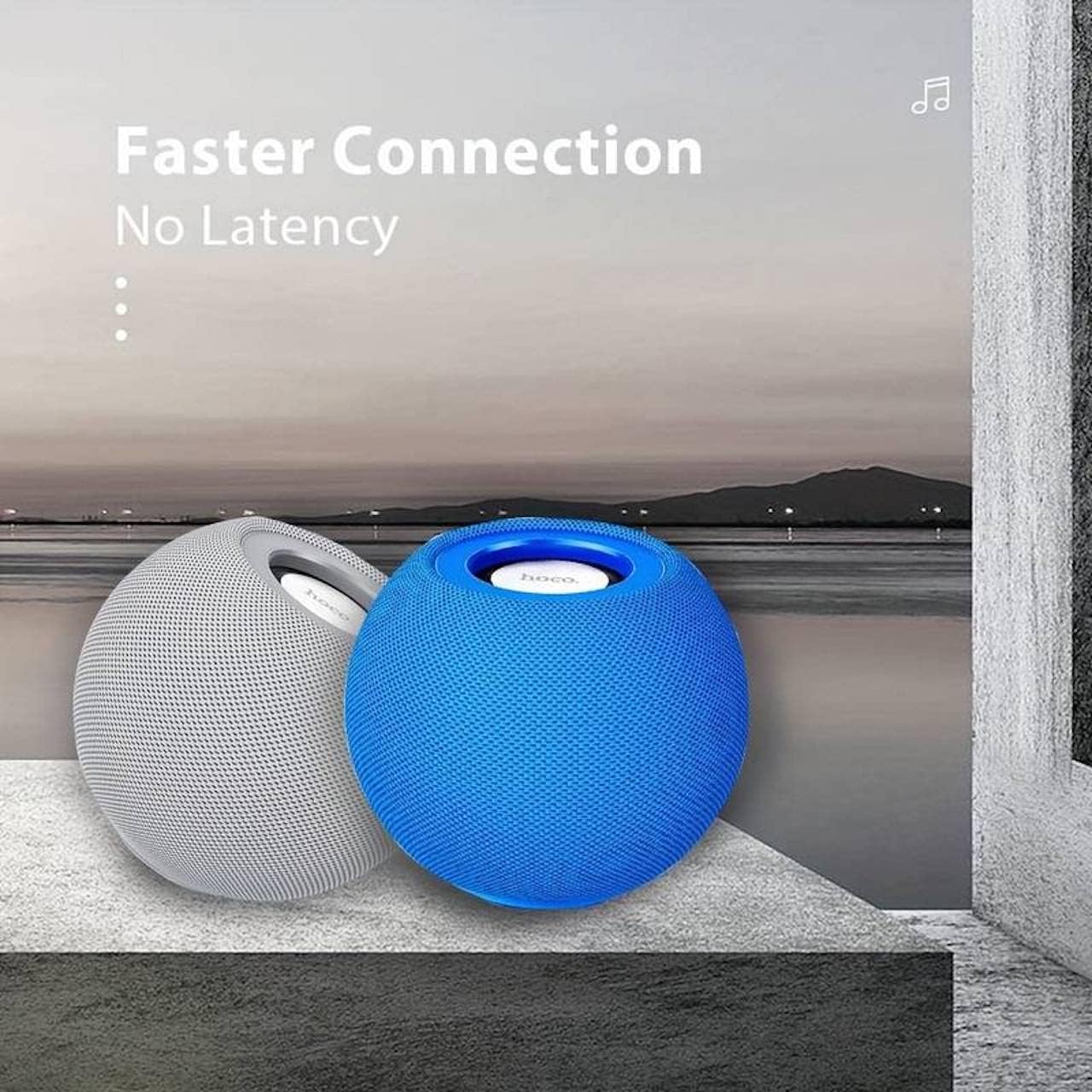
פיגורע 4.1: Two HOCO BS45 speakers, one grey and one blue, shown together to illustrate the True Wireless Stereo (TWS) pairing capability for enhanced audio.
5. אַפּערייטינג מאָדעס
5.1 בלועטאָאָטה מאָדע
After successful Bluetooth pairing (Section 4.3), you can play audio from your connected device. Use your device's media player to control playback (play, pause, skip tracks) and volume. Some speaker models may also support these controls directly via integrated buttons.
5.2 עפעם ראַדיאָ מאָדע
- Press the Mode button (if available) to switch to FM Radio mode.
- Press the Play/Pause button to initiate an automatic scan for FM stations. The speaker will save available stations.
- Use the Next/Previous track buttons to navigate between saved FM stations.
5.3 TF קאַרטל מאָדע
- אַרײַנשטעלן אַ TF (microSD) קאַרטל מיט אַודיאָ files into the designated TF card slot on the speaker.
- The speaker should automatically switch to TF Card mode and begin playing music. If not, press the Mode button to select TF Card mode.
- Use the speaker's control buttons (e.g., Play/Pause, Next/Previous) to manage playback.
6. קאָנטראָלס
The HOCO BS45 speaker features integrated controls for easy operation. While specific button layouts may vary, common functions include:
- מאַכט קנעפּל: דריקן און האַלטן צו מאַכט אויף / אַוועק.
- שפּיל / פּויזע קנעפּל: Press to play or pause audio. In FM mode, press to auto-scan.
- באנד אַרויף/ווייַטער טראַק: קורץ דריקן צו פארגרעסערן די קול, לאנג דריקן פארן נעקסטן ליד.
- באנד אַראָפּ/פרייַערדיק שפּור: קורץ דריקן צו פארמינערן די קול, לאנג דריקן פארן פריערדיגן ליד.
- מאָדע קנעפּל: Press to switch between Bluetooth, FM Radio, and TF Card modes.
- Call Siri / Voice Assistant: Some models support touch operation to activate voice assistants.

פיגורע 6.1: A black HOCO BS45 speaker, illustrating its high power capacity and support for various controls including song switching and voice assistant activation via touch operation.
7. וישאַלט
- האַלט דעם רעדנער טרוקן. שטעלט אים נישט אויס צו וואַסער אָדער צו פיל נעץ.
- רייניקט דעם רעדנער מיט אַ ווייכן, טרוקענעם שטאָף. ניצט נישט קיין שרײַבנדיקע רייניגערס אדער סאָלווענטן.
- פֿאַרמײַדט עקסטרעמע טעמפּעראַטורן. האַלט דעם רעדנער אין אַ קיל, טרוקן אָרט.
- פרובירט נישט צו צענעמען אדער פאררעכטן דעם רעדנער אליין. דאס וועט בטל מאכן די גאראנטיע.
8. טראָובלעשאָאָטינג
| פּראָבלעם | מעגלעך סיבה | לייזונג |
|---|---|---|
| דער רעדנער גייט נישט אן. | נידעריק באַטאַרייע. | לאָדט אויף דעם רעדנער פֿאַר מינדעסטנס 1.5 שעה. |
| קען נישט פארבינדן דורך בלוטוט. | רעדנער נישט אין פּערינג מאָדע; מיטל בלועטוט אויסגעלאָשן; צו ווייט פון מיטל. | Ensure speaker is in pairing mode. Enable Bluetooth on your device. Move speaker closer to device (within 10 meters). |
| קיין געזונט. | Volume too low; speaker not connected; incorrect mode. | Increase volume on both speaker and connected device. Re-pair Bluetooth. Ensure correct operating mode (Bluetooth, FM, TF card). |
| די FM ראַדיאָ אָפּנאַם איז שוואַך. | שוואַך סיגנאַל; סביבה־אינטערפערענץ. | Move the speaker to a location with better signal. Avoid obstructions. |
9. ספּעסאַפאַקיישאַנז
- מאָדעל: BS45
- בלועטאָאָטה ווערסיע: 5.0 (Chip: JL AC6965)
- באַטאַרייע קאַפּאַציטעט: 500 מאַה
- טשאַרדזשינג צייט: בעערעך 1.5 שעה
- רעדן / מוזיק צייט: בעערעך 2 שעה
- רעדנער אַפּאַראַט: 57מם * 1
- רעדנער מאַכט רעזולטאַט: 5 וו * 1
- קאַנעקטיוויטי טעכנאָלאָגיע: Bluetooth, FM, TF card, TWS
- אַודיאָ רעזולטאַט מאָדע: אַרומרינגלען
- מאַונטינג טיפּ: טאַבלעטאָפּ
- רעדנער טיפּ: דרויסנדיק
- פּראָדוקט דימענשאַנז: 9.8 X 8.5 X 8.5 סענטימעטער (3.9 X 3.3 X 3.3 אינטשעס)
- פּראָדוקט וואָג: 242 ג
- קאַמפּאַטאַבאַל דעוויסעס: Desktop, Laptop, MP3 Player, Smartphone, Tablet
פיגורע 9.1: A display of four HOCO BS45 speakers in various colors (black, blue, red, grey), emphasizing core specifications such as Bluetooth 5.0, 2 hours of music playback, and a 500mAh battery capacity.
10. זיכערקייַט אינפֿאָרמאַציע
- שטעלט נישט אויס דעם רעדנער צו עקסטרעמע טעמפּעראַטורן, דירעקטע זונשייַן, אדער אפענע פלאַמען.
- ויסמיידן דראַפּינג אָדער ונטערטעניק די רעדנער צו שטאַרק ימפּאַקץ.
- האַלטן די רעדנער אַוועק פון קינדער און פּעץ.
- Use only the provided or a certified charging cable.
- Do not operate the speaker in wet environments or near water.
- אָפּזאָגן דעם פּראָדוקט ריספּאַנסאַבלי לויט די היגע רעגיאַליישאַנז.
11. וואָראַנטי און שטיצן
Specific warranty details for the HOCO BS45 speaker may vary by region and retailer. Please refer to your purchase documentation or contact your point of sale for warranty information. For technical support or inquiries, please visit the official HOCO webפּלאַץ אָדער קאָנטאַקט זייער קונה דינסט.


