
AVIOS ape590
AVIOS Wireless Call Button
Model: ape590 - Instruction Manual
1. הקדמה
א דאנק פארן קויפןasing the AVIOS Wireless Call Button, model ape590. This device is designed to work seamlessly with AVIOS 3-digit and 8-digit display receiver monitors, providing a reliable and efficient calling system for various applications, particularly in hospitality settings. Its compact, stylish, and waterproof design ensures durability and ease of use.
This manual provides essential information on how to set up, operate, and maintain your call button to ensure optimal performance and longevity.
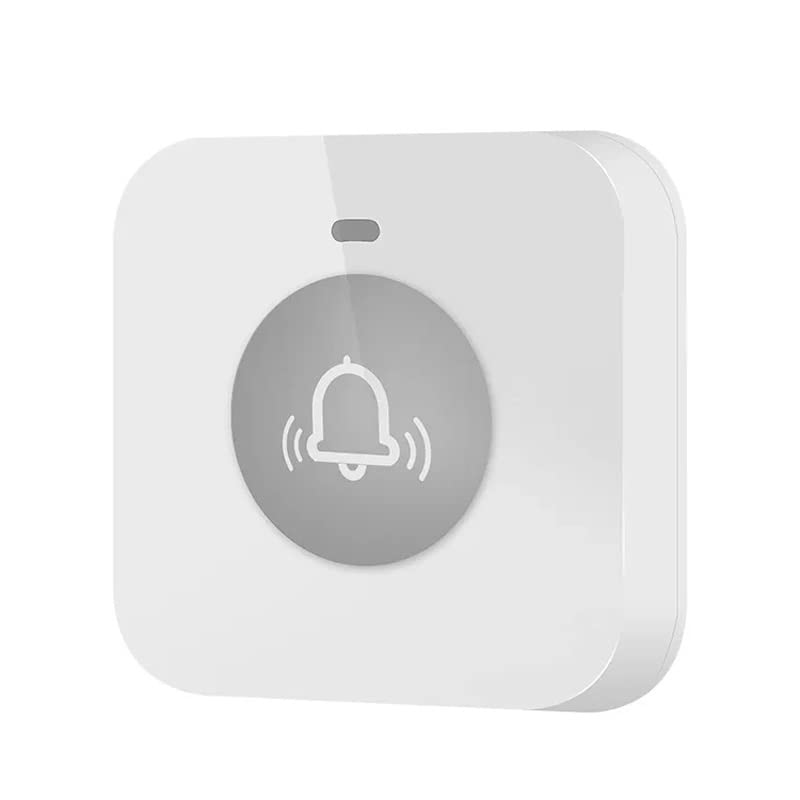
בילד: פראָנט view of the AVIOS Wireless Call Button.
2. פֿעיִקייטן
- קאַמפּאַטאַבילאַטי: Designed for use with AVIOS 3-digit and 8-digit display receiver monitors.
- יקספּאַנדאַביליטי: Supports up to 199 units with 3-digit display receivers and up to 660 units with 8-digit display receivers.
- דוראַבאַל מאַטעריאַל: Constructed from high-quality ABS for long-lasting performance.
- וואָטערפּרוף פּלאַן: Features a waterproof construction, allowing for easy cleaning and alcohol disinfection.
- סאָליד גרייס: Measures 52mm x 52mm x 15mm, making it unobtrusive and easy to place.
- מאַכט מקור: Operates on a single 23A 12V dry cell battery.
- LED ינדיקאַטאָר: An LED illuminates when the button is pressed, confirming signal transmission.
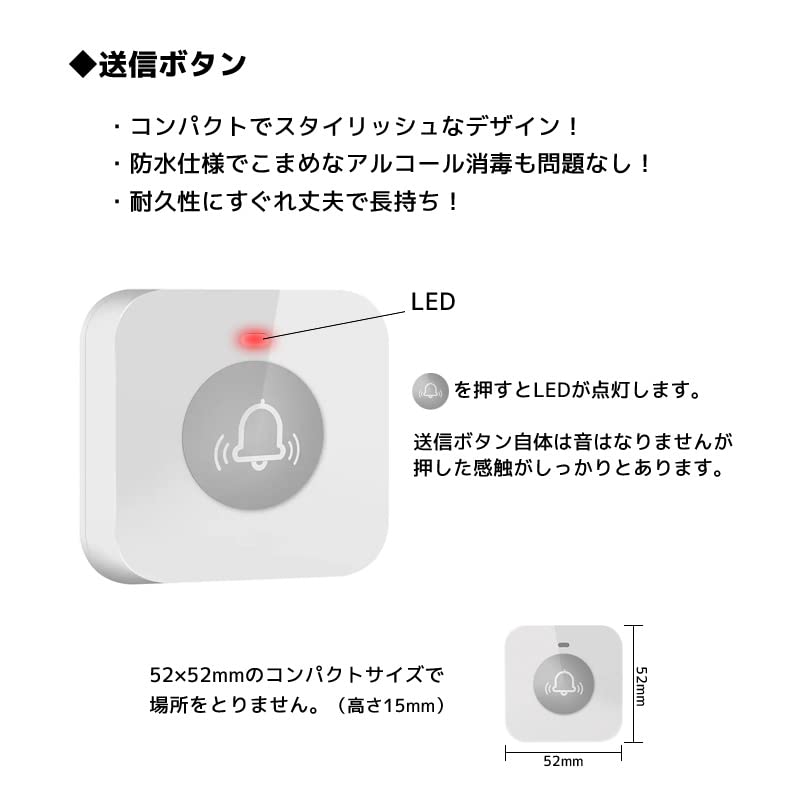
Image: Features and dimensions of the AVIOS Wireless Call Button, highlighting the LED indicator and compact size.
3. סעטאַפּ
3.1 באַטאַרייע ייַנמאָנטירונג
- Locate the battery compartment on the back of the call button.
- פֿאָרזיכטיק עפֿנט דעם דעקל פֿון דעם אָפּטייל.
- Insert one 23A 12V dry cell battery, ensuring correct polarity (+/-).
- פאַרמאַכן די באַטאַרייע אָפּטייל דעקן סיקיורלי.
3.2 Pairing with Receiver
The call button must be paired with a compatible AVIOS receiver monitor before use. The pairing process typically involves a specific sequence on the receiver. Please refer to the instruction manual of your AVIOS receiver monitor (e.g., 400D or HCM4300) for detailed pairing instructions.
3.3 פּלייסמאַנט
Place the call button on a flat, stable surface or mount it using the designated mounting points on the back. Ensure the button is within the operational range of your receiver monitor. Avoid placing it near large metal objects or other sources of interference that might obstruct the wireless signal.

בילד: פאָרנט און הינטן view of the AVIOS Wireless Call Button, showing mounting points on the rear.
4. אָפּעראַציע
Once the call button is paired with your receiver monitor, operation is straightforward:
- To send a call signal, simply press the button firmly.
- The LED indicator on the button will illuminate briefly, confirming that a signal has been transmitted.
- The call button itself does not produce any sound; the signal is received and audibly indicated by the paired receiver monitor.
5. וישאַלט
5.1 רייניקונג
Due to its waterproof design, the call button can be easily cleaned. Use a soft, damp cloth with mild soap or an alcohol-based disinfectant to wipe the surface. Do not use abrasive cleaners or immerse the entire unit in water.
5.2 באַטערי פאַרבייַט
If the LED indicator does not light up when the button is pressed, or if the signal is not consistently received by the monitor, the battery may need replacement. Follow the battery installation steps in Section 3.1 to replace the 23A 12V dry cell battery.
5.3 סטאָרידזש
When not in use for extended periods, store the call button in a cool, dry place away from direct sunlight and extreme temperatures. Consider removing the battery if storing for a very long time to prevent leakage.
6. טראָובלעשאָאָטינג
- Button not responding / LED not lighting up:
- קאָנטראָלירט די באַטאַרייע. טוישט עס אויס אויב נייטיק.
- זיכער מאַכן אַז די באַטאַרייע איז אַרײַנגעשטעלט מיט דער ריכטיקער פּאָלאַריטעט.
- Receiver not receiving signal:
- Verify that the call button is properly paired with the receiver. Refer to your receiver's manual for re-pairing instructions.
- Ensure the call button is within the operational range of the receiver.
- Check for any obstructions (e.g., thick walls, large metal objects) between the button and the receiver.
- Ensure the receiver is powered on and functioning correctly.
- ינטערפיראַנס:
- If experiencing intermittent signals, try relocating the call button or receiver to minimize interference from other wireless devices.
7. ספּעסאַפאַקיישאַנז
| אַטריביוט | דעטאַל |
|---|---|
| פאַבריקאַנט | AVIOS |
| מאָדעל נומער | ape590 |
| ASIN | B0C3ZTC2WK |
| אַקטואַטאָר טיפּ | דרוק קנעפּל |
| מאַטעריאַל | ABS |
| וואָטערפּרוף | יא |
| דימענסיעס (L X W X H) | 52 מם X 52 מם X 15 מם |
| באַטערי טיפּ | 23A 12V Dry Cell Battery |
| רייטאַד קראַנט | 23 Ampערעס |
| לאַנד פון אָריגין | כינע |
| ערשטער בנימצא טאָג | 1 מאי 2023 |
8. וואָראַנטי און שטיצן
For warranty information, technical support, or any inquiries regarding your AVIOS Wireless Call Button, please contact AVIOS customer service through the retailer or the official AVIOS website. Please have your model number (ape590) and purchase details ready when contacting support.
Ask a question about this manual
Ask about setup, troubleshooting, compatibility, parts, safety, or missing instructions. Manuals+ will review the question and use this page’s manual context to help answer it.