1. הקדמה
Thank you for choosing the TTEC Dynamite Duo Portable Wireless Bluetooth Speaker. This manual provides essential information for setting up, operating, and maintaining your speaker. Please read it carefully before use to ensure optimal performance and longevity of your device.
The TTEC Dynamite Duo offers a 360-degree wireless sound experience, featuring dual passive radiators and dual active drivers for rich audio. With Bluetooth 5.0 connectivity, up to 12 hours of battery life, and an IP65 certified water and dust resistant design, it is built for versatile use. It also includes a built-in microphone for hands-free calls and supports True Wireless Stereo (TWS) pairing for an enhanced audio experience.
2. זיכערקייַט אינפֿאָרמאַציע
- שטעלט נישט אויס דעם רעדנער צו עקסטרעמע טעמפּעראַטורן, דירעקטע זונשייַן, אדער אפענע פלאַמען.
- While the speaker is IP65 certified for water and dust resistance, it is not designed for submersion in water. Avoid prolonged exposure to heavy rain or splashing.
- Do not disassemble, repair, or modify the speaker. This may void the warranty and pose safety risks.
- האַלטן די רעדנער אַוועק פון קינדער און פּעץ.
- ניצט נאָר דעם צוגעשטעלטן טשאַרדזשינג קאַבל אָדער אַ סערטיפיצירטן עקוויוואַלענט.
- רייניקט דעם רעדנער מיט אַ ווייכן, טרוקענעם שטאָף. ניצט נישט קיין שרײַבנדיקע רייניגערס אדער סאָלווענטן.
- אַוועקוואַרפן דעם רעדנער און זײַן באַטאַרייע פֿאַראַנטוואָרטלעך לויט די לאָקאַלע רעגולאַציעס.
3. פּעקל אינהאַלט
ביטע טשעק די פּאַקעט פֿאַר די פאלגענדע זאכן:
- 1 x TTEC Dynamite Duo Portable Bluetooth Speaker
- 1 רענטגענ AUX קאַבלע
- 1 x מיקראָ וסב טשאַרדזשינג קאַבלע
- 1 x קעריינג רימען
- 1 x באַניצער מאַנואַל (דאָס דאָקומענט)
4. פּראָדוקט איבערview
Familiarize yourself with the components and controls of your TTEC Dynamite Duo speaker.
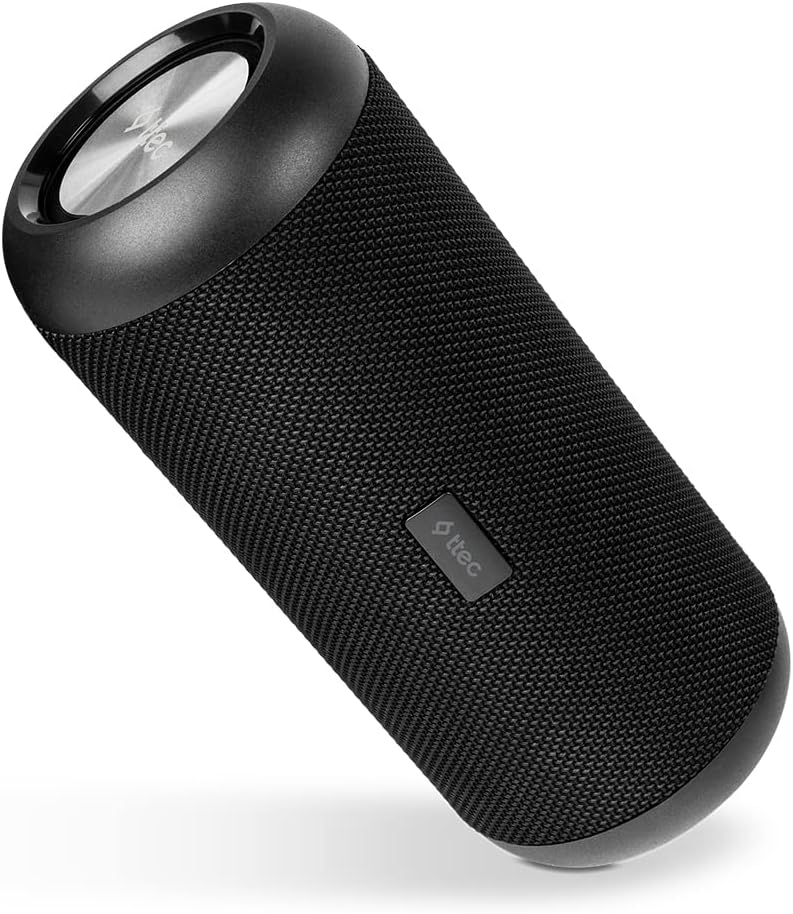
פיגורע 4.1: הויפּט view of the TTEC Dynamite Duo Portable Bluetooth Speaker, showcasing its cylindrical design and speaker grille.

פיגורע 4.2: Close-up of the control panel on the TTEC Dynamite Duo speaker, showing the power, play/pause, volume, and mode buttons.

פיגורע 4.3: View of the charging port (Micro USB) and auxiliary input (AUX) on the TTEC Dynamite Duo speaker, typically located under a protective flap.
קאָנטראָלס און ינדיקאַטאָרס:
- מאַכט קנעפּל: Press and hold to turn the speaker ON/OFF.
- שפּיל / פּויזע קנעפּל: Press to play or pause music. During a call, press to answer or end a call. Press and hold to reject an incoming call.
- באַנד אַראָפּ / פריערדיקע ליד קנעפּל: דריקן צו פֿאַרמינערן די באַנד. דריקן און האַלטן צו גיין צום פֿריִערדיקן ליד.
- באַנד אַרויף / ווייַטער ליד קנעפּל: דריק צו פארגרעסערן די קול. דריק און האלט צו גיין צום נעקסטן ליד.
- מאָדע קנעפּל: Press to switch between Bluetooth and AUX input modes.
- LED ינדיקאַטאָר: Displays charging status, Bluetooth pairing status, and operational mode.
5. סעטאַפּ
5.1 אויפלאָדן דעם רעדנער
Before first use, fully charge the speaker. Use the provided Micro USB cable.
- Connect the Micro USB end of the charging cable to the speaker's charging port (refer to Figure 4.3).
- Connect the USB-A end to a USB power adapter (not included) or a computer's USB port.
- די LED אינדיקאַטאָר וועט ווייַזן די טשאַרדזשינג סטאַטוס (למשל, רויט פֿאַר טשאַרדזשינג, אויסגעלאָדן אָדער גרין פֿאַר גאָר אויפגעלאָדן).
- A full charge takes approximately [X] hours (specific time not provided, user should refer to product packaging or quick start guide if available).
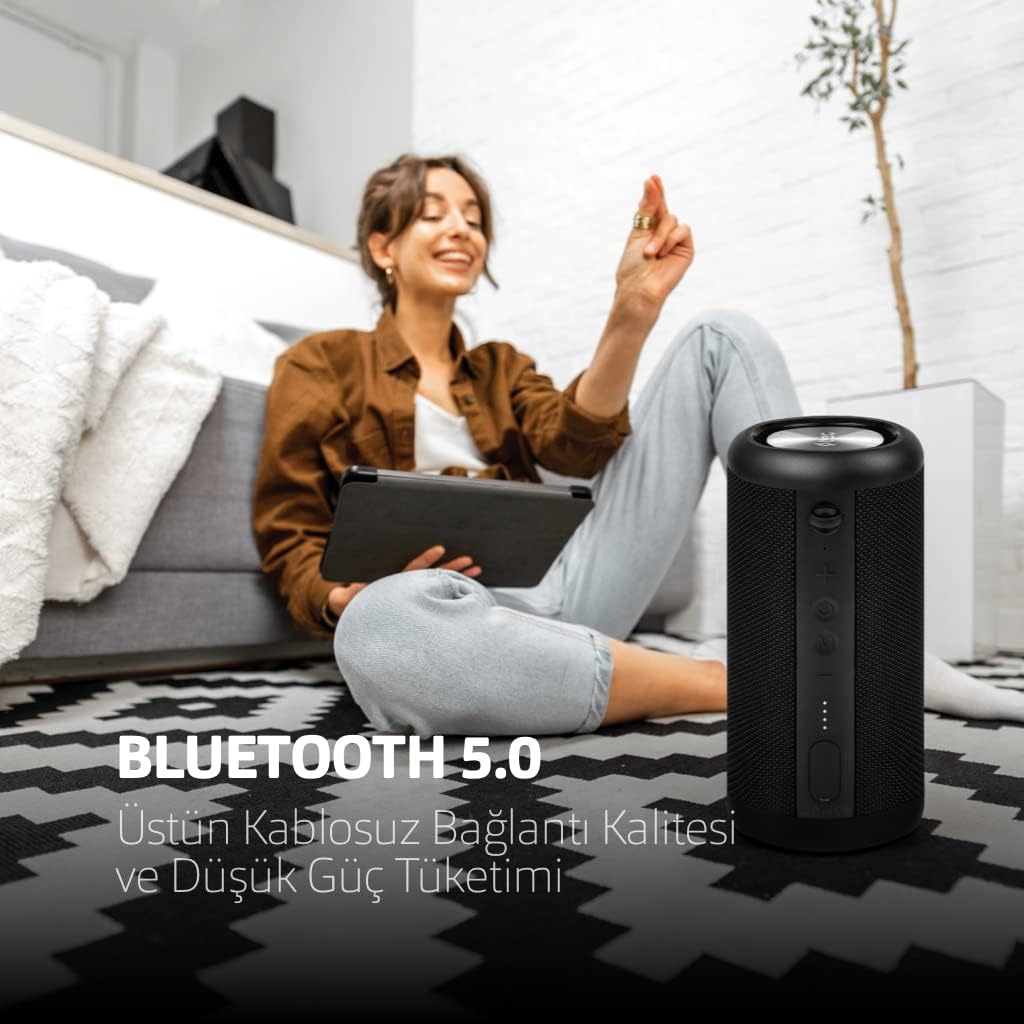
פיגורע 5.1: The TTEC Dynamite Duo speaker highlighting its extended battery life of up to 12 hours on a single charge.
5.2 מאַכט אויף / אַוועק
- צו מאַכט אויף: Press and hold the Power Button (refer to Figure 4.2) for approximately 3 seconds until you hear an audible prompt and the LED indicator lights up.
- צו מאַכט אַוועק: Press and hold the Power Button for approximately 3 seconds until you hear an audible prompt and the LED indicator turns off.
5.3 בלועטאָאָטה פּערינג
Connect your TTEC Dynamite Duo speaker to a Bluetooth-enabled device.
- Ensure the speaker is powered on and in Bluetooth pairing mode (the LED indicator will typically flash blue rapidly). If not, press the Mode Button to switch to Bluetooth mode.
- אויף אייער דעווייס (סמאַרטפאָן, טאַבלעט, לאַפּטאָפּ), אַקטיווירט בלועטוט און זוכט פֿאַר פֿאַראַן דעווייסעס.
- Select "TTEC Dynamite Duo" from the list of found devices.
- Once successfully paired, the LED indicator will turn solid blue, and you will hear a confirmation sound.
- דער רעדנער וועט זיך אויטאָמאַטיש ווידער פֿאַרבינדן צום לעצטן פֿאַרבונדענעם מיטל ווען עס ווערט אָנגעצונדן, אויב דער מיטל'ס בלועטוט איז אַקטיוו און אין דער געגנט.
5.4 אמתע ווירעלעס סטערעאָ (TWS) פּאָרינג
Connect two TTEC Dynamite Duo speakers for a stereo sound experience.
- Ensure both Dynamite Duo speakers are powered on and not connected to any other Bluetooth device.
- On one of the speakers (this will be the primary speaker), press and hold the Play/Pause button for approximately 3-5 seconds until you hear a pairing tone. The LED indicator will flash.
- The two speakers will automatically search for and connect to each other. Once connected, you will hear a confirmation sound, and the LED indicators on both speakers will change (e.g., primary speaker flashes slowly, secondary speaker is solid blue).
- Now, pair your device to the primary speaker via Bluetooth as described in Section 5.3. The audio will play in stereo through both speakers.

פיגורע 5.2: Illustration of two TTEC Dynamite Duo speakers wirelessly connected to each other, enabling True Wireless Stereo (TWS) audio playback.
5.5 AUX קאַנעקשאַן
Use the AUX cable to connect the speaker to devices without Bluetooth functionality.
- מאַכט די רעדנער.
- Connect one end of the provided AUX cable to the speaker's AUX port (refer to Figure 4.3).
- Connect the other end of the AUX cable to the audio output jack of your device.
- The speaker will automatically switch to AUX mode, or you may need to press the Mode Button to select AUX input.
- In AUX mode, playback controls (play/pause, next/previous track) on the speaker may not function, and you will need to control playback from your connected device. Volume control on the speaker will still work.
6. אַפּערייטינג ינסטרוקטיאָנס
6.1 Music Playback (Bluetooth Mode)
- שפּיל / פּויזע: Press the Play/Pause Button.
- ווייַטער שפּור: Press and hold the Volume Up / Next Track Button.
- פֿריִערדיקע שפּור: Press and hold the Volume Down / Previous Track Button.
6.2 רוף פאַרוואַלטונג
With the built-in microphone, you can manage phone calls when connected via Bluetooth.
- ענטפער רופן: Press the Play/Pause Button when an incoming call rings.
- סוף רופן: Press the Play/Pause Button during an active call.
- אָפּוואַרפן רופן: Press and hold the Play/Pause Button when an incoming call rings.
6.3 באַנד קאָנטראָל
- פאַרגרעסערן באַנד: Press the Volume Up / Next Track Button.
- פאַרמינערן באנד: Press the Volume Down / Previous Track Button.
7. וישאַלט
- רייניקונג: Wipe the speaker with a soft, dry, lint-free cloth. Do not use liquid cleaners, aerosols, or solvents.
- סטאָרידזש: When not in use for extended periods, store the speaker in a cool, dry place, away from direct sunlight and extreme temperatures. It is recommended to charge the battery at least once every three months to maintain battery health.
- וואַסער און שטויב קעגנשטעל: Ensure the protective flap covering the charging and AUX ports is securely closed to maintain the IP65 water and dust resistance.

פיגורע 7.1: The TTEC Dynamite Duo speaker demonstrating its IP65 certification, making it resistant to water splashes and dust ingress.
8. טראָובלעשאָאָטינג
| פּראָבלעם | מעגלעך סיבה | לייזונג |
|---|---|---|
| דער רעדנער לאָזט זיך נישט אָנ. | נידעריק באַטאַרייע. | לאָדט דעם רעדנער גאָר אויף. |
| קען נישט פארבינדן דורך בלוטוט. | רעדנער נישט אין פּערינג מאָדע; מיטל בלועטוט אויסגעלאָשן; צו ווייט פון מיטל. | Ensure speaker is in pairing mode (flashing LED). Turn on device Bluetooth. Move speaker closer to device. Forget "TTEC Dynamite Duo" on your device and re-pair. |
| קיין געזונט. | קול צו נידעריג; אומרעכטער אינפוט מאָדע; דעווייס שפּילט נישט אַודיאָ. | Increase speaker and device volume. Press Mode button to select correct input (Bluetooth/AUX). Ensure audio is playing on your device. |
| געזונט דיסטאָרשאַן. | קול צו הויך; נידריגע באַטעריע; שטערונג. | Reduce volume on speaker and device. Charge the speaker. Move away from other electronic devices. |
| TWS פּאָרינג איז דורכגעפֿאַלן. | Speakers already paired to other devices; incorrect pairing procedure. | זיכער מאַכן אַז ביידע רעדנערס זענען אָפּגעטיילט פֿון אַנדערע דעווייסעס. פֿאָלגט די TWS פּערינג טריט קערפֿול (סעקציע 5.4). |
9. ספּעסאַפאַקיישאַנז
| סאָרט: | טטעק |
| מאָדעל נאָמען: | דינאַמיט דואָ |
| רעדנער טיפּ: | טורעם |
| קאַנעקטיוויטי טעכנאָלאָגיע: | בלועטאָאָטה 5.0 |
| אַודיאָ רעזולטאַט מאָדע: | סטערעאָ |
| מאַכט מקור: | באַטאַרייע פּאַוערד |
| באַטאַרייע לעבן: | אַרויף צו 12 שעה |
| וואַסער און שטויב קעגנשטעל: | IP65 Certified (Resistant to water jets and dust, not submersible) |
| געבויט-אין מיקראָפאָן: | יא |
| קאָנטראָל אופֿן: | קנעפּלעך |
| פּראָדוקט דימענשאַנז: | 9 ד רענטגענ 9 וו רענטגענ 21 ה סענטימעטער |
| פּראָדוקט וואָג: | 1.22 קילאָגראַמס |
| קאַמפּאַטאַבאַל דעוויסעס: | Smartphones, tablets, laptops, game consoles, MP3 players |
| פאַבריקאַנט: | Tesan |
10. וואָראַנטי און שטיצן
The TTEC Dynamite Duo Portable Wireless Bluetooth Speaker comes with a limited warranty. Please refer to the warranty card included in your package or contact your retailer for specific terms and conditions.
For technical support or further assistance, please contact the retailer where you purchased the product or visit the official TTEC webוועבזייטל פֿאַר קונה סערוויס אינפֿאָרמאַציע.


