1. וויכטיק סאַפעטי אינפֿאָרמאַציע
Please read all safety instructions carefully before using the BYINTEK P70 Smart WiFi Projector. Keep this manual for future reference.
- מאַכט מקור: ניצט נאָר דעם צוגעשטעלטן מאַכט אַדאַפּטער. זיכערט זיך אַז דער וואָלומען איזtage פּאַסט צו די פּראָיעקטאָר'ס רעקווייערמענץ.
- באַטערי זיכערקייַט: The projector contains a built-in lithium-ion battery. Do not expose to extreme temperatures, puncture, or disassemble.
- ווענטילאַטיאָן: זיכערט זיך אז די ווענטילאציע איז געהעריג ארום דעם פראיעקטאר כדי צו פארמיידן איבערהיצונג. בלאקירט נישט די ווענטילאציע עפענונגען.
- היץ: The projector may become warm during operation. This is normal. Avoid touching the lens or vents immediately after use.
- ליכט ויסשטעלן: קוק נישט גלייך אריין אין די פּראָיעקטאָר לינז ווען די לamp איז אָן, ווײַל די העל ליכט קען פאַראורזאַכן אויג-אַנשטרענגונג אָדער שאָדן.
- וואַסער און נעץ: האַלט דעם פּראָיעקטאָר אַוועק פֿון וואַסער, רעגן און איבערגעטריבענער פֿײַכטקייט. אַרבעט נישט מיט נאַסע הענט.
- רייניקונג: אָפּשטעקן די מאַכט איידער רייניקונג. ניצט אַ ווייכע, טרוקענע שטאָף. ניצט נישט פליסיקע אָדער אַעראָזאָל רייניגער.
- קינדער: Keep the projector and its accessories out of reach of children.
2. פּראָדוקט איבערview
The BYINTEK P70 is a portable smart DLP projector designed for versatile entertainment and presentation needs. It features an 8000mAh built-in battery, Android 9.0 operating system, auto-focus, and 3D support.
2.1 פּעקל אינהאַלט
- BYINTEK P70 Projector x 1
- ווייַט קאָנטראָל רענטגענ 1
- מאַכט אַדאַפּטער x 1
- מיני טריפּאָד X 1
- סטאָרידזש באַג X 1
- באַניצער מאַנואַל x 1
2.2 שליסל פֿעיִקייטן
- פּאָרטאַטיוו פּלאַן: סאָליד און לייטווייט פֿאַר גרינג אַריבערפירן.
- געבויט-אין באַטערי: 8000mAh battery provides 1.5 to 3 hours of playback.
- Smart Android OS: Android 9.0 for app downloads, online streaming, and gaming.
- אַוטאָ-פאָקוס: Automatic focus adjustment for clear images.
- 6D Keystone Correction: Advanced keystone correction for flexible placement.
- 3D שטיצן: Enjoy immersive 3D content.
- ווירעלעסס קאַנעקטיוויטי: Supports wireless screen mirroring from Android, iOS, and PC devices.
- ווייערד קאַנעקטיוויטי: USB data cable sync for iOS and select Android devices.
- גרויס פּרויעקציע גרייס: ביז 200 אינטשעס.
- 4K Playback: Supports up to 4K video input.
- לאַנגע LED Lamp לעבן: 30,000 שעה.
- צוויי סטערעאָ רעדנערס: Integrated 2x5W speakers for clear audio.

Image: Infographic detailing the BYINTEK P70's features including 4K support, DLP display, 6D keystone, 8000mAh battery, 3D, Type-C charge, 2G+32G memory, Android OS, and stereo speakers.
3. סעטאַפּ
3.1 אויפלאָדן דעם פּראָיעקטאָר
Before first use, fully charge the projector. Connect the provided power adapter to the projector's Type-C port and plug it into a power outlet. The charging indicator will show the charging status.

Image: The BYINTEK P70 projector connected to a power bank via a Type-C cable, illustrating its portable charging capability.
3.2 ערשטע פּלאַצירונג
שטעלט דעם פּראָיעקטאָר אויף אַ שטאַרקער, גלאַטער ייבערפלאַך. פֿאַר אָפּטימאַלן viewing, position it directly in front of your projection screen or wall. The included mini tripod can be used for angle adjustments.
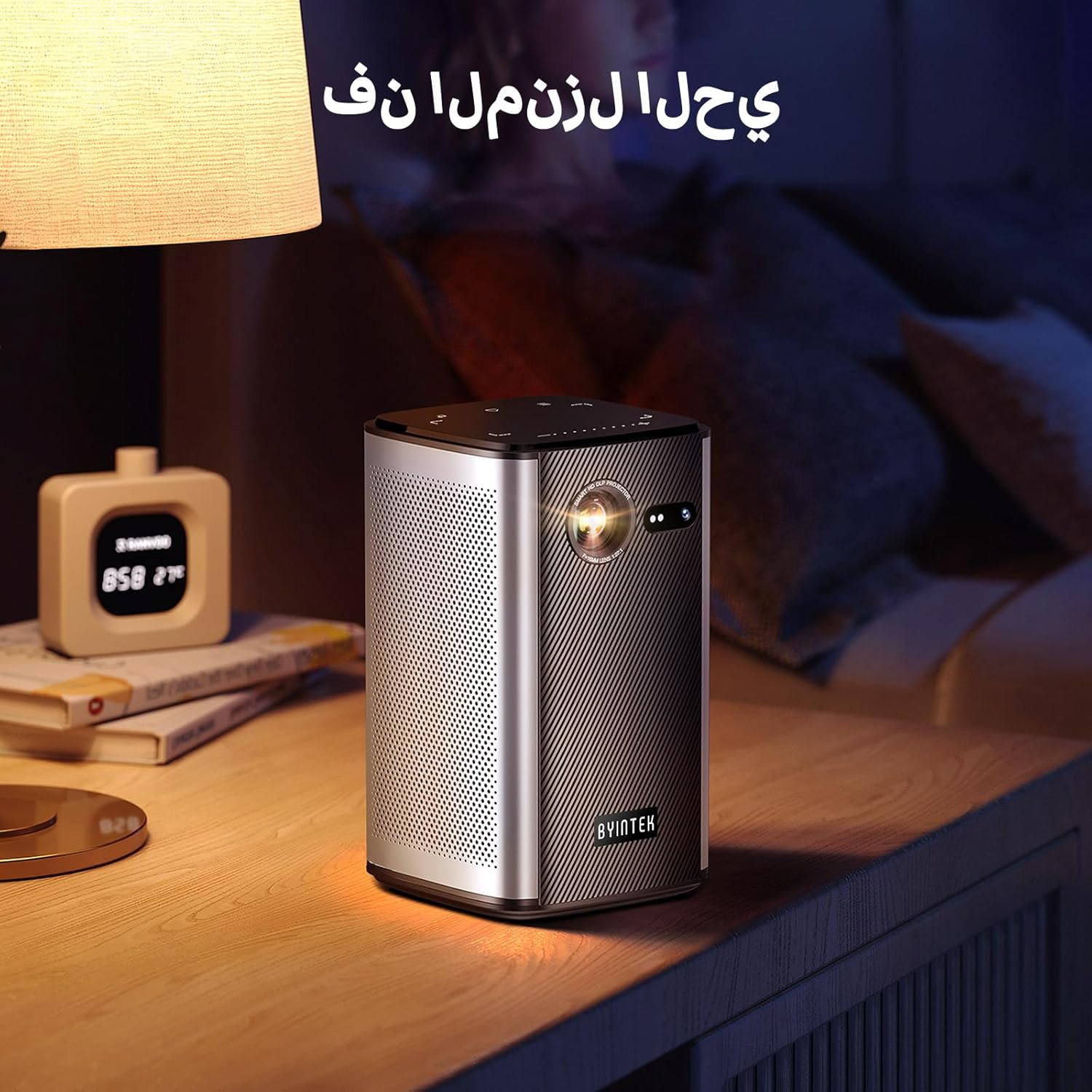
Image: The BYINTEK P70 projector placed on a bedside table, ready for indoor use.
3.3 פּאַוערינג אויף / אַוועק
Press and hold the power button on the projector or remote control to turn the device on or off.
3.4 פאָקוס און קיסטאָון קאָרעקציע
The BYINTEK P70 features automatic focus. For keystone correction, navigate to the settings menu using the remote control. The 6D keystone correction allows for precise image adjustment, even with side projection.

Image: A visual representation of the projector's auto-focus feature, showing a clear image projected onto a wall.
4. אַפּערייטינג ינסטרוקטיאָנס
4.1 נאַוויגירן די אַנדרויד אָפּערירן סיסטעם
Use the remote control to navigate the Android 9.0 interface. The home screen provides access to pre-installed apps and settings. You can download additional applications from the app store.

Image: The projector displaying its Android operating system interface with various application icons like Miracast, Settings, AirPlay, Market, File Explorer, YouTube, and Netflix.
4.2 וויירלעס סקרין שפּיגלונג
The projector supports wireless screen mirroring for Android, iOS, and PC devices. Access the 'Miracast' or 'AirPlay' app on the projector's home screen and follow the on-screen instructions to connect your device.
4.3 דראָטעד פאַרשטעלן שפּיגלונג
For iOS devices and some Android devices, you can use a USB data cable for wired screen synchronization. Connect your device to the projector's USB port using its original data cable.
4.4 3D ווידערשפּיל
The BYINTEK P70 supports 3D content. To enjoy 3D movies, ensure your media file is in a compatible 3D format (e.g., Blu-ray 3D, SBS, TNB) and use active shutter 3D glasses (sold separately).

Image: A family wearing 3D glasses, enjoying a 3D movie projected by the BYINTEK P70, showcasing its 3D capability.
4.5 דיגיטאַל פארגרעסער
Adjust the image size from 50% to 100% using the digital zoom function on the remote control. This allows you to fit the image perfectly to your screen without moving the projector.
5. וישאַלט
5.1 רייניקן די לינז
ניצט אַ ווייכע, לינט-פֿרייע שטאָף ספּעציעל דיזיינד פֿאַר אָפּטישע לענסעס צו פֿאָרזיכטיק ווישן די פּראָיעקטאָר לענס. פֿאַרמייַדט ניצן אַברייסיוו מאַטעריאַלן אָדער שטרענגע כעמיקאַלן.
5.2 רייניקונג פון די אויסערליכע זייט
Wipe the exterior of the projector with a soft, dry cloth. Do not use liquid cleaners or sprays directly on the device.
5.3 סטאָרידזש
When not in use, store the projector in a cool, dry place, away from direct sunlight and extreme temperatures. Use the provided storage bag to protect it from dust and scratches.
5.4 באַטערי קער
כדי צו פארלענגערן די לעבן פון די באַטעריע, זאָלט איר נישט אָפט אויסלאָדן די באַטעריע. אויב איר לייגט עס אַוועק פֿאַר אַ לענגערע צייט, זאָלט איר לאָדענען די באַטעריע ביז 50% און לאָדענען עס ווידער יעדע פּאָר חדשים.
6. טראָובלעשאָאָטינג
| פּראָבלעם | מעגלעך סיבה | לייזונג |
|---|---|---|
| קיין בילד נישט פּראָיעקטירט | Projector not powered on; input source not selected; cable not connected. | Ensure projector is on. Select correct input source (HDMI, USB, Wireless). Check cable connections. |
| די בילד איז בלערי | Out of focus; projector too close/far from screen; lens dirty. | Allow auto-focus to adjust. Adjust projector distance. Clean the lens. |
| ווייַט קאָנטראָל נישט ארבעטן | Batteries low/dead; remote not paired; obstruction. | Replace remote batteries. Ensure line of sight to projector's IR receiver. Re-pair remote if necessary (refer to specific pairing instructions in the full manual). |
| קיין געזונט | Volume too low; external audio device connected; audio format not supported. | Increase projector volume. Disconnect external audio devices. Check audio format compatibility. |
| פראבלעמען מיט דראטלאז שפיגלונג | Poor Wi-Fi signal; device compatibility; firewall settings. | Ensure strong Wi-Fi signal. Check device compatibility with Miracast/AirPlay. Disable firewalls temporarily for testing. |
| פּראַדזשעקטער אָוווערכיץ | Blocked ventilation; prolonged use in hot environment. | Ensure vents are clear. Operate in a well-ventilated area. Allow projector to cool down. |
7. ספּעסאַפאַקיישאַנז
| שטריך | באַשרייַבונג |
|---|---|
| סאָרט | BYINTEK |
| מאָדעל נומער | P70 |
| פּראָדוקט דימענשאַנז | 8.2 X 8.2 X 14.2 סענטימעטער |
| פּונקט וואָג | 1.58 קילאָגראַמס |
| באַטערי | 1 Lithium Ion battery (included), 8000mAh, 29.6 Wh |
| אָפּערייטינג סיסטעם | אַנדרויד |
| ווייַז האַכלאָטע | 960 X 540 |
| מאַקסימום דיספּליי רעזאָלוציע | 4K Ultra HD Megapixel |
| קאַנעקטיוויטי טעכנאָלאָגיע | ווי-פי |
| ספּעציעלע פֿעיִקייטן | Auto-focus, 3D Ready, Built-in Wi-Fi Receiver |
| רעקאָממענדעד ניצט | היים סינעמאַ |
| ווייַז טיפּ | DLP |
| פאָרם פאַקטאָר | פּאָרטאַטיוו |
| מאַונטינג טיפּ | דרייַפוס בארג |
| וסב 3.0 פּאָרץ | 1 |
| HDMI פּאָרץ | 1 |
| Voltage | 12 וואלטס |
| וואָסtage | 25 וואטס |
| מאַכט מקור | אַק & באַטערי |
8. וואָראַנטי און שטיצן
The BYINTEK P70 Smart WiFi Projector comes with a standard manufacturer's warranty. For specific warranty details, please refer to the warranty card included in your product packaging or contact BYINTEK customer support.
If you encounter any issues or have questions regarding your projector, please contact BYINTEK customer support through their official website or the contact information provided in your product documentation. Please have your model number (P70) and purchase details ready when contacting support.


