הקדמה
The FrSky RB35S Redundancy Bus is an advanced system designed to enhance flight safety and performance for RC models. It integrates features such as configurable dual power input, dual BEC outputs, overload and current detection, and an advanced stabilization system. This manual provides detailed instructions for the proper setup, operation, and maintenance of your RB35S unit.
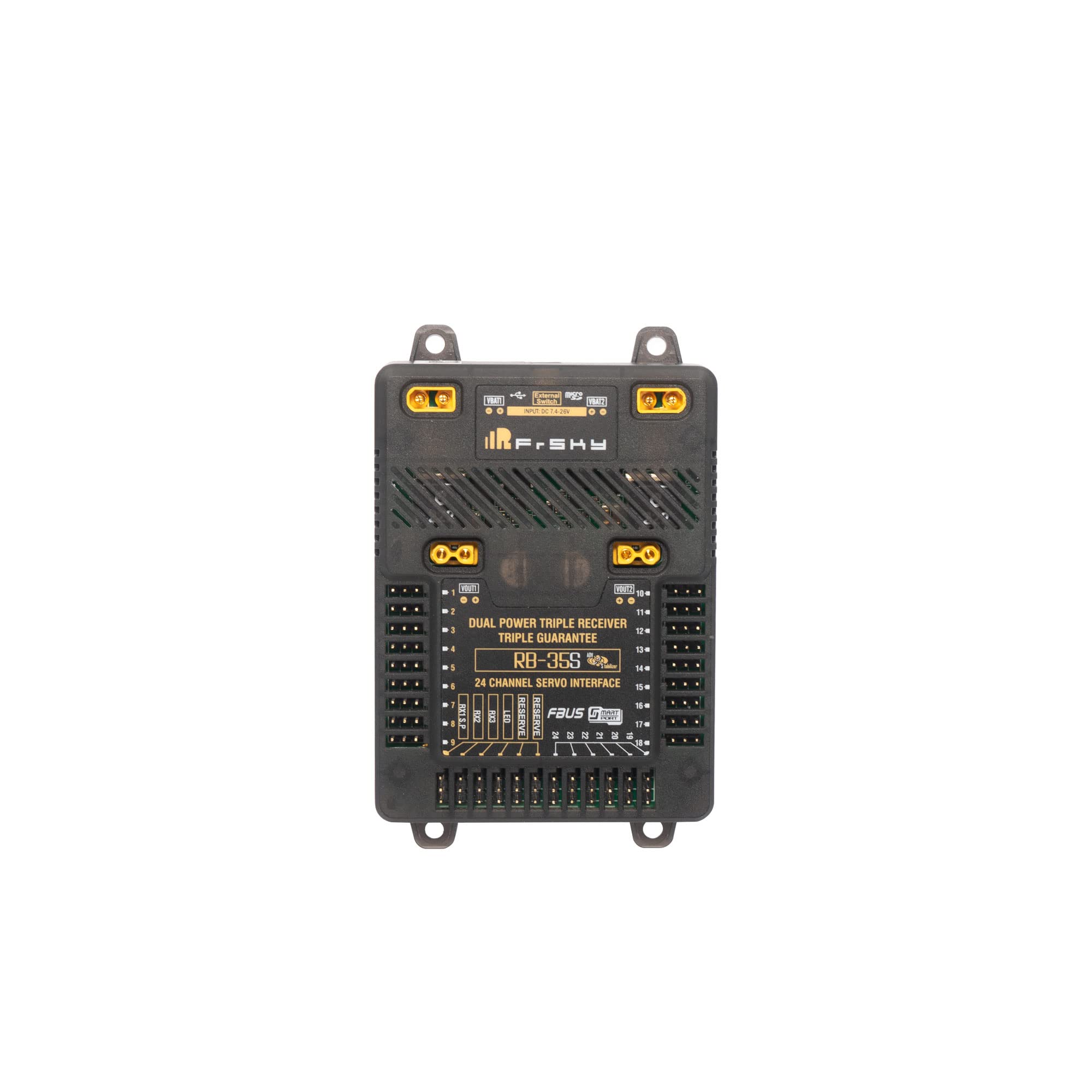
פיגורע 1: פראָנט view of the FrSky RB35S Redundancy Bus.
שליסל פֿעיִקייטן
- Triple Receiver Redundancy & Dual Power Input: Ensures reliable signal and power supply.
- Dual BEC Outputs: Independently configurable voltage outputs for various components.
- Overload Protection & Current Detection: Safeguards connected devices and monitors power usage.
- Advanced Stabilizer (RB35S): Offers enhanced stabilization modes and programmable channels.
- Diversified Sensor Telemetry: Provides real-time data including altitude and vertical speed.
- Built-in Power Switch Function: Supports various external switches for convenient power control.
- Full Black Box Data Record Function: Logs critical flight data for analysis.
- External LED Indication Support: For visual status feedback.
סעטאַפּ
Proper setup is crucial for the safe and reliable operation of the RB35S. Follow these steps carefully.

פיגורע 2: שפּיץ view of the RB35S showing input and output ports.
1. Power Input Configuration
The RB35S supports dual power input via two standard XT30 connections (VBAT1, VBAT2). The recommended battery input voltage range is DC 7.4-26V (3S-6S Li batteries). Note that 2S Li batteries may not provide sufficient voltage for 8.4V BEC output configurations.
The system can operate in two modes:
- Balance Mode (Default): Power is drawn from the source with the higher voltage.
- באַקקופּ מאָדע: The system prioritizes a user-selected power line within a set voltage קייט.
2. BEC Output Configuration
The RB35S features a built-in Dual BEC. Each XT30 output port (VOUT1, VOUT2) can be independently configured to provide a voltage between 5V and 8.4V. The BEC also allows for changing channel output voltage for specific ports:
- VOUT1: Controls channels 1-9.
- VOUT2: Controls channels 10-24 and other remaining ports.
All channel ports include overload protection. Additionally, channels 1-9 support current detection.
3. ופנעמער קאַנעקשאַן
For triple receiver redundancy, connect your receivers to the multiplex ports (RX1-3 IN / S.Port). The RB35S supports FBUS/SBUS/S.Port auto-recognition for seamless integration.
4. External Switch Connection
The RB35S includes a power switch function that supports various external switches (e.g., NFC switch, Pin Plug). This allows for flexible power on/off control without needing to disconnect batteries.
5. Servo Connections
The unit provides 24 configurable channel ports (PWM/FBUS/S.Port/SBUS Out) for connecting servos and other devices.
אָפּעראַציע
1. Advanced Stabilizer Function
The RB35S features an ADV Stabilizer, an upgrade from classical gyroscope stabilization modes. This advanced mode offers more programmable stabilized channels and greater flexibility. The classical stabilization mode is enhanced with 5 additional stabilization channels, allowing pin mapping to each channel across multiple flight modes such as Stabilization, Auto-Level, Hover, and Knife-Edge for airplane models.
In advanced stabilization mode, all RB35S output pins are configurable for stabilization and additional features like File Sharing, Programmable Parameters, and Developer Access.
2. טעלעמעטרי
The RB35S functions as an extensive sensor module with diversified telemetry capabilities. It includes high-precision telemetry sensors for monitoring altitude, vertical speed, and other parameters. This can serve as an alternative to using a GR or S series receiver for telemetry data.
3. Black Box Data Record
The unit includes a full black box data record function, allowing for the logging of flight data for post-flight analysis and diagnostics.
וישאַלט
פירמוואַרע אַפּגרייד
To ensure optimal performance and access to the latest features, it is recommended to keep the RB35S firmware updated. Firmware upgrades can be performed using the S.Port on the RX1 channel port.

פיגורע 3: זייַט view of the RB35S, highlighting the USB port for connectivity.
טראָובלעשאָאָטינג
If you encounter issues with your FrSky RB35S, consider the following troubleshooting steps:
- קיין מאַכט: Verify battery connections and ensure input voltage is within the DC 7.4-26V range. Check for proper external switch connection if used.
- קיין סיגנאַל/אינטערמיטענט סיגנאַל: Ensure all receiver connections (RX1-3 IN / S.Port) are secure. Check receiver binding and range.
- Servo Malfunction: Confirm servo connections to the correct channel ports. Check BEC output voltage settings for compatibility with your servos. Verify that overload protection has not been triggered.
- Telemetry Data Issues: Ensure telemetry sensors are properly connected and configured. Check for firmware updates.
- איבערהייצונג: Ensure adequate airflow around the unit. Verify that current draw does not exceed continuous current limits.
For persistent issues, refer to the official FrSky support resources or contact customer service.
ספּעסאַפאַקיישאַנז

Figure 4: Dimensions of the FrSky RB35S unit.
| שטריך | באַשרייַבונג |
|---|---|
| פּראָדוקט דימענשאַנז | 114.4 X 73.4 X 18.7 מם (בעערעך 5 X 2 X 3 אינטשעס) |
| Battery Input VoltagE ראַנגע | DC 7.4-26V (Recommended 3S-6S Li batteries) |
| אַפּערייטינג קראַנט | 200 מאַ @ 12 וו |
| Continuous Current (BEC Outputs) | 2*15A@5-8.4V |
| אַפּערייטינג טעמפּעראַטור | -20°C~75°C |
| Configurable Channel Ports | 24 (PWM/FBUS/S.Port/SBUS Out) |
| RX Input Ports | 3 |
| געפירט ינדיקאַטאָר פּאָרט | 1 |
| Battery Input & BEC Output Connector | XT30 |
וואָראַנטי און שטיצן
For detailed warranty information, technical support, and the latest firmware updates, please visit the official FrSky website. You can also download the comprehensive manual for the RB-35 and RB-35S from the link below:
Download Official RB-35 / RB-35S Manual (PDF)
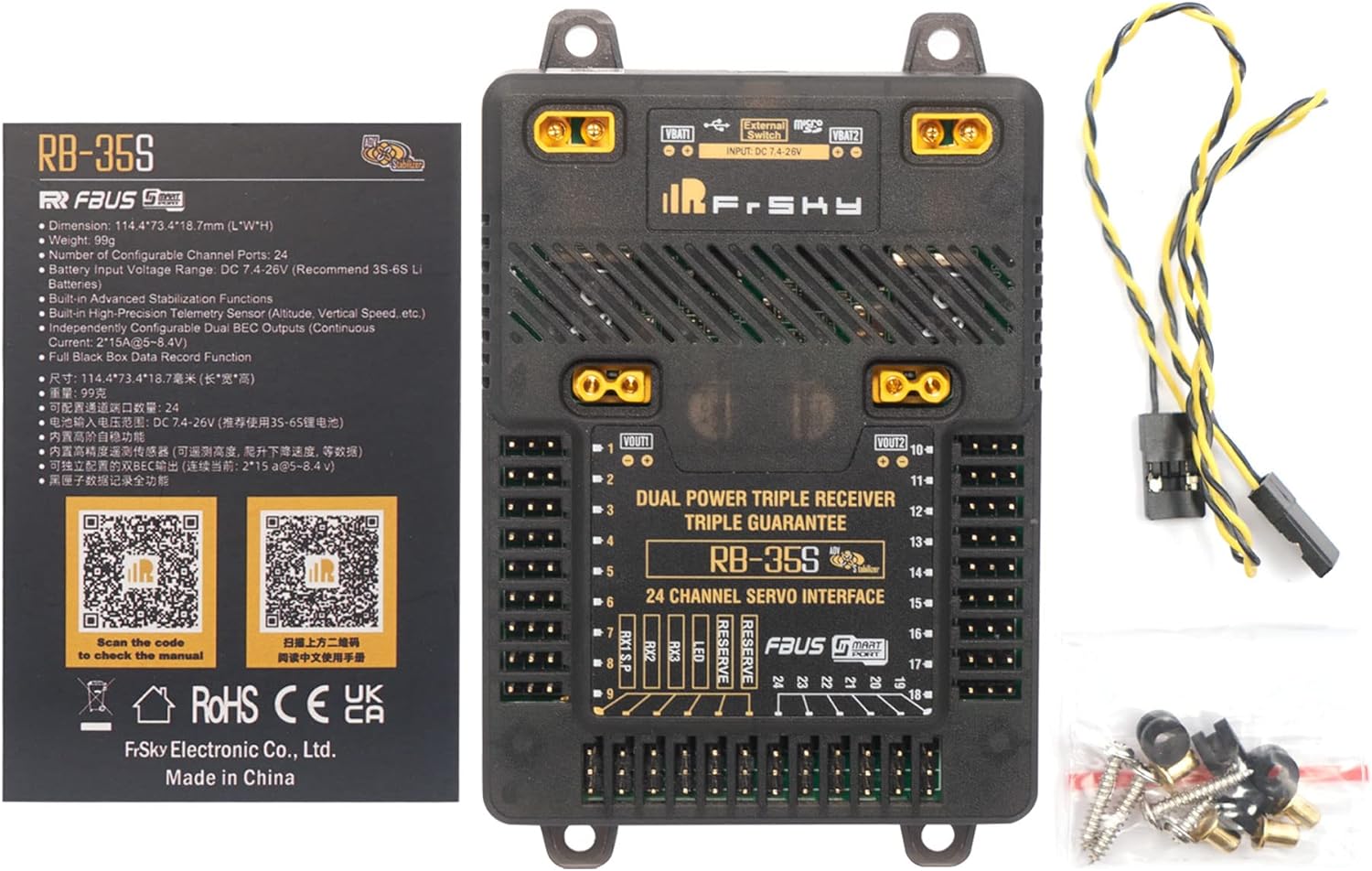
Figure 5: Product packaging showing the RB35S and accessories, with a QR code for the manual.


