1. הקדמה
This manual provides essential information for the proper installation, operation, and maintenance of your Lian Li Strimer Plus V2 PW168-8PV2 Power Extension Cable. This product is designed to enhance your PC build with both reliable power delivery to your graphics card and customizable RGB lighting effects. Please read this manual thoroughly before installation.
2. זיכערקייַט אינפֿאָרמאַציע
- Ensure your power supply unit (PSU) is turned off and unplugged from the wall outlet before installing or removing any components.
- Handle all cables and connectors with care to avoid damage.
- Do not force connectors into ports. Align them correctly before applying gentle pressure.
- This cable is designed for internal PC use only. Do not use it in external or unintended applications.
- Verify that your power supply can adequately support the power requirements of your graphics card when using this extension cable. This cable supports up to 600W.
3. פּראָדוקט איבערview
The Lian Li Strimer Plus V2 PW168-8PV2 is a premium power extension cable featuring integrated RGB lighting. It connects an 8-pin PCIe power output from your power supply to your graphics card, while its 4-pin connector allows for RGB control. The cable features 8 interconnected light guides for a seamless lighting experience.
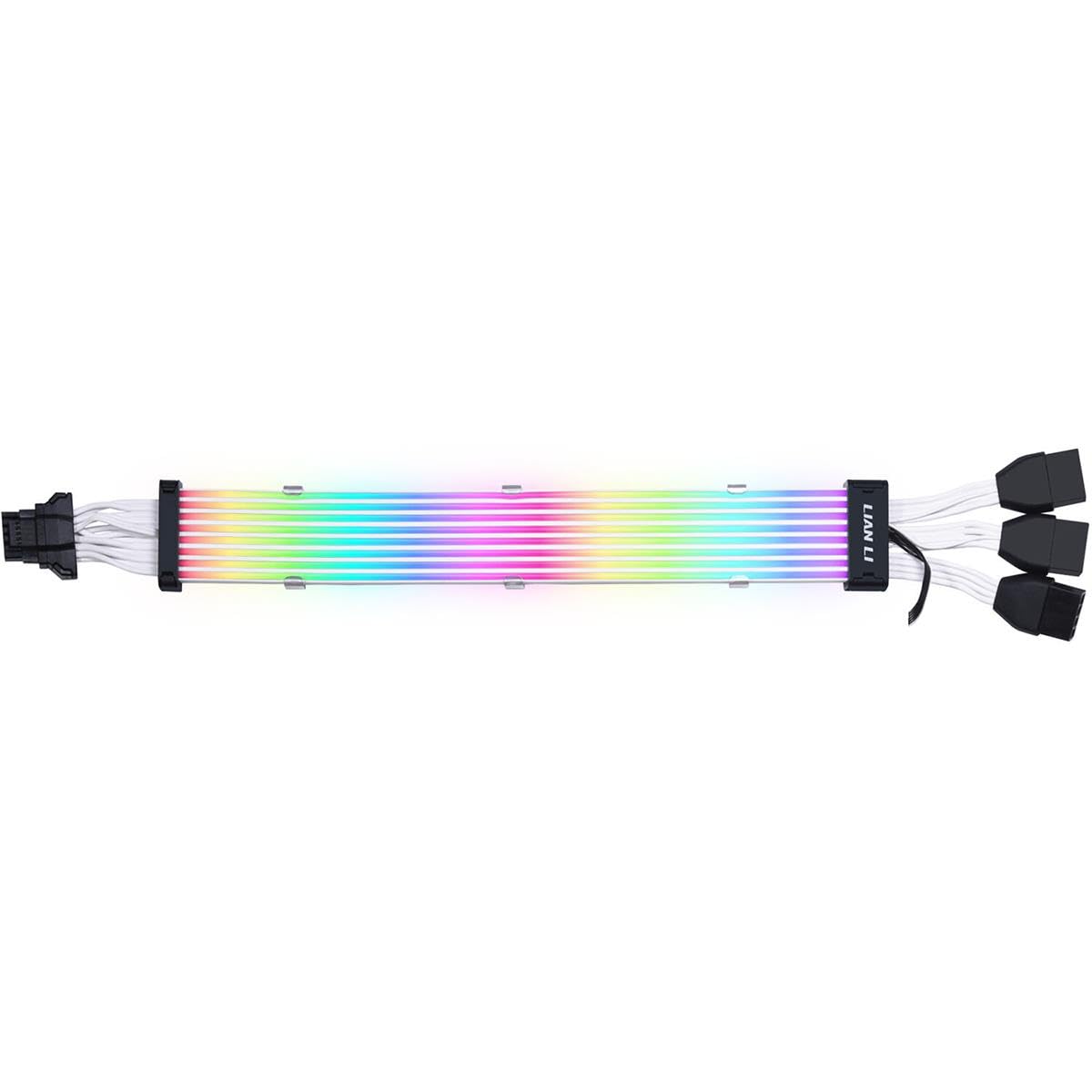
פיגור 1: פול view of the Lian Li Strimer Plus V2 PW168-8PV2 cable.
שליסל פֿעיִקייטן:
- מאַכט עקספּרעס: Supports up to 600W with 12VHPWR compatibility.
- Integrated RGB Lighting: Features 8 interconnected light guides for vibrant, customizable illumination.
- דוראַבאַל קאַנסטראַקשאַן: Made with Silicon (TPE) outer material for flexibility and UV resistance.
- Custom Connector Design: Ensures secure and stable connections.
4. סעטאַפּ און ייַנמאָנטירונג
Follow these steps to properly install your Strimer Plus V2 power extension cable:
- צוגרייטן אייער סיסטעם: Turn off your computer and unplug the power cable from the wall outlet. Open your PC case to access the internal components.
- Connect to Graphics Card: Locate the 8-pin PCIe power input on your graphics card. Connect the 8-pin male connector of the Strimer Plus V2 cable firmly into this port. Ensure it clicks into place.

Figure 2: Cable connected to a graphics card.
- פאַרבינדן צו מאַכט צושטעלן: Connect the 8-pin female end of the Strimer Plus V2 cable to an available 8-pin PCIe power cable from your power supply unit. Ensure a secure connection.

Figure 3: Close-up of the 8-pin power connector.
- Connect RGB Control: The Strimer Plus V2 cable includes 4-pin connectors for RGB control. Connect these to a compatible RGB controller (e.g., Lian Li L-Connect controller) or a motherboard header (e.g., 4-pin RGB header). Refer to your motherboard or RGB controller manual for specific connection instructions.

Figure 4: 4-pin RGB control connectors.
- קאַבלע פאַרוואַלטונג: Route the cable neatly within your PC case, utilizing cable ties or channels to ensure proper airflow and a clean aesthetic. The cable's flexible design allows for various routing options.

Figure 5: Flexible cable design with RGB.
- לעצט טשעק: Double-check all connections to ensure they are secure before closing your PC case and restoring power.
5. אַפּערייטינג ינסטרוקטיאָנס
Once the Strimer Plus V2 cable is installed and your system is powered on, the RGB lighting will activate. To customize the lighting effects:
- Lian Li L-Connect Software: If you are using a Lian Li RGB controller, download and install the L-Connect software from the official Lian Li website. This software allows for extensive customization of lighting patterns, colors, and synchronization with other Lian Li RGB products.
- Motherboard RGB Software: If you connected the 4-pin RGB cable directly to your motherboard, use your motherboard's proprietary RGB control software (e.g., ASUS Aura Sync, MSI Mystic Light, GIGABYTE RGB Fusion, ASRock Polychrome Sync) to manage the lighting effects.

Figure 6: Lian Li logo and RGB light guide detail.
6. וישאַלט
To ensure the longevity and optimal performance of your Strimer Plus V2 cable:
- רייניקונג: Periodically clean the cable and light guides with a soft, dry, anti-static cloth to remove dust. Do not use liquid cleaners directly on the cable.
- האַנדלינג: Avoid sharp bends or excessive pulling on the cable, especially near the connectors, to prevent internal damage to wires or light guides.
- סוויווע: Ensure your PC operates in a well-ventilated environment to prevent excessive heat buildup, which can affect component lifespan.
7. טראָובלעשאָאָטינג
קיין RGB לייטינג:
- טשעק קאַנעקשאַנז: Ensure the 4-pin RGB control cable is securely connected to your RGB controller or motherboard header.
- ווייכווארג: Verify that the appropriate RGB control software (Lian Li L-Connect or motherboard software) is installed and running correctly. Check for any software updates.
- Motherboard Header: If connected to a motherboard, confirm that the RGB header is enabled in your motherboard's BIOS/UEFI settings.
Graphics Card Not Receiving Power:
- Check All Power Connections: Ensure the 8-pin PCIe connectors are fully seated at both the graphics card and power supply ends.
- Power Supply Capacity: Confirm that your power supply unit has sufficient wattage to power your graphics card and other components.
- Test Without Extension: If possible, test your graphics card by connecting it directly to the PSU without the extension cable to rule out other issues.
8. ספּעסאַפאַקיישאַנז
| סאָרט | ליאן לי |
| מאָדעל נאָמען | PW168-8PV2 |
| קאַנעקטער טיפּ | PCIe (8-pin for power), 4-pin (for RGB control) |
| טיפּ קאַבלע | Optical (for lighting) |
| קאַמפּאַטאַבאַל דעוויסעס | PCIe Devices (Graphics Cards) |
| ספּעציעלע שטריך | 8 light guides, UV resistance, custom connector design |
| וואָסtage | 600 וואטס (מאקס) |
| מאַקסימום וואָלtage | 12 וואלטס |
| ויסווייניקסט מאַטעריאַל | Silicon (TPE) |
| נומער לענג | 12 אינטשעס |
| UPC | 840353043886 |
Note: The 'Number of Pins: 24' listed in some specifications may refer to the total individual wires within the cable assembly, not the primary power connector pin count. This cable features an 8-pin PCIe power connector and additional 4-pin connectors for RGB control.
9. וואָראַנטי אינפֿאָרמאַציע
For detailed warranty information regarding the Lian Li Strimer Plus V2 PW168-8PV2 Power Extension Cable, please refer to the official Lian Li webזייטל אדער קאנטאקט זייער קאסטומער שטיצע גלייך. גאראנטיע טערמינען און באדינגונגען קענען זיין אנדערש לויט ראיאן און פארקויפער.
10. שטיצן
Should you encounter any issues or require technical assistance not covered in this manual, please visit the official Lian Li website for their support resources, FAQs, and contact information. You can typically find support at www.lian-li.com/support/.


