הקדמה
Thank you for choosing the LC-dolida Bluetooth Headband Headphones. This manual provides detailed instructions on how to set up, operate, and maintain your device. Please read this manual thoroughly before use to ensure optimal performance and longevity of your product.
פּעקל אינהאַלט
ביטע טשעק די פּאַקעט פֿאַר די פאלגענדע זאכן:
- LC-dolida Bluetooth Headband Headphones (Model LC001)
- וסב טשאַרדזשינג קאַבלע
- באַניצער מאַנואַל
אויב עס פעלט אדער זענען געשעדיגט עפעס, ביטע קאנטאקטירט קאסטומער סופארט.
פּראָדוקט איבערview
The LC-dolida Bluetooth Headband Headphones (Model LC001) are designed for versatile use, combining a comfortable headband with integrated audio technology. They are suitable for various activities including sleep, sports, and general audio listening.

בילד: פראָנט view of the LC-dolida Bluetooth Headband Headphones, highlighting the control panel.
שליסל פֿעיִקייטן:
- 3-אין-1 פּלאַן: Functions as a sports headband, sleep mask, and Bluetooth headphones.
- באַקוועם מאַטעריאַל: Made from highly elastic, breathable, and sweat-wicking fabric.
- Ultra-Thin Speakers: Designed for comfort, especially for side sleepers, with adjustable positioning.
- בלועטאָאָטה 5.2 קאַנעקטיוויטי: Provides stable connections and clear audio.
- געבויט-אין מיקראָפאָן: ערמעגליכט הענט-פריי רופן.

Image: Visual representation of the headband's material properties: soft, sweat-absorbing, elastic, and breathable.

Image: Depiction of the headband's comfort for side sleepers, highlighting the super thin speakers and zero pressure design.
סעטאַפּ
1. ערשטע אויפלאָדונג
- Connect the provided USB charging cable to the charging port on the headband.
- פֿאַרבינדט דעם אַנדערן עק פֿונעם USB קאַבל צו אַ USB מאַכט אַדאַפּטער (נישט אַרייַנגערעכנט) אָדער אַ קאָמפּיוטער'ס USB פּאָרט.
- The LED indicator light will illuminate during charging.
- A full charge typically takes 1-2 hours. The LED indicator will change or turn off once charging is complete.

Image: Visual guide for charging time (2 hours) and approximate playtime (14 hours).
2. בלועטאָאָטה פּערינג
- Ensure the headband is fully charged.
- Press and hold the Power button on the control panel until the LED indicator light flashes blue and red, indicating pairing mode.
- אויף אייער דעווייס (סמאַרטפאָן, טאַבלעט, אאז"וו), אַקטיווירט בלועטוט און זוכט פֿאַר פֿאַראַן דעווייסעס.
- Select "LC-dolida" from the list of devices.
- אַמאָל פארבונדן, וועט דער LED אינדיקאַטאָר טיפּיש ווייַזן אַ האַרט בלוי ליכט אָדער בליץ בלוי לאַנגזאַם.
- אָטאַמאַטיק ריקאַנעקשאַן: After the initial pairing, the headband will automatically attempt to connect to the last paired device when powered on, provided the device's Bluetooth is active and within range.
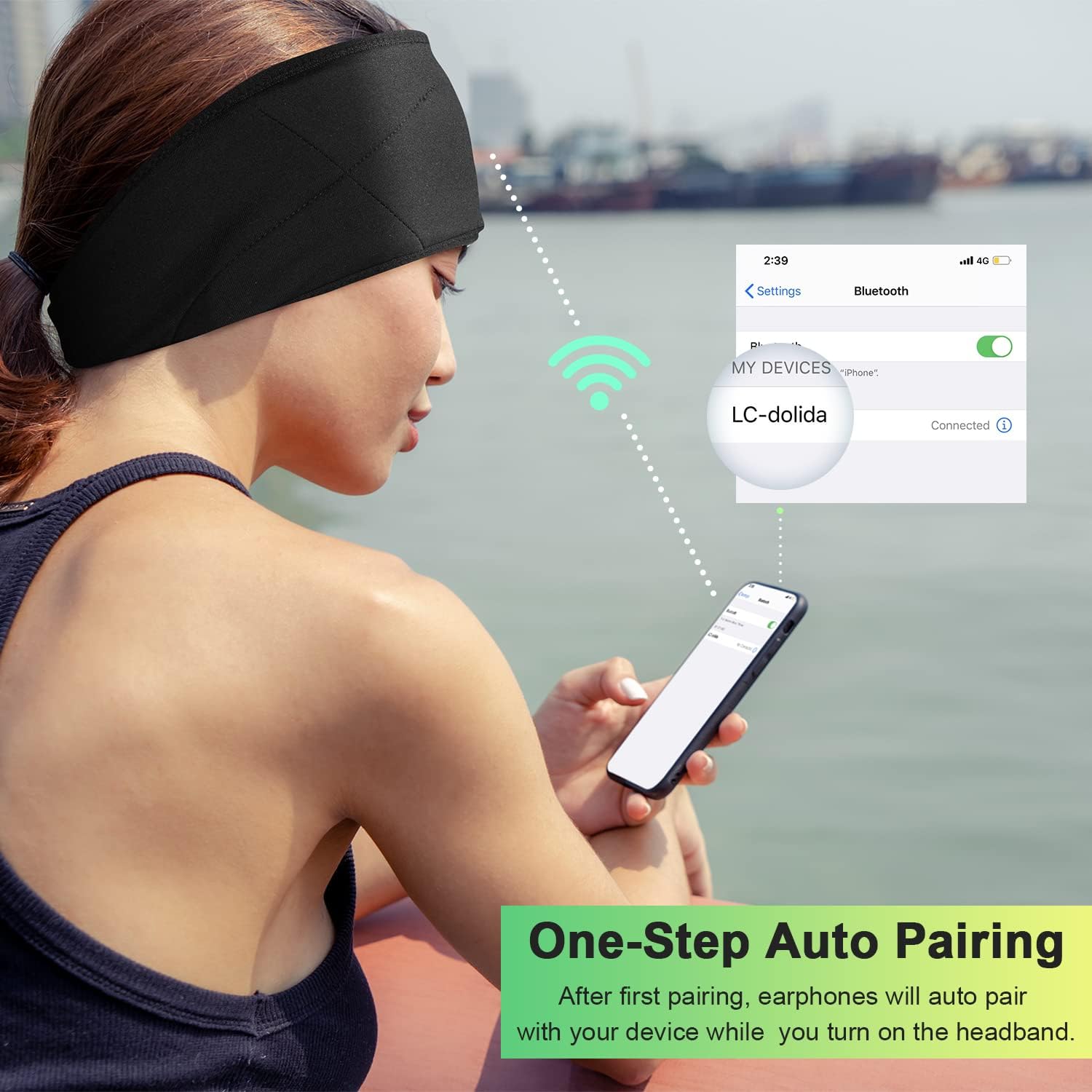
Image: Illustration of the one-step auto pairing process with a smartphone.

Image: Visual confirmation of strong compatibility with various Bluetooth-enabled devices (Android, iOS, Windows).
אַפּערייטינג ינסטראַקשאַנז
קאָנטראָל פּאַנעל פאַנגקשאַנז
The control panel on the headband allows you to manage power, music playback, and calls.
- מאַכט אויף / אַוועק: Press and hold the Power button (center button) for approximately 3 seconds.
- שפּיל / פּויזע מוזיק: דריקן די מאַכט קנעפּל אַמאָל.
- באַנד אַרויף: דריק דעם "+" קנעפל.
- באַנד אַראָפּ: דריק דעם "-" קנעפּל.
- ווייַטער שפּור: דריק און האלט דעם "+" קנעפל פאר 2 סעקונדעס.
- פֿריִערדיקע שפּור: דריק און האלט דעם "-" קנעפל פאר 2 סעקונדעס.
- ענטפֿערן / סוף רופן: דריקן די מאַכט קנעפּל אַמאָל.
- אָפּוואַרפן רופן: דריקן און האַלטן די מאַכט קנעפּל פֿאַר 2 סעקונדעס.
- ריאַל די לעצטע נומער: דריקט צוויי מאָל דעם מאַכט קנעפּל.

Image: Visual highlighting of the HIFI music and HD stereo sound capabilities.
רעדנער אַדזשאַסטמאַנט
The ultra-thin speakers inside the headband can be gently moved to align with your ears for optimal sound and comfort. Simply slide them within the fabric casing to find your preferred position.
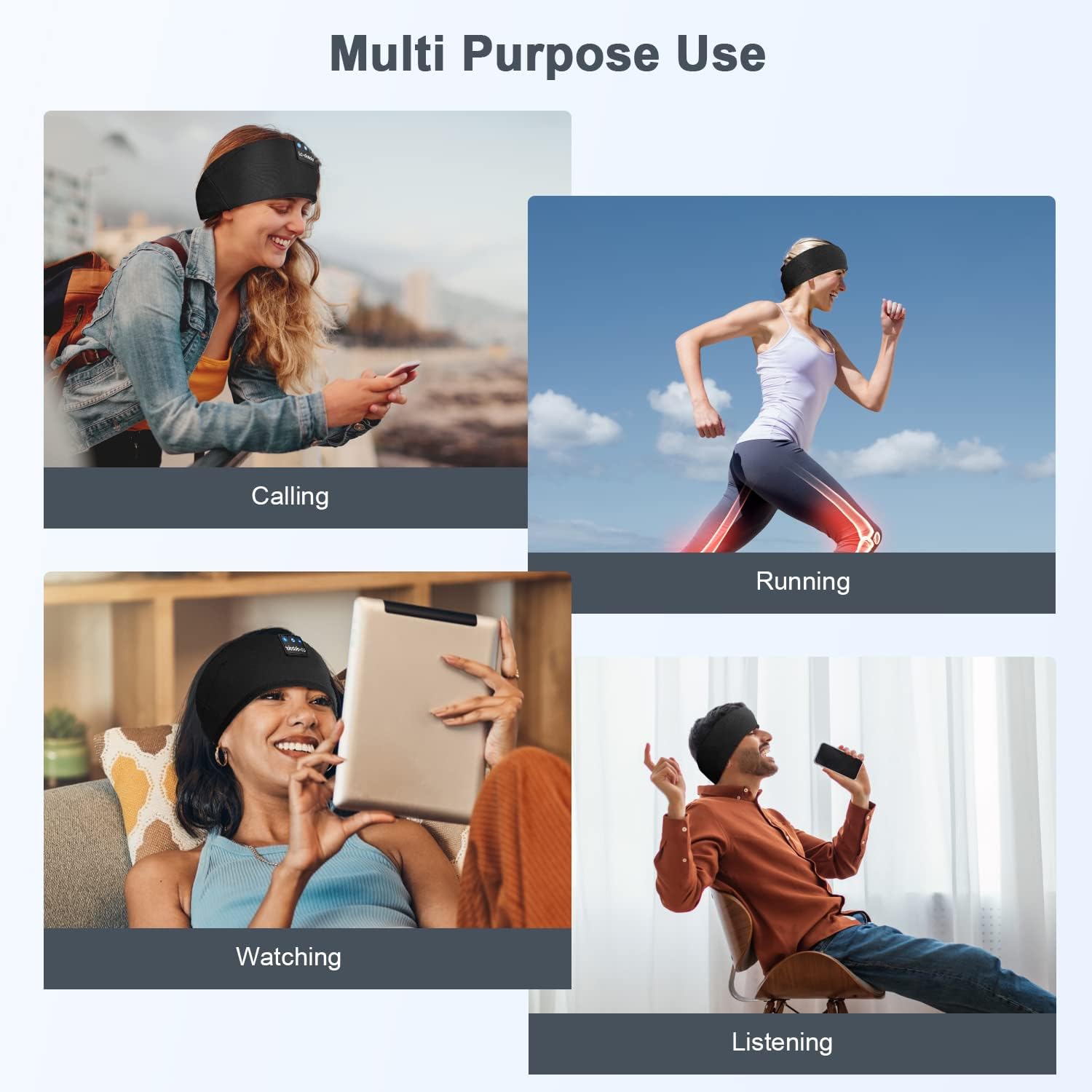
בילד: עקסamples of multi-purpose use, including hands-free calling, running, watching media, and general listening.
וישאַלט
Cleaning the Headband
- Before cleaning, ensure the headband is powered off and disconnected from any charging source.
- Gently remove the electronic module (control panel and speakers) from the fabric headband.
- The fabric headband can be hand-washed with mild soap and cold water. Do not machine wash or tumble dry.
- Allow the fabric headband to air dry completely before reinserting the electronic module.
- Wipe the electronic module with a dry, soft cloth. Do not immerse it in water.
סטאָרידזש
- Store the headband in a cool, dry place away from direct sunlight and extreme temperatures.
- Avoid placing heavy objects on the headband to prevent damage to the speakers or internal components.
טראָובלעשאָאָטינג
| פּראָבלעם | מעגלעך סיבה | לייזונג |
|---|---|---|
| Headband does not power on. | נידעריק באַטאַרייע. | Charge the headband for 1-2 hours. |
| קען נישט צופּאַסן מיטן דעווייס. | Bluetooth is off on your device; headband is not in pairing mode; device is too far. | Ensure Bluetooth is enabled on your device. Put the headband into pairing mode (flashing blue/red LED). Move device closer to the headband. |
| קיין קלאַנג אָדער נידעריקע וואָלומען. | Volume too low on headband or device; speakers misaligned; connection issue. | Increase volume on both the headband and your device. Adjust speaker position within the headband. Re-pair the device. |
| אומגעריכטע פֿאַרבינדונג. | אַפּאַראַט צו ווייט; שטערונג; נידעריקע באַטאַרייע. | Move closer to your device. Avoid strong electromagnetic interference. Charge the headband. |
| מיקראָפאָן טוט נישט אַרבעטן. | Microphone blocked; device settings. | Ensure the microphone area is clear. Check your device's audio input settings. |
אויב איר טרעפט פּראָבלעמען וואָס זענען נישט דאָ אויסגערעכנט, ביטע זעט די וואָראַנטי און שטיצע אָפּטייל פֿאַר הילף.
ספּעסאַפאַקיישאַנז
| מאָדעל נאָמען | LC001 |
| קאַנעקטיוויטי טעכנאָלאָגיע | ווירעלעסס (בלועטאָאָטה) |
| בלועטאָאָטה ווערסיע | 5.2 |
| בלועטאָאָטה קייט | 45 פֿיס |
| אַודיאָ דרייווער טיפּ | דינאַמיש דרייווער |
| אָפטקייַט ראַנגע | 20 הז - 20,000 הז |
| באַטערי לעבן | Up to 13 Hours (Playback) |
| טשאַרדזשינג צייט | 1-2 שעה |
| קאָנטראָל טיפּ | Media Control (Buttons) |
| וואַסער קעגנשטעל מדרגה | ניט וואַסער קעגנשטעליק |
| פּונקט וואָג | 2.89 אונסעס |
| פּעקל דימענשאַנז | 7.95 X 3.98 X 0.94 אינטשעס |
באַמערקונג: די ספּעסאַפאַקיישאַנז קענען זיין געביטן אָן באַמערקן.
וואָראַנטי און שטיצן
פאַבריקאַנט'ס וואָראַנטי
This LC-dolida product comes with a one-year manufacturer's warranty from the date of purchase, covering defects in materials and workmanship under normal use.
Additionally, a 30-day satisfaction guarantee allows for a refund within 30 days of purchase if you are not satisfied with the product.
קונה שטיצן
For any questions, technical assistance, or warranty claims, please contact our after-sales team via email. We aim to provide a satisfactory solution within 6 hours.
Please visit the official LC-dolida website or your purchase platform for specific contact details.


