פּראָדוקט איבערview
The Delton S12 Ergonomic Vertical Wireless Mouse is designed for comfort and efficiency, promoting a natural hand and wrist posture. It features a 2.4GHz wireless connection, six buttons, and three adjustable DPI levels for precise control. This manual provides instructions for setup, operation, maintenance, and troubleshooting.

Image: The Delton S12 Ergonomic Vertical Wireless Mouse, showcasing its vertical design.
סעטאַפּ
1. ונפּאַקקינג
Carefully remove the mouse and its accessories from the packaging. Ensure all components are present: the Delton S12 Vertical Wireless Mouse and the USB dongle.
2. באַטאַרייע ייַנמאָנטירונג
The Delton S12 mouse requires two (2) AAA batteries (not included). Follow these steps to install them:
- געפינען די באַטאַרייע אָפּטייל אויף די אַנדערסייד פון די מויז.
- פארזיכטיק עפֿנט דעם דעקל פֿון דער באַטעריע־אָפּטיילונג.
- אַרײַנשטעלן צוויי AAA באַטעריעס, און זיכער מאַכן אַז די פּאָלאַריטעט איז ריכטיק (+/-).
- פֿאַרמאַכט דעם דעקל פֿון דער באַטעריע־אָפּטיילונג ביז עס קליקט זיכער אַרײַן אין פּלאַץ.
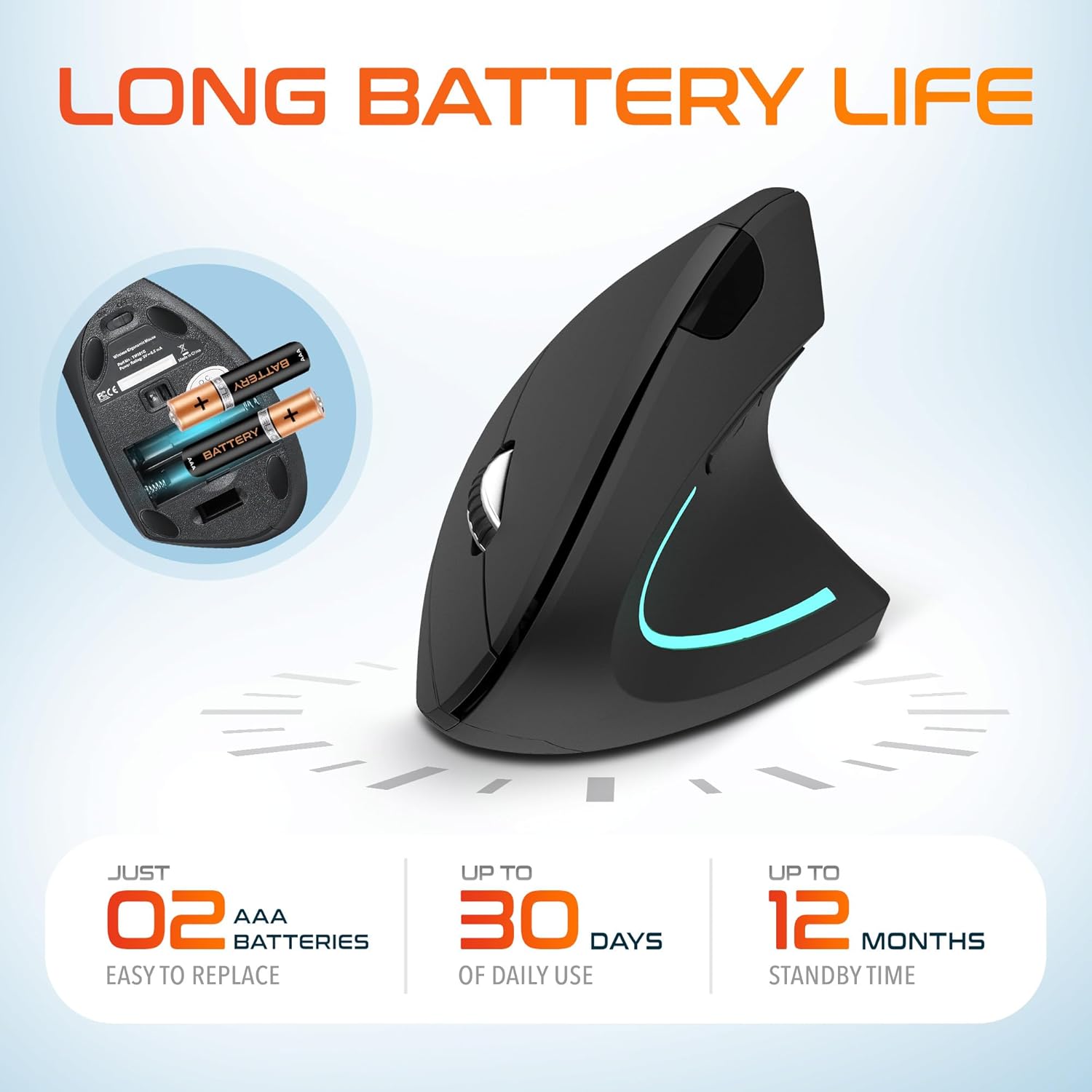
Image: The underside of the Delton S12 mouse with the battery compartment open, showing the correct placement for two AAA batteries.
3. Connecting the USB Dongle
The mouse connects wirelessly via a 2.4GHz USB dongle. No drivers are typically required for most operating systems.
- Remove the USB dongle from its storage slot, usually located near the battery compartment.
- Plug the USB dongle into an available USB port on your computer (PC, Laptop, Mac, Chromebook, etc.).
- The computer should automatically detect and install the necessary drivers. The mouse is ready for use once detected.

Image: The Delton S12 mouse positioned next to its USB dongle, ready for connection to a computer.
אפערירן דיין מויז
The Delton S12 mouse features six buttons and a scroll wheel for enhanced functionality.
1. קנעפּל פאַנגקשאַנז
- לינק קליקט: Primary selection and activation button.
- רעכט גיט: צוטריט קאָנטעקסטואַל מעניוז.
- סקראָל ראָד: סקראָלט ווערטיקאַל דורך דאָקומענטן און web בלעטער. מען קען אויך קליקן דערויף פאר א מיטל-קליק פונקציאנאליטעט.
- DPI סוויטש קנעפּל: אַדזשאַסטירט קורסאָר סענסיטיוויטי (DPI).
- פֿאָרווערטס קנעפּל: נאַוויגירט פאָרויס אין web בראַוזערז אָדער file עקספּלאָרערס.
- צוריק קנעפּל: נאַוויגירט צוריק אין web בראַוזערז אָדער file עקספּלאָרערס.

Image: Diagram illustrating the location and function of the six buttons on the Delton S12 Ergonomic Vertical Wireless Mouse.
2. דפּי אַדזשאַסטמאַנט
The mouse offers three adjustable DPI levels (800, 1200, 2400) to suit different tasks and preferences. Press the DPI Switch Button (located behind the scroll wheel) to cycle through the settings. An indicator LED will change color to show the current DPI level:
- בלוי LED: 800 DPI (Lower sensitivity, suitable for precise work)
- רויט געפירט: 1200 DPI (Medium sensitivity, standard use)
- גרין געפירט: 2400 DPI (Higher sensitivity, suitable for faster cursor movement)

Image: Close-up of the Delton S12 mouse showing the DPI indicator LED changing colors (blue, red, green) for different sensitivity settings.
וישאַלט
1. רייניקונג
כדי צו האַלטן די בעסטע פאָרשטעלונג, רייניקט רעגולער אייער מויז. ניצט אַ ווייכע, טרוקענע שטאָף צו ווישן די ייבערפלאַך. פֿאַר שווערע שמוץ, ניצט אַ ביסלamp מען קען ניצן אַ שטאָף, אָבער זאָרגט זיך אַז קיין נעץ זאָל נישט אַרײַנגיין אין די אינעווייניקסטע קאָמפּאָנענטן. פֿאַרמײַדט שטרענגע כעמיקאַלן אָדער אַברייסיוו רייניקונגסמיטלען.
2. באַטערי פאַרבייַט
When the mouse performance degrades or it stops responding, it's time to replace the batteries. Follow the battery installation steps outlined in the Setup section. Dispose of used batteries responsibly according to local regulations.
טראָובלעשאָאָטינג
מויז ענטפערט נישט:
- מאַכן זיכער אַז די מויז איז פּאַוערד אויף.
- קאָנטראָלירט צי די באַטעריעס זענען ריכטיק אינסטאַלירט און האָבן גענוג אָפּצאָל. טוישט זיי אויב נייטיק.
- Verify the USB dongle is securely plugged into a working USB port on your computer. Try a different USB port.
- Move the mouse closer to the USB dongle to ensure it's within the 30-foot operating range.
- ריסטאַרט דיין קאָמפּיוטער.
אומשטענדלעכע קורסאָר באַוועגונג:
- רייניקט דעם אָפּטישן סענסאָר אויף דער אונטערשטער זײַט פֿון דער מויז מיט אַ ווייכן, טרוקענעם שטאָף.
- Ensure you are using the mouse on a suitable surface. Avoid highly reflective or transparent surfaces. A mouse pad is recommended.
- קוק פֿאַר ינטערפיראַנס פון אנדערע וויירליס דעוויסעס.
DPI Indicator Light Not Changing:
- Press the DPI switch button firmly. If the issue persists, ensure batteries are fresh.
ספּעסאַפאַקיישאַנז
| סאָרט | דעלטאן |
| מאָדעל נומער | S12 |
| קאַנעקטיוויטי טעכנאָלאָגיע | 2.4GHz ווירעלעס (USB דאָנגל) |
| באַוועגונג דעטעקשאַן טעכנאָלאָגיע | אָפּטיש |
| דפּי לעוועלס | 800 , 1200 , 2400 |
| נומער פון קנעפּלעך | 6 |
| האַנט אָריענטירונג | רעכט |
| מאַכט מקור | באַטעריע געטריבן (2 x AAA באַטעריעס פארלאנגט) |
| באַטערי דורכשניטלעך לעבן | Up to 30 days (daily use) |
| ווירעלעסס ראַנגע | אַרויף צו 30 פֿיס |
| קאַמפּאַטאַבאַל דעוויסעס | PC, Laptop, Mac, Chromebook, iOS devices |
| אָפּערייטינג סיסטעם | Windows 11/10/9/8/7/XP, Mac OS 9/8/7, Linux, Chrome OS |
| מאַטעריאַל | פּלאַסטיק |
וואָראַנטי און שטיצן
וואָראַנטי אינפֿאָרמאַציע:
This Delton S12 Ergonomic Vertical Wireless Mouse comes with a 1-Year Manufacturer Warranty. This warranty covers defects in materials and workmanship under normal use. For warranty claims, please retain your proof of purchase.
קונה שטיצן:
For technical assistance, troubleshooting, or any questions regarding your Delton S12 mouse, please contact Delton customer support. Refer to the product packaging or the official Delton webזייטל פֿאַר די מערסט אַקטועלע קאָנטאַקט אינפֿאָרמאַציע.


