1. הקדמה
This manual provides essential information for the safe and efficient use of your AOC CU34P3CV 34-inch Ultrawide Quad HD LED Monitor. Please read this manual thoroughly before operating the device and retain it for future reference.
The AOC CU34P3CV is a 34-inch ultrawide curved monitor designed for productivity and immersive viewing, featuring a 3440 x 1440 Quad HD resolution, a VA panel, and a versatile USB-C docking solution.
2. זיכערקייַט אינפֿאָרמאַציע
- מאַכט מקור: Use only the power cord and adapter supplied with the monitor. Ensure the power outlet is properly grounded.
- ווענטילאַטיאָן: בלאָקירט נישט די ווענטילאַציע עפענונגען. לאָזט גענוג פּלאַץ אַרום דעם מאָניטאָר פֿאַר געהעריקן לופטפלוס.
- פליסיק ויסשטעלן: האַלט דעם מאָניטאָר אַוועק פֿון וואַסער אָדער אַנדערע פֿליסיקייטן. אַרבעט נישט אין סביבות מיט אַ הויכער פֿײַכטקייט.
- רייניקונג: טרענט אפ דעם עלעקטרישן שנור איידער איר רייניגט. ניצט א ווייכן, טרוקענעם שטאָף. פארמיידט פליסיקע אדער אייראזאל רייניגער.
- אָרט: Place the monitor on a stable, level surface. Avoid direct sunlight, heat sources, or excessive dust.
- סערוויס: פרובירט נישט צו סערוויסן דעם מאָניטאָר אַליין. לאָזט איבער אַלע סערוויסינג אַרבעטן צו קוואַליפֿיצירטע סערוויס פּערסאָנעל.
3. פּעקל אינהאַלט
ביטע קאָנטראָלירט דעם אינהאַלט פֿון דער פּאַקעט בײַם אויספּאַקן. אויב עפּעס פֿעלט אָדער איז צעבראָכן, קאָנטאַקטירט אײַער פֿאַרקויפֿער.
- AOC CU34P3CV Monitor
- מאָניטאָר שטאַנד (באַזע און האַלדז)
- מאַכט קאַבלע
- HDMI קאַבלע
- DisplayPort קאַבלע
- וסב- C קאַבלע
- באַניצער מאַנואַל (דעם דאָקומענט)
4. סעטאַפּ
4.1. אַסעמבאַל די שטיין
- לייגט פֿאָרזיכטיק דעם מאָניטאָר מיטן פּנים אַראָפּ אויף אַ ווייכער, ריינער ייבערפֿלאַך כּדי צו פֿאַרמייַדן קראַצן.
- Attach the stand neck to the back of the monitor. Secure with screws if provided.
- Attach the stand base to the stand neck. Secure with the thumb screw or screws provided.
Image: AOC CU34P3CV Monitor Front View
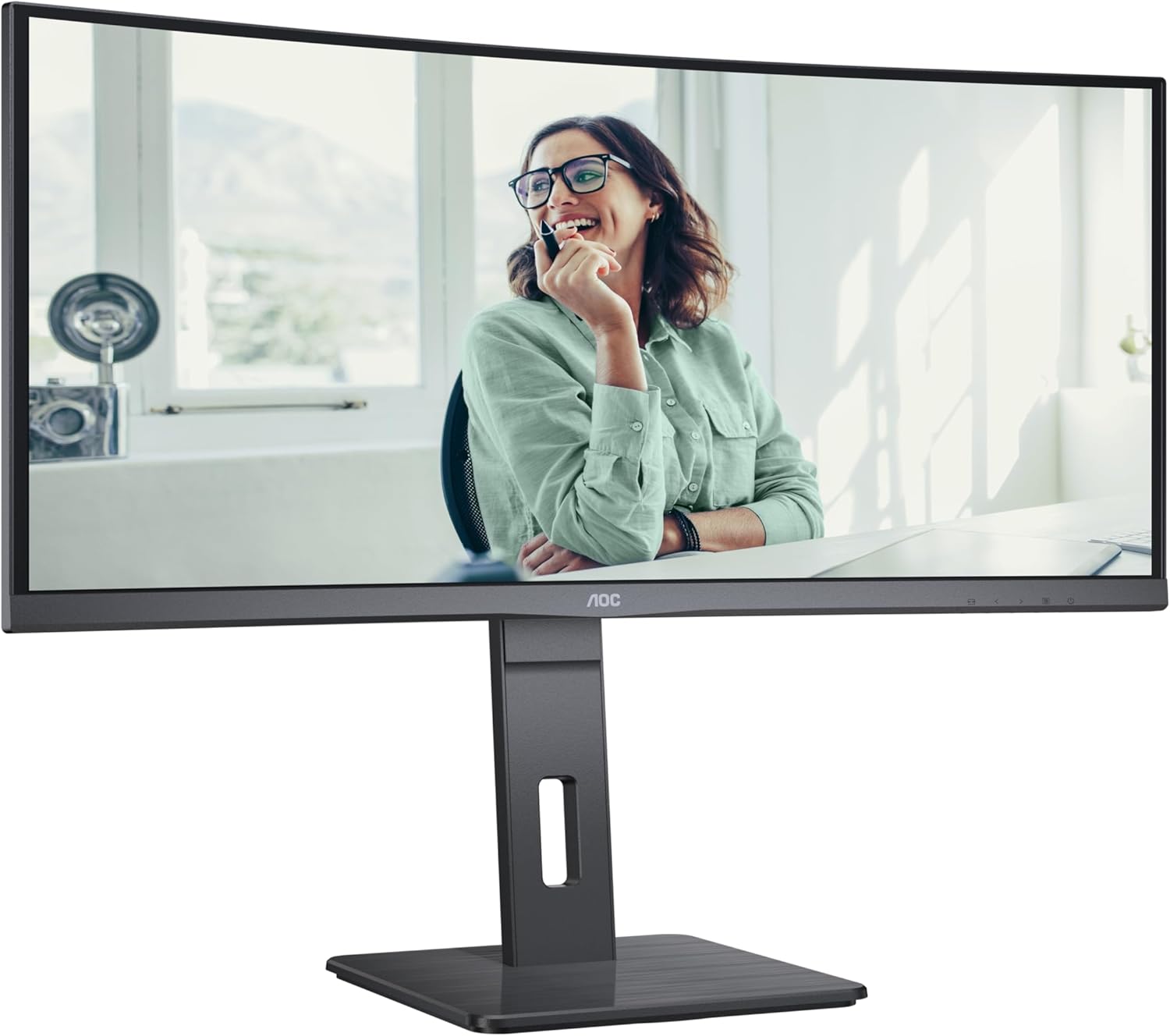
This image shows the AOC CU34P3CV monitor from the front, with its stand, displaying a vibrant image on its curved screen.
Image: AOC CU34P3CV Monitor Features Overview

דאָס בילד גיט אַ פראָנט view of the AOC CU34P3CV monitor, with graphical overlays indicating its key features such as 34-inch size, WQHD resolution, VA panel, 3-sided frameless design, adjustable stand, and curved display.
4.2. קאַנעקטינג די מאָניטאָר
אָפּשיקן צו די הינטן view בילד פֿאַר פּאָרט לאָקאַציעס.

This image displays the rear of the AOC CU34P3CV monitor, detailing the arrangement of its power input, video input ports (HDMI, DisplayPort, USB-C), and USB hub ports.
- מאַכט קשר: פֿאַרבינדט דעם מאַכט קאַבל צום מאָניטאָר'ס מאַכט אַרייַנגאַנג און דערנאָך צו אַ געערדטער עלעקטרישער ווענטיל.
- ווידעא קשר:
- וסב- C: For a single-cable solution providing video, data, and power delivery (up to 65W), connect the USB-C cable from your computer to the monitor's USB-C port.
- HDMI/דיספּלייפּאָרט: Connect an HDMI or DisplayPort cable from your computer's video output to the corresponding port on the monitor.
- וסב כאַב: Connect the upstream USB-C cable (if using USB-C for video) or a separate USB upstream cable (if using HDMI/DP) from your computer to the monitor to enable the integrated USB hub ports.
- נעץ (RJ45): If your monitor supports an integrated Ethernet port via USB-C docking, connect an Ethernet cable from your network router/modem to the RJ45 port on the monitor.
4.3. ערשטע איינשאַלטונג
- מאַכן זיכער אַז אַלע קייבאַלז זענען סיקיורלי פארבונדן.
- דרוק די מאַכט קנעפּל אויף די מאָניטאָר.
- Turn on your computer. The monitor should automatically detect the input signal. If not, you may need to manually select the input source using the On-Screen Display (OSD) menu.
5. אַפּערייטינג ינסטרוקטיאָנס
5.1. מאַכט אויף / אויסגעלאשן
Press the power button, usually located on the bottom right or rear of the monitor, to turn the monitor on or off.
5.2. אויף-סקרין ווייַז (אָסד) מעניו
The OSD menu allows you to adjust various monitor settings. Use the control buttons (joystick or individual buttons) typically located on the bottom or rear of the monitor to navigate the menu.
- אַרייַנשרייַב אויסקלייַבן: Choose between USB-C, HDMI, or DisplayPort inputs.
- בילד סעטטינגס: Adjust Brightness, Contrast, Gamma, Color Temperature, and various picture modes.
- קאָליר סעטאַפּ: Fine-tune color settings.
- OSD סעטאַפּ: אַדזשאַסטירן OSD שפּראַך, טראַנספּאַרענץ און טיימאַוט.
- עקסטרע: Access information about the current resolution and refresh rate.
5.3. אַדזשאַסטירן די מאָניטאָר פּאָזיציע
The monitor stand allows for ergonomic adjustments.
- הייך אַדזשאַסטמאַנט: שטופּ אָדער ציעט דעם מאָניטאָר לײַכט אַרויף אָדער אַראָפּ צו סטרויערן זײַן הייך.
- טילט אַדזשאַסטמאַנט: בייג דעם מאָניטאָר עקראַן פאָרויס אָדער צוריק צו געפֿינען דיין בילכערדיק viewינג ווינקל.
- סוויוואַל אַדזשאַסטמאַנט: דריי דעם מאָניטאָר לינקס אָדער רעכטס אויף זיין באַזע.
Image: AOC CU34P3CV Monitor Side View with USB Ports

דאָס בילד ווײַזט אַ זײַטיקן פּראָfile of the AOC CU34P3CV monitor, highlighting two easily accessible USB ports on the side of the display.
Image: AOC CU34P3CV Monitor Side View with Stand Adjustment

דאָס בילד ווײַזט די זײַט view of the AOC CU34P3CV monitor, showcasing the flexibility of its stand for height and tilt adjustments.
Image: AOC CU34P3CV Monitor Top View
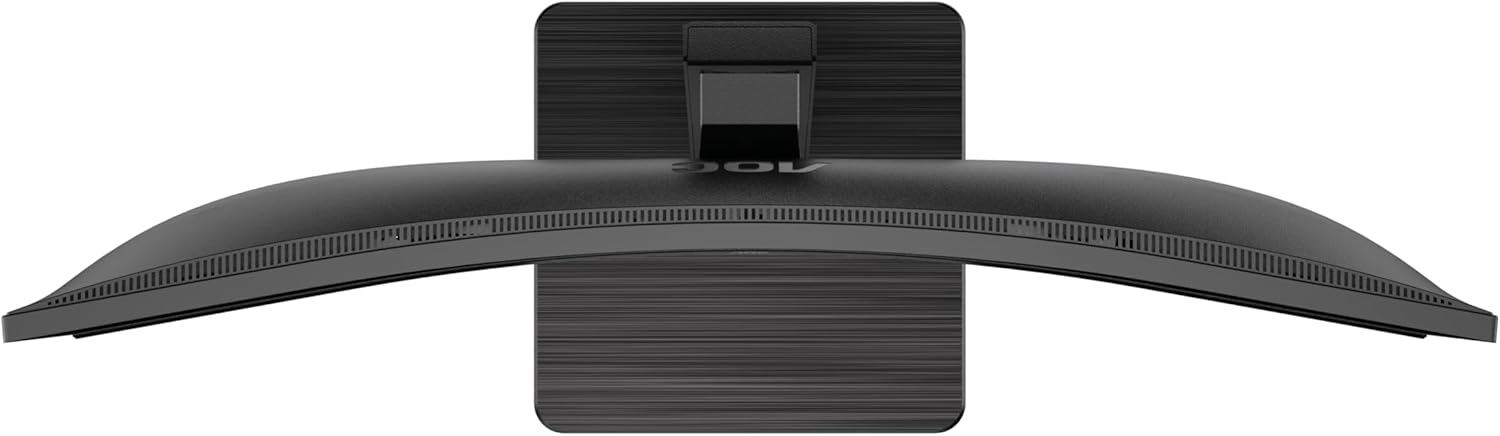
This image provides a top-down perspective of the AOC CU34P3CV monitor, clearly showing the curvature of its ultrawide screen.
6. וישאַלט
6.1. רייניקונג די מאָניטאָר
- שטענדיק ארויסנעמען דעם מאָניטאָר פֿון דער עלעקטרישער אַוטלעט איידער איר רייניגט.
- ניצט אַ ווייכן, לינט-פֿרייע שטאָף צו זאַכט ווישן דעם עקראַן און די אויסערלעכע ייבערפֿלאַכן.
- פֿאַר שווערע פֿלעקן, לײַכט דריקןampווישט דעם שטאָף מיט וואַסער אָדער אַ מילדן, נישט-אַבראַוויזיוון עקראַן רייניגער. שפּריצט נישט רייניגער גלייך אויף דעם עקראַן.
- Avoid using benzene, thinner, ammonia-based cleaners, or abrasive cleaning agents.
7. טראָובלעשאָאָטינג
אויב איר טרעפט פּראָבלעמען מיט אייער מאָניטאָר, זעט די פאלגענדע געוויינטלעכע פּראָבלעמען און לייזונגען:
| פּראָבלעם | מעגלעך סיבה | לייזונג |
|---|---|---|
| No power/No image | Power cable not connected; Monitor off | Ensure power cable is securely connected; Press the power button to turn on the monitor. |
| No signal/"No Input" message | ווידעא קאַבל נישט פארבונדן; אומרעכטע אַרייַנגאַנג מקור אויסגעקליבן | Check video cable connections (HDMI, DisplayPort, USB-C); Use OSD menu to select the correct input source. |
| בילד צו טונקל/העל | ליכטיקייט/קאנטראסט סעטינגס נישט ריכטיג | אַדזשאַסטירן ברייטקייט און קאָנטראַסט סעטטינגס דורך די OSD מעניו. |
| פליקקערינג בילד | Incorrect refresh rate; Loose cable | Ensure refresh rate is set to 60Hz in your computer's display settings; Check video cable connections. |
| וסב פּאָרץ נישט ארבעטן | USB upstream cable not connected; Driver issue | Ensure the USB-C cable (for video and data) or a separate USB upstream cable is connected to your computer; Check computer's device manager for USB driver issues. |
8. ספּעסאַפאַקיישאַנז
מאָדעל: AOC CU34P3CV
| שטריך | באַשרייַבונג |
|---|---|
| פאַרשטעלן גרייס | 34 אינטשעס (86.4 סענטימעטער) |
| האַכלאָטע | 3440 x 1440 Quad HD |
| אַספּעקט פאַרהעלטעניש | 21:9 |
| טאַפליע טיפּ | VA פּאַנעל |
| דערפרישן קורס | 60 הז |
| בילד קאַנטראַסט פאַרהעלטעניש | 1000:1 |
| קאַנעקטיוויטי | USB-C (with Power Delivery), HDMI, DisplayPort, USB Hub, Ethernet (RJ45) |
| מאַכט קאַנסאַמשאַן (SDR) | 32.0 וו |
| מאַכט קאַנסאַמשאַן (HDR) | 35.0 וו |
| מאַכט קאַנסאַמשאַן (אויסגעלאָשן מאָדע) | 0.3 וו |
| מאַכט קאַנסאַמשאַן (סטאַנדביי) | 0.5 וו |
| פּראָדוקט גרייס (אומגעפער) | 11.81 x 11.81 x 11.81 אינטשעס (מיט שטאַנד) |
| וואָג פון דעם פּראָדוקט (אומגעפער) | 2.2 פונט (אָן שטאַנד) |
| Guaranteed Software/Firmware Updates | 8 יאר |
| Guaranteed Spare Parts | 7 יאר |
| גאַראַנטירטע פּראָדוקט שטיצע | 8 יאר |
Image: Product Information Sheet
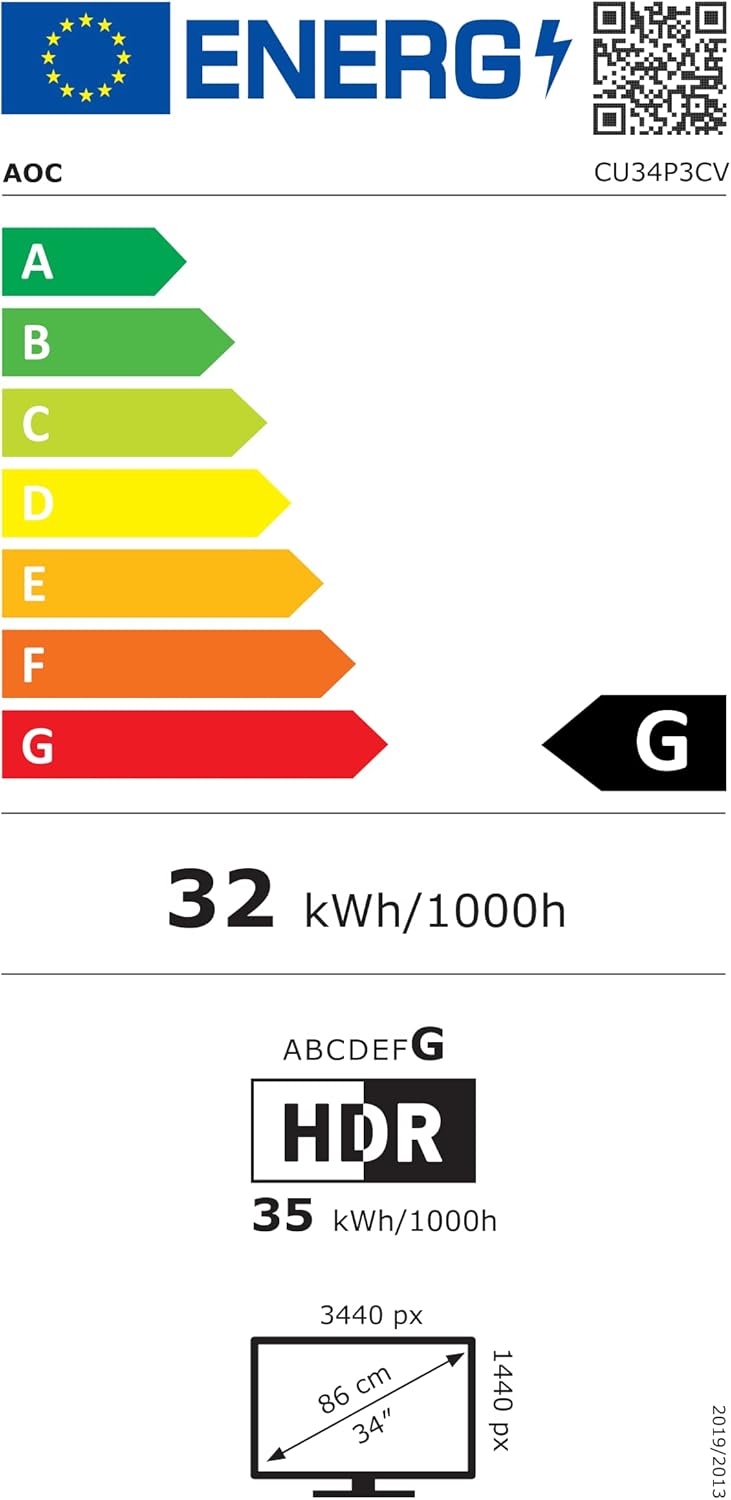
This image displays the official Product Information Sheet for the AOC CU34P3CV monitor, providing detailed technical specifications and compliance information.
Image: Energy Label
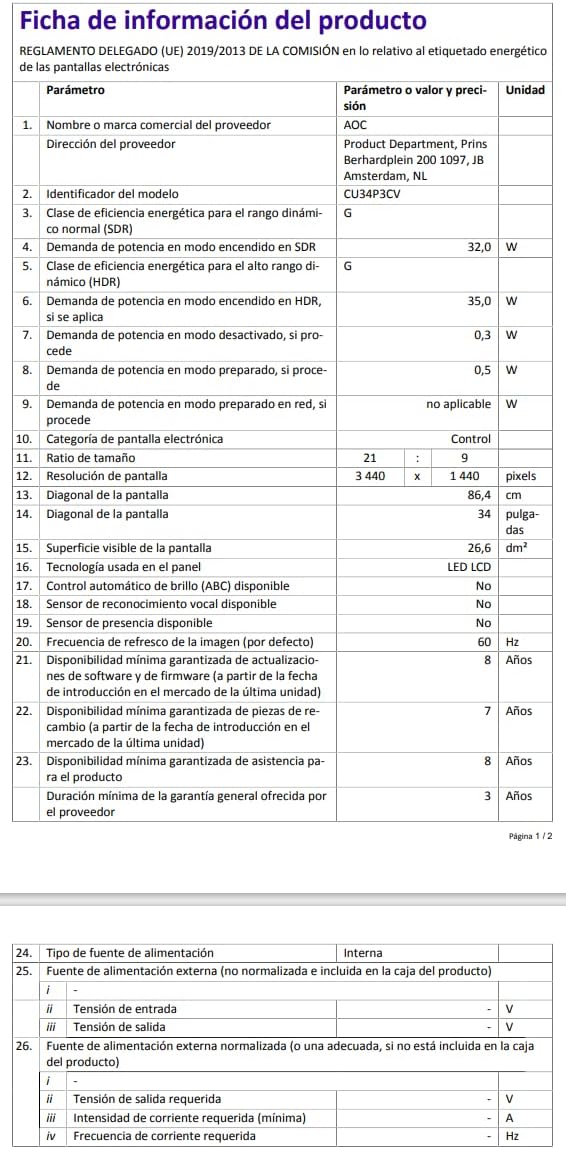
This image presents the EU Energy Label for the AOC CU34P3CV monitor, indicating its energy efficiency class and annual power consumption.
פֿאַר מער דעטאַלירטע ענערגיע אינפֿאָרמאַציע, ביטע באַזוכט די EPREL דאַטאַבאַזע: https://eprel.ec.europa.eu/qr/1362085
9. וואָראַנטי און שטיצן
Your AOC CU34P3CV monitor comes with a minimum general guarantee of 3 יאָר provided by the supplier. Additionally, AOC guarantees minimum availability of software and firmware updates for 8 years, spare parts for 7 years, and product support for 8 years from the date of end of placement on the market.
For technical support, warranty claims, or further assistance, please visit the official AOC website or contact your local AOC customer service center. Keep your purchase receipt as proof of purchase for warranty purposes.


